
Flightsim.to
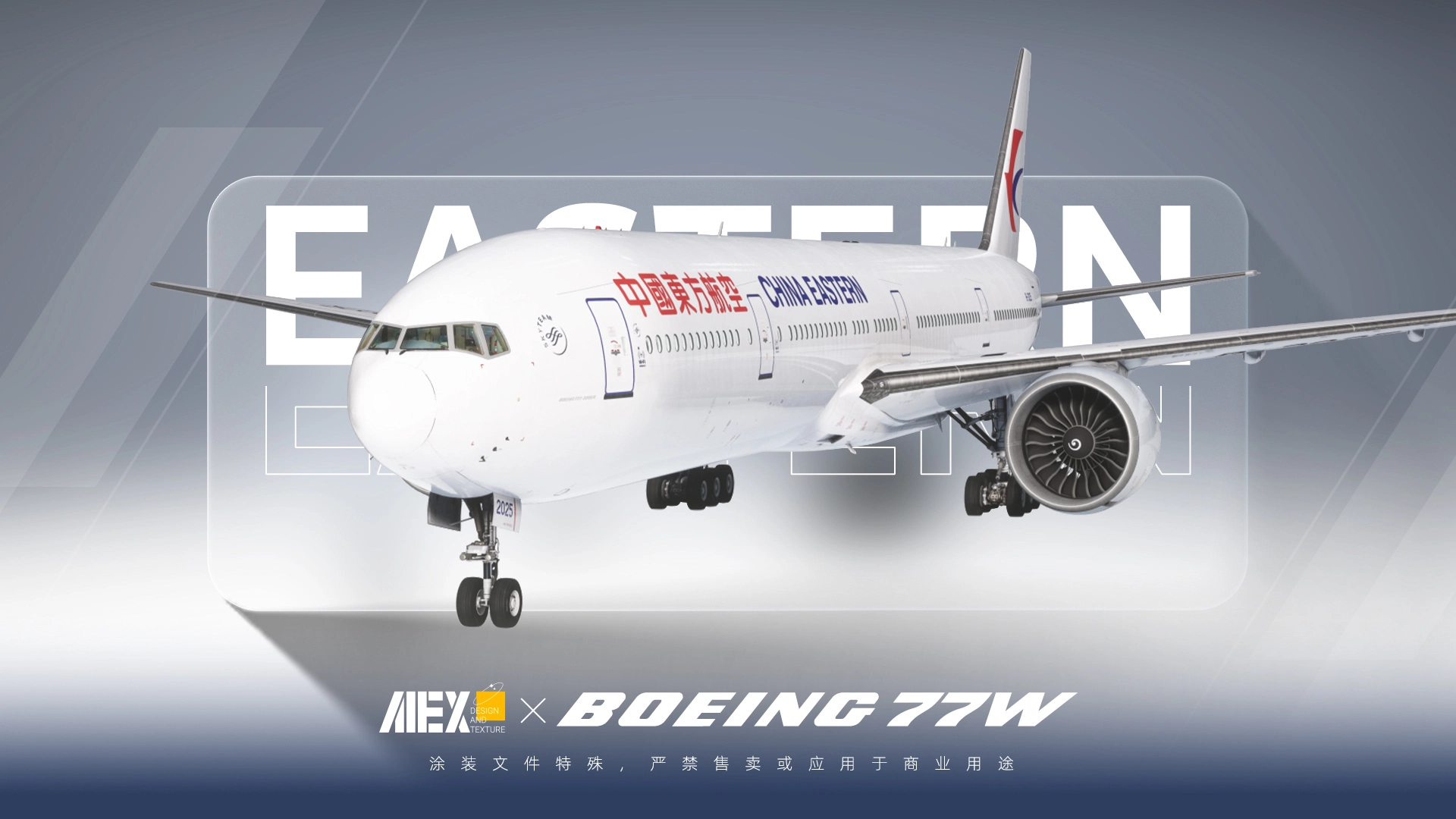
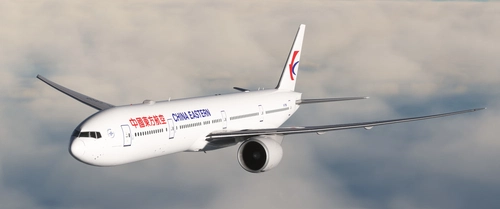
    【Alex.Tex】PMDG777-300ER China Eastern B-2025 中国东方航空-标准涂装-8K - Image 1

    Description

    PMDG777-300ER China Eastern B-2025 中国东方航空-标准涂装-8K


    安装方法丨Installation method

    -将文件解压后放入“Community”文件夹
    -Unzip the file and place it in the "Community" folder

    -参考现实重新对机身细节进行绘制
    -8K贴图保证清晰度

    -Reference reality to redraw details
    -8K texture ensures clarity

    欢迎下载,但请勿转载以及用于商业用途,谢谢

    作者:AlexTex


    消息回复不及时或有定制需求请联系Q:1248133723 


    Please do not use it for commercial purposes or sale. Thank you(By:Translation software XD)

    By:AlexTex


    ⛔ Respect the creators please , It is prohibited to tamper with, copy, or steal any files in this livery.
    👍 If you like this livery, you can give me a five-star review, thanks : )

    ⛔ 请尊重创作者,禁止篡改、复制、盗用此涂装中的任何文件。
    👍 如果你喜欢这个涂装,可以给我一个五星好评,感谢 :)

    Commentaires(24)

    Connectez-vous pour participer à la discussion

    Se connecter
    w

    18 days ago

    Thanks!!
    K

    about 1 month ago

    Thanks my g!
    J

    about 1 month ago

    您好大佬,和您反馈一下您在最新一次更新以后的涂装无法和gsx插件很好的兼容,乘客在机内所呈现的是粉色条纹,如果您有时间麻烦做一下修改,叨扰了
    r

    5 months ago

    ANYTHING but updating this, shame on you.
    l

    3 months ago

    This isnt a full time job and you are getting it for free. Shame on you
    e

    6 months ago

    MFS2024 Plsss
    D

    9 months ago

    FS24 version of this great livery please :) :)
    c

    11 months ago

    x2 for MSFS2024. I dont know why but there aren't a lot of China Eastern paints out there.
    Y

    11 months ago

    Please update for 2024. Thank you
    Y

    12 months ago

    大佬能适配一下mfs2024吗 谢谢啦
    Y

    about 1 year ago

    Great livery! would you be willing to paint B-7349 in the new special livery please? Thanks!
    n

    over 1 year ago

    hihi 能做一个a350的涂装吗 非常喜欢你做的涂装哈哈哈
    D

    over 1 year ago

    Fantastic job
    t

    almost 2 years ago

    Big ask but i reckon if you did B-2002 it would be some vibe
    s

    almost 2 years ago

    感谢巨佬的奉献,Alex出品必属精品
    m

    almost 2 years ago

    支持巨佬出品!
    盗卖真的很让人失望,所以我不敢发布国内涂装,自己找不痛快。
    E

    almost 2 years ago

    很好的作品,请问客舱可以修改一下吗?现实中的客舱似乎不是涂的这样的
    E

    almost 2 years ago

    谢谢Alex发布完整的涂装!!
    C

    almost 2 years ago

    很好的工作,爱来自瓷器
    MSFS 2020MSFS 2024

    【Alex.Tex】PMDG777-300ER China Eastern B-2025 中国东方航空-标准涂装-8K

    This add-on features an 8K resolution China Eastern Airlines standard livery for the PMDG 777-300ER, accurately redrawn based on the real aircraft B-2025. The livery offers high detail and clarity through enhanced textures. Installation is completed by unzipping the file and placing it in the Community folder. Redistribution and commercial use of the livery are not permitted.


    Téléchargements5K
    Version2.1
    Taille du fichier149.1 MB
    PubliéIl y a 1 an
    Mis à jourIl y a 3 mois

    Avis des utilisateurs

    5.0

    7 avis

    5
    100%
    4
    0%
    3
    0%
    2
    0%
    1
    0%

    More Information

    Simulateur
    MSFS2020/24
    CompagnieChina Eastern

    Historique des versions

    -升级最新贴图版本,更新2024版本 -Upgrade to the latest texture version, update to version 2024

    Similaires
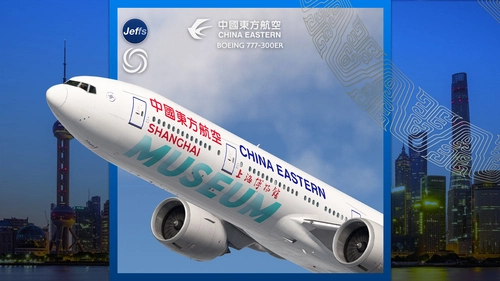
    China Eastern  'SHANGHAI MUSEUM' B-7349 special livery | PMDG 777-300ER

    China Eastern 'SHANGHAI MUSEUM' B-7349 special livery | PMDG 777-300ER

    Experience the detailed China Eastern Boeing 777-300ER livery featuring the SHANGHAI MUSEUM design, inspired by the iconic cultural site. This add-on includes custom interior decals representing museum artifacts, alongside unique engine and fuselage textures. Please note that this livery is not compatible with GSX seated passengers or the PMDG livery installer, requiring manual installation.

    par Jeffs
    5.0
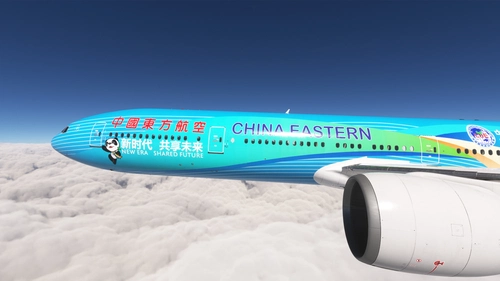
    PMDG 777-300ER w/ cabin China Eastern - China International Import Expo -CIIE (B-2002)

    PMDG 777-300ER w/ cabin China Eastern - China International Import Expo -CIIE (B-2002)

    This add-on features a detailed repaint of the PMDG 777-300ER in the livery of China Eastern Airlines, specifically for the China International Import Expo (CIIE) aircraft B-2002. The package includes a custom tablet background and provides installation instructions for seamless setup via the PMDG Operations Center. This livery is designed to enhance the realism of your flight simulation experience with a unique visual representation of this special event aircraft.

    par alxcpt
    5.0
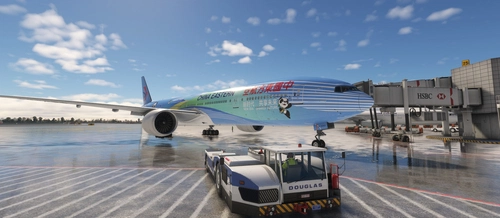
    China Eastern 中国东方航空| B-2002 | CIIE Livery

    China Eastern 中国东方航空| B-2002 | CIIE Livery

    China Eastern B-2002 CIIE Livery with detailed improvements for a realistic flight experience, including upcoming fixes for IFE, interior, and texture issues. Easy installation process through PMDG operation center v2. Free for personal use, please avoid reuploading or selling.

    par Derrick.W & Ruiyang.Q
    5.0
    China Eastern B-7369

    China Eastern B-7369

    This add-on features the China Eastern Airlines B777-300ER (B-7369) for the PMDG 777-300ER in Microsoft Flight Simulator. It includes a custom cabin, external details, and flight deck decals, with textures designed at 16k resolution. The current version is 1.0, released on December 24, 2024, and additional cabin and external details are planned for future updates. Installation instructions are provided in the readme file.

    par Pot4t0

    0.0
    Logo

    Looks like your ad blocker is on.

    ×

    We rely on ads to keep creating quality content for you to enjoy for free.

    Please support our site by disabling your ad blocker.

    Continue without supporting us

    Choose your Ad Blocker

    • Adblock Plus
    • Adblock
    • Adguard
    • Ad Remover
    • Brave
    • Ghostery
    • uBlock Origin
    • uBlock
    • UltraBlock
    • Other
    1. In the extension bar, click the AdBlock Plus icon
    2. Click the large blue toggle for this website
    3. Click refresh
    1. In the extension bar, click the AdBlock icon
    2. Under "Pause on this site" click "Always"
    1. In the extension bar, click on the Adguard icon
    2. Click on the large green toggle for this website
    1. In the extension bar, click on the Ad Remover icon
    2. Click "Disable on This Website"
    1. In the extension bar, click on the orange lion icon
    2. Click the toggle on the top right, shifting from "Up" to "Down"
    1. In the extension bar, click on the Ghostery icon
    2. Click the "Anti-Tracking" shield so it says "Off"
    3. Click the "Ad-Blocking" stop sign so it says "Off"
    4. Refresh the page
    1. In the extension bar, click on the uBlock Origin icon
    2. Click on the big, blue power button
    3. Refresh the page
    1. In the extension bar, click on the uBlock icon
    2. Click on the big, blue power button
    3. Refresh the page
    1. In the extension bar, click on the UltraBlock icon
    2. Check the "Disable UltraBlock" checkbox
    1. Please disable your Ad Blocker
    2. Disable any DNS blocking tools such as AdGuardDNS or NextDNS
    3. Disable any privacy or tracking protection extensions such as Firefox Enhanced Tracking Protection or DuckDuckGo Privacy.

    If the prompt is still appearing, please disable any tools or services you are using that block internet ads (e.g. DNS Servers, tracking protection or privacy extensions).