
Description
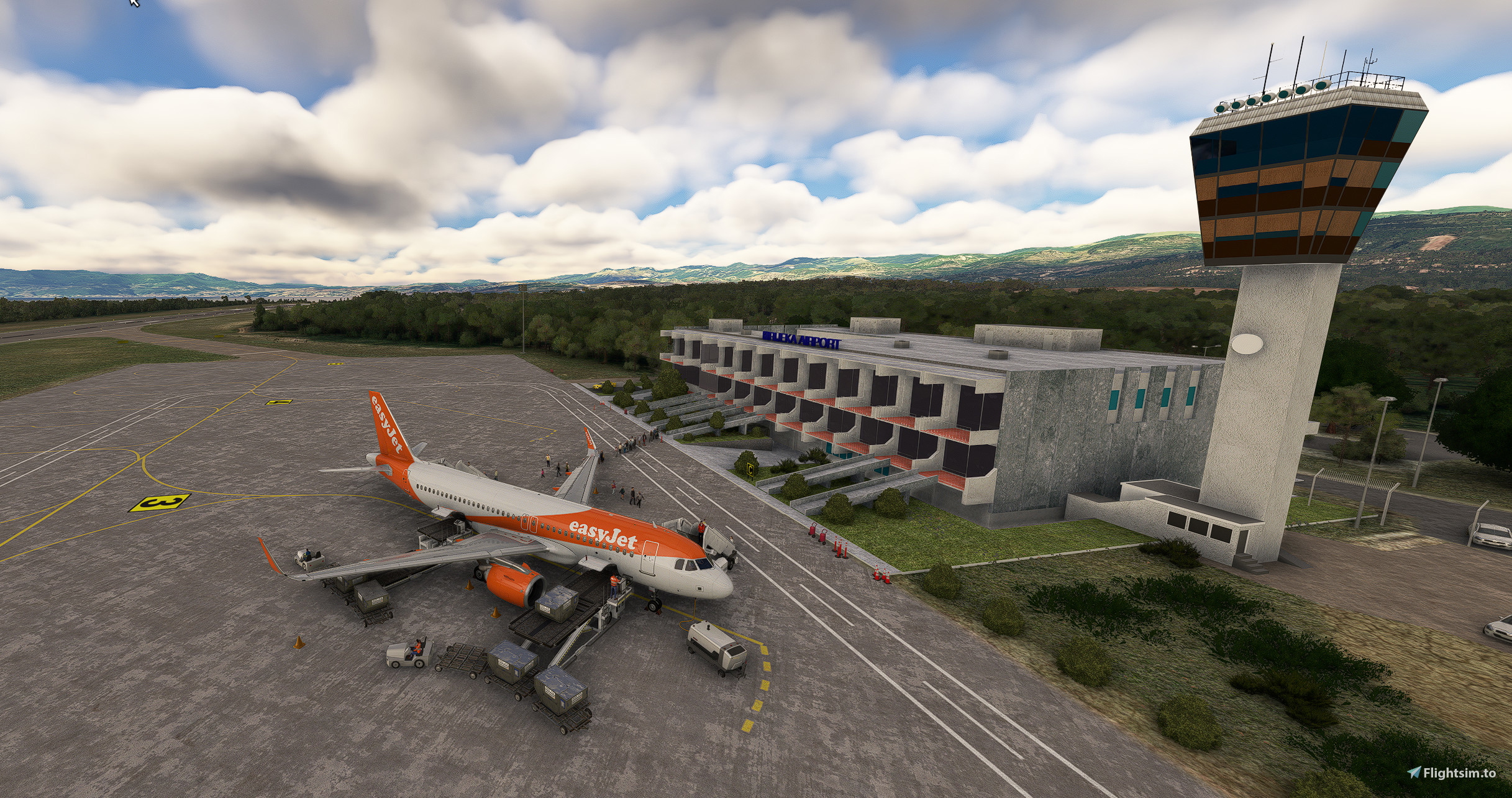
My first handmade GSX-Profile for the beautiful freeware Scenery here on flightsim.to.
Link to the awsome Scenery: https://flightsim.to/file/12761/ldri-rijeka-airport-krk
Update to Version 2:
-> Updatet .INI with Gate (2-4) & Stand (1&2)
-> Updatet the Groundhandling Agent to "Default"-White for better Immersion
What is included?
Custom Parkingpositions, Vehicles and Passanger-walk-in for the following Stands:
- Gates 2, 3 and 4
- Stands 1 and 5
Famos Operators:
Easyjet A320 & A320Neo
Eurowings A320 & 737-800 (Eurowings-Smartwings from EDDK)
Ryanair 737-800
Known Issues:
1. Starting Points for the Passanger-walk-in couldnt be modelled into the Buidings because the People start on the Roof then and fall down what looks realy ugly,
2. GSX-Vehicles are driving crazy ways (through other Vehicles, Planes...),
3. Follow the "How-to-Install"-Instructions on the Scenery (Quote: "To install, place "ldri" and "ldri-ade" folders in your MSFS Community folder and start MSFS.") or the .INI will not work.
Installation
Just unzip and put into your GSX-Folder: C:\Users\xxxxx\AppData\Roaming\Virtuali\GSX\MSFS
Have fun and a big "thank you" for the guy who made this awsome Scenery! Always happy Landings :-)
LDRI GSX-Profile for Freeware Rijeka Airport
Enhance your Rijeka Airport experience with a custom GSX profile featuring custom parking positions and passenger walk-ins for various aircraft types. Simply unzip and place the profile in your GSX folder for easy installation. Experience realistic airport operations and enjoy smooth landings at this beautiful freeware scenery.

Avis des utilisateurs
1 avis
Historique des versions
Version 2: -> Updatet .INI with Gate (2-4) & Stand (1&2) -> Updatet the Groundhandling Agent to "Default"-White for better Immersion
Similaires

LGKR GSX-Profile for Freeware Korfu Airport
This add-on provides a custom GSX profile specifically designed for the freeware Korfu Airport (LGKR), enhancing realism in Microsoft Flight Simulator. It includes tailored parking positions, vehicles, and passenger walk-in services for various aircraft types, including regional and airliner variants. While it effectively supports stands 1-11, certain areas such as the North and West Apron for General Aviation are not modeled. Notable issues include erratic vehicle paths and potential conflicts with the scenerys passenger bus.
par 1860Pilot

EGLC - GSX-Profile for Freeware
This add-on provides a custom GSX profile specifically designed for the freeware EGLC - London City scenery. It includes covert parking stands, tailored vehicle positions, and passenger walkways for nearby gates, featuring bus transfers at outer gates as per real-world operations. Please note that there may be some limitations with GSX vehicles interacting in expected manners.
par 1860Pilot
Connectez-vous pour participer à la discussion
Se connecterCommentaires8
Profile is not working when putting the orignal .ini file. The parking spots are not recognized.
The fix for this is to replace all the [Parking x] in your .ini by [gate x] from 1-5 and remove the "a" from the position 5a. After that, the profile is working so the 2 stars are temporary while waiting for you to push an update for the other users.
Also, Rijeka airport does not have Eurowings, EasyJet, Ryanair handling as they have their own company called "Rijeka Airport" who does the handling. See here : https://www.exyuaviation.com/2023/02/rijeka-airport-forecasts-fewer.html
i´m sorry to hear, that you are unhappy with the Profile.
Its my first Profile and i don´t realy get the Problem with the .ini that you have? Please tell me, what i´m suppost to do and i´ll try to make a V2 of the Profile.
The exect groundhandler isn´t in GSX i think (if i´m wrong send me the right Code from GSX) but i could use one of the default ones (with a matching Color) to enhance the realism. You think thats good?
Thank your for a short answer and always happy landings :-)
I just explained above in my first message what you needed to do ;) Just replace the "Parking" text in your .ini file by "gate".
It is weird that it is working for you and not for me :D Needed to do this trick for it to work.
And yes of course, you can use the default one ;) And just to clarify, that's not my final notation of your profile, just waiting for the hotfix if you can do it ;)
thank you very much!
I made an Update to V2 and now it should work.
The problem was my Installation of the Scenery because you have to install the two Folders separately... So it worked for me, but not for everyone, who did the Installation correct.
I hope you like it and i would love to see some more Stars on my Work ;-))
If there is anything you dislike, just let me know!
Happy Landings :-)
Thanks for the update ! Will test it on my end when I can :)