
Description
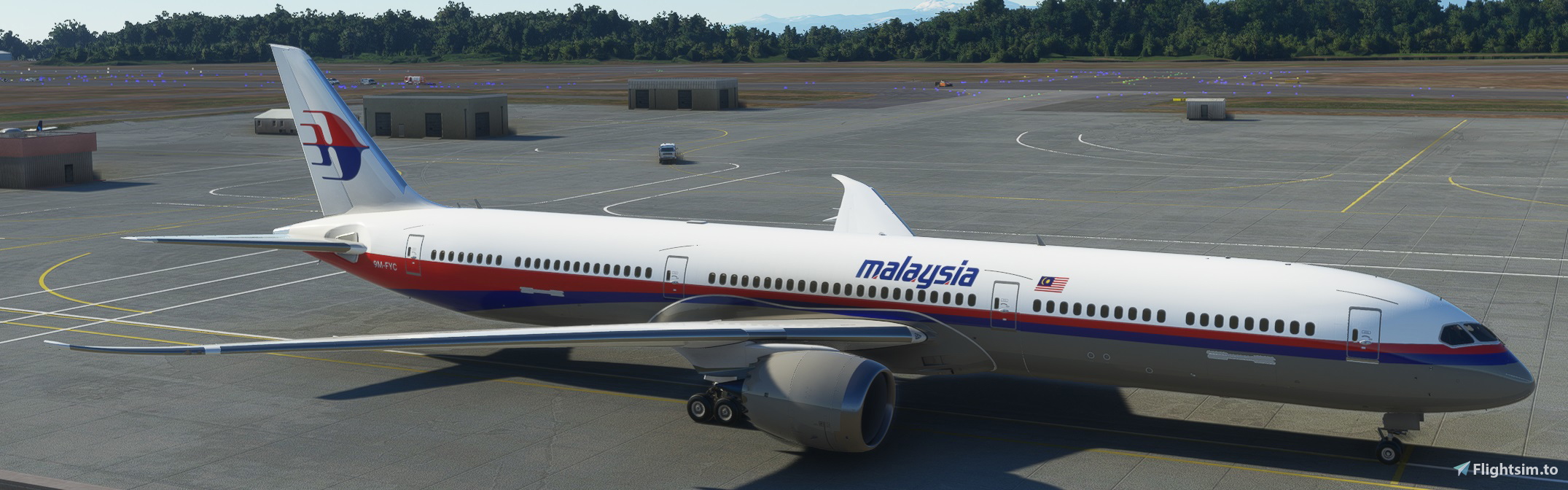
Malaysia Airlines B787-10
Livery's include
- 90s Cheatline
- Current
- Current Airlines Red
- Negaraku
- Negaraku oneworld
- Oneworld
- Heliconia (Rework)
- Heliconia Green (Rework)
-Harimau Malaya
Might have some minor improvents along the way
Please do note that due to limitation at blender quality of the livery my be slightly distorted.
Happy flying
Feedback greatly apreciated.
Regards,
Haansel
*I understand that this is a freeware, please do infrom me if you wish to ammend and reupload them the repaints that i have created from scratch. Its really demotivating for me to do new repaints.
Malaysia Airlines B787-10 Livery Pack
Enhance your virtual aviation experience with the Malaysia Airlines B787-10 Livery Pack, featuring a variety of unique liveries such as the 90s Cheatline, Negaraku, and Heliconia. Please note potential minor improvements may be made over time, and some livery quality may be slightly distorted due to Blender limitations. Enjoy your flights with this collection created by Haansel. Feedback is welcomed and appreciated.

Avis des utilisateurs
3 avis
Historique des versions
Helicona Update
Similaires
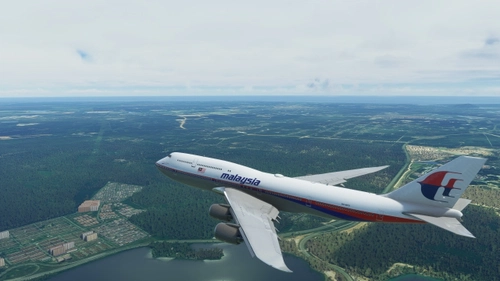
Malaysia Airlines B747-8I Livery Pack (no nmirror)
Explore a variety of Malaysia Airlines B747-8I liveries with this pack, including Current, Oneworld, Retro, and more. Created with attention to detail, these liveries offer a unique flying experience. Special thanks to Haansel and Adi_Boy for their contributions to this pack.
par haansel89
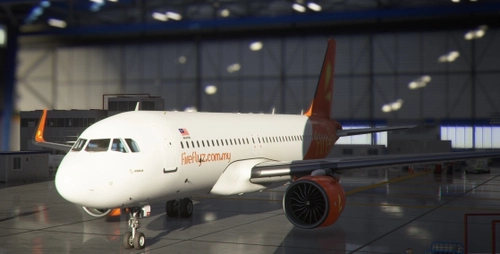
Malaysian Aviation Group A320 Neo (FBW A32NX)
Discover a variety of Malaysian Aviation Group liveries for the A320 Neo in this add-on, including Malaysia Airlines, FireFly, Maswings, and more. Updated with winglets, these repaints offer a range of designs from retro to current, enhancing your virtual aviation experience.
par Haansel
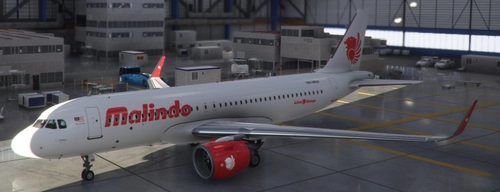
Lion Air Malaysia A320 Neo
Experience a collection of meticulously crafted repaints for the A320 Neo, featuring Lion Air Malaysia, Malindo, Malindo Hybrid, and Batik Air Malaysia liveries. This freeware add-on also includes updated winglets for an enhanced visual experience in Microsoft Flight Simulator.
par Haansel
![[A32NX] Pakistan International Airlines A320 Neo](https://cdn.flightsim.to/images/15/3SNeKZwz.jpg?width=500)
[A32NX] Pakistan International Airlines A320 Neo
Experience the Pakistan International Airlines A320 Neo in Microsoft Flight Simulator with this freeware repaint. Created from scratch, this detailed livery brings the iconic airlines colors to your virtual fleet.
par haansel89
Connectez-vous pour participer à la discussion
Se connecterCommentaires(19)
over 3 years ago
Great work.
over 5 years ago
Hope you're doing fine. Haansel, I have this idea of using a "dirty" look of the B787 liveries. Dirty I mean traces of dirt, grease, oil on the wing tips, flaps, aileron, door etc. I think you know what I mean right? Thanks :)
over 5 years ago
over 5 years ago
over 5 years ago
The system cannot find the path specified. Cannot create "G:\Downloads\MFS2020 Addons\Malaysia Airlines B787-10\Malaysia Airlines B787-10\Asobo_b787_Malaysia Airlines Current\SimObjects\Airplanes\Asobo_B787_10-Malaysia Airlines Current\TEXTURE.Malaysia Airlines Current\787_10_AIRFRAME_FUSELAGE1_ALBD.PNG.dds"
Need advice. Hope to hear from you soon. Cheers.
over 5 years ago
over 5 years ago
1. Re-downloaded the file and saved it directly in the community folder.
2. Deleted all files and folders from previous failed attempt.
3. Tried extracting the winzip file that was downloaded into the community folder.
4. Was unable to extract the necessary files.
over 5 years ago
1. Try downloading the file in G drive rather then in the general C drive and from there extract them individually .
ex.
click Malaysia Airlines B787-10->
Asobo_b787_Malaysia Airlines 90s ->
click extract to said folder.
This should work.
(might be because your main c drive might be full) if this does not work then proceed to the next.
2.try to remove all the mods and turn ou the MSFS and after a successfully going in, exit and add the mods followed by extracting the 787s into the community folder.
If issue persist i m afraid i am not sure how else to assist you.
Kind regards,
Haansel
over 5 years ago
May I point out a small thing, for oneworld fonts, O is in small letter (oneworld instead of Oneworld). Tq
over 5 years ago
over 5 years ago
over 5 years ago
over 5 years ago
over 5 years ago
over 5 years ago
over 5 years ago
over 5 years ago
over 5 years ago
for example. in the comunity folder look for Asobo_b787_Malaysia Airlines Heliconia (right click edit and name it accordingly)
go in to said folder and look for layout and manifest.
right click on Layout and click edit (choose notepad).
go to the top menu bar there will be a "edit" menu.
click it and go down to replace. once the replace bar comes up ,
at the Find what: fill in (Asobo_B787_10-Malaysia Airlines Heliconia)
and at the Replace with ((Asobo_B787_10-MASG)* as an example) and click replace all.
Do the same for manifest.
then enter into simobject > airplanes > ((change the name exactly as in what you typed in notepad)*example Asobo_B787_10-MASG)
after that enter to the Asobo_B787_10-MASG file . change the texture name from TEXTURE.Malaysia Airlines Heliconia to TEXTURE.MASG
right click on aircraft and click edit (choose notepad).
go to the top menu bar there will be a "edit" menu.
click it and go down to replace. once the replace bar comes up ,
at the Find what: fill in (Malaysia Airlines Heliconia)
and at the Replace with ((MASG)* as an example) and click replace all.
if you dont do this right, the aircraft will not display in the simulator.
hope it is usefull and i will not be held responsible if there are any mishaps that occur on your end.
safe flying.
ps: after changing the name of folders, when you are flying with a friend with the same livery, the livery on your friends will display as a generic livery. vice versa.
over 5 years ago