


Description
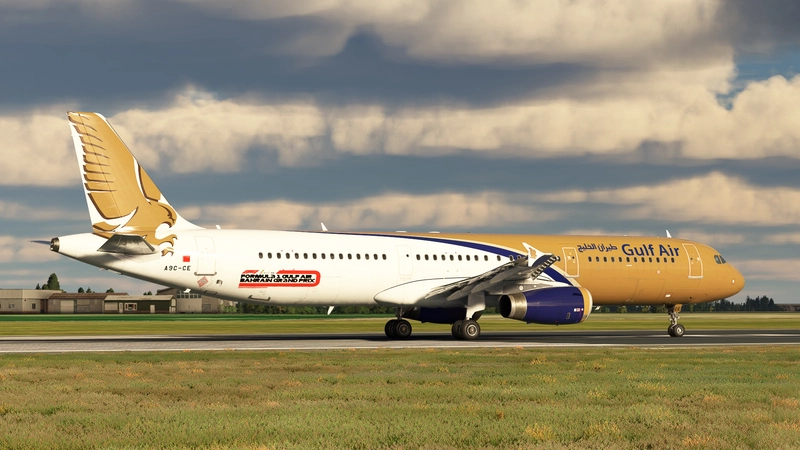
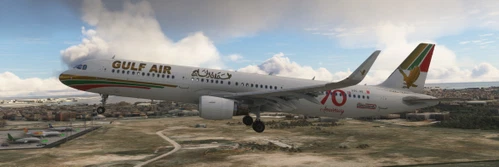
This package includes 4 liveries (4K/8K) of the current active fleet of Gulf Air A321s :
A9C-CC
A9C-CD
A9C-CE
A9C-CF
Features:
-Liveries were made from real photos.
-4k/8k textures.
-Highly detailed rendition of each airframe.
-Each airframe has its unique decals(see photos).
-Hand-painted.
-Highly detailed cabin.
-Entertainment system added to the chairs.
-Falcon correct placement on the tail and body.
-Seat colors changed to match the real ones.
-Arabic signs were added to the cabin.
-Arabic writing on the exterior.
-The trolly color changed to match the real aircraft.
-The real color of the walls.
Installation:
-Choose a preferred resolution (4k or 8k)and add your community folder.
Gulf Air A321 Fleet + Cabin (4K+8K) | Fenix A321
This add-on features a detailed package of Gulf Air A321 liveries for the Fenix A321, including four distinct options (A9C-CC, A9C-CD, A9C-CE, A9C-CF) with 4K and 8K textures. Each livery is hand-painted from real photos, showcasing unique decals and a highly detailed cabin environment, complete with an entertainment system and Arabic signage. The add-on enhances the realism of the aircraft with correct color schemes and accurate placements of logos and features.

Historique des versions
Aucun historique de version disponible.
Similaires
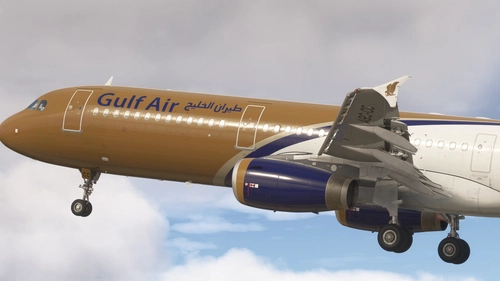
Gulf Air A9C-CC+ Cabin |MSFS 2024| Fenix A321
This add-on for Microsoft Flight Simulator 2024 features a highly detailed cabin and exterior for the Gulf Air A9C-CC+ on the Fenix A321. Each airframe is hand-painted with unique decals and an authentic color scheme, including Arabic signage. Additionally, the cabin is equipped with an entertainment system and realistic seat colors to enhance immersion. Users can select between 4k or 8k resolutions for installation.
par moho_43
Gulf Air A9C-NA | Sharklet | w/Cabin | Fenixsim A321 | Fictional | Requested
This add-on features a fictional Gulf Air livery for the Fenixsim A321, showcasing the aircraft A9C-NA with sharklets and a detailed cabin interior. The package is designed for easy installation by simply unzipping the file and placing it in the Community folder of Microsoft Flight Simulator.
par normandyq8
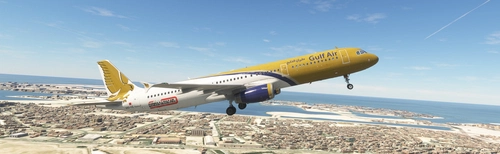
Gulf Air A9C-CE | 8K | w/Cabin | Fenixsim a321
This add-on features a Gulf Air livery for the Fenixsim A321, available in 8K resolution. It includes a detailed cabin for enhanced realism. Users can select between versions compatible with Microsoft Flight Simulator 2020 or 2024. Installation is straightforward by placing the unzipped file into the Community folder.
par normandyq8
Gulf Air A9C-NB CFM (Sharklet) | 8K & 4K | Fenixsim A321 | Requested
This add-on features a highly detailed Gulf Air A9C-NB livery for the Fenixsim A321, available in both 8K and 4K resolutions. It includes realistic textures and branding specific to Gulf Air, enhancing the visual experience in Microsoft Flight Simulator. Installation is straightforward by unzipping the file and placing it into the Community folder.
par normandyq8
Connectez-vous pour participer à la discussion
Se connecterCommentaires4