

Description
Rarotonga, Cook Islands Coral Reef (Pacific Islands) | MSFS Water Mask
Explore the breathtaking coral reefs surrounding the beautiful island of Rarotonga, Cook Islands, like never before! This custom water mask for Microsoft Flight Simulator enhances the clarity and vibrancy of the coral reef structures, bringing the underwater scenery to life.
Stay tuned for an upcoming NCRG Rarotonga International Airport scenery add-on, which will bring even more detail to your flights in the Cook Islands! Be sure to keep an eye out for future updates.
Installation:
1. Download the .zip file.
2. Extract the contents into your MSFS Community folder.
3. Start the simulator and enjoy the beauty of the Cook Islands.
Take to the skies and discover the hidden gems of Rarotonga’s coral reefs!
Due to the Flight Simulators restrictions, the 'reef' is elevated in all areas from ground level. It's not recommended to do extremely low flying. LOD's are utilized in an effort to prevent flickering.
Rarotonga, Cook Islands Coral Reef (Pacific Islands) | MSFS Water Mask
This add-on provides a custom water mask for Microsoft Flight Simulator, enhancing the visual representation of the coral reefs surrounding Rarotonga in the Cook Islands. The mod aims to improve clarity and vibrancy of the underwater scenery, offering a more immersive experience while exploring the area. An upcoming airport scenery add-on for NCRG Rarotonga International Airport is also anticipated, promising additional detail for pilots. Please note that the reef elevation may affect low-flying maneuvers due to simulator restrictions.


Avis des utilisateurs
1 avis
Historique des versions
MSFS2024 Compatibility.
Présent dans des collections(1)

Similaires

Arrows Across America: fly the US Air Mail routes 1926
A recreation of the Contract Air Mail routes routes #1, #4, #5, #8, #12, #17, #18, #19, #26 and #32 from 1926, finding your way via 51' concrete arrows with flashing lights on 51' beacon towers. Fly the old way, bare bones navigation from the dawn of commercial aviation… Flying really low and slow in all weathers, day and night, no autopilot available.
par Rob, Richard & Dave
Wurzburg Castle , POI Landmarks Germany
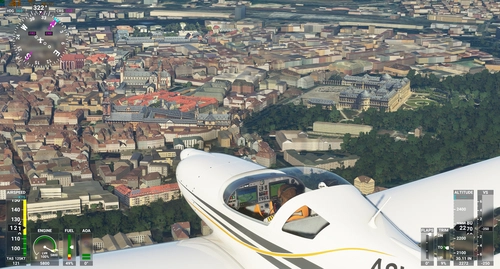
Explore the iconic landmarks of Wurzburg, a city in Bavaria, Germany, including Wurzburg Residence, a UNESCO World Heritage site and the starting point of the Romantic Road. Discover the cultural and historical significance of this enchanting city along the Main river. Install this POI landmark add-on in your Community Folder and enhance your virtual flying experience.
par legofun1974 and Archer374
Philippine Ships Minor Scenery Enhancement
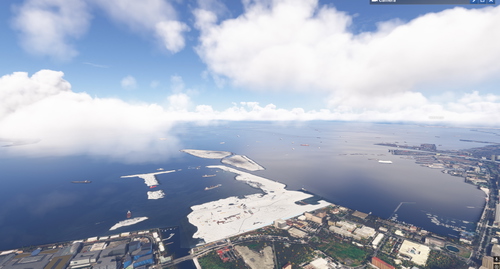
Enhance your simulator experience with the Manila Bay Minor Scenery Enhancement add-on, which introduces additional ships to Manila Bay in the Philippines. It also features Google Photo Scenery showcasing the ongoing construction of Bulacan International Airport and Pasay Land Reclamation. This add-on is compatible with both FS2020 and FS2024. Ensure to download the required dependencies for optimal performance.
par TurtleTank1997

Photogrammetry fix for Bantiger TV Tower
This add-on modifies the Microsoft Flight Simulator 2024 environment by removing the default television tower. It replaces it with a more accurate representation generated through photogrammetry, enhancing the visual fidelity of the Bantiger TV Tower.
par SebStep91
Connectez-vous pour participer à la discussion
Se connecterCommentaires13
I was wondering if you could take some time out of your schedule to create a water mask for the coastline of Nice in the south of France. The area is stunning, but the 22R/L approach is really lacking without its signature clear blue water. I fully understand if you are unable to complete my request, but thanks in advance anyways.
It this file compatible with MSFS 2024 too?
Cheers!
would be great if could get the plans for the terminal.