
Flightsim.to
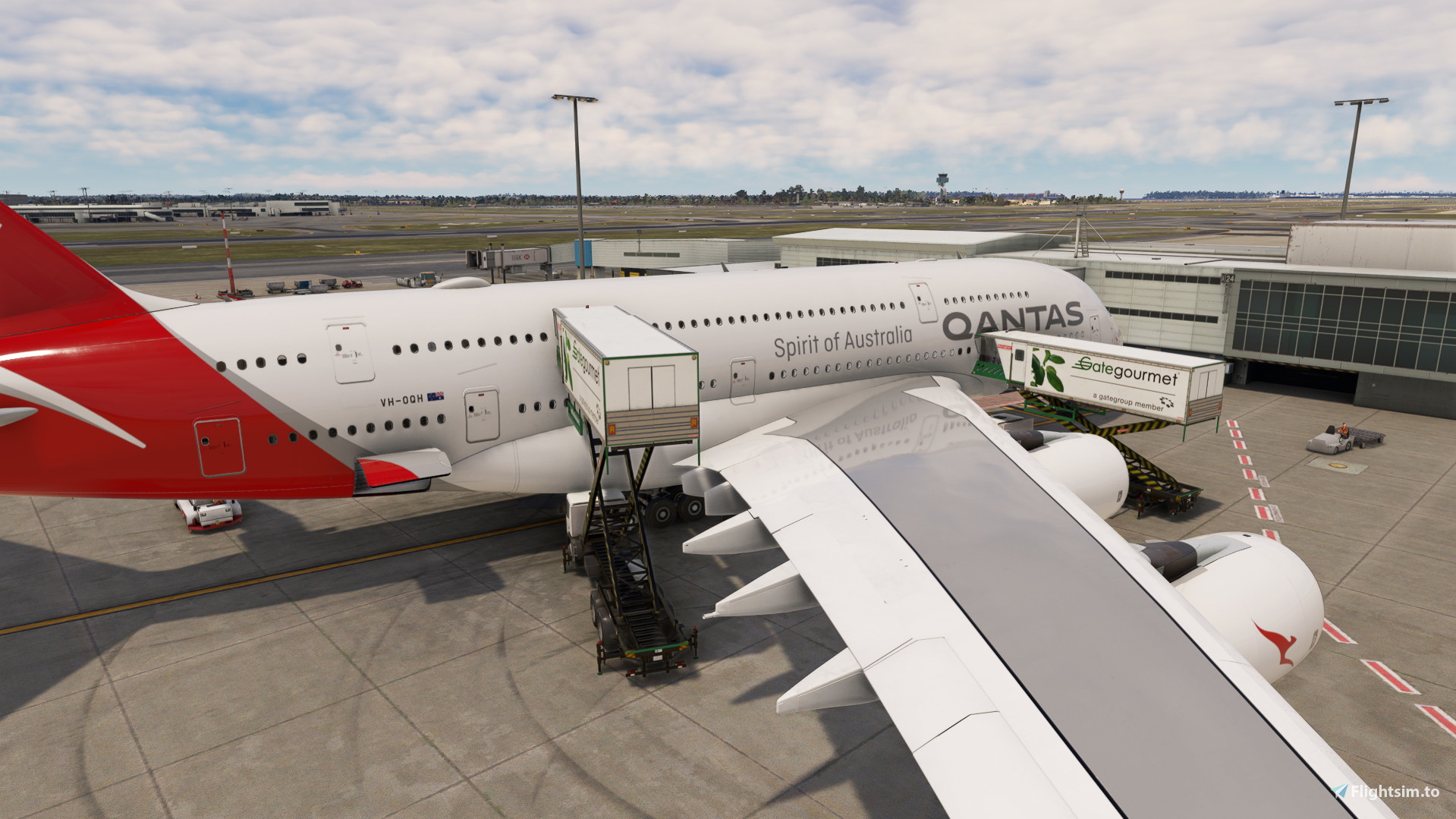
    FlyByWire A380 GSX Pro - Image 1

    Description

    GSX profile for flybywire A380X. This is still a WIP but allows jetbridge to attach to both M2L and U1L. Catering trucks will also connect to M2R and U2R as they do IRL. I have only touched small portions of this profile and updates will be released in due course. Lets keep our fingers crossed for dual jetway use in MSFS!


    To Install drag and drop into your GSX airplanes folder.

    Commentaires(23)

    Connectez-vous pour participer à la discussion

    Se connecter
    r

    3 months ago

    Some airports have the 7m jetways for the upper cabin , ie. LAX, LIRF, it would be awesome if they could connect to the upper cabin of the a380. Thanks and keep at it!!
    e

    about 1 year ago

    This one or Marwan's?
    s

    over 1 year ago

    anyone else getting the problem that say you must have your parking break set to enable ground services ?
    b

    over 1 year ago

    Real life scenario, common sense!
    L

    over 1 year ago

    ME TOO!!! I WANT to know WHY?
    I

    over 1 year ago

    yeah me too and it's soo annoying if u find a fix tho pls lmk my discord is swxzizi
    C

    over 1 year ago

    Absolutely normal behaviour, you would probably not have a 5 tons truck apply pressure against a 180t aircraft free on its wheel, no?
    M

    over 1 year ago

    Thanks for the good job... The only thing i have noticed is that the servicedoor for catering in the uppe deck not opening
    a

    over 1 year ago

    its not modeled to open.
    J

    over 1 year ago

    I don't understand in which folder I have to put the file... Can someone help me ?
    I tried : XboxGames/Microsoft Flight Simulator/Community/flybywire-aircraft-a380-842/SimObjets/AirPlanes/FlyByWire_A380_842, by replacing gsx.cfg file, but it doesn't work. Is GSX really a folder ? I didn't found that...

    Thanks for help !
    r

    3 months ago

    Профили для самолетов помещаются в папку "AppData\Roaming\Virtuali\Airplanes"
    k

    over 1 year ago

    Thanks for your great job.
    But i don't know where is the GSX airplanes folder, could u help!
    S

    over 1 year ago

    C:\Users\(USER)\AppData\Roaming\Virtuali\Airplanes
    O

    over 1 year ago

    If possible could you update the GSX for this so 2 jetways can connect if possible one for L2 and one for the upper deck front door please.
    c
    cgoodwAuthor

    over 1 year ago

    jetways is not a limitation from GSX. MSFS does not allow more than 1x jetway to be connected to the aircraft.
    F

    over 1 year ago

    and I believe there will be no implementation in MS2024 for multiple Jetways as well which is a real shame especially since worldwide multiple aerobridges are used for larger aircraft..
    MSFS 2020MSFS 2024

    FlyByWire A380 GSX Pro

    This add-on provides a GSX profile specifically for the FlyByWire A380X, enabling functionality for jet bridges at M2L and U1L, and catering trucks at M2R and U2R. Currently a work in progress, it aims to replicate real-life connections and will receive future updates. Installation is straightforward by dragging and dropping into the GSX airplanes folder.


    Téléchargements5K
    Version0.1
    Taille du fichier0.86 KB
    PubliéIl y a 1 an
    Mis à jourIl y a 1 an

    More Information

    Simulateur
    MSFS2020
    CatégorieMiscellaneous
    Sub-CategoryGSX Pro Profiles
    Affiliation
    FlyByWire A380X
    Note0.0 (0)
    ICAONULL

    Historique des versions

    Aucun historique de version disponible.