Flightsim.to
    LEPA - Palma de Mallorca Airport - Image 1

    Description

    GSX Profile can be found here: https://flightsim.to/file/84191/gsx-profile-euroscene-palma-de-mallorca-lepa


    Join our Discord server for news, suggestions and bug reports! https://discord.gg/tehKauehVU


    How to install the addon:

    The project is compatible with MSFS 2020 as well as 2024 and can be drag- and dropped into the community folder.

    Remember to disable GSX World Jetways in the FSDT updater!


    LEPA Palma de Mallorca Airport - What´s included?

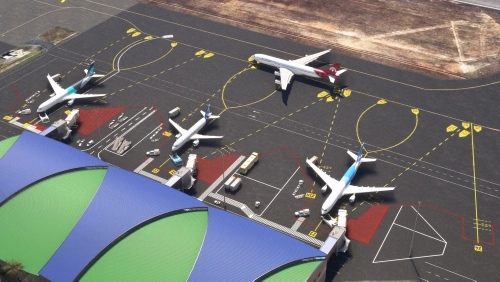
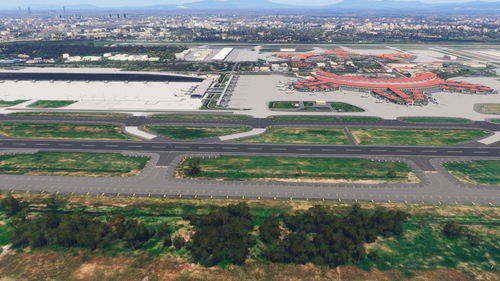
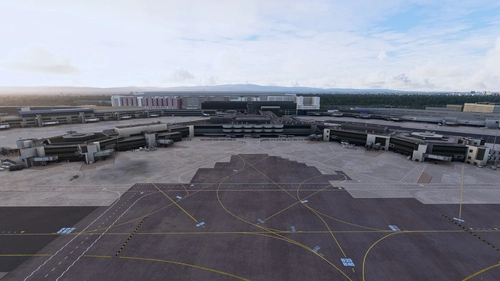
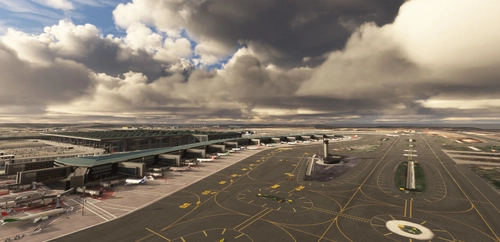
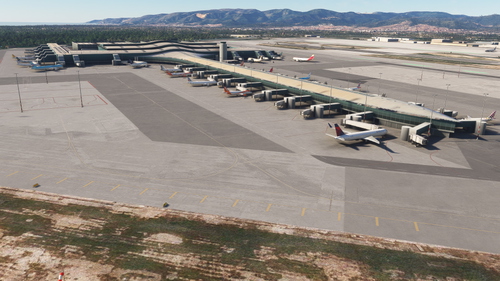
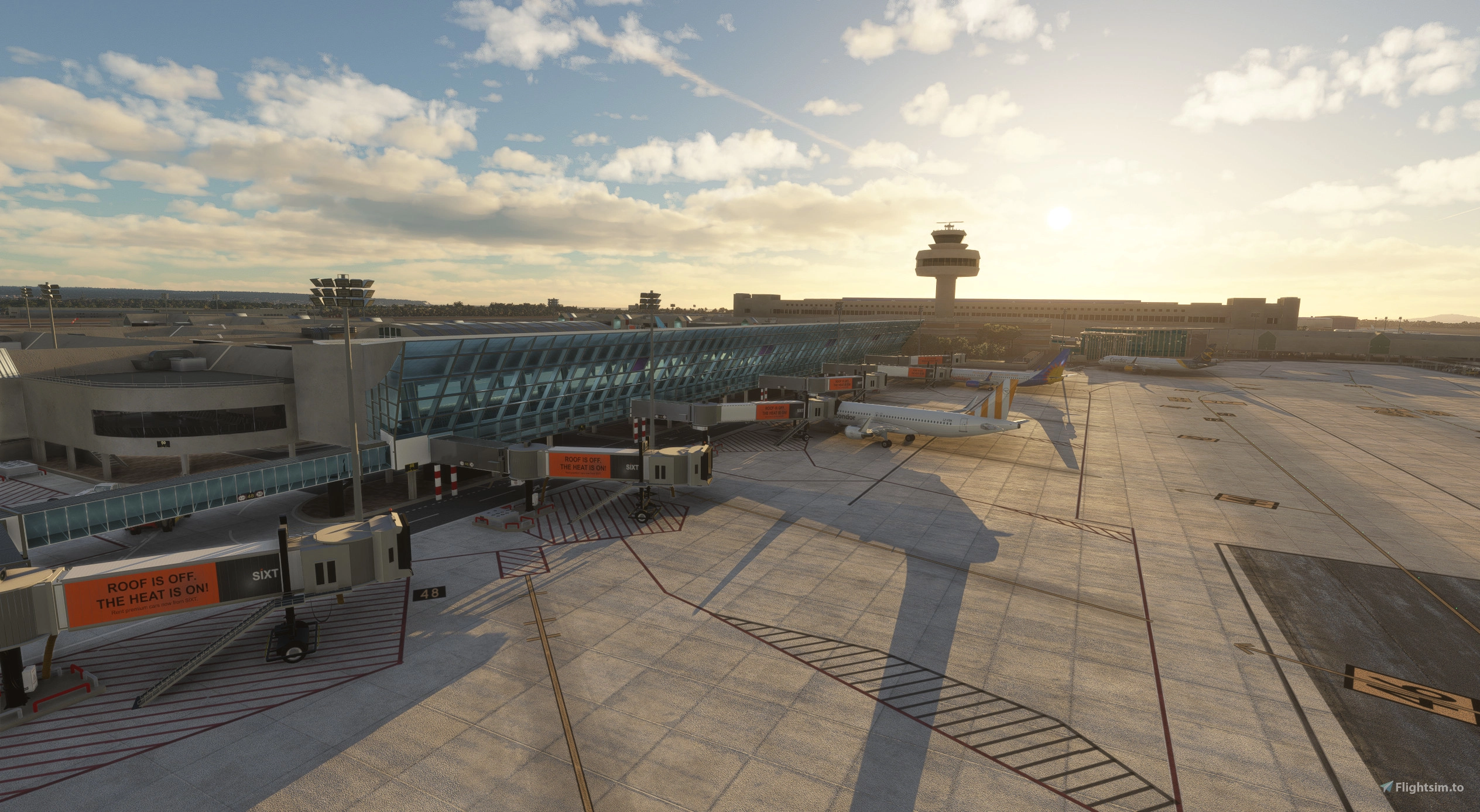
    This version of Palmas Son Sant Joan airport includes custom 3d models for all terminals, custom modeled and textured jetways, some hangars, the tower and VOR/ILS antennas as well as custom ground markings and textures, taxiway signage, lighting and parking spaces. All terminals (excluded main building and tower) also include a night-lit interior visible from the in- and outside! Surroundings like the streets and car parkings are also modeled to a certain extent, trying to make an effort to create a somewhat realistic replica of the real life airport.

    The MIL-apron currently only features three parking spaces for helicopters with a custom 3d-model for the hangar.

    This is the first scenery I ever developed and I did this all on my own so there might still be some bugs present, so I´m relying on your feedback to further improve the project in the future! Don´t be afraid to hit me up on here or via email (euroscenesimulations@gmail.com).

    I´m looking forward to sharing this piece of scenery and hope you will have as much fun with it as I did developing!

    Special thanks to Raye for creating the GSX profile!


    Known Issues:

    • If you notice any textures that are missing (pink buildings) this is likely because of a extraction error with too long file paths.
      • some people shared possible solutions like using 7zip as extractor or renaming the zip file to something shorter and not directly extracting into the community folder

    • Please note that Andres3d airport lights mod will likely cause some issues resulting in duplicated flood lightings.
    • Runway direction usage of AI aircraft does not seem to work correctly
    • Ezro´s Palma City addon will cause terrain bumps and satellite imagery conflicts left of 06L
    • Taxiway and Runway naming/marking issues with BeyondATC (external fix for MSFS 2024 here)

    Commentaires(498)

    Connectez-vous pour participer à la discussion

    Se connecter
    d

    about 13 hours ago

    Incredible, and it's also freeware, thank you very much!
    s

    6 days ago

    One of the best if not the best FREE airport for our hobby! Thanks for your work!
    M

    11 days ago

    Excellent job and surely better than the most payware.

    Thanks a lot. 🙏
    r

    11 days ago

    Amazing piece of software, better than many payware airports!
    O

    12 days ago

    Absolutely amazing! Best freeware there is... and much better than many payware sceneries. HUGE THANK YOU for this.
    M

    14 days ago

    Subject: LEPA v25.8.5 (MSFS 2024) – Unstable autoland on RWY 24L, suspected terrain step on the approach centerline

    Hi,

    With the current v25.8.5 on MSFS 2024, I can't get a stable autoland on RWY 24L (FSLabs A320): below ~400 ft RA the LAND mode starts oscillating and eventually disconnects. The parallel 24R is fine.

    What I've already checked / ruled out:

    ILS is correct – 24L: IPAL 109.30, CAT III, GS 3.0°, LOC course 237° (runway heading 236°). So it's not an ILS issue.
    The scenery's LEPA.bgl contains a TerrainVectorDb section (0x65, 2 cells) – so terrain is actively being modified (flatten/exclude).
    The symptom is consistent with a terrain step on/near the 24L centerline disturbing the radio altimeter in LAND/FLARE mode.
    Questions:

    Is there a known terrain discontinuity at 24L/06R (toward the terminal) introduced since SU3?
    Does the flatten cover the 24L touchdown zone and inner approach completely, or does it stop at the threshold?
    For localization – the 24L threshold is at 39.562525 N / 2.743260 E (threshold elevation ~8.8 m / 29 ft), final approach from 058.6°.

    Thanks!
    E
    EuroSceneAuthor

    about 8 hours ago

    Hey so I just verified with the Fenix A320 and I did not have any problems with Autoland.
    I honestly have no idea if any SUs changed the terrain. There are terraforming polygons just from the start of the runway.
    I tried to extend them to flatten out the terrain a bit more. Is there any way I can contact you and send you the fix so you can try it out ?
    d

    23 days ago

    Scenery is good, the terminal builidngs arent pink however the surrounding ground textures are pink?
    E
    EuroSceneAuthor

    21 days ago

    I'm not sure but this could be a issue with extracting the texture files from the zip files, as sometimes the path gets too long for windows. You can try extracting again or using tools like winrar or 7zip, unfortunately I cannot give you a guaranteed solution for this though.
    If you look around in the comments, you will find more people having similar issues :)
    A

    25 days ago

    Just downloaded this airport (and its my first scenery I got because I'm quite new to sims and just starting expanding my setup with 3rd party mods). To see difference I first spawned on the default LEPA, took screenshoot at night and day and also checked my fps here. Then installed your version and again took two screenshoots and checked fps with same plane (default A320).

    First impression? Man, this is freaking awesome! Second impression when I started to move around my camera? Even more impressive! Like seriously from some generic buildings that looked like some cubes to this level of details. Especially the building with glass at front at night looks so good.

    And to add to this I did not saw any fps drop at all, basically no difference for me with or without this mod.

    So just wanna say thx for your awesome work.
    E
    EuroSceneAuthor

    25 days ago

    Thank you for the feedback, glad you enjoy the addon! :)
    v

    about 1 month ago

    Exterior looks good but has horrible performance. The entire airport interior is modeled for no reason other than to massively tank the fps
    E
    EuroSceneAuthor

    about 1 month ago

    You're actually the first one to complain about the performance of the airport. Everyone else has so far reported to have a pretty good performance, so I'll have to assume this is a problem on your end and has nothing to do with the scenery itself.
    Mind you the interior makes up the least part of the complexity of the 3d-modeles and therefore also has the least impact on performance.
    v

    23 days ago

    Yeah sure of course, always the fault of the user, classic.

    https://i.imgur.com/UVN1DX5.png

    https://i.imgur.com/uLB7MU1.png
    E
    EuroSceneAuthor

    21 days ago

    I didn't say it was your fault, I just wanted to point out that I haven't had any complaints so far and I don't know what could be the cause for the performance.

    Based on your screenshot I'm also not sure if it's fair to expect the scenery's performance to be as good as the default airport. If you take all the placed ground markings, ground textures, more complex scenery buildings and their textures, as well as all the "invisible" background systems placed into consideration it will of course tank some fps. Given that the standard airport is just a bunch of low-vertex buildings with lower-resolution default textures, it will always perform better than any add-on you install.

    Also remember that this is a freeware project which I created in my free time and is, of course, not as optimized as it probably could be because I just don't have the time to do this.

    If you are unhappy I appreciate your feedback but your statement regarding the interior is just not right. I've so far pretty much only received positive feedback on the performance, which made me wonder why you're experiencing otherwise and makes it unlikely to be a general scenery issue.
    L

    15 days ago

    The Performance is excellent! Maybe dont play on Commodore 64.
    s

    about 1 month ago

    Very nice scenery. The few flaws I have found are ground marking LINK 4 having the number 5, and the LINK 6 marking is missing. Some minor errors on the Juliet and Golf taxiway signs. But the models are stunning. Great! Five stars!
    E
    EuroSceneAuthor

    about 1 month ago

    Will have a look at the markings and taxiway signs for the next update!
    ...
    MSFS 2020MSFS 2024

    LEPA - Palma de Mallorca Airport

    This rendition of Palma's Son Sant Joan airport includes custom 3D models for all terminals, custom modeled and textured jetbridges, some hangars, the tower and VOR/ILS antennas as well as custom ground markings and textures, taxiway signage, lighting and parking spaces. All terminals (excluded main building and tower) also include a night-lit interior visible from the in- and outside! Surroundings like the streets and car parks are also modeled to a certain extent, trying to make an effort to create a somewhat realistic replica of the real life airport.

    Téléchargements70K
    Version2025.08.05
    Taille du fichier184.31 MB
    PubliéIl y a 1 an
    Mis à jourIl y a 10 mois

    Avis des utilisateurs

    5.0

    170 avis

    5
    96%
    4
    2%
    3
    1%
    2
    1%
    1
    0%

    More Information

    Simulateur
    MSFS2020/24
    CatégorieAirports
    Sub-CategoryIntl. Airports
    PaysSpain
    ICAOLEPA

    Historique des versions

    [2025.08.05] - Compatibility for MSFS 2024 - Minor adjustments [2025.06.01] - Improved night lighting around the gates - Added taxiway edge line reflectors - Added new 3D model for the cargo terminal - Improved various 3D models (especially jetways and air conditioning units) - Various minor fixes [2025.04.23] - small fix for ground markings - small fix for taxiway naming regarding BeyondATC [2025.04.19] - Added new buildings (airport fire station, private terminal, military hangar) - Removed lines over parking spot ground markings - Added new stop markings for aircraft types - Added ambient lighting for taxiway signs - Reduced size of control tower for accuracy - Adjusted some parking positions to fit jetways better - Updated GSX Profile