
![[OUTDATED CABIN] Thai Airways iniBuilds A350-941 | HS-THB "WICHIAN BURI" & HS-THE "CHAI BADAN" - Image 1](https://cdn.flightsim.to/images/27/thai-airways-inibuilds-a350-941-hs-thb-wichian-buri-read-instructions-375254-1742143544-jNfC8.jpg)
Description
Thai Airways Airbus A350-941 | HS-THB "WICHIAN BURI" (วิเชียรบุรี) and HS-THE "CHAI BADAN" (ชัยบาดาล)
For MSFS 2020 and MSFS 2024
Leased from Avolon. Delivered in 2016 & 2017
Again, I initially didn't plan to do this livery. I think iniBuilds did a very decent job on their HS-THH. However, I do see a lot of my fellow simmers pointing out some inaccuracies. Personally, I don't find them a dealbreaker but regardless - this is it! My attempt at Thai Airways, iconic A350-900! Argubly the real workhorse of Thai Airways ... that's before the upcoming 45 Boeing 787-9, that is.
This livery is a hybrid between multiple resolutions to optimize both details and file size while also did my best cover some random markings that scatters around the plane. Let me know if I miss any. I'll do my best to implement them if possible! Thank you for downloading!
Installation: Extract the file to Community Folder!
KNOWN ISSUES: Due to recent updates, iniBuilds impleted new models and new UV map which bricked most of the cabin textures. ETA on the fix is currently unknown. (Refer to top comment for more info)
Features:
- Custom Cabin Textures with exclusive carpet for HS-THE (Note: Premium Economy doesn't exists in real Thai Airways A350, I added A330 style textures to fill in the cabin and IFE illumination for Premium Economy doesn't work, I'm still trying to figure this out)
- Custom Wingtip, Engine COMP map
- Custom Cockpit textures (seat textures, wipes, coffee cup, cabin bag, pen)
- Custom worn engine crowling texture (/jetway marks on HS-THE)
- Custom Decals (WiFi, A350XWB, wingbox)
I do these liveries by hand, therefore error may persist in some areas. Feel free to point out any that I might have missed out!
[OUTDATED CABIN] Thai Airways iniBuilds A350-941 | HS-THB "WICHIAN BURI" & HS-THE "CHAI BADAN"
This add-on features the Thai Airways Airbus A350-941 liveries for the aircraft HS-THB "WICHIAN BURI" and HS-THE "CHAI BADAN," designed for both MSFS 2020 and MSFS 2024. The graphic textures have been crafted to achieve a balance between detail and file size, incorporating custom elements like cabin textures and wingtip designs. Users are advised to extract the files into their Community Folder and set EFB settings as specified for optimal aircraft configuration.
Avis des utilisateurs
20 avis
Historique des versions
Minor Fixes to MSFS2024 version
Similaires
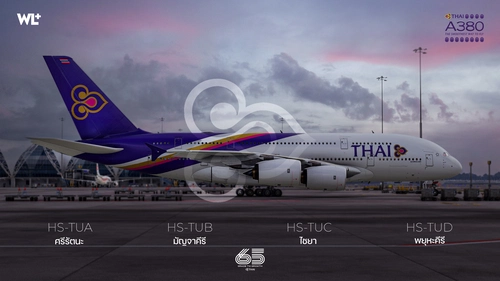
Thai Airways FlyByWire A380-841 | HS-TUA/TUB/TUC/TUD
This add-on features a detailed livery of the Thai Airways Airbus A380-841, registration HS-TUA "SI RATTANA", designed for the FlyByWire A380X in Microsoft Flight Simulator. It includes custom metallic and normal maps, along with cabin textures for all classes, aiming to replicate the real aircrafts details as closely as possible. The add-on is currently in Beta, reflecting ongoing adjustments to model and texture accuracy as the FlyByWire project develops. Users can easily install the livery by dragging it into their Community folder.
par WrighterLights
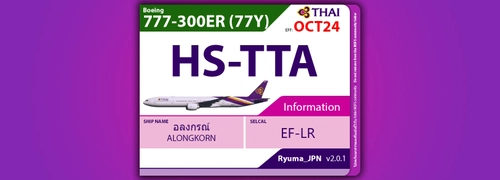
PMDG 777-300ER Thai Airways Newer 777 Pack
Experience the iconic Thai Airways HS-TTA, HS-TTB, and HS-TTC liveries for the PMDG 777-300ER with detailed cockpit configurations included. Stay tuned for the upcoming HS-TK series with additional weathered textures.
par Ryuma_JPN
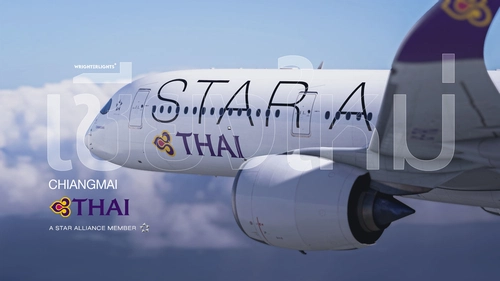
Thai Airways iniBuilds A350-941 | HS-THQ "CHIANGMAI" (Star Alliance)
This add-on features a detailed livery for the iniBuilds A350-941, replicating the Thai Airways aircraft HS-THQ "CHIANGMAI" with the Star Alliance design. Delivered in September 2023 and leased from Avolon, the livery includes custom wingtip maps and cockpit textures. Installation requires the user to extract files to the Community folder and enable certain features in the EFB for full functionality. Compatibility is noted for MSFS 2020, with no guarantee for MSFS 2024.
par WrighterLights
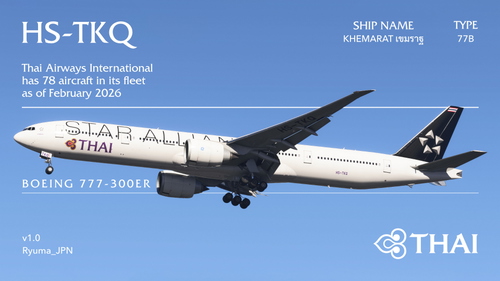
PMDG 777-3ALER Thai Airways HS-TKQ "Khemarat" (Star Alliance)
This add-on features the PMDG 777-3ALER livery for Thai Airways, specifically HS-TKQ "Khemarat," adorned with the Star Alliance branding. It includes detailed cabin textures and a cockpit configuration for enhanced realism. Installation is straightforward via the PMDG Operations Center. This release acknowledges contributions from the community, highlighting collaborative efforts in texture design.
par Ryuma_JPN
Connectez-vous pour participer à la discussion
Se connecterCommentaires(102)
about 1 month ago
about 2 months ago
3 months ago
3 months ago
4 months ago
Is there anyway you could give us the EFB settings back?
It seems you have deleted it.
p.s. very nice work
Thanks!
4 months ago
4 months ago
4 months ago
5 months ago
5 months ago
6 months ago
6 months ago
8 months ago
To give you an idea, I attached 3 images for you guys to see here what I have to deal with. The images show you Business, Premium Economy and Economy model in order. The areas that you can see marked in red are the places that either behaves weirdly with my (used to work) textures or they are new parts that I don't even know since when iniBuilds added in. As you can probably tell, it's a lot of work; made worse with MSFS2024's--specific .KTX2 textures mess Microsoft came up with.
TL;DR There are many parts that iniBuilds put in an update that alters how cabin textures look due to their model updates-- some objects go as far to being newly implemented that I can't even find the texture used by it, and with me being away from flight simulator for months due university and health issues, the cabin textures update is on hold and this livery is now listed as *OUTDATED* until further notice. However, the exterior still work fine for both MSFS2020 and MSFS2024, which I hope iniBuilds won't tamper with it, creating another headache for livery creators again. Thank you for your understanding and Happy Flying!
5 months ago
5 months ago
8 months ago
Can you make custom liveries aswell
8 months ago
8 months ago
8 months ago