
Flightsim.to
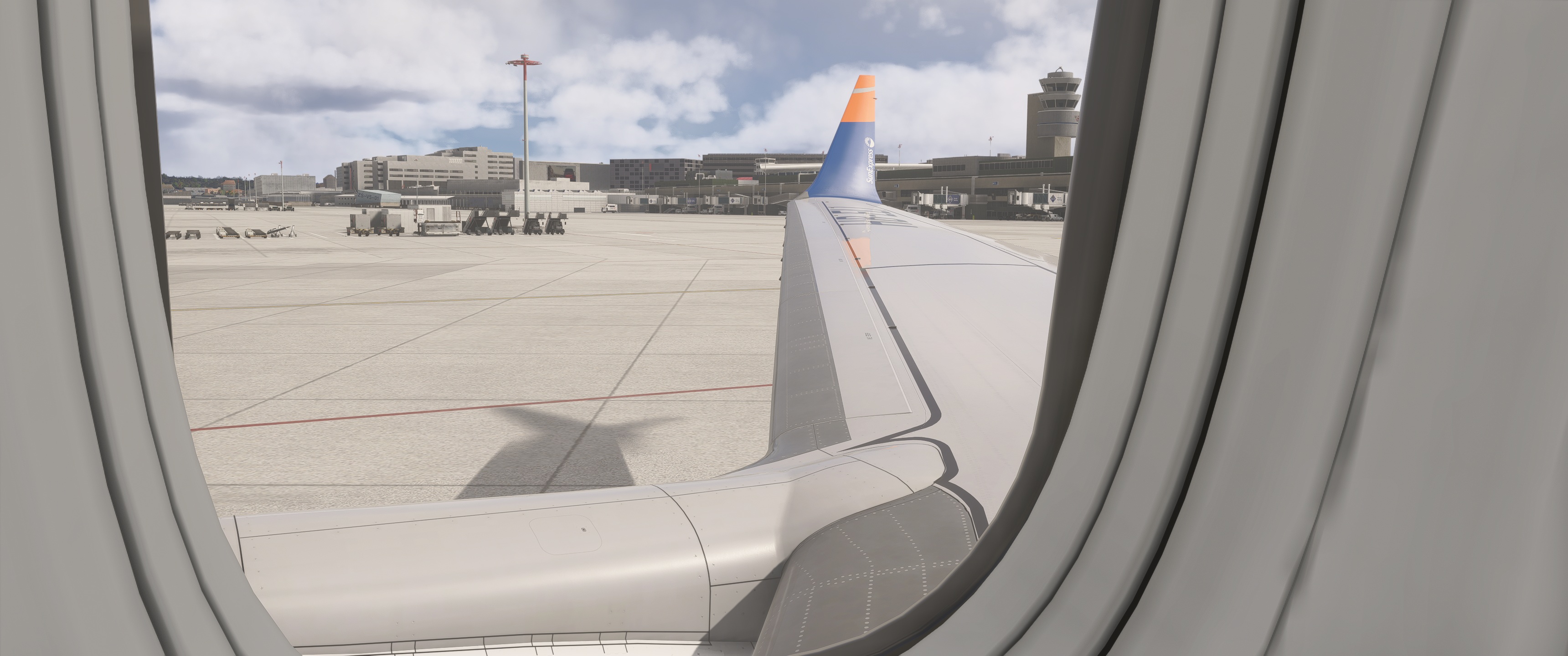
    Exterior views (wing views) for Asobo B 737 Max 8 - Image 1

    Description

    Wingvievs for Asobo B 737 Max 8
    Keyboard commands:

    Alt + 1
    Alt + 2
    Alt + 3
    Alt + 4
    Alt + 5
    Alt + 6
    Alt + 7
    Alt + 8

    If necessary, change or adjust the key command settings in MSFS 2024.
    Installation path: C:\Users\XXXXX\AppData\Local\Packages\Microsoft.Limitless_8wekyb3d8bbwe\LocalCache\SimObjects\Airplanes\asobo_b737max\presets\asobo\b737max8_passengers\config

    Commentaires(34)

    Connectez-vous pour participer à la discussion

    Se connecter
    E

    about 8 hours ago

    May i ask on which keyboard shortcut i need to change ingame?
    M

    7 months ago

    Thanks, but it doesn`t work for me.

    C:\Users\Toni\AppData\Local\Packages\Microsoft.Limitless_8wekyb3d8bbwe\LocalCache\SimObjects\Airplanes\asobo_b737max\presets\asobo\b737max8_passengers\config
    p

    3 months ago

    Hello.
    The path is correct. Have you adjusted the keyboard shortcuts in the MSFS 2024 settings? It should work after that.
    m

    10 months ago

    is this for steam edition or de Microsoft store edition ?
    p

    10 months ago

    It is for both versions. Please note that camera.cfg must be copied to the correct folder depending on the MSFS2024 version.
    k

    12 months ago

    ok i did that now what?
    p

    12 months ago

    If you have copied the cameras.cfg into the correct folder (as described below), you can select the views with ALT+ the corresponding number.
    p

    12 months ago

    It is important that you change the keyboard shortcuts for the views. In my case, they are the same as for MSFS 2020
    p

    12 months ago

    If necessary, change or adjust the key command settings in MSFS 2024
    L

    12 months ago

    its not working :(
    p

    12 months ago

    If you have copied the cameras.cfg into the correct folder (as described below), you can select the views with ALT+ the corresponding number and it works
    p

    12 months ago

    If necessary, change or adjust the key command settings in MSFS 2024.
    G

    12 months ago

    In which folder to put the file?
    p

    12 months ago

    See the instruction in the describtion
    --> Put the file in: C:\Users\XXXXX\AppData\Roaming\Microsoft Flight Simulator2024\SimObjects\Airplanes\asobo_b737max\presets\asobo\b737max8_passengers\config
    k

    12 months ago

    after you install do you have to do anything else except put into community folder?
    p

    12 months ago

    Do not put the file in the community folder.
    The path is: C:\Users\XXXXX\AppData\Roaming\Microsoft Flight Simulator 2024\SimObjects\Airplanes\asobo_b737max\presets\asobo\b737max8_passengers\config
    MSFS 2020MSFS 2024

    Exterior views (wing views) for Asobo B 737 Max 8

    This add-on provides predefined exterior wing views for the Asobo B 737 Max 8 in Microsoft Flight Simulator. Users can access various viewpoints using designated keyboard commands, allowing for enhanced observation of the aircrafts exterior. Installation instructions and a default path for configuration are included. Adjustments may be required in the MSFS 2024 settings to fit individual preferences.


    Téléchargements2K
    Version1.1
    Taille du fichier1.1 KB
    PubliéIl y a 1 an
    Mis à jourIl y a 3 mois

    Avis des utilisateurs

    5.0

    2 avis

    5
    100%
    4
    0%
    3
    0%
    2
    0%
    1
    0%

    More Information

    Simulateur
    MSFS2024
    Sub-CategoryBoeing 737 MAX 8
    Affiliation
    Boeing 737 MAX 8

    Historique des versions

    Here is a new version of Wing-View. The perspective has been improved because the zoom has been adjusted accordingly.