
Description
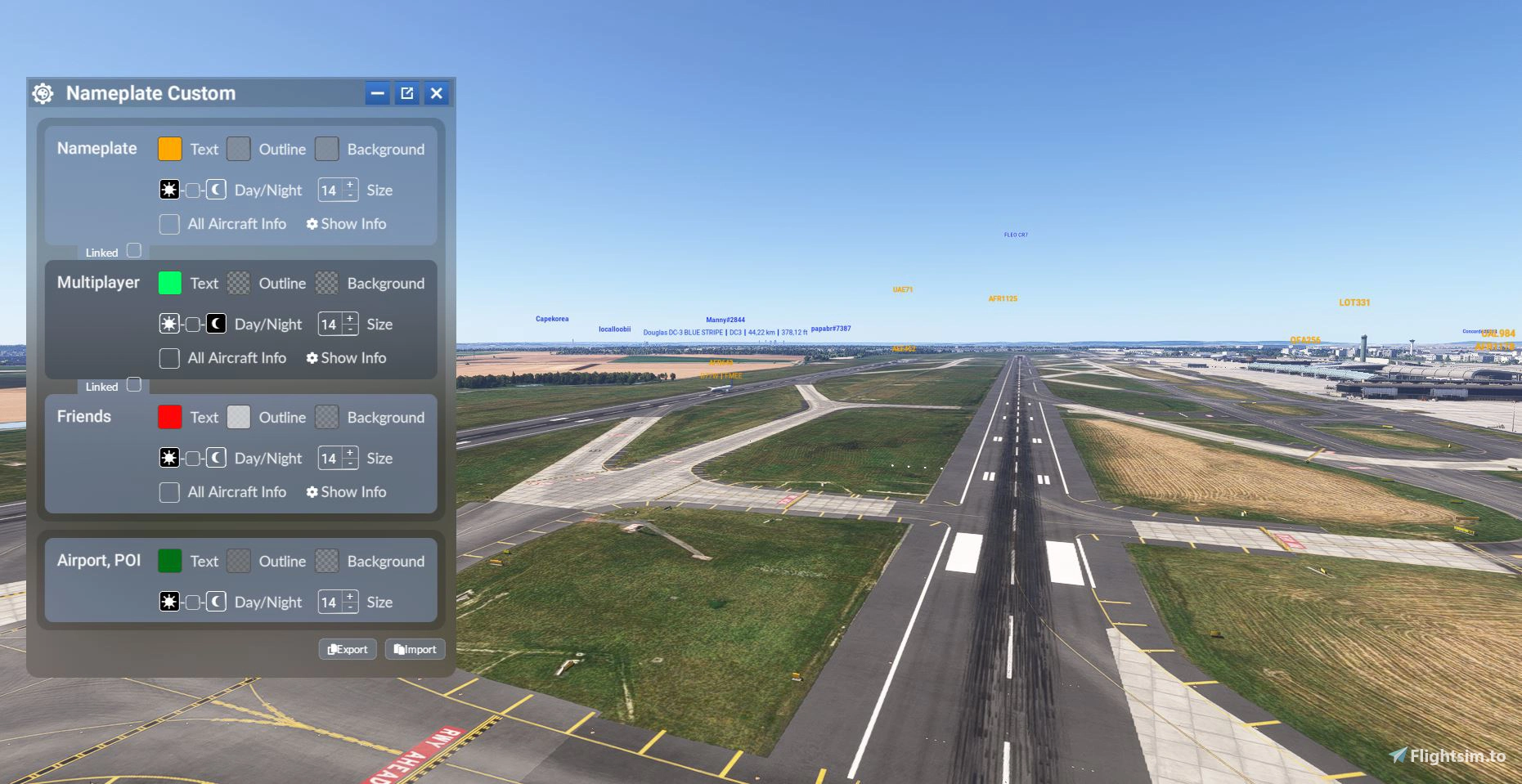
Improved nameplate appearance finally available for MSFS 2024.
After a lot of research and some clever workarounds (mainly to avoid modifying simulator files directly), I'm excited to share the very first addon for customizing nameplates in MSFS 2024!
Installation: Unzip in your community
Key Features:
. Change the text color and add a colored background to nameplates.
. Customize nameplates differently for your friends or contacts.
. No need to restart the sim — changes apply instantly in real time!
. Nameplates now automatically shrink when you're close to another aircraft, improving visibility.
What's next?
This addon is designed to evolve over time, based on your feedback and what’s technically possible. There are tons of potential customization ideas (e.g. different colors at night, adjustable text size, etc.), but I wanted to start with something simple and effective.
New 1.3.0 :
This allows you to customize the display independently depending on the type of traffic - Multiplayer/AI.
Saving and Reloading Settings
You can now export and import your settings, making it easy to back them up or transfer them.
Exporting a configuration:
- Click the Export button.
- A new window will open with your configuration.
- Click Copy to Clipboard.
- Paste the contents into a text file.
- Save the file with the
.jsonextension, preferably.
Importing a configuration:
- Click the Import button.
- Copy the contents of the previously saved
.jsonfile. - Paste the text into the import window.
- Confirm to restore your configuration.
These new features make it easy to back up your settings, restore them after a reinstall, and share your configurations with other users.
Nameplate custom color
This add-on introduces the ability to customize nameplates in Microsoft Flight Simulator 2024, allowing users to change text colors and backgrounds. It features real-time updates without the need to restart the simulation and can differentiate nameplates for friends or contacts. Additionally, nameplates automatically adjust size for improved visibility when close to other aircraft, with plans for future enhancements based on user feedback.



Avis des utilisateurs
30 avis
Historique des versions
It is now possible to set different colors for Multiplayer and AI. This allows you to customize the display independently depending on the type of traffic. Saving and Reloading Settings You can now export and import your settings, making it easy to back them up or transfer them. Exporting a configuration: Click the Export button. A new window will open with your configuration. Click Copy to Clipboard. Paste the contents into a text file. Save the file with the .json extension, preferably. Importing a configuration: Click the Import button. Copy the contents of the previously saved .json file. Paste the text into the import window. Confirm to restore your configuration. These new features make it easy to back up your settings, restore them after a reinstall, and share your configurations with other users.
Similaires
Hide This Message
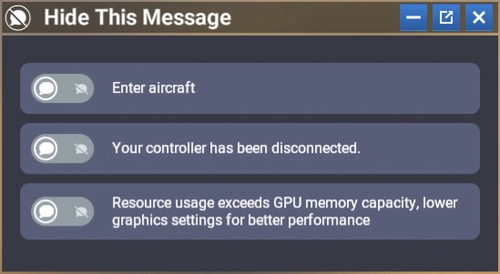
Hide This Message is a custom module for Microsoft Flight Simulator 2024 that enables users to conceal specific notifications within the interface, enhancing the overall flying experience. It features a user-friendly design that allows for easy activation or deactivation of targeted messages, while keeping the original interface intact. Once configured, the module will automatically hide selected messages in all game modes without needing to reopen the settings. Additionally, it supports automatic translation of messages based on the users language settings.
par GizmoDeel
Launch Any Executable File
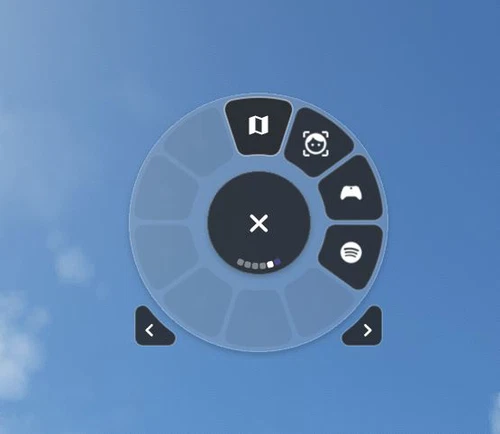
Launch Any Executable File is a convenient widget allowing you to easily launch any executable application on your PC, such as little nav map, open track, or vlc. With the ability to customize the name, path, and icon of the application, this tool provides flexibility and ease of use. Automate the launch process and seamlessly open and close your preferred apps with just a click. Please note that Flow Pro is required for this addon.
par GizmoDeel
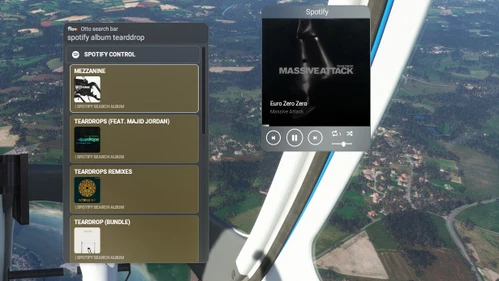
Flow Spotify Control
Control your Spotify music seamlessly while flying with this widget. Premium Spotify account required. Play/pause, skip tracks, adjust volume, and more. Search for artists, albums, playlists, and enjoy your favorite tunes during your flight. Check documentation for setup instructions.
par GizmoDeel
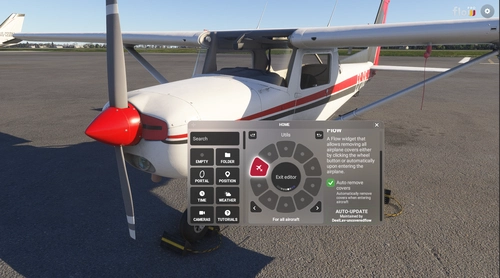
Uncovered Flow
Uncovered Flow is a Flow widget for Microsoft Flight Simulator 2024 that streamlines the management of aircraft protective covers, including pitot covers and engine inlets. It features one-click installation and removal of all covers, with an automatic removal option upon entering the aircraft. The add-on provides clear visual feedback regarding the status of the covers and ensures functionality is limited to compatible aircraft specifically designed for MSFS 2024.
par GizmoDeel
Connectez-vous pour participer à la discussion
Se connecterCommentaires(111)
about 1 hour ago
17 days ago
14 days ago
Sinon, essaye de supprimer complètement l'addon, ré-télécharge-le et réinstalle-le
13 days ago
18 days ago
20 days ago
21 days ago
Thx for your apps, is it support Beyond ATC AI traffic
14 days ago
28 days ago
about 2 months ago