
Flightsim.to
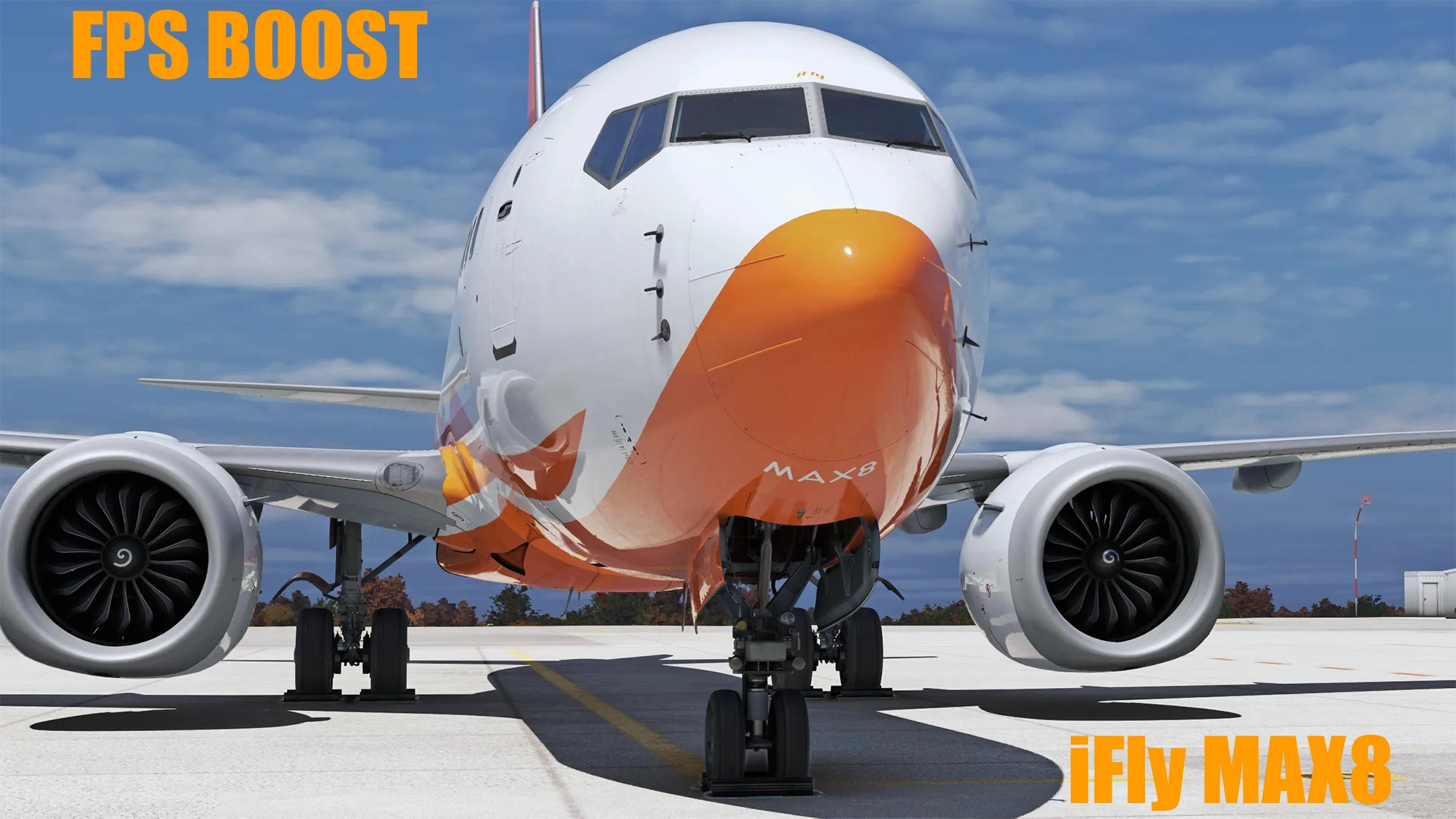
    Downgraded Textures for iFly 737-MAX8 (FPS Booster) - Image 1

    Description

    Hello there, since I've got some requests to make an FPS Booster mod for the iFly 737MAX8 I have decided to do it for yall. All textures are downgraded so you could save some space, increase FPS and reduce your VRAM and RAM usage. 

    INSTALLATION

    Only for FS2020 and don't forget to back up your files before installing anything.

    1. Download the zipped folder and extract it anywhere.

    2. Put the extracted folder in your community folder or wherever you have installed your aircraft.

    3. Replace all files.

    NOTES

    This mod works only for FS2020.

    I will no longer update this mod, haven't been tested with SP1.

    Happy flying!

    Commentaires(39)

    Connectez-vous pour participer à la discussion

    Se connecter
    w

    11 days ago

    work perfectly thank you
    T

    about 9 hours ago

    Works on 2024 sp1?
    D

    14 days ago

    Hi mate, I see that you'll need to redo the pack with the new SP1 update. This update is pretty hard on FPS, I hope you'll update your mod soon for us with potato PC. You're a life saver!
    m

    16 days ago

    Is there a release date for the new version?
    F

    24 days ago

    does it also work for the new version??? in 2020
    l
    labadai4oAuthor

    24 days ago

    I will have to rework.
    T

    2 months ago

    I see this Short Field Tag. That was not in the original textures. Could that be removed?
    l
    labadai4oAuthor

    2 months ago

    Depends on the livery?
    s

    4 months ago

    I have to replace simobject file ? please help me when i replace airplanes and mics i cant see plane in game :(
    l
    labadai4oAuthor

    4 months ago

    1. Download the zipped folder and extract it anywhere.

    2. Put the extracted folder in your community folder or wherever you have installed your aircraft.

    3. Replace all files.
    s

    3 months ago

    when i am replace files i can t see plane in game
    k

    4 months ago

    Hi mate, By chance what will you do with the fsltl downscale ?
    b

    10 months ago

    Doesn't seem to work with version 1.04 of iFly Max 8, in MSFS 2020. I updated Jason file after inserting files, and aircraft still does not show up in aircraft listing.
    l
    labadai4oAuthor

    10 months ago

    Hello, you asked me about this in my PMs and I told you that this mod is not made for this version, as you can see also in the title it says the version is supposed to work for...
    n

    12 months ago

    hey bro what happened to the a350 downscaled textures?
    l
    labadai4oAuthor

    12 months ago

    Unfortunately I am not going to update this mod, sorry!
    F

    12 months ago

    Shouldn't be working for MSFS2024, but just to let you know that I tried anyway and it increased from 70FPS to 105FPS and it reduced my stutters with the iFly. So maybe not compatible but it's kinda working on MSFS2024
    l
    labadai4oAuthor

    12 months ago

    Oh, I didn't know that, thank you for the information!
    M

    9 months ago

    This is the comment i was kind of looking for. They still use the same model and textures in the 2024 version so logically it should work just the same
    MSFS 2020MSFS 2024

    Downgraded Textures for iFly 737-MAX8 (FPS Booster)

    This add-on provides downgraded textures for the iFly 737-MAX8 in Microsoft Flight Simulator 2020, aimed at improving performance. By reducing texture quality, users can save disk space, enhance frame rates, and lessen VRAM and RAM usage. The installation process involves replacing existing texture files and is designed specifically for FS2020, as compatibility with FS2024 is currently unavailable.
    Téléchargements1K
    Version1.1
    Taille du fichier142.97 MB
    PubliéIl y a 1 an
    Mis à jourIl y a 1 an

    Avis des utilisateurs

    5.0

    5 avis

    5
    100%
    4
    0%
    3
    0%
    2
    0%
    1
    0%

    More Information

    Simulateur
    MSFS2020

    Historique des versions

    ➜ Fixed reflections of the aircraft and the weird dark color that covered 1/2 of the aircraft. ● Update on your own. If you don't care about visual at all and only care about FPS just don't update it.