
Description
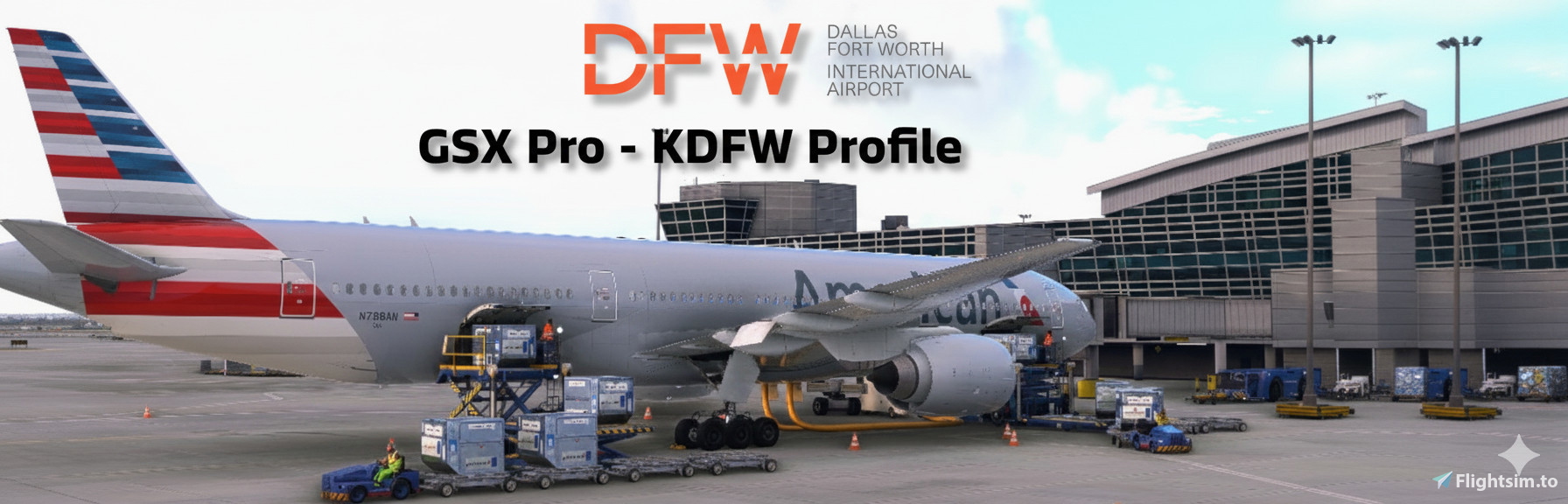
GSX Pro Profile – Dallas/Fort Worth International Airport (KDFW)
Imaginesim KDFW Scenery
This GSX Pro profile has been built specifically for the Imaginesim KDFW scenery to enhance ground operations at one of the world’s busiest airports. Every stand, gate, cargo ramp, corporate aviation area, and de-ice pad has been custom crafted to bring Dallas/Fort Worth to life.
This took around a month and a half of learning the python coding and going through each gate for placements and pushback procedures.
It's not perfect, but I hope this will bring some life to DFW and share some of my knowledge of the operation and bring it into the simulator.
If you have any tips or suggestions, leave a comment below! Feedback is also appreciated.
⚠️ Important
In the Imaginesim Ops Center, disable the built-in SafegateTM Docking system.
GSX provides its own VDGS/marshaller logic, and leaving Imaginesim’s system active will cause conflicts.
📂 How to Install
Download and unzip the package.
Copy the included kdfw-texmoose.py file to your GSX Pro airport customization folder:
%APPDATA%\virtuali\GSX\MSFS
Open the Imaginesim Ops Center and turn OFF the SafegateTM Docking system.
Restart MSFS (or reload GSX) to activate.
✈️ Key Features
Custom Pushback Procedures – Built from real-world data and references.Accurate Ground Equipment Placement – Each gate tailored for realism.
Custom Stop Positions – Every gate features individual stop positions for different aircraft types (737, A319, A320, A321, 787, 777, and more) for accurate alignment.
Airline & Handler Assignments – Gates assigned to their real-world operators and service contractors.
Custom Python Coding – Coding in GSX to support Stop Logic and Clear renaming of terminal areas and airlines operating from correct real world gates.
Airport Walkers – Populated around terminals to add immersion.
Terminal D Enhancements – Boarding/deboarding flows simulate passengers heading into Customs (CBP) on arrival.
Terminal A/B/C/E Enhancements – Boarding and deboarding flows simulate passengers moving into the correct terminal interiors.
VDGS Systems – All gates fitted with realistic VDGS systems used at DFW.
Safegate FLEX Integration – Terminal B features Safegate FLEX VDGS units for extra accuracy. The Flex system is only installed in Terminal B currently.
De-Ice Pads – Fully modeled with VDGS placement (Note: At DFW marshallers are normally used; VDGS here is for ease of use).
🏢 Airline & Ground Handler Assignments
AAL – American Airlines (Blue)
AE – Envoy (AA Red)
DAL – Delta Airlines
UAL – United Airlines
ASA – Alaska Airlines (GAT)
JBU – JetBlue (GAT)
NK – Spirit (GAT)
MXY – Breeze (GAT)
FFT – Frontier (G2)
VOI – Volaris (G2)
SCX – Sun Country (AGI)
International Carriers
JAL – Japan Airlines (Swissport)
QTR – Qatar Airways (WFS)
DLH – Lufthansa (WFS)
QFA – Qantas (WFS)
AVA – Avianca (WFS)
TAI – Avianca El Salvador (WFS)
THY – Turkish Airlines (Swissport)
ACA – Air Canada (WFS)
AMX – Aeroméxico (Swissport)
FJI – Fiji Airways (Swissport)
FIN – Finnair (Swissport)
IBE – Iberia (WFS)
VIV – Viva Aerobus (WFS)
CPA – Cathay Pacific (WFS)
AFR – Air France (WFS)
UAE – Emirates (WFS)
BAW – British Airways (WFS)
EVA – EVA Air (WFS)
KAL – Korean Air (WFS)
🛠️ Known Issues & Notes
Tight Gates – Some gates at DFW are very tight in real life, and this carries over into the sim. Use caution with larger aircraft.
Tow-in Gates (D6 & D40) – These stands are normally tow-in only in real life. GSX does not currently support tow-in operations, but if the feature is added in a future update, it will be implemented here.
Construction at DFW – Many gates are under construction in the real world. If Imaginesim updates their scenery to reflect these changes, this profile will be updated as well.
West Cargo - Appears Twice in Selection: Tried to correct this in python to no avail. Stands C2N1 and C2S1 will reflect in a seperate west cargo tree.
KDFW Mega-Hub GSX Pro Profile (Imaginesim KDFW)
KDFW Mega-Hub GSX Pro is a custom designed GSX Profile to enhance ground operations at Dallas/Fort Worth International Airport using the Imaginesim KDFW scenery. It includes tailored pushback procedures, individual stop positions for various aircraft. The profile aims to provide a realistic simulation experience by incorporating real-world data and immersive features like populated airport walkers and various terminal enhancements.


Avis des utilisateurs
3 avis
Historique des versions
**Important Update** Fixed .ini file for our MSFS2020 users causing conflicts with the .py file and .ini file causing VDGS systems not appearing correctly and messing with the custom stop logics in the .py file. **I will add more aircraft stop logics as they become available for me to purchase and validate to test (Examples 757-767). I'm only able to add stop logics to aircraft I currently own** Added D11X as an A380 Supported Gate (Sim just shows D11) This is an overflow gate for A380s A380 Gates D16 - (Reflect D15 in sim) D11 - Support Added along with an A380 Push Added Stop Logic for UPS Ramp, West Cargo & Fedex Ramp UPS Ramp Aircraft (A300 & B747) Fedex Ramp Aircraft (A300 & 777) West Cargo Aircraft (737, 747, 777, A300, A310, A330) Added Stop Logic Terminals A, B, C, D & E for the MD-82-83-88 Terminal A Aircraft Added (MD-82-83) Terminal B Aircraft Added (MD-82-83) Terminal C Aircraft Added (MD-82-83) Terminal D Aircraft Added (MD-82-83) Terminal E Aircraft Added (MD-82-83 & MD-88 for our Delta flyers) Other small refinements made for the 787s and A350 gates along with some wording adjustments. As always, comments and suggestions are appreciated.
Similaires
KCLT Mega-Hub GSX Pro Profile (FS Dreamteam KCLT)
(2025 Update) Custom GSX Pro profile for FSDreamTeam Charlotte Douglas Intl (KCLT). Updated to current standards with custom Python scripting, accurate airline assignments, added stop positions for multiple aircraft types, custom pushback routes, VDGS placements, animated airport walkers in Terminal A, and tailored gate naming across Terminals A–E and cargo areas. Built to mirror real-world operations and boost immersion at one of the busiest US hubs.
par TexMoose
Aspen (KASE) GSX Pro
GSX Profile for KASE (Aspen) MSFS Default Scenery. Custom passenger walkway paths modeled for passenger de-boarding and boarding. Current operators for KASE include (American Eagle//United Express) both operated by SkyWest Airlines. Enjoy the challenge of KASE with proper GSX locations waiting for you when you arrive at your gate.
par Michael Meadows
GSX Profile - V Pilot Design KHDN
Enhance your ground operations at V Pilot Designs KHDN airport with this GSX Profile. This add-on features custom gate set-ups, push-backs, walk-in gates, and a modeled Deice Pad, all serviced by G2 Services. Follow simple instructions to install and enjoy a realistic airport experience. Contact the developer for any feedback or assistance.
par TexMoose
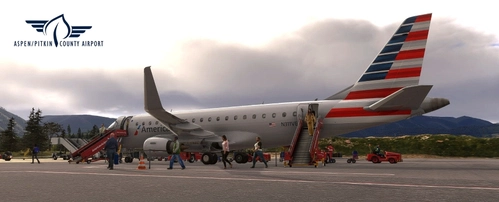
KASE – Fly 2 High Aspen Pitkin County Airport GSX Profile
This add-on provides a GSX profile specific to Fly 2 Highs Aspen Pitkin County Airport (KASE), enhancing the realism of operations at this challenging airport. It features detailed logic for winter operations, custom boarding procedures, and tailored pushback operations for various gates. The profile includes enhancements for regional airline services, general aviation ramps, and is developed using Python for added functionality. Future updates are anticipated, focusing on general aviation and additional airport profiles.
par TexMoose
Connectez-vous pour participer à la discussion
Se connecterCommentaires(14)
10 months ago
10 months ago
Maxwingspan and Gate category is all ok, GSX-VDGS works as well
Actually I cant use any Gate at KDFW with the A380.
What can I do so I can use those stands with the A380?
Great work by the way, thank your very much for your effort!!
12 months ago
12 months ago
If you are unfortunately that requires an update to the airport itself and not GSX.
Currently building a Taxi Tune profile for Sayintention that will hopefully resolve that issue.
It annoys me as well.
about 1 year ago
12 months ago
12 months ago
12 months ago
about 1 year ago
Can you please add stop positions for the MD-80 and 727? AAL utilized both heavily at DFW -- as well as the upcoming F100 -- and when I tested out repositioning at the gate with both it warped me so far forward the nose was almost in the terminal.
12 months ago
12 months ago
I don't own the 727 so I'm unable to validate if the position will work correctly when I put the values in.
I don't have the ID Major for the F100 since it's not listed in the manual. I would need to wait for it to be released and see the Debug in GSX to identify the correct code for it.
If you were using MSFS2020 please update since the .ini file was showing MSFS2024 only. I removed this, so hopefully this will fix some issues and you don't have an aircraft spawning in the terminal anymore.
Anymore issues you see, let me know and I'll look into fixing them.
about 1 year ago
about 1 year ago
about 1 year ago