
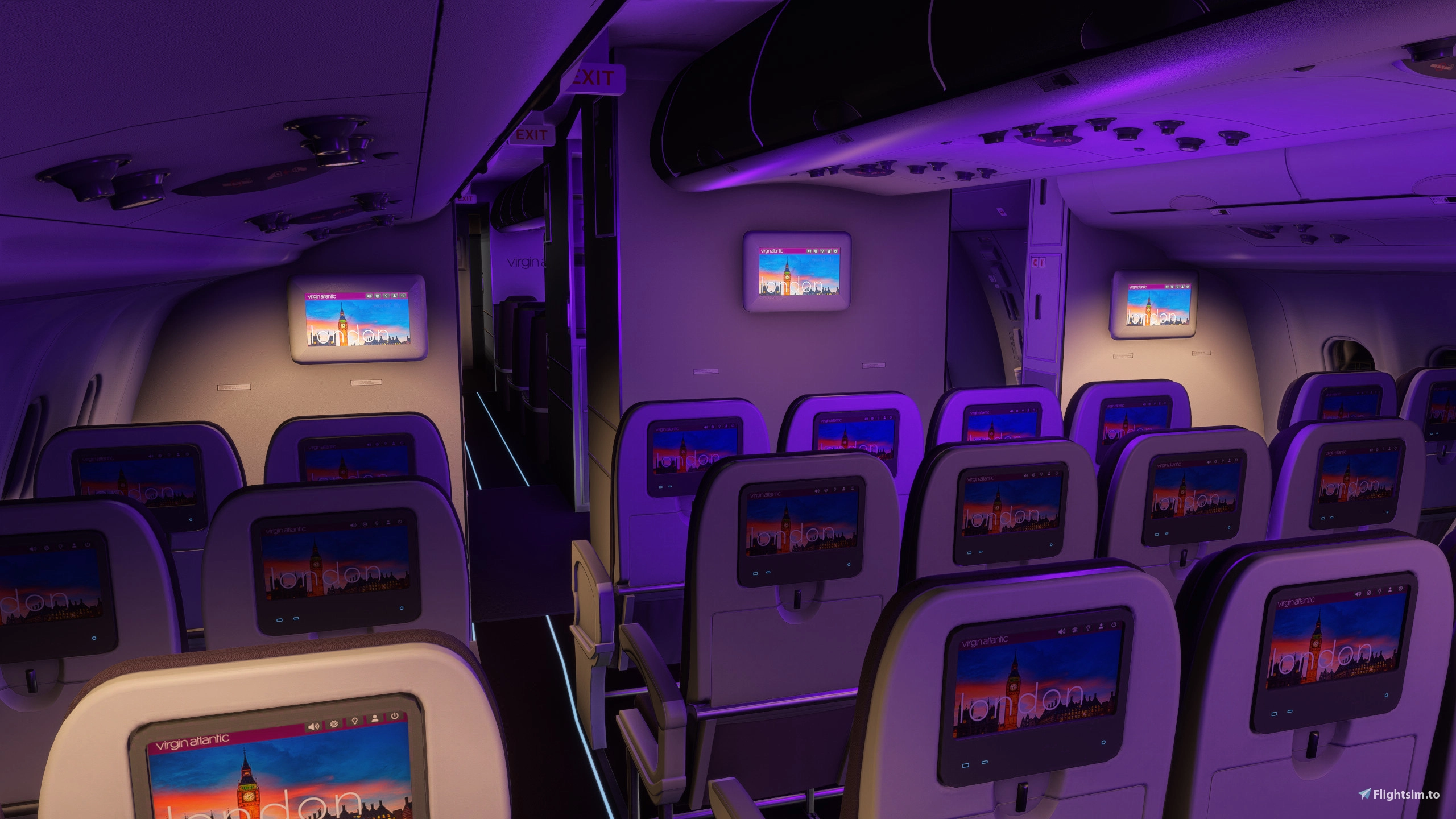
Description
This mod is officialy working for Sim Update 4! Huge thanks to @WombiiActual for coming up with a fix to get this mod to work. Thank you as well to @WrighterLights for showing me how to modify the cabin lights! Stay tuned, more mods and colors to come soon! IMPORTANT: Make sure to delete all previous versions of the mod before using the new version.
Hello! I have made this addon to be comprised of purple-style "mood lighting" for the cabin in the iniBuilds/Asobo A330-200 and A330-300's respectively. I have taken notice of a lot of users (including myself), that have expressed discomfort in the default lighting inside of the cabin (an overwhelming blue) and really takes away from the immersion. I'm intending this to be an improvement over the default, but it is not perfect, trust me. I have other cabin light colors in testing currently and will release them in due time. I hope you enjoy! This mod is now included in Pack 2 of the cabin light mod. Link to Pack 2
FEATURES:
- Toned down cabin lighting intensity to make it appear less intense/overwhelming.
- Changed default blue to purple color to give cabin a more warm look and modern appeal.
- Changed default white galley and reading light color to more warm/creamier white/amber.
- Works with A330-200[GE], A330-200[RR], A330-300[GE], A330-300[RR].
INSTALLATION (Follow Steps 2-6 if the First Step Does Not Work):
- Simply download and extract the file into your community folder.
- Launch MSFS2024 and enable DevMode (Settings > Advanced Options > DevMode).
- Hover over the "Tools" tab, then select "Package reorder tool".
- Uncheck "Show scenery packages only on the top left; locate "microsoft-a330-purple-lights" (try typing "a330" in the searchbar for quicker results).
- Press the "v" (arrow down) button on the package until it is belowthe package called "microsoft-aircraft-a330".
- From here, the mod should work, but if not, then make sure the Base Content A330 is set to "Streamed" instead of "Installed".
- You may need to relaunch the sim for the changes to take place. Once the mod works while streaming the A330, you will be able to install it again.
- Enjoy!
DISCLAIMERS & LIMITATIONS:
- Due to the lighting obects' placement, the center cabin overhead lights appear brighter and a tad bit overwhelming. Unfortunately, it will remain like this until it is modified (reference iniBuilds' upcoming A340-300 cabin screenshots for proper cabin lighting modeling).
- Galley lighting is very faint due to lighting object placements and toned down intensity.
- This addon is NOT compatible with the -P2F variants or the -600ST.
- This has not been tested in SU4 Beta, therefore I cannot guarantee it works.
- These modifications are my work. Please do not utilize them in other addons or publish them separately from this addon without my explicit permission!
iniBuilds A330 Purple Mood Lighting [-200 & -300]
This add-on introduces purple mood lighting for the cabin of the iniBuilds/Asobo A330-200 and A330-300 aircraft models. It aims to reduce the intensity of the default blue lighting, creating a warmer and more modern atmosphere. The modifications also include adjustments to the galley and reading lights, offering a more pleasant lighting experience for users. Compatibility is limited to specified A330 variants, and installation is straightforward by placing the files in the community folder.
Avis des utilisateurs
2 avis
Historique des versions
Mod is officially compatible with Sim Update 4.
Similaires
ReShade Preset: DLSS 5 Ultimate
This ReShade preset aims to enhance MSFS2024 by adjusting lighting, color correction, and fog effects for a more vibrant and realistic appearance, optimized for DLSS 5. It does not require REX Atmos Core and is intended for users with ReShade installed. Color rendering is tuned to match the DLSS 5 style, offering improved surface depth and atmosphere. The preset is still in development and may be updated further.
par Zoke_Aye
DLSS X - ReShade
DLSS X - ReShade is a preset designed to enhance atmospheric lighting and color correction in Microsoft Flight Simulator 2024. It introduces a more realistic blue hue, improved fog depth, and vibrant color rendering optimized for DLSS 5 but works without it. The preset requires ReShade and is not dependent on REX Atmos Core. It is recommended to adjust in-sim exposure settings for the best results.
par Zoke_Aye
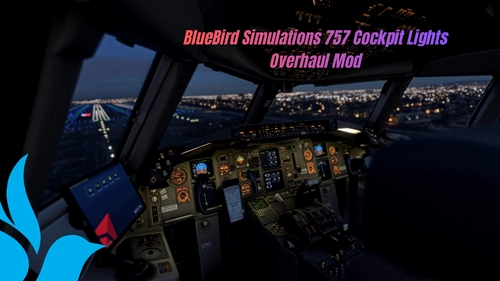
BlueBird Simulations 757 Cockpit Lights Overhaul Mod
This mod enhances cockpit lighting in the BlueBird Simulations 757 by adjusting dome, glareshield, and MCP light colors and intensities to better match real-world references. It works with all BlueBird Simulations 757 variants but does not include panel light or texture improvements. For optimal results, it is recommended to use this mod alongside external texture and lighting addons. Compatibility with MSFS2020 is not guaranteed and further updates may be released based on user feedback.
par Zoke_Aye

iniBuilds/Microsoft A330 Cabin Light Mod [-200 & -300] - PACK 2
The iniBuilds/Microsoft A330 Cabin Light Mod provides enhanced cabin lighting options for the A330-200 and A330-300 aircraft models, addressing user concerns regarding the default intense blue illumination. This add-on features multiple color options for a more calming atmosphere, along with adjustments to galley and reading light colors for improved ambiance. The mod aims to create a more immersive flying experience by moderating the cabin lighting intensity and aesthetics.
par Zoke_Aye
Connectez-vous pour participer à la discussion
Se connecterCommentaires17
Edit*
Thanks for the fix :)
More cabin colors to come for the A330!
thank you