

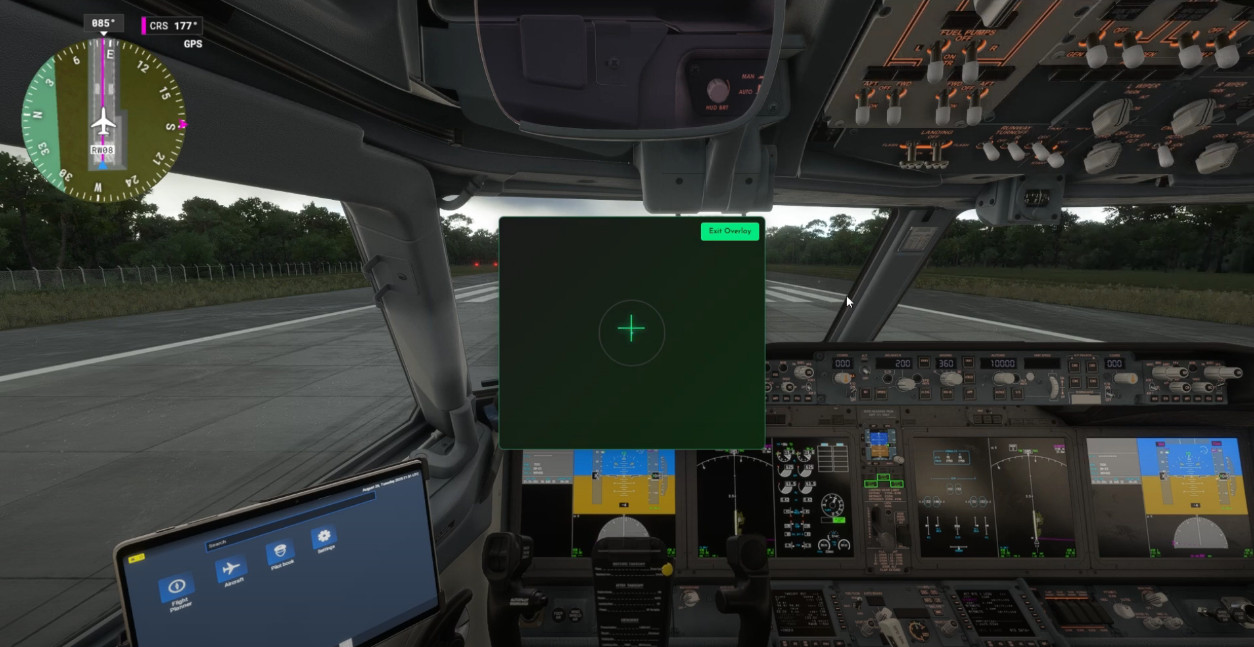
Description
NOTE: When AirJB is placed in Overlay Mode, it stays active in the background while sitting over MSFS, so you can still use your normal keyboard controls and yoke inputs at the same time, left-click to engage/disengage your yoke anytime!. Just make sure Ctrl + Alt + B is enabled or manually click the "ENABLE BACKGROUND MODE" button and that you see the green glow that means AirJB is fully active and ready for input.
buymeacoffee.com/airjb
If you enjoyed this too and want to support future updates for this, you can always buy me a coffee!
For ANY help you can contact through airjb.fly@gmail.com
Or throught in app support ticket
Things being worked on to be added:
-Transparent Overlay
-Rudder control
-Mouse wheel throttle
Key Features
✈️ Mouse-Controlled Flight
- Aileron, elevator, and rudder control with your mouse
- Smooth response curves for realistic flight feel
- Input smoothing prevents jitter and sudden movements
- 300 DPI mouse recommended for optimal precision
MSFS Integration
- Works with Microsoft Flight Simulator 2024/2020
----
- One-click virtual joystick connection
- Automatic driver installation
- Click-to-engage control system
- Overlay mode
How It Works
1. Install AirJB and launch the MSFS Controls
2. Click "Connect Virtual Joystick"
3. Enable "Yoke Control" and left-click in the control area
4. Move your mouse to control the aircraft - left-click again to disengage
System Requirements
- Windows 10/11
- Microsoft Flight Simulator 2024
- Mouse (300 DPI recommended)
Installation
1. Download and run AirJB installer
2. Launch AirJB MSFS Controls
3. Click "Connect Virtual Joystick" (vJoy driver installs automatically)
4. Start flying!
Perfect For
- New flight sim pilots learning the basics
- Pilots wanting to try MSFS before buying hardware
- Casual flying when you don't want to set up full controls
- Emergency backup when your joystick breaks
AirJB - Mouse Control - Mouse yoke
AirJB is a mouse based virtual joystick made for Microsoft Flight Simulator 2024. It lets you control the ailerons, elevators, and rudder using just your mouse, so you can fly without needing extra hardware. The controls are smooth, with built in response curves and input filtering to make movements feel realistic in the air. Setup is simple just a quick driver install and a one click connection, and you’re ready to go.


Avis des utilisateurs
5 avis
Historique des versions
Transparent and memory overlay retuned control settings fixed reported bugs
Connectez-vous pour participer à la discussion
Se connecterCommentaires32
For anyone infected- use malwarebytes (possibly the best, since seemingly only it detects that virus) scan your pc, delete the virus and change your main google password ASAP to cut off the master session token (FROM ANOTHER DEVICE!) then, proceed to logout on every app (like FB, Discord etc) and change your passwords. Monitor your task scheduler, autostart apps, task manager and device manager (for a virtual keyboard, c2 console) enable 2FA everywhere and if possible, get a physical device key (like YubiiKey) or just use windows Hello. Oh also, check your email box rules and POP/IMAP (if you use google mail). The author can reroute your emails to hix box and change your passwords without you knowing. Dont forget to also check "C:\Windows\System32\drivers\etc\hosts". Anything without "#" infront is a modification made by the virus. ALSO IF YOU ARE A NETWORK ADMINISTRATOR OR YOU USE CRYPTOCURRENCIES, BEWARE. It can steal your SSH and AWS tokens or seeds (recovery passwords for blockchains/wallets) using an clipper. I never used any so I dont know how to fight that reliably. REMEMBER. TIME. TIME IS IMPORTANT. IF YOU TAKE TOO MUCH TIME, A STEP TWO CAN OCCUR. RANSOMWARE. Then? Only a clean instal can help.. and also not always. With a very tiny possiblity you would need to take your hard drive to a workshop and have its firmware flushed too. It's a "end of the world scenario" since viruses that can attack firmware are used mostly by the goverment, they still exist. Its just a tip.
This is a false positive. AirJB uses Firebase (Google's auth service) for pilot accounts and vJoy for virtual joystick input both are standard, well known tools. There's no session hijacking, no keylogging, no credential stealing. The code is auditable.
Why does a joystick app need accounts? Because it has multiplayer features callsigns, online status, flight tracking with other pilots, and i have plans to add additional tools within this app for other simulators.
AV software flags Electron apps all the time, especially ones that bundle drivers (vJoy) or have auto updaters.
If you got compromised, I'm genuinely sorry but it wasn't from AirJB. I'd check what else you installed around the same time
Accusations like this can kill small projects. If you have actual evidence, I'm happy to look at it. Otherwise, please reconsider.
Ce commentaire a été supprimé
https://www.virustotal.com/gui/file/77b82fd3c528fbc17237caa9eb741ff85a6ef159cbdfa7b9cfe2c9f841e87662?nocache=1
I'm the developer so if you have any questions its better to reach out before coming to a conclusion.