
Description
DESCRIPTION
This app is designed to automatically apply the correct airline specific background image on the Fenix Family aircraft by looking up either the Airline ICAO-Code or the Aircraft Registration Number from your SimBrief flight plan.
-------------------
INSTALLATION
- Extract the zip file. You will find
- This Readme
- The file "Windows .NET Desktop Runtime" (required). Install it. Might be included with Windows by default.
- The folder "UniversalEFBackground" which contains the application. Move it wherever you like.
- The folder "EFBWallpaper" which will contain all your EFB wallpapers. More details below at "Usage".
-------------------
USAGE
- Start the application "UniversalEFBackground.exe"
- Set your Backgrounds folder.
- This can be any folder you choose but it has to contain a folder "Default" with at least one default picture.
- You can use the folder "EFBWallpaper". It's ready.
- Inside "EFBWallpaper" or whichever folder you choose, you can create different folders for different airlines
- Default
- default.jpg
- DLH
- dlh1.jpg
- dlh2.png
- d-aizr.jpg
- BAW
- baw.png
- ...
- Default
- You can check the box at "Random airline specific image" or leave it as is. More details below at "Image Selection".
- Enter your SimBrief ID or username
- Hit Save
- Start MSFS, load the Fenix into the gate
- Observe the magic..
-------------------
IMAGE SELECTION
Which image gets to load, depends on your SimBrief flight plan.
- Airline ICAO-Code
- Simply said, if your most recent simbrief flight plan contains a call sign like "DLH420", the app will match the ICAO Code for that airline. In this case "DLH".
- If there are multiple images in the folder "DLH" and you checked the random box above, the app will choose a random image.
- Aircraft Registration Number
- This works only in the following condition: Your SimBrief flight plan has to include the same aicraft registration number as your image name. For example
- You have an image with the name "D-AIZR.jpg", if you want this specific image to load, you need to include this registration number in your flight plan.
- This works only in the following condition: Your SimBrief flight plan has to include the same aicraft registration number as your image name. For example
- None of the above
- If you create a flight plan without a matching callsign or registration, the app will choose the default image as a fallback.
If you have a matching both a call sign and an aicraft registration number, the app will prefer the registration number image over the ICAO images.
-------------------
LIMITATIONS
- Works only with the Fenix Family aircraft
- PLANNED: Other aircraft like iniBuilds if even possible
- Works only if you use SimBrief
- PLANNED: Reading the callsign/registration from the sim
- PLANNED: Reading the callsign/registration from the livery.cfg
-------------------
QUESTIONS & HELP
HIT ME UP ON DISCORD
Username: dronesim
DroneSim's Universal EFB Background
DroneSims Universal EFB Background is an add-on designed for Microsoft Flight Simulator that allows users to customize the electronic flight bag (EFB) backgrounds based on their SimBrief flight plans. By setting up a designated folder for wallpapers and linking it to their SimBrief ID, users can enjoy dynamic airline-specific images during their flight sessions. The application works exclusively with the Fenix Family aircraft and is contingent on using SimBrief for flight planning. Additional support and setup details are provided within the accompanying documentation.


Avis des utilisateurs
1 avis
Historique des versions
Aucun historique de version disponible.
Présent dans des collections(1)

Similaires

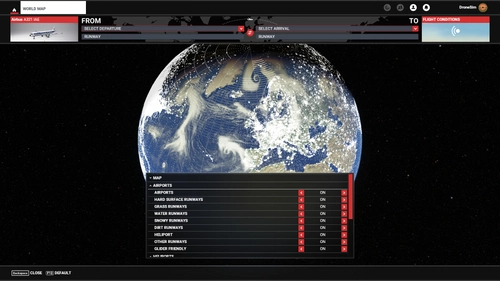
DroneSim's Compact Toolbar
DroneSims Compact Toolbar for MSFS 2024 offers a reduced-size and streamlined version of the default toolbar, available in 75% and 50% scale options. This add-on eliminates the distracting white mouse trigger line, enhancing the visual experience without impacting performance. Users can follow simple installation steps to integrate the toolbar into their flight simulation environment. It is recommended to use only one scale variant at a time to ensure optimal functionality.
par DroneSim
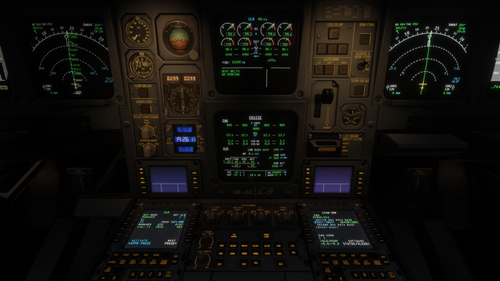
Custom Camera Views (iniBuilds A340-300)
This add-on provides a set of custom camera views specifically designed for the iniBuilds A340-300 in Microsoft Flight Simulator. The configuration includes a variety of cockpit and cabin perspectives, allowing users to access key instruments and panels quickly. The views are organized for easy access via the NumPad, covering essential areas such as the EFB, MCDU, ECAM displays, and various wing views.
par DroneSim
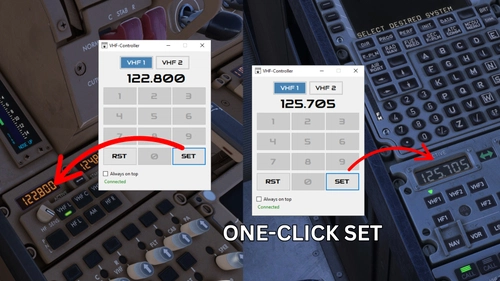
DroneSim's VHF-Controller
The VHF-Controller is a utility designed to simplify the process of setting COM active frequencies in Microsoft Flight Simulator without using cockpit knobs. It requires .NET 8.0 Desktop Runtime and is compatible with MSFS 2020 and 2024, functioning across various aircraft models.
par DroneSim
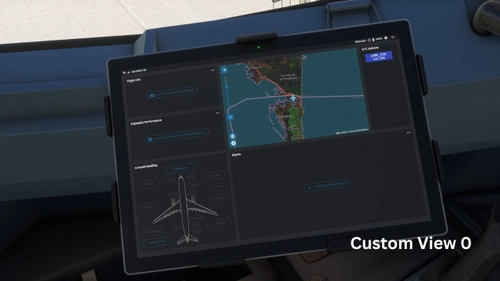
Aerosoft A330-300 | Custom Cockpit & Cabin Views
This add-on offers a set of custom cockpit and cabin views specifically designed for the Aerosoft A330-300 in Microsoft Flight Simulator. The views are organized for easy access via the NumPad, featuring dedicated perspectives for the EFB, MCDU, ECAM displays, and various wing views. With this mod, users can experience a more tailored and immersive flight environment.
par DroneSim
Connectez-vous pour participer à la discussion
Se connecterCommentaires6