Flightsim.to

    UtilitiesMiscellaneous

    Browse Miscellaneous utilities and tools for Microsoft Flight Simulator 2024 and 2020. Parcourez 198 add-ons publiés par notre communauté.

    Dernière mise à jour
    View all utilities
    CleanMenu UI - Main Menu

    CleanMenu UI - Main Menu

    CleanMenu UI is a lightweight mod that refines the look of the Microsoft Flight Simulator main menu. It introduces subtle visual improvements for a less cluttered and more polished appearance. The original layout and functionality are preserved for a familiar user experience. Installation is via the Community folder.

    Thom0172
    MSFS2024
    0.0(0)
    57
    314 KB
    1 month ago
    Spotty26

    Spotty26

    Spotty26 is a camera tool designed for Microsoft Flight Simulator 2024, allowing users to spot airplanes and explore scenery with customizable camera modes. It offers Flyby, Chase, World, and Tower cameras, all controllable by keyboard or controller. Users can save and reload their favorite spotting locations with full control over altitude and direction. The tool also features real-time aircraft markers and the ability to view AI or user aircraft movement for enhanced observation.

    rksoftware
    MSFS2024
    5.0(2)
    99.81 MB
    5 days ago
    Vatsim Notes Tool

    Vatsim Notes Tool

    This tool allows users to record and organize ATC instructions, clearances, frequencies, and route changes while flying on VATSIM. It is designed to help maintain structured and concise notes for improved situational awareness. The addon supports all phases of flight and is intended to assist with clear communication. It provides a digital solution for note-taking within the simulator environment.

    LennyPilot1325
    MSFS2020/24
    0.0(0)
    39
    3.2 KB
    2 months ago
    MSFS Emergency Response On Demand

    MSFS Emergency Response On Demand

    This add-on enables users to manually spawn, dispatch, and remove emergency response vehicles from an in-game toolbar in Microsoft Flight Simulator 2024. Designed for cinematic, roleplay, and emergency-landing situations, it allows multiple emergency trucks to be placed and controlled near the aircraft. Features include vehicle movement control, dispatch audio, and siren sounds. All units can be removed on command for seamless scenario management.

    TechN9ne225
    MSFS2024
    4.7(3)
    349
    21.3 MB
    1 month ago
    Dual Sidestick Logic script for FENIX A32X

    Dual Sidestick Logic script for FENIX A32X

    This script enables dual sidestick logic for the Fenix A320 in Microsoft Flight Simulator, allowing home cockpit users to connect two independent joysticks. It uses Joystick Gremlin, vJoy, and MobiFlight to process inputs, apply Airbus sidestick logic, and trigger in-cockpit LEDs and audio. The solution allows native Fenix A32X functions for input processing and feedback. Third-party software installation and configuration are required for use.

    chep4007chep4007
    MSFS2020/24
    0.0(0)
    38
    3.4 KB
    2 months ago
    MSFS Sentinel: Crash & Conflict Detector

    MSFS Sentinel: Crash & Conflict Detector

    MSFS Sentinel is a local script for Microsoft Flight Simulator that identifies and resolves common library indexing problems and scenery conflicts in the Community folder. It scans for overlapping airport data, duplicate package identities, and helps prevent visual glitches such as flickering. Conflicting mods can be safely disabled and backed up without file deletion. The tool supports both MSFS 2020 and 2024 installations and is compatible with Steam and Microsoft Store versions.

    rizzhaaan
    MSFS2020/24
    0.0(0)
    275
    4.5 KB
    2 months ago
    Transparent VR Controllers

    Transparent VR Controllers

    This add-on replaces the standard VR controller models in Microsoft Flight Simulator with transparent versions, making them less intrusive during VR sessions. Only the interactive laser beam remains visible, facilitating cockpit interaction when using hand tracking or passthrough. The mod offers a lightweight solution and is compatible with devices like the Quest 3. Installation involves placing the files into the Community Folder.

    kt069kt069
    MSFS2020/24
    0.0(0)
    50
    10.8 KB
    2 months ago
    SPAD.neXt Profile for Fenix A320 Honeycomb Bravo - MSFS 2024

    SPAD.neXt Profile for Fenix A320 Honeycomb Bravo - MSFS 2024

    This SPAD.neXt profile enables optimized use of the Honeycomb Bravo Throttle Quadrant with the Fenix A320 in MSFS 2024. It is tailored for Boeing-style thrust levers and covers configuration for axes, switches, lights, and autopilot functions. The setup supports full integration with both aircraft and throttle controls, including lighting and EFIS modes. Simple installation is done by adding the provided XML to the SPAD.neXt profiles folder.

    dariofedes
    MSFS2024
    5.0(1)
    69
    5.5 KB
    3 months ago
    Panelscreen 0.0

    Panelscreen 0.0

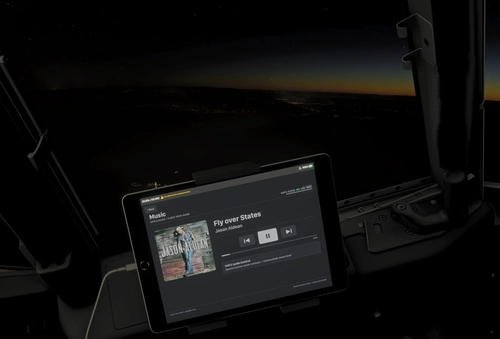
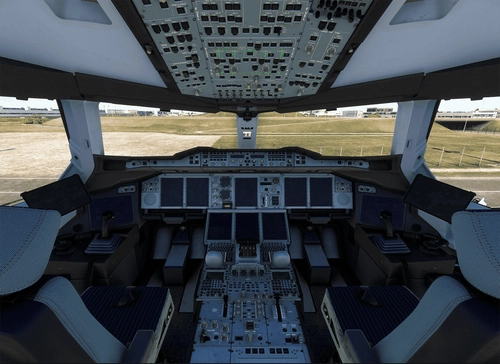
    Panelscreen 0.0 provides image backgrounds of airplane panel frames for use on external devices such as tablets or cell phones connected to your simulator. The pack includes both day and night versions inspired by Boeing 737 and Airbus A320 panels. Intended for use alongside pop out apps, these images allow you to position virtual cockpit screens within the frames. This add-on aims to enhance realism when using external displays with Microsoft Flight Simulator.

    rafaelperarafaelpera
    MSFS2020/24
    5.0(1)
    103
    42.4 MB
    3 months ago
    Pegassist - vAMSYS Assistant

    Pegassist - vAMSYS Assistant

    Pegassist is a utility designed for Microsoft Flight Simulator users flying on vAMSYS. It monitors your simulator via SimConnect to detect when your aircraft begins to move before your Pegasus flight is started. The tool provides an audio and popup reminder to prompt you to start your flight in Pegasus. This helps prevent missed flight logs caused by forgetting to press the Start button.

    angryflowerangryflower
    MSFS2020/24
    0.0(0)
    64
    35.0 KB
    3 months ago
    JP Jump Ahead – A tool to skip long cruise segments as an  alternative to simrate acceleration.

    JP Jump Ahead – A tool to skip long cruise segments as an alternative to simrate acceleration.

    JP Jump Ahead is an in-game panel and helper tool for Microsoft Flight Simulator that allows pilots to skip long cruise segments by instantly shifting their aircraft to the next waypoint. It adjusts fuel and time to maintain flight continuity and is especially useful for aircraft that handle poorly at high sim rates or for VR users. Configuration options include jump distance and fuel tank management, allowing flexible integration into various flight scenarios.

    JarekP
    MSFS2020/24
    5.0(2)
    674
    846.2 KB
    2 weeks ago
    Showing 25 - 36 of 198 results