
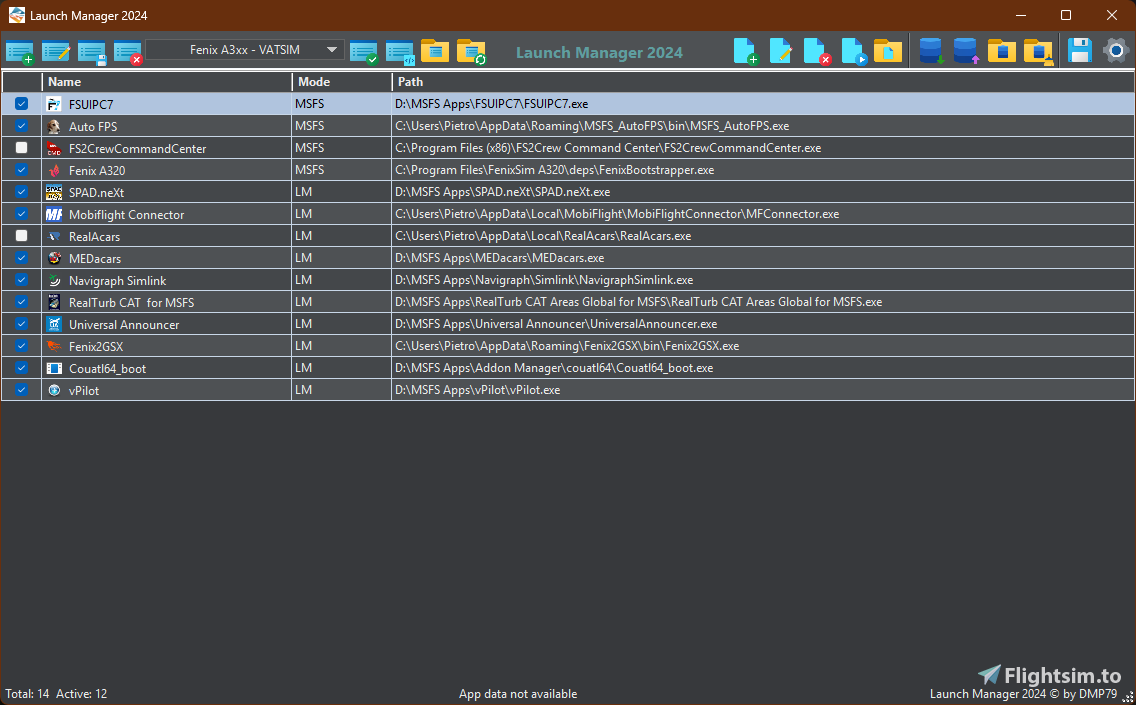
Description
✈️ Launch Manager 2024
Smartly manage your external apps for Microsoft Flight Simulator
📦 Description
Launch Manager 2024 is a fully portable (no-install) application that automates the startup, control, and shutdown of all external utilities and companion programs you use with Microsoft Flight Simulator 2024.
Whether it’s SPAD.neXt, FSUIPC, Navigraph Simlink, or your own custom tools — Launch Manager 2024 handles them all automatically, safely, and in perfect order.
⚙️ Main Features
✅ Automatically launch multiple apps with individual startup delays
✅ Choose between starting apps via MSFS or directly from Launch Manager
✅ Auto-minimize or close apps when the simulator shuts down
✅ Drag & Drop support for quickly adding .exe or .lnk files
✅ Manual app reordering via drag & drop in the grid
✅ Multi–profile management (e.g., “VFR”, “IFR”, “Testing”)
✅ Automatic profile backups and one-click restore
✅ Quick access to all folders (AppData, Backup, Profiles, Config.xml)
✅ Detailed logging to track launch and shutdown events
🖥️ System Requirements
✅Windows 10 or Windows 11 (64-bit)
✅.NET Framework 4.8 (or later) installed
✅Write permissions for the %AppData% directory (C:\Users\\AppData\Roaming\Launch Manager 2024\)
✅The program should not be placed inside protected system folders (e.g. Program Files), otherwise configuration files may not save correctly
✅For full “auto-start” functionality, Microsoft Flight Simulator 2024 must be properly installed
✅For best compatibility, install MSFS and related add-ons in standard local directories (not on restricted or network drives)
🧩 Installation
No installation required.
1️⃣ Copy the program folder containing LaunchManager.exe anywhere you like — for example:
C:\Tools\Launch Manager 2024
2️⃣ Avoid protected system folders (like Program Files) to ensure proper saving of configuration files.
3️⃣ On first launch, Launch Manager will automatically create all necessary folders and files in:
%AppData%\Launch Manager 2024\
⚠️After every update, it's recommended to delete the files LM.exe and LM_runner.log located in "%AppData%\Launch Manager 2024\" before launching "Launch Manager 2024" again.⚠️
🚀 How to Use
1️⃣ Create one or more profiles (for different flight configurations)
2️⃣ Add your preferred apps and tools
3️⃣ Set launch delays, arguments, close behaviors and apply profile
4️⃣ Click “Launch App” to start manually — or let Launch Manager handle everything automatically when MSFS starts.
🧠 Credits
Launch Manager 2024 is a modern reinterpretation and improvement of the original Launch Manager by Kobayashi82.
Kobayashi82’s work inspired the logic and philosophy behind this version — automating and simplifying the management of external utilities linked to MSFS.
Launch Manager 2024 introduces:
• Improved stability and full MSFS 2024 compatibility
• Intelligent instance control
• Modern, responsive interface
• Advanced features like drag & drop, manual sorting, automatic backups, and detailed logging
⚠️ Disclaimer
Launch Manager 2024 is a free, non-commercial tool for personal use only.
It is not affiliated with, endorsed, or supported by Microsoft, Asobo Studio, or any third-party software mentioned in this documentation.
The developer assumes no liability for data loss, system issues, or software malfunctions resulting from the use or misuse of this application.
All configurations and modifications made using Launch Manager 2024 are the sole responsibility of the user.
This software is provided “as is”, without any warranties — express or implied — including but not limited to merchantability or fitness for a particular purpose.
👉 Support my work:
If you enjoy my content and appreciate the hours spent refining every detail to improve your flight sim experience, consider buying me a coffee! Every donation, no matter how small, helps me dedicate more time to new projects and keep everything updated.
☕ Donate here: https://buymeacoffee.com/dmp79
Launch Manager 2024
Launch Manager 2024 is a portable application designed to streamline the management of external utilities and companion programs for Microsoft Flight Simulator 2024. It automates the startup and shutdown of tools like SPAD.neXt and FSUIPC, offering features such as multi-profile management, drag-and-drop app addition, and detailed logging. This tool allows users to create custom profiles for different flying configurations and ensures that applications are launched in a controlled manner, enhancing the overall simulation experience.


Avis des utilisateurs
3 avis
Historique des versions
🔹New: Added a "Clone Profile" button to the toolbar to easily duplicate existing profiles (based on user feedback).
Similaires
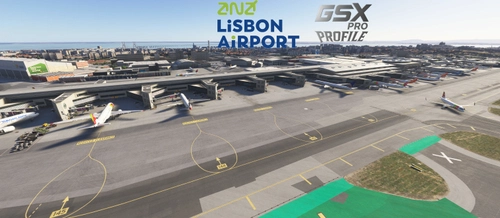
LPPT - Lisbon Airport by Mk-Studios
Enhance your virtual flying experience at Lisbon Airport (LPPT) with this detailed profile by Mk-Studios. It features customized parking stands, pushback procedures tailored for each gate, and passenger walkways for boarding at Terminal 2. The add-on also incorporates airline preferences for gate assignments and ensures proper aircraft sizing at each parking location.
par DMP79

LIMJ - Genova "Cristoforo Colombo" Airport by SimoG
This GSX Pro Profile is designed for the Genova Cristoforo Colombo Airport (LIMJ) by SimoG, featuring updated gates and parking layouts as of 2025. It includes customized pushback procedures, mandatory pushback from most stands, and tailored ground services. The profile also offers distinct passenger pathways for boarding and deboarding, along with terminal access for passengers.
par DMP79

Airbus A320 SOP & Checklist
This add-on provides Standard Operating Procedures (SOP) for the Airbus A320neo, including detailed interaction phases with Air Traffic Control (ATC) and GSX. Additionally, it features an array of essential flight checklists to assist users in managing flight operations.
par DMP79
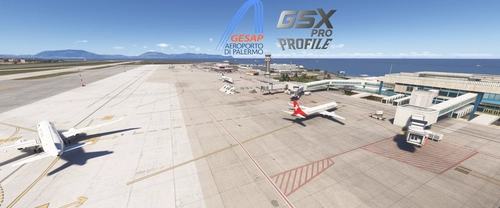
LICJ - Palermo Punta Raisi Airport by JetStream
This add-on provides a custom GSX profile for LICJ Palermo Punta Raisi Airport by JetStream. It features individually tailored parking spaces, realistic pushback procedures, accurate wingspans, and custom ground service placement. Passenger walkways are included at specific stands and a start engines point matches real airport charts. Note that there are some limitations with terrain elevation affecting certain passenger walkways near the terminal.
par DMP79
Connectez-vous pour participer à la discussion
Se connecterCommentaires(29)
about 21 hours ago
[2026-10-21 13:01:26] [STARTUP] LM started in single-runner mode
[2026-10-21 13:01:27] [STARTUP] LM launching ButterRateMonitor (E:\ButterRateMonitor\ButterRateMonitor.exe) - Profile CloseMSFS=True, Temporary CloseMSFS=False, Effective CloseMSFS=True
[2026-10-21 13:01:27] [DELAY] Waiting 15s before launching ButterRateMonitor
[2026-10-21 13:01:42] [LAUNCH] ButterRateMonitor launched (PID=21768)
[2026-10-21 13:01:42] [MINIMIZE] Waiting 3s before minimizing ButterRateMonitor
[2026-10-21 13:01:42] [WAIT] MSFS detected (PID=9220)
[2026-10-21 13:01:45] [MINIMIZE] ButterRateMonitor minimized after 3s
[2026-10-21 13:01:48] [CLOSEWIN] Simulated click on 'Close' for ButterRateMonitor
[2026-10-21 14:53:44] [WAIT] MSFS closed — proceeding with app shutdown...
[2026-10-21 14:53:44] [WAIT] MSFS has exited — final app management...
[2026-10-21 14:53:44] [FORCE CLOSE] Forcing termination of ButterRateMonitor (PID=14880)...
[2026-10-21 14:53:44] [FORCE CLOSE] ButterRateMonitor successfully terminated.
[2026-10-21 14:53:44] [EXIT] LM finished for ButterRateMonitor
What am I doing wrong?
If I run it via MSFS, I don’t encounter any issues. I also don’t see any difference, since in the MSFS scenario, the program is launched by MSFS2024.
In earlier versions, there were no problems with LM.exe.
Needless to say, I love this development and its utility, but I would like to be able to take full advantage of its potential. Thank you very much for your valuable work.
Regards
carlos
about 5 hours ago
In short: launch the app you're interested in, then close or minimize it to see how the program behaves. LM2024 simply simulates these clicks on the windows of the various apps.
26 days ago
26 days ago
A master checkbox to enable or disable all applications at once is a great idea, especially for profiles with many entries. I’ll consider adding it in a future update.
17 days ago
about 2 months ago
about 2 months ago
I'll implement this feature in a future update.
4 months ago
Ce commentaire a été supprimé
4 months ago
4 months ago
The most common causes for a homemade exe file are:
Unsigned file;
New executable with very little reputation;
Behavior considered "suspicious" by Defender, such as writing to AppData, modifying XML files, or launching other processes;
Exe packer/compression or embedded resources that trigger a false positive.
The first things to do are:
Open Windows Security > Virus & threat protection > Protection history and check the exact name of the detection.
Check whether Defender reports a specific malware or a generic warning like Trojan:Script/Wacatac, PUA, or similar; generic detections are often false positives for new programs.
4 months ago
I'll try again next week ....
6 months ago
6 months ago
9 months ago
9 months ago
9 months ago
9 months ago
9 months ago
The “Encrypt contents to secure data” is unchecked. I check it, clicked OK, then Apply, and after the chages it worked perfect without deleting the Launch Manager folder in the AppData.
Hope it works for you, too!
4 months ago