Flightsim.to

    UtilitiesApplications

    Applications gratuites pour MSFS 2020 et 2024. Outils communautaires pour gestion d'add-ons, audio ATC, suivi de vol, équipage virtuel, CPDLC, performances et plus. Parcourez 766 add-ons publiés par notre communauté.

    Dernière mise à jour
    À propos

    Cette section regroupe des add-ons applicatifs gratuits pour Microsoft Flight Simulator 2020 et 2024, développés par des créateurs de la communauté du monde entier. Les applications étendent l'expérience du simulateur au-delà de ce qui est disponible dans le sim — des compagnons de bureau, gestionnaires d'add-ons et outils de suivi de vol aux améliorateurs audio ATC, analyseurs d'atterrissage, affichages de carte mobile, systèmes d'équipage virtuel et assistants de formation assistés par IA. Parmi les exemples bien connus figurent MSFS Addons Linker pour la gestion du dossier Community, Auto FPS pour l'optimisation dynamique des performances, Toolbar Pushback pour la gestion réaliste des opérations au sol et LiveCrew pour des callouts copilote et des annonces cabine immersifs. D'autres outils couvrent des fonctions de niche mais précieuses telles que les clients CPDLC pour VATSIM, les gestionnaires de tâches de vol à voile, les convertisseurs de textures pour les créateurs de livrées et l'intégration MobiFlight pour le matériel de cockpit. Que vous cherchiez à optimiser votre flux de travail, approfondir votre immersion ou résoudre un défi technique spécifique, cette bibliothèque croissante d'applications communautaires offre une large gamme de solutions gratuites.

    Where I Left It – Persistent Aircraft Positions & Parked Fleet
    New

    Where I Left It – Persistent Aircraft Positions & Parked Fleet

    Where I Left It enables persistent aircraft positions in Microsoft Flight Simulator by saving where you park each aircraft, allowing you to resume future flights from that exact spot. Other aircraft from your fleet appear in their last parked locations, shown cold and dark. The system integrates into the in-sim EFB, requires no external app, and can be configured for auto-saving and display preferences. Limitations include no restoration of cockpit states for some aircraft and possible performance impact with many parked planes.

    Yetty
    MSFS2024
    0.0(0)
    31
    232.7 KB
    2 hours ago
    VarDetect - Variable detection for MSFS 2024
    New

    VarDetect - Variable detection for MSFS 2024

    VarDetect is a Windows-based tool for Microsoft Flight Simulator 2024 that detects and lists simulator variables and events triggered by aircraft controls and instruments. It supports integration with applications like Axis And Ohs, Stream Deck, and Spad.next for hardware interfacing. The add-on allows session saving, variable tagging, and multi-language interface support while operating in a read-only mode. Designed for a range of aircraft, it offers filtered searches and detailed diagnostics to assist with profile and script preparation.

    Villajota
    MSFS2024
    0.0(0)
    18
    60.6 MB
    2 hours ago
    PMDG Livery Manager by Arsyah v1.0.0
    New

    PMDG Livery Manager by Arsyah v1.0.0

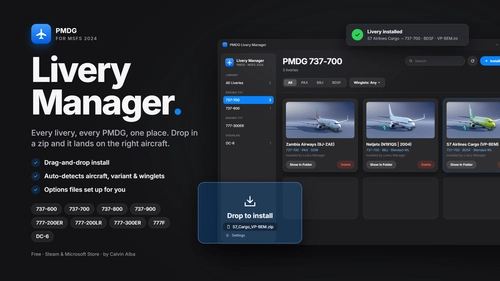
    PMDG Livery Manager by Arsyah is a Windows application for managing and installing PMDG 737 liveries in Microsoft Flight Simulator 2020. The tool supports livery installation via ZIP and PTP files, provides livery listing and search features, and includes filters for specific 737 variants. It offers detection to verify livery installation results and requires compatible PMDG 737 aircraft. The application does not include simulator files or liveries and is designed for 64-bit Windows systems.

    akhenmc
    MSFS2020/24
    0.0(0)
    6
    46.5 MB
    2 hours ago
    MSFS2020 SkyDeck

    MSFS2020 SkyDeck

    SkyDeck is a free web-based control center for Microsoft Flight Simulator 2020, providing a live moving map, flight planning tools, and main aircraft controls accessible on secondary devices. It allows users to manage autopilot, radios, transponder, lights, and more with real-time synchronization between the app and simulator. Additional features include direct-to navigation, command input, customizable layout, and demo aircraft for practice. SkyDeck is compatible with PC versions of MSFS 2020 and does not modify simulator files.

    Flightsimalx
    MSFS2020
    0.0(0)
    36
    34.1 MB
    13 hours ago
    SimMapper 1.0.0 - Hardware mapping for MSFS 2020 and 2024

    SimMapper 1.0.0 - Hardware mapping for MSFS 2020 and 2024

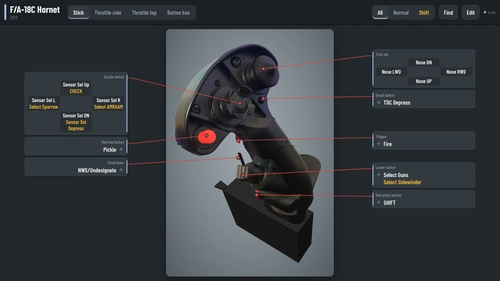
    SimMapper is a Windows application for mapping flight simulator hardware to Microsoft Flight Simulator 2020 and 2024 using native SimConnect. It automatically detects loaded aircraft and assigns relevant control profiles, supporting various device types and aircraft categories. The tool offers live monitoring, a binding editor, auto-mapping functions, and compatibility with certain payware aircraft through additional modules. Only Microsoft Store editions of MSFS are supported, and profile writing features remain experimental.

    ClearedToCode
    MSFS2020/24
    0.0(0)
    67
    88.1 MB
    13 hours ago
    SimpleUI | There, I fixed MSFS UI for you

    SimpleUI | There, I fixed MSFS UI for you

    SimpleUI streamlines the Microsoft Flight Simulator 2024 menus by providing a cleaner and faster user interface while maintaining the simulator's original look. It enhances aircraft selection with a searchable gallery and list, and improves access to setup options and weather controls. The add-on operates only within menus and does not affect in-flight performance or modify sim files. All features are customizable, and compatibility is limited to MSFS 2024 on Windows 10 or 11.

    Hyno
    MSFS2024
    4.8(4)
    180
    2.3 MB
    3 hours ago
    GFlight Camera - MSFS 2024

    GFlight Camera - MSFS 2024

    GFlight Camera is a standalone Windows application for Microsoft Flight Simulator 2024 that offers advanced camera management outside the in-sim menus. It enables users to create unlimited cockpit and external camera presets with automatic aircraft-specific profiles. Features include smooth camera transitions, customizable controls for keyboard and peripherals, and precise 6DOF camera movement. The tool streamlines switching and organizing views for a more efficient camera workflow.

    0.0(0)
    46.22 MB
    13 hours ago
    Vantage - Camera Views, Live Cams, Cinematics & Spotting for MSFS 2024

    Vantage - Camera Views, Live Cams, Cinematics & Spotting for MSFS 2024

    Vantage is a standalone camera utility for Microsoft Flight Simulator 2024, offering advanced camera controls and cinematic features. The app allows users to save, group, and hotkey unlimited custom camera views per aircraft, as well as operate live chase, orbit, fly-by, tower, and runway cams. It includes an automatic cinematic director, aircraft spotting tools for AI and network traffic, and a transparent window overlay for use during flights. Optional Stream Deck integration provides hardware control of views and camera movement.

    5.0(2)
    173
    58.9 MB
    18 hours ago
    Airbus Copilot for Callout and Checklist for MSFS2024

    Airbus Copilot for Callout and Checklist for MSFS2024

    This add-on provides a checklist and callout copilot utility designed for the inibuilds and Fenix Airbus aircraft in Microsoft Flight Simulator. It enables users to run interactive checklists via a desktop application or the in-game EFB. The tool supports both offline and live integration with MSFS 2024, detecting selected aircraft automatically. Features include step-by-step workflows for all flight phases, aircraft detection, and checklist management within the simulator environment.

    faxds
    MSFS2024
    0.0(0)
    31
    15.5 MB
    2 days ago
    PLN Viewer – Free Flight Plan Viewer for MSFS 2024

    PLN Viewer – Free Flight Plan Viewer for MSFS 2024

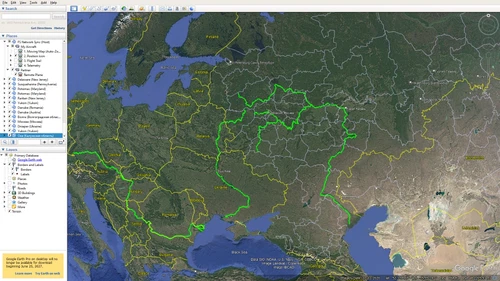
    PLN Viewer is a free, portable Windows application for Microsoft Flight Simulator 2024 that allows users to view .PLN flight plan files on an interactive map. It features simple drag-and-drop functionality, clearly displays routes, airports, and waypoints, and provides approximate route distances. The tool operates standalone with built-in navigation data and supports additional features when MSFS 2024 is running. No installation is required, and it is designed for quick visualization rather than comprehensive flight planning.

    Directsoyyo
    MSFS2024
    5.0(4)
    31
    4.1 MB
    2 days ago
    Showing 1 - 12 of 766 results
    234...50