
Description
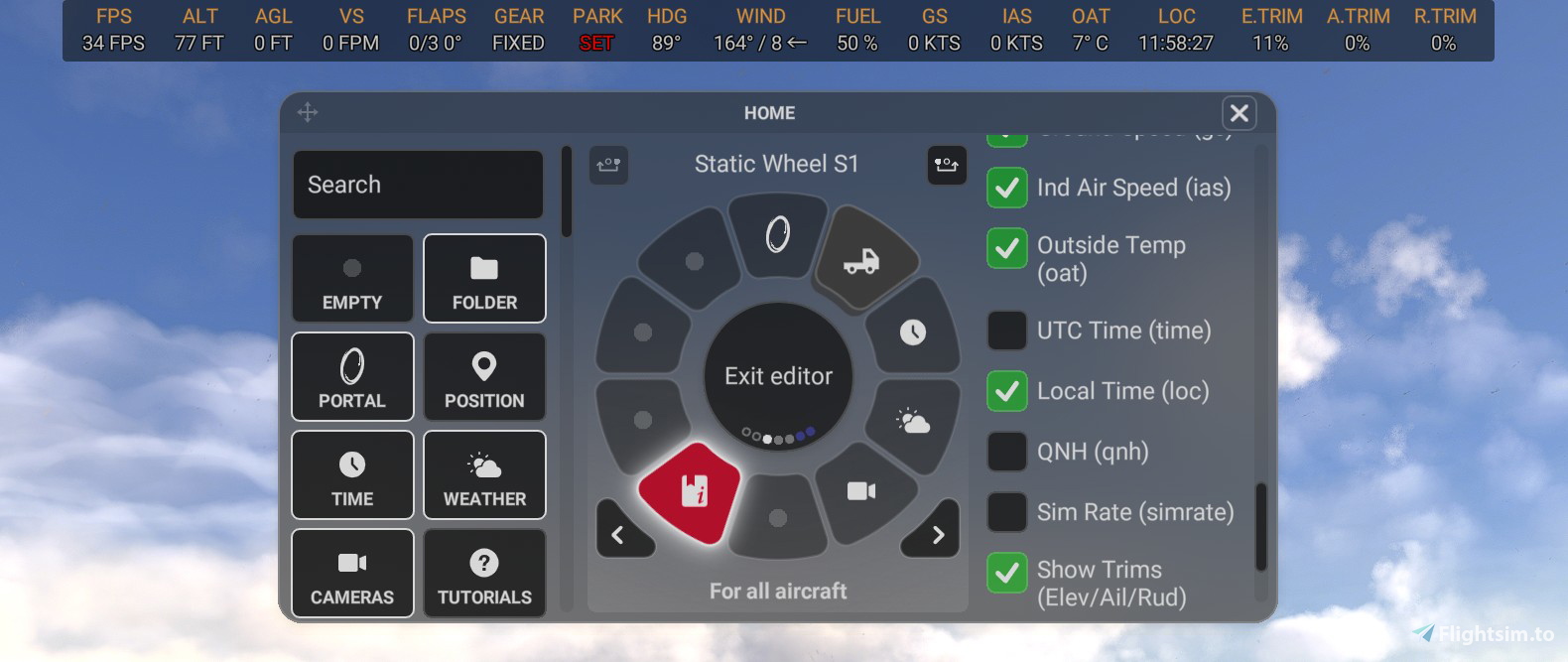
I kept tinkering and added the following optional enhancements to the original Info Bar from p42.
All the features are adjustable in the menu:
- Stack Label (labels and values shown in two lines when using the single-line view)
- Uppercase Labels (labels displayed in small caps instead of lowercase)
- Align Center (centers the Info Bar instead of aligning it to the left)
- Dark Background (with opacity) – for better contrast, with adjustable transparency
- Option: Added Local Time
- Option: Added Flaps indicator
- Renamed the Label "fpm" to "VS" and added the Unit fpm
- UTC fix (It shows correct UTC time now)
- Added local time
- Added parking brake status (off / set)
- Added landing gear status (up / down / fixed)
- Added trim indicators for planes and helicopters (Elev.T, Ail.T Rud.T - in case of helicopters it shows Lon.T and Lat.T instead)
- Addes the possibility to hide Units (context-critical prefixes and suffixes (e.g. FL for Flight Level and cardinal directions N/S/E/W) remain always visible.
- Visual adjustments as well as warning indicators for implausible states (e.g. parking brake set in flight, or landing gear lever activated on ground)
- Improved resizing of the bar using the mouse wheel (now adjustable in 5% steps)
- minor fixes
I still need to reconsider the centered alignment option (which definitely works), because the bar can be moved. I didn’t read that part carefully at first. Well, as long as the bar isn’t moved, it can still make sense.
Attention, please read carefully.
That's the first version so far. I’ll continue working on it and plan to add a few more indicators and make further adjustments.
Installation / how to use:
- Unzip to the community folder.
- The next time you start the sim, open Flow backend (longpress on a widget)
- Copy the name of the addon "p42-util-flow-plerzelwupp-infobar" in the field under "Community Widgets" (see picture). This step is only required in MSFS 2024.
- From there, move the info bar into the wheel.
- Make your adjustments in the right menu of the widget (see picture)
Additional information:
- To change the size, just scroll the bar with your mousewheel
- You also can move the bar with your mouse (e.g. for VR) - and reset the position
- You can change the order of appereance in the js section. Just change the row under "// -- main array of all label/value pairs --"
Update:
- Take the old widget out of the circle
- Delete the addon (community folder)
- Install new addon
I originally made this for myself and I’m happy to share it. Please don’t rate it poorly if something isn’t quite perfect yet — this is a hobby project I work on in my free time.
- If you notice any issues, let me know and I’ll fix them.
- And if something doesn’t work as expected, just ask — I’m happy to help.
Flow Infobar Adjustments
This add-on adds a few visual tweaks to the original p42 Info Bar, with options like stacked or uppercase labels, centered alignment, and a dark background with adjustable transparency. It also includes small fixes and refinements, such as updated vertical speed labels and a corrected UTC time display. Feedback is welcome while I continue to improve it.



Avis des utilisateurs
6 avis
Historique des versions
Thanks for the bug reports and suggestions in the comments - this update is mainly about stability and compatibility. + Fixed a script error with newer Flow Pro versions (e.g. 2026.23.x): several variables were not declared properly, which could throw errors and disturb Flow. The script is now strict-mode safe. + MSFS 2020: the widget should show up again in the widget list (compatibility version adjusted). + Trims: Elevator, Aileron and Rudder Trim can now be switched on/off individually in the menu (instead of one common switch). Helicopters still show Long T. / Lat T. + Fuel shows "-" instead of "NaN %" on aircraft without fuel tanks. + Minor fixes: unit typo (Celsius), degree symbol, corrected package file list.
Similaires
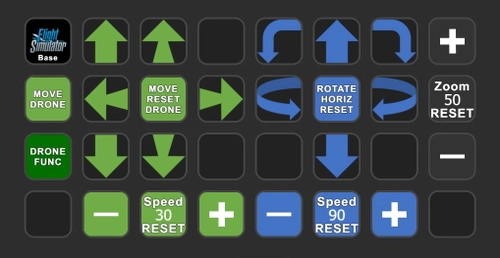
Drone control and drone camera - AAO Scripts & StreamDeck XL profile
Control your drone and drone camera with ease using AAO Scripts & StreamDeck XL profile. Requires Lorbys Axis and Ohs for MSFS, and Lorbys Stream Deck Plugin. Installation instructions included, ensuring a smooth setup process for optimal performance. Remember to set button assignments to Standard in the simulator for full functionality.
par plerzelwupp
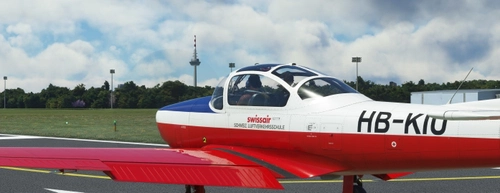
Piaggio P.149 Mod: Fix for invisible Pilot and adds simple AP-Function
Mod for the Focke-Wulf Piaggio P.149 (ATSimulations): Fix for invisible pilot in external view. It also adds simple and propiatary AP-functions to the Focke-Wulf P.149. Please read the description for installation and for a short guide how to use it.
par plerzelwupp
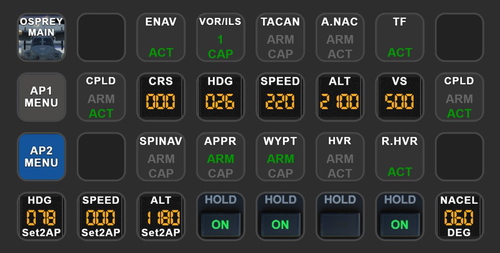
MV-22B Osprey Autopilot - AAO Scripts & StreamDeck XL profile
MV-22B Osprey Autopilot - AAO Scripts & StreamDeck XL profile. This works only with the MV-22B Osprey (Payware, Miltech Simulations). Packages includes only AP-Functions. You may use the scripts for other hardware also (f.e. the Behringer X-Touch mini)
par plerzelwupp
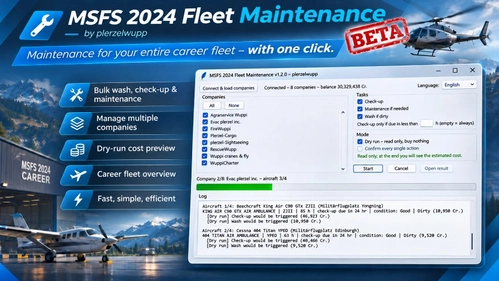
Fleet Maintenance Tool for Career Mode (Check-up, Repair, Wash)
This tool automates aircraft check-ups, maintenance, and washing for MSFS 2024 career mode fleets, working with either selected companies or the entire fleet. It interacts with the sim's career UI directly, ensuring resolution and window settings do not affect operation. The tool provides dry runs for cost estimation, action confirmations, and detailed CSV reports per aircraft. It works with the sim set to German or English and is designed for use while in the sim's career-mode headquarters. Experimental beta: use at your own risk, no warranty; it may stop working after MSFS 2024 updates.
par plerzelwupp
Connectez-vous pour participer à la discussion
Se connecterCommentaires41
@dhfried – I couldn’t reproduce your error back then, but I found the cause: a few variables weren’t declared properly, which newer Flow Pro versions don’t tolerate. That’s fixed now. Please let me know if it still bothers you.
@Seawolf1992 @bush49 – MSFS 2020: I lowered the compatibility version in the package, so it should now show up in the widget list without editing the JSON. Please tell me if it works for you, I can’t test 2020 myself.
@SYSCD7000 – Elevator, Aileron and Rudder Trim now have their own switch in the menu, so you can show only E.Trim. Heading can be switched off via “Mag Compass (hdg)”. CRS is not in yet.
@CaptainNetflix @cnx37 – Meters, km/h, Mach, airbrake etc. are on my list, but not part of this update. cnx37, nice that you adapted it yourself!
@Kujaco – unfortunately the bar lives inside the Flow Pro window, so VR use is limited by Flow itself. I can’t change that from the widget side. You can park widgets or the wheel in your cockpit without the visible frame (see also comment in yout post).
@Burnhaven – the bar has to stay generic, so aircraft-specific values like nacelle angle are out of scope. Feel free to adapt it for your own use.
You used to have a version for MSFS 2020 that I could use even without FlowPro and that worked very well in VR.
Where can I find that version?
And split out E.Trim A.Trim and R.Trim in the menu system as E.Trim is all I need for GA flying.
Also can the CRS be added?
Thanks
Gives a script error and prevents Flow from working properly!
Would it be possible to add indicators for Mach speed and airbrake status?
Tried a second time, get a message telling me that the p42-util-flow-plerzelwupp-infobar is already installed, however, I cannot find it ANYWHERE in the wheel, been through them 10 times.
Good luck to the author in everything!
Sometime there are values cached - it can also be, that you have zoomed in a very small size - do you have a dot (or some small dots) in the left corner?
No other information panel is installed.
I installed it according to your instructions. Only the original InfoBar from p42 is working. It's called "Info Text"?
No additional improvements appear.