
Description
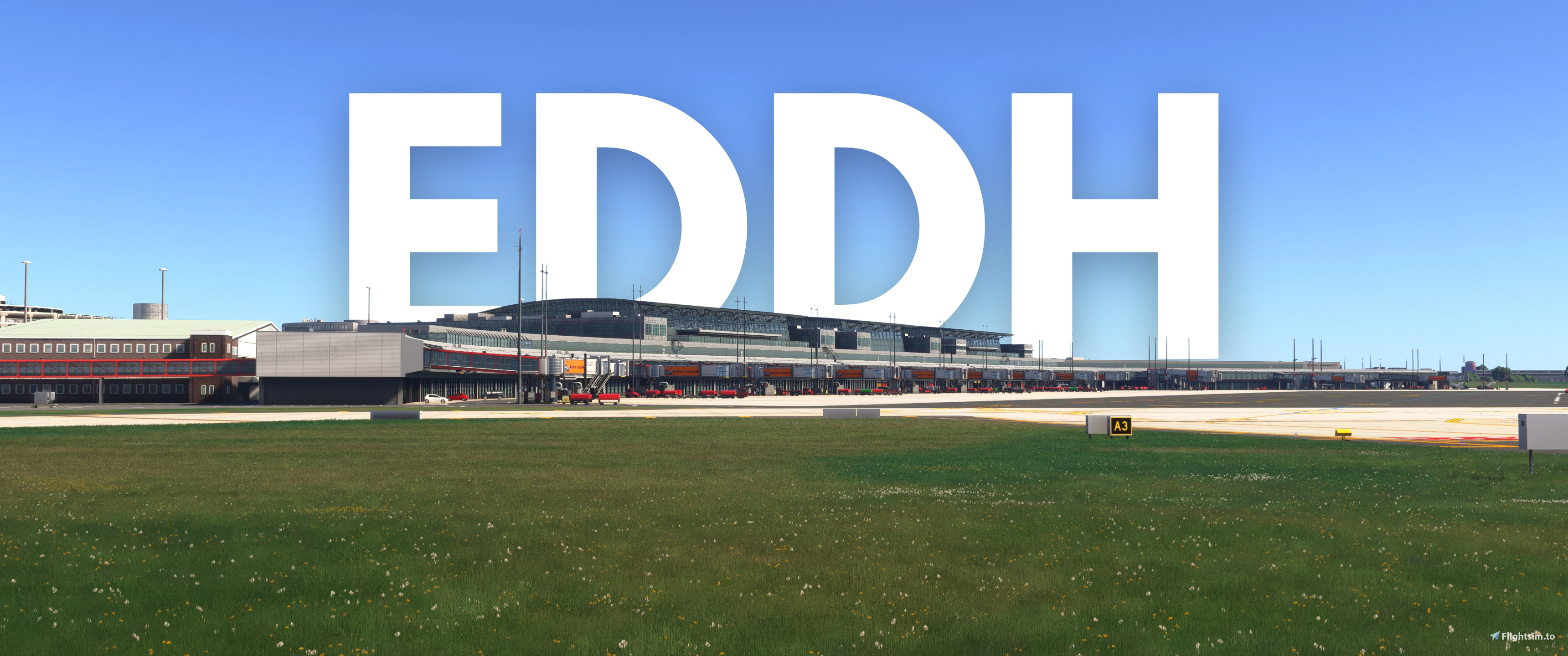
This is a GSX Pro Profile for Sim-Wings EDDH Hamburg Airport, Germany. This profile is made to be compliant with VATSIM according to the published documentations. The latest version of GSX Pro is required.
Features:
- Include custom stop positions for:
Fenix A320, A321, A319
- PMDG B737-700, -800, and -900, and B777-200 and -300
- iFly B737 MAX 8
- Horizonsim B787-9
- Asobo B787-10
- iniBuilds A330-200 and -300, A340-300, and A350-900 and -1000
- FlyByWire A380
- Custom GSE placements.
- GSX VDGS.
- Custom pushback procedures used in real life and on VATSIM.
- Passenger walking paths.
- Accurate jetway root floor heights for every jetway.
- Apron 1 South and GA Parking are not yet customized as they are rarely used in real life.
- MARS gates at Gates 01-07
Important:
- At Gates 01-07, narrow body airliners with a max wingspan of 36 meters MUST use one of the A/B positions.
- Only Gate 06 is suitable for the A380.
- VATSIM Germany does not recommend using Stand 60s as they will likely cause taxiway incursions.
- The profile has not been tested with MSFS 2020, however, since the scenery is identical, it is expected to work without issues.
MARS Gates:
- Recent GSX Pro updates allow for the addition of MARS gates.
- MARS system are available at Gates 01-07.
- Gates labeled like "01/01B" indicate the availability of MARS system.
- When selecting one of these gates, GSX will automatically assign either 01 or 01B depending on your aircraft type.
- For aircraft with a wingspan under 36 meters, the A/B positions will be used automatically and vice versa.
Scenery limitations:
- Even with the addition of MARS gates, Gates 06A and 07A are still not available due to scenery limitations. When flying on VATSIM, notify the ATC if you are assigned to park at these gates.
- GSX GSE may overlap with the static GSE.
- At Gates 02, 03 and 04, the jetway may be slightly too short for widebody aircraft and may not connect to the aircraft door.
- The following aircraft may have issues with jetways at the following gates:
Fenix A320: Gates 06B and 07B
- iniBuilds A350: Gates 06 and 07
Installation:
- Remove any previous EDDH GSX profiles.
- Extract the files and drop them into your GSX profile folder.
- Remove the static VDGS - Go to Community\simwings-eddh\scenery and delete the "EDDH_VDGS" folder.
- Make sure to always select "Reposition at the Gate" after GSX loads up.
- Make sure you have the latest GSX Pro version for all features to work properly.
Sim-Wings EDDH Hamburg Airport GSX Profile
This add-on features a GSX Pro profile for Sim-Wings EDDH Hamburg Airport. It includes custom stop positions for various aircraft models, custom ground service equipment placements, and realistic pushback procedures compatible with VATSIM operations.

Avis des utilisateurs
5 avis
Historique des versions
- Adjustment to all parking angles and stop positions. - Removed all underground refueling (thanks to @Finn5). - Changed pushback tugs to both towbar and towbarless (thanks to @Finn5).
Similaires
X-Codr Designs KDEN Denver International Airport GSX Profile
This add-on features a GSX Pro profile for X-Codr Designs KDEN Denver International Airport. It includes custom stop positions for various aircraft models, custom ground service equipment placements, and realistic pushback procedures compatible with VATSIM operations.
par imranasyraf7470
Shadescene WMKA Sultan Abdul Halim Airport GSX Profile
This add-on features a GSX Pro profile for Shadescene WMKA Sultan Abdul Halim Airport. It includes custom stop positions for various aircraft models, custom ground service equipment placements, and realistic pushback procedures compatible with VATSIM operations.
par imranasyraf7470
Connectez-vous pour participer à la discussion
Se connecterCommentaires(32)
about 1 month ago
Regards
about 1 month ago
about 1 month ago
about 1 month ago
about 1 month ago
I did not get paid a dime by making this profile since I only made it during my free time and to help the community. I really appreciate any constructive feedback, but a bad rating because of something that is completely out of my control makes me very sad because I spent hours of my time without pay but none of them are appreciated by the community.
about 1 month ago
about 1 month ago
You are more than welcomed to use a different profile that does not contain the MARS gate, but you will face more limitations, especially if "realism" is your priority. It’s just that I’m pretty upset that you negatively rate my profile for something that is completely not related to it. You didn’t contribute anything, the least you could do is be kind.
about 1 month ago
about 1 month ago
It seems like only jetway at Gate 08 works properly with iniBuilds A350, and in fact jetways at Gates 02, 03, and 04 don't move at all. Unless we can get Simwings to fix this, there is really so much I can do.
about 1 month ago
about 2 months ago
about 2 months ago
3 months ago
3 months ago
3 months ago
3 months ago
3 months ago
3 months ago
5 months ago
5 months ago