
Description
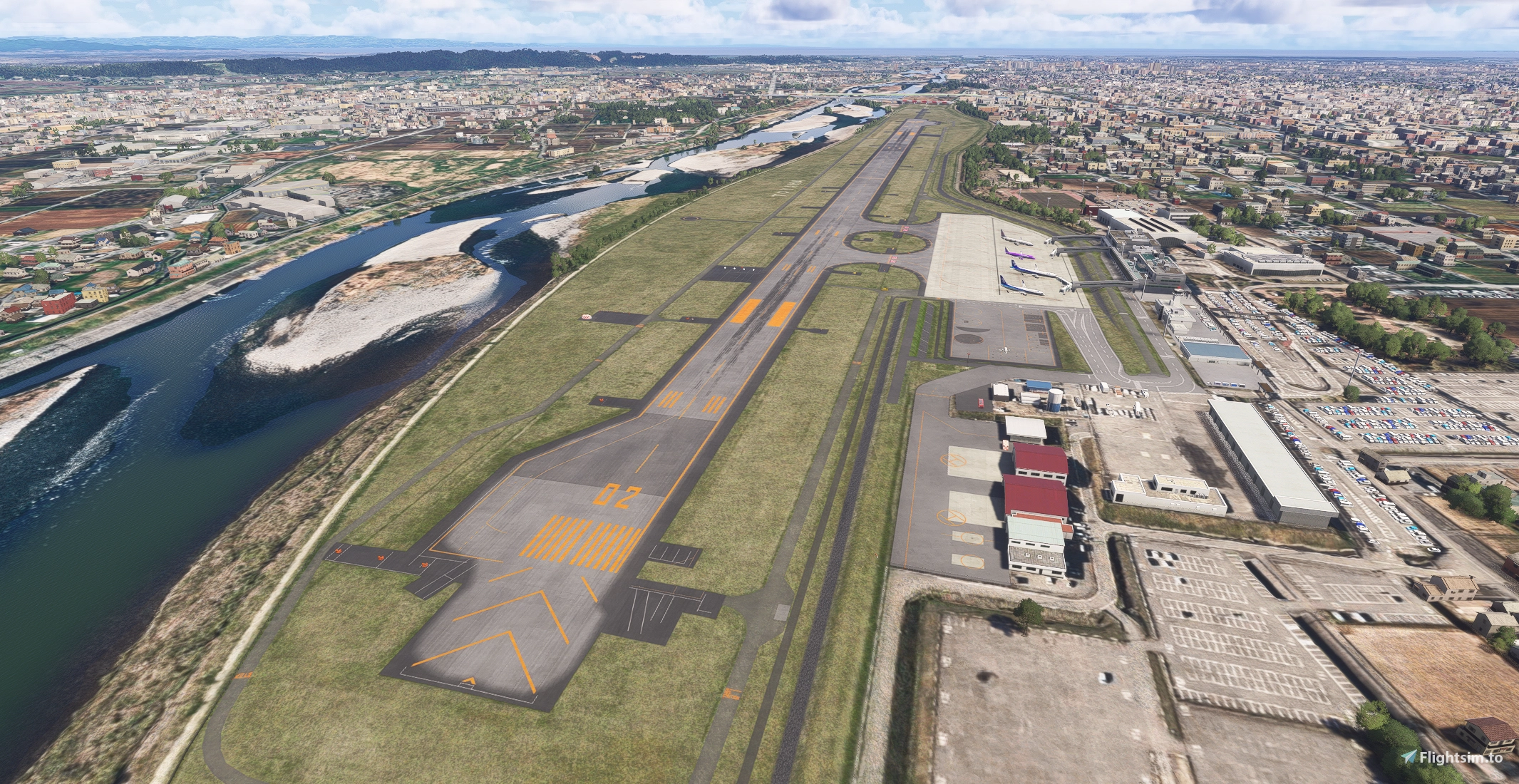
Enhance the RJNT Toyama Airport by MFSG.
You need to purchase the RJNT Toyama Airport by MFSG.
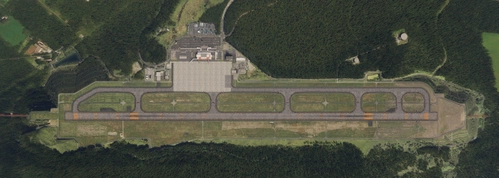
Added aerial image.
Added 1 meter and 2 meter DEM.
The distinctive terrain, where runways and aprons are surrounded by embankments, has been recreated.
Overall changes to runway, taxiway, and apron.
Added B777 Parking spot 1A.
Changed runway and taxiway lighting.
GSX profile is included.
The included GSX profile is the first one I've ever created, so there might be some issues.
How to use(2020 only)
Change the file name or priority so that it is loaded after MFSG RJNT Toyama Airport scenery.
Due to MSFS specifications, the jetways for Gate 1A and Gate 2 are mutually exclusive.
To connect a jetway to Gate 1A, rename the file "RJNT_Scene.gate1a.bgl.invalid" to "RJNT_Scene.gate1a.bgl," and rename "RJNT_Scene.gate2.bgl" to "RJNT_Scene.gate2.bgl.invalid."
To connect a jetway to Gate 2, rename the file "RJNT_Scene.gate2.bgl.invalid" to "RJNT_Scene.gate2.bgl," and rename "RJNT_Scene.gate1a.bgl" to "RJNT_Scene.gate1a.bgl.invalid."
By default, it connects to Gate 2.
The jetway connects to the right side of the aircraft on Gate 2, but it may not connect correctly depending on the aircraft.
If you prefer not to have the Google Earth models, you can rename or delete the folder named "google-bridge." This will remove all of them, with the exception of the bridge closest to the runway.
Dépendances
Location
RJNT MFSG Toyama Airport Enhanced
This add-on enhances the MFSG RJNT Toyama Airport for Microsoft Flight Simulator, requiring the original MFSG scenery. Features include aerial imagery, high-resolution DEM data, and improved terrain modeling, particularly the embankments around the runways. Updates to runway, taxiways, aprons, and lighting are included, as well as a new B777 parking spot and GSX profile. Jetway configuration options are provided for Gate 1A and Gate 2 compatibility.


Avis des utilisateurs
1 avis
Historique des versions
Replaced several bridges along the approach path with Google Earth models. Modified the method for switching between Spot 1A and Spot 2.
Similaires
RJTH Hachijojima Airport Enhanced
Enhance your flying experience with the RJTH Hachijojima Airport add-on, now with improved airport details and elevation accuracy. This update includes changes to runway location, lighting, markings, and parking, as well as additions like approach lights and custom models. Make sure to have World Update 1 Japan installed for full compatibility.
par karuchie
RORS Shimojishima Airport Enhanced
Enhanced version of RORS Shimojijima Airport with fixes and improvements, including updated 3D models and lighting adjustments. Ensure to download additional dependencies for an optimal experience.
par karuchie
RJOA Hiroshima Airport Enhanced
This add-on enhances KAZEs RJOA Hiroshima Airport by correcting misaligned runways, taxiways, and aprons, leading to improved ILS alignment. It replaces the glass jetway with a metal asset and incorporates a 1m DEM across the airport and a 3m DEM in the surrounding area. Additional features include updated taxiway signs, new lighting installations, and adjustments to objects for height and position accuracy. Users are advised to adjust the file priority for proper integration with the existing scenery.
par karuchie
RJCK Kushiro Airport Enhanced
Enhanced version of Kushiro Airport featuring runway and taxiway line changes, updated taxiway lights, and accurate runway slope. Requires additional Japanese airport model library for some objects. Experience fine-tuning of terminal building, apron lights, and more in this detailed add-on.
par karuchie
Connectez-vous pour participer à la discussion
Se connecterCommentaires(4)
4 months ago
see screenshot below
6 months ago
7 months ago
7 months ago