
Description
You know the feeling.
A full VATSIM flight, a busy frequency, a solid arrival and then the airport appears almost deserted. Empty gates, empty ramps, empty stands. The flight felt alive. The ground does not.
GateStaticInjector fixes that.
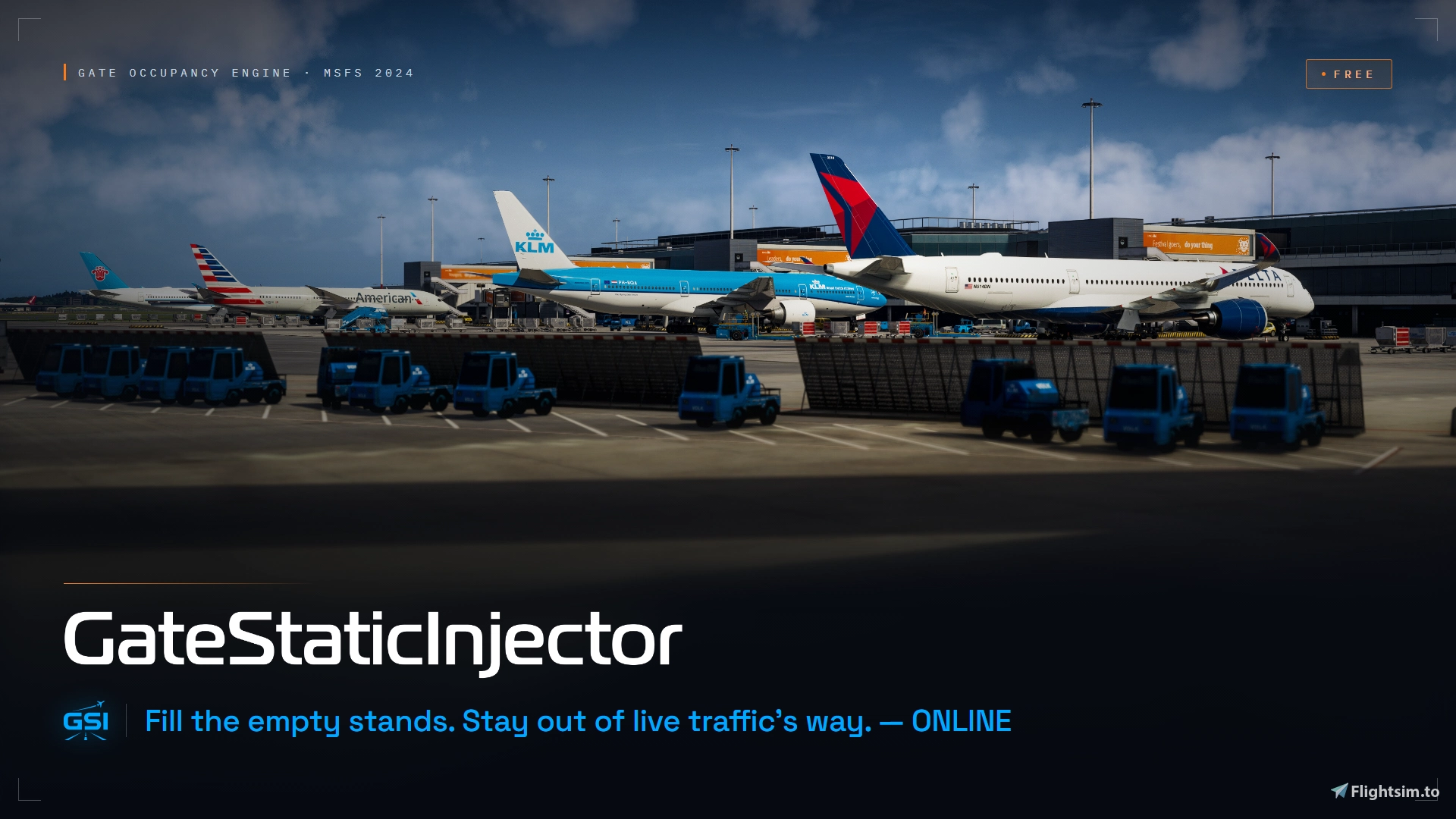
GSI fills unused stands with believable cold-and-dark static aircraft, giving airports the ambient density you would expect from a real-world hub. No moving traffic, no AI departures, no pushbacks and no taxiing aircraft, just parked airliners where they belong.
When your aircraft or external traffic needs a stand, live traffic always comes first. GSI manages only the aircraft it created itself and clears its own statics when a conflict is detected.
▸ HOW IT WORKS
━━━━━━━━━━━━━━━━━━━━━━━━━━━━
Launch MSFS, start your flight, then open GSI and press START.
GSI detects the relevant airport, builds a static parking plan and injects aircraft progressively instead of creating them all at once. It stays active around your departure and arrival airports, then keeps activity minimal during cruise.
Before arrival, GSI can prepare your destination using your SimBrief flight plan, a manual arrival override or automatic detection. Once there, it continues to respect stand conflicts, GSX reservations and nearby external traffic.
When you are done, press STOP so GSI can clean up its own aircraft before closing.
▸ BELIEVABLE AIRPORT AMBIENCE
━━━━━━━━━━━━━━━━━━━━━━━━━━━━
GSI selects passenger aircraft using the airport, time of day, installed models, fleet and airport-presence data, live plausibility signals, and any active Airport Profile rules.
Regional aircraft, narrowbodies and widebodies are matched to suitable stands and placed progressively to keep the experience smooth. Density controls how much of the airport’s expected presence is generated, while the aircraft limit remains a clear performance safety cap.
GSI uses real-world traffic patterns and available operational data to build a believable airport picture, while adapting the result to the models and stands available in your simulator.
▸ AIRPORT PROFILES
━━━━━━━━━━━━━━━━━━━━━━━━━━━━
Airport Profiles add scenery-specific precision when an airport needs it.
They can define stand usage, preferred or blocked airlines, compatible aircraft sizes and types, local restrictions, and mandatory aircraft presence. GSI works without a profile, but a well-made profile can significantly improve complex airports and custom scenery.
The integrated editor lets you inspect stands visually, manage profile variants and validate changes without editing JSON by hand.
Profiles are portable, versioned and designed to be shared. If you create one for a specific airport or scenery, you can share it with the community and in the Discord channel so other pilots can benefit from the same local tuning.
▸ GSX & SIMBRIEF
━━━━━━━━━━━━━━━━━━━━━━━━━━━━
When SimBrief is configured through GSX, GSI can detect your planned destination and prepare the arrival airport before you get there.
GSI can also read the stand selected in GSX and keep it clear. If one of GSI’s own static aircraft is already parked there, it removes it.
GSI does not control GSX services, pushback, baggage, boarding or jetways. It only reads the flight and stand context it needs.
▸ SAFE BY DESIGN
━━━━━━━━━━━━━━━━━━━━━━━━━━━━
GSI is a local, standalone companion app dedicated exclusively to static parked aircraft.
It never creates taxi, pushback, takeoff, landing or enroute traffic. It never moves, deletes or controls VATSIM or other external traffic. It removes only statics it created itself.
Installed FSLTL & AIG models are used in read-only mode. GSI never writes inside FSLTL or modifies your Community packages.
▸ REQUIREMENTS & INSTALLATION
━━━━━━━━━━━━━━━━━━━━━━━━━━━━
GSI is an external app. Do not place it inside the Community folder.
Extract the zip into a dedicated folder, complete the first-launch setup, then run GSI.exe.
Requirements:
- Microsoft Flight Simulator 2024 (no versions are scheduled for MSFS 2020 at this time)
- FSLTL Traffic Base or/and AIG OCI
Optional but recommended :
- GSX and a configured SimBrief username for planned-arrival detection
- MobiFlight Event Module for GSX stand-selection awareness
MobiFlight Event Module:
https://mobiflight.com/download/
▸ GSI 1.0
━━━━━━━━━━━━━━━━━━━━━━━━━━━━
GateStaticInjector 1.0 marks the end of the Beta Preview and the completion of the original passenger airline experience.
What began as a small personal project has grown through months of development, real flights and feedback from the community. Every bug report, screenshot, suggestion and shared Airport Profile has helped make GSI more reliable, more capable and more believable.
GSI remains free. The passenger airline experience you already know has not been reduced or moved behind a payment. Its core features, Airport Profiles, supported aircraft model workflows, compatibility work and future improvements remain part of GateStaticInjector.
▸ WHAT COMES NEXT
━━━━━━━━━━━━━━━━━━━━━━━━━━━━
GSI Premium is the next step for the project.
Premium will not replace the free version. It will extend the same idea beyond passenger terminals into cargo ramps, business and executive aviation areas, and general aviation parking where those activities genuinely belong.
Doing this properly requires much more than placing additional aircraft. Each category needs dedicated airport, operator and fleet data, suitable aircraft classification, stand logic, model matching and careful validation.
Collecting and maintaining that information takes considerable time and, in some cases, investment in data, services, infrastructure or licensing. As the sole developer behind GSI, Premium will allow me to build that larger and more detailed experience without taking the existing free product away from anyone.
The goal is not aircraft everywhere. It is a better understanding of the airport and more convincing activity in the places that should have it.
Premium is currently planned as a single purchase, not a subscription. It will be released when its new categories, data and overall experience are ready.
▸ COMMUNITY
━━━━━━━━━━━━━━━━━━━━━━━━━━━━
GSI has reached version 1.0 because people gave the project a chance and helped me improve it.
I have put a great deal of myself into GSI over the past few months, but your flights, reports and encouragement gave that work a purpose. Thank you for your trust, your feedback and your understanding as the project moves into its next stage.
If something looks wrong, share the airport ICAO, your scenery and model setup, and what you observed. Every useful report continues to improve GSI for everyone.
Enjoy :)
César
Join the Discord:
https://discord.gg/RK8TduyAWt
https://buymeacoffee.com/cesargagneux
GateStaticInjector for VATSIM/IVAO and Online Flying
GateStaticInjector adds realistic static aircraft to empty gates in Microsoft Flight Simulator 2024 using FSLTL and/or AIG models and airport scenery data. It populates stands with cold-and-dark aircraft to create busier, more realistic airports without simulating moving or live AI traffic. Built for online flying, GSI features Dynamic Conflict Protection, automatically removing static aircraft when online traffic requires the same stand and restoring them once the conflict is cleared. GSX and SimBrief integration also enable early destination preparation and coordinated stand assignment.


Avis des utilisateurs
44 avis
Historique des versions
# GateStaticInjector 1.0.0 Version 1.0.0 focuses on stability, safer conflict handling, refined traffic data, and a smoother update experience. ## Static Clearing and Conflicts - Improved conflict detection by using the actual position of each GSI static, including offset or imperfectly matched stands. - Made safety fallback clearing wait for repeated stable observations and reject adjacent or ambiguous matches. - Kept every automatic clear strictly limited to GSI-owned statics and prevented cleared conflicts from being immediately refilled. - Improved restoration after external traffic leaves so aircraft that moved or taxied away are not incorrectly restored. ## Stability and Fixes - Improved SimConnect disconnect and reconnect handling, with new spawning held until a fresh nearby-aircraft scan is complete. - Made static removal confirmation-based so failed or unconfirmed clears remain tracked and can be retried safely. - Improved shutdown cleanup and reduced repeated connection-error noise. - Fixed blocked airlines and airline/aircraft combinations returning through fallback selection. ## Traffic Data and Aircraft Positioning - Further refined packaged airport, schedule, fleet, and livery data, together with several traffic-allocation edge cases. - Improved Aircraft Positioning with more exact matching of alternative stop positions from installed GSX profiles and safe fallback when profile data is unavailable. ## Update and Interface - Added automatic restoration of saved setup, Airport Profiles, and airport caches when opening a clean update on the same Windows profile. - Improved first-launch Auto-detect so it saves and closes setup automatically when the required paths are found. - Applied minor visual, responsive-layout, and usability refinements across the launcher and finalized the version label as 1.0. ## Reminder GateStaticInjector remains dedicated exclusively to static aircraft. It does not create moving traffic, does not control external traffic, and never modifies VATSIM traffic.
Présent dans des collections(1)




Similaires
![[GateStaticInjector Airport Profile] - EDDF Aerosoft Frankfurt Airport 1.1.2](https://cdn.flightsim.to/images/28/20260720_182910_c180cecc47b12751_gatestaticinjector-airport-profile-eddf-aerosoft-frankfurt-airport-1-1-2.png?width=500)
[GateStaticInjector Airport Profile] - EDDF Aerosoft Frankfurt Airport 1.1.2
This add-on provides an airport profile for GateStaticInjector, tailored for use with Aerosoft Frankfurt Airport version 1.1.2 in Microsoft Flight Simulator. It enhances static aircraft placement and is specifically designed for EDDF using the matching scenery. Installation requires copying the profile folder to the relevant GateStaticInjector directory. Future updates may improve stand assignments and overall realism.
par CesarG_
![[GateStaticInjector Airport Profile] - EHAM FlyTampa V1.3.2](https://cdn.flightsim.to/images/28/20260709_175749_c19e449fbbbd7398_gatestaticinjector-airport-profile-eham-flytampa-v1-3-2.png?width=500)
[GateStaticInjector Airport Profile] - EHAM FlyTampa V1.3.2
This add-on provides a custom airport profile for GateStaticInjector, specifically designed for EHAM Amsterdam Schiphol using FlyTampa V1.3.2 scenery. It improves static aircraft placement at the airport for more accurate ground traffic representation. Installation requires placing the EHAM profile into the appropriate GateStaticInjector configuration folder. The profile is compatible only with this specific airport and scenery version.
par CesarG_
![[GateStaticInjector Airport Profile] - LFMT Pilot Experience Sim V2.1.1](https://cdn.flightsim.to/images/28/20260713_194119_f99373ad730cae12_gatestaticinjector-airport-profile-lfmt-pilot-experience-sim-v2-1-1.png?width=500)
[GateStaticInjector Airport Profile] - LFMT Pilot Experience Sim V2.1.1
This add-on provides a GateStaticInjector profile specifically for LFMT Montpellier Mediterranée using Pilot Experience Sim 2.1.1. It optimizes static aircraft placement at the airport when the correct scenery version is installed. The profile is designed exclusively for this airport and this version of the scenery. Installation involves placing the included folder in the airport-profiles directory of GateStaticInjector.
par CesarG_
Connectez-vous pour participer à la discussion
Se connecterCommentaires(238)
10 days ago
I’m really happy to see how well GSI has been received and how many people are now using and enjoying the free version. A lot of hours have gone into development, testing, fixing issues, and making the program as stable and reliable as possible.
The Premium version is now on the way, with a lot more coming soon.
In the meantime, if anyone would like to support the project and the many hours that have gone into building and maintaining the free version, you can now do so here:
buymeacoffee.com/cesargagneux
Thank you all for the support and feedback since the beginning ❤️
about 12 hours ago
6 days ago
Ce commentaire a été supprimé
8 days ago
Hi,
I’m having an issue with GateStaticInjector v1.0.0 in MSFS 2024 at two airports in the Russian Far East:
- UHHH – Khabarovsk
- UHWW – Vladivostok
At UHHH, GSI does not inject any static aircraft at all.
The log shows:
naturalAirportTarget=0
densityScaledTarget=0
suggestedBaseTarget=22
MixAllocator selected aircraft at UHHH (0): none
It also says:
Spawning is disabled because the planner found no usable placements for 'UHHH'.
However, GSI detects the airport stands correctly — approximately 20 commercial stands — and SimConnect/FSLTL are working normally.
At UHWW, GSI works, but usually injects only 1 static aircraft, even though there are many usable passenger stands available.
For comparison, at large European airports such as EGLL, GSI works normally and injects many aircraft.
My settings:
- Traffic Density: 100%
- Max Static Aircraft: 40
- FSLTL models detected correctly
- SimConnect working
- Native MSFS 2024 scenery
- No conflicting airport scenery installed
I also tried creating a custom airport profile, but the main issue seems to be that the planner calculates an extremely low target for these airports.
Could you please advise:
1. Is this caused by missing/incorrect airport traffic data for UHHH and UHWW?
2. Is there any way to manually override the calculated airport target and force, for example, 7–10 static aircraft?
3. Is there anything else I should check or provide from the logs?
I can send the full logs and screenshots if needed.
Thank you.
8 days ago
Could you first try a temporary airport profile and change a few relevant GA ramp stands to Passenger usage? GSI may detect the stands but exclude them from commercial aircraft placement if they’re classified as GA. Then check whether it finds usable placements and injects aircraft at UHHH and UHWW.
If the issue remains, please send the full planning log on discord for those airports
THX !
10 days ago
I’m really happy to see how well GSI has been received and how many people are now using and enjoying the free version. A lot of hours have gone into development, testing, fixing issues, and making the program as stable and reliable as possible.
The Premium version is now on the way, with a lot more coming soon.
In the meantime, if anyone would like to support the project and the many hours that have gone into building and maintaining the free version, you can now do so here:
buymeacoffee.com/cesargagneux
Thank you all for the support and feedback since the beginning ❤️
12 days ago
I want to get the latest stable version but I am OCD and want to fully delete the beta version I have, I can't seem to find any info on how I can do this properly to ensure a completely clean start.
11 days ago
20 days ago
I have FSDG HESH scenery (Sim Marketplace version )when i try to create a profile in the airport section i get only (Global Base Pack) no sign for the FSDG
24 days ago
I do have one question:
Is there a way to influence the exact placement of aircraft at a certain gate? I am asking because, at some airports, aircraft are placed far back on the line (e.g. Orbx KATL Concourse F). If large aircraft are placed there, odds are their tails will stick out onto the taxiway. While GSX allows to define type specific stop positions for the plane you are flying, I haven't found any such setting for static aircraft. Would it be possible to make this customizable in the airport profile - or perhaps even to adjust positioning in accordance with a GSX .py file if one is available? A simple offset value in metres from the standard position would suffice, I think...
25 days ago
28 days ago
28 days ago
Ce commentaire a été supprimé
28 days ago
30 days ago
i tested some airport and GSI works fine however its not working in LTFJ, There are no airplane's spwaning at the gate, and when i use this software i get -10 fps loss.
30 days ago
about 1 month ago
Is there any way to add aircraft to cargo stands?
about 1 month ago
A full announcement about GSI 1.0 and what comes next for the project is now available on Discord:
https://discord.gg/RK8TduyAWt
Thank you for being part of the journey ✈️