
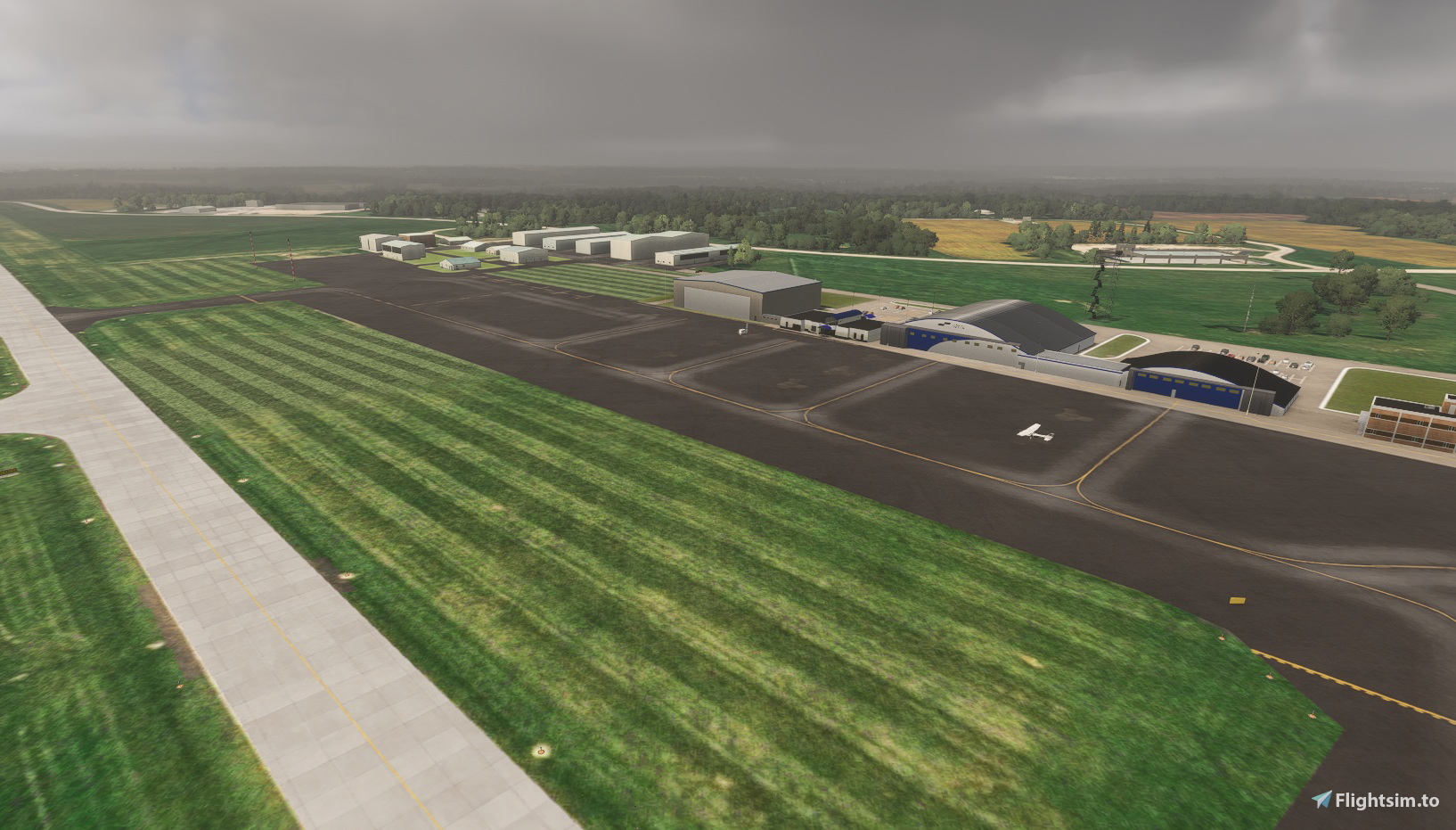
Description
Rochester Airport came into existence because of the Mayo Clinic, driven by Doctor William Mayo as the best means of getting patients to Rochester for Treatment. It my understanding that from the idea in 1922 to the founding of the airport in 1928 took six years.
In 1929 it was officially dedicated as "Rochester Airport", and the "Rochester Airport Company" was founded as a Subsidairy of the Mayo Foundation.
In the early days, Douglas DC3 Aircraft would land on the grass runways, but ground conditions were often not ideal and several aircraft were damaged. In 1940, Paved Runways were built, and by 1940 American Airlines and Northwest Airlines were operating services. The Mayo Foundation gave the Airport to the City of Rochester in 1945 as they were unable to access Federal Funding as a Private Corporation.
The Airport was given the official name of "Lobb Field", and remained in use until replaced by the current airport in 1960. Starting off as Rochester Municipal Airport, it transitioned to be Rochester International Airport in 1995 when U.S. Customs Facilities were added.
In 2018, the terminal building was remodelled to accommodate U.S. Customs, and provide better security facilities. American Airlines and Delta Airlines provide sceduled services, whilst Federal Express operate from their own facility. Mayo Clinic Ambulance operate from the Signature FBO, providing ground, helicopter and fixed wing transport for patients. The Rochester Airport Company, wholly owned by Mayo Clinic, continue to operate the airport on behalf of the City of Rochester.
ABOUT THIS MODEL
================
This scenery has been created using 2D Satellite Imagery, Google Street View and any on line media that shows the airport. Photos from the Air Side are rare, so much of the modelling on that side is guess work. The height of all the buildings is also guessed.
I decided to include the Flags, but please note that without the dependency tsr-windy-things, you will have empty flag poles. Windy things has not been updated since 2022, which is a great shame, as it was an amazing library. In MSFS 2024, the flags cannot be illuminated. Also, the Minnesota State Flag has changed, and whilst I was able to hack my copy of the library to put in the new one, I cannot distribute the hack, so you will see the old flag.
Version 4.1
========
I managed to find evidence that RST has Runway Guard Lights (Wig-Wags) so they have been added, as has Radar and a variety of changes to trees and the GA Apron. Work began in June 2026 to reconstruct and widen the General Aviation Apron, remove taxiway J and later in the project, construct new taxiways to an extended area for new hangars. One Hangar has been demolished, and the fencing adjusted according to the later scenery provided in CU15. High Speed Vehicle Gates are mentioned in the planning documents, so I have installed Cantilever Gates until I can see what was actually fitted.
Until there are more recent satellite images, I have had to approximate where the new apron is positioned, but I have not yet put in the concrete pads the plans appear to show, or the taxi path markings. I'd rather wait until I can see they did in real life.
Version 4.0
========
Following the release of City Update 15, which covers Minnesota, Wisconsin and Illinois, the Custom Airports have become out of date from the perspective that the ground data is now far more accurate and more up to date.
The custom airports were modeled on much older ground data, and therefore had been modified with additional aprons to cover old taxiways, Terraforming to try and correct problems such as bumps in runways etc.
Each of the 9 Airports I/we have modeled has been examined and modified to make best use of the enhanced detail. They are all numbered from 4.0 to indicate compatibility with CU15.
Further to this, the SU-5 SDK came with a new Blender Exporter for Blender 5.1. I started using this as I was having problems with 3.6, but this more advanced exporter changes light handling. Lights are not so bright, and color temperature differs from the previous version. Sodium Gas Discharge Lamps at MSP were a good example of how this change adversely affected my lighting.
The other change with all Version 4.0 Airports is that they use a single library. (some were using 3 or 4) The replacement is called mgc-OneMNSDModellib and is packaged with the airports. The objects in this library have been extracted from all the others I have used, so users can and should remove the following from their Community Folder.
Mgc-groundmarkings,mgcscenery-modellib-tsassets, mgc-streetandbldLighting,mnsd-modellib-airport-models or modellib-airport-models-24.
You may still see dependencies listed such as tsr-windy-things. These are not my libraries to distribute, but they are free to be used, just as mgc-OneMNSDModellib can be used in another author’s work. It will be fully documented and put on Flightsim.To when I can find the time.
BEYOND ATC
==========
All the taxiways have been correctly configured and appear to work as they should with BATC. KRST has no SIDs or STARs, and BATC directs incoming flights for Visual arrivals. However the ILS appears to work correctly.
INSTALLATION -Release 4.0
=========================
Copy all files to your community folder unless you have previous versions with higher version numbers.
Main:mgc-krst-rochester-intl Version 4.0
Library:oneMNSDModellib
If you want the flags to work, download Windy Things from flightsim.to. and place in your community folder.
Dépendances
Location
Rochester International Airport, MN
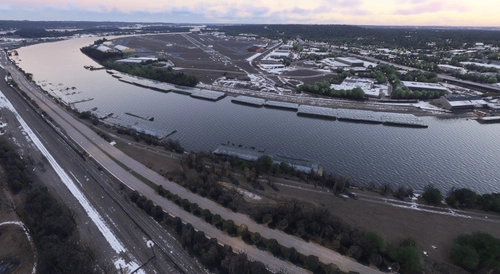
This add-on offers a detailed recreation of Rochester International Airport in Minnesota, reflecting its historical development and current facilities. The scenery is modeled using satellite imagery, online media, and street views, with estimated building heights and airside details. It includes accurate taxiways, apron and street lighting, and custom signage, while supporting compatibility with Beyond ATC and functional ILS. Optional flag animations require the Windy Things library for full effect.


Avis des utilisateurs
2 avis
Historique des versions
Radar, Bigger Wider GA Apron, Landscaping around terminal parking area, Runway Guard Lights.
Présent dans des collections(2)




Similaires
KMSP - Minneapolis St Paul International
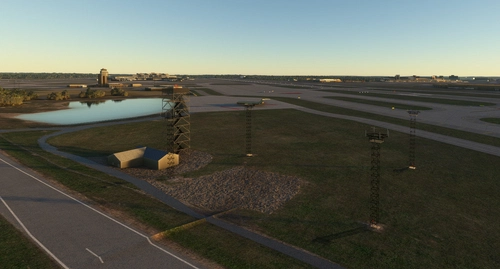
Add-on summary: Exciting updates and improvements for Minneapolis St Paul International (KMSP) Airport, with detailed enhancements for various terminals, parking areas, lighting, and ground markings. Explore realistic textures, redesigned structures, and optimized AI traffic flow. Keep your experience alive with each version release, bringing a dynamic and evolving airport environment.
par Martin Connor (connomar)
KDLH - Duluth International Airport - Duluth, Minnesota
Enhance Duluth International Airport with this beta add-on, incorporating updates from a multi-year project to modernize taxiways and introduce new GA Hangar spaces. Delve into a detailed rendition featuring over 40 models, including changes such as enhanced hangars, airport services modifications, and improved lighting elements. Stay tuned for upcoming releases to further refine this evolving airport scenery.
par MNSceneryDesign
KSTP - St. Paul Downtown - Holman Field - St. Paul, MN - 3.1
Explore KSTP - St. Paul Downtown/Holman Field in Minnesota with this detailed add-on. Discover the top reliever airport, business hangars, Blackhawk helicopter operations, and more. Updates include CHS Field landmark, accurate taxi signs, enhanced lighting, and detailed tower complexes. Created by MNSceneryDesign, this add-on elevates your flight simulation experience.
par MNSceneryDesign
Sky Harbor Airport, Duluth, Minnesota
Explore Sky Harbor Airport, KDYT in Duluth, Minnesota with this MSFS model featuring a newly built runway and detailed airport features like lit windsocks, waterways for float planes, reflective markers, and a rotating beacon. Experience added realism with the main hangar door that opens during the day, immersive effects with Grain Silos and Ore Handling buildings, and a ship sailing in the canal. Join the aviation community and enhance your flight simulation experience at this historic airport.
par MNSceneryDesign
Connectez-vous pour participer à la discussion
Se connecterCommentaires(4)
3 months ago
3 months ago
3 months ago
3 months ago