
Description
MSFS Livery Toolkit
Create MSFS liveries the visual way. No config files, no command line.
MSFS Livery Toolkit is a free, standalone Windows desktop application. It walks you through the whole livery creation pipeline: pick an installed aircraft, repaint its textures, check your work in 3D, and compile a sim-ready package. It’s the successor to my earlier ImageToMSFSKTX2 script - but it does a lot more! It works with MSFS 2020 and 2024 (simple/monolithic and modular aircraft).
Version 1.0
The toolkit is out of beta: everything I set out to build is in, and this is its first full release. Thank you to everyone who tested the beta versions and reported problems. Feedback from real users still shapes where it goes next, so please let me know if anything doesn't work as expected (see below).
Note that support for the Steam version of MSFS 2020 / 2024 is somewhat untested. There is an option in the Settings page to use the Steam version for the MSFS SDK compilation process. If Steam users run into problems please share as much feedback as possible so I can investigate.
What it does
- One Workspace: your project as a tree, the aircraft in 3D beside it, and the settings for whatever you select, all on one page. If you know Blender, it will feel familiar.
- Automated livery setup:scans your installed aircraft, detects the profile, and builds a correct, sim-ready package structure for you.
- Works with stock and marketplace aircraft, not just add-ons in your Community folder, once you switch on the sim's Virtual File System projector in Dev Mode. Chips at the top of the window show whether the sim is running and the VFS is connected.
- Stock aircraft with the sim closed: once you have loaded a stock or marketplace aircraft, the toolkit can keep its own copy of the 3D model, so you can keep working on it, and build its mesh liveries, without the simulator running.
- Limited support for encrypted aircraft: some MSFS 2024 aircraft are partly protected by the simulator. Modular protected aircraft appear with a padlock, and you can make liveries and texture paintkits for them. 3D previews and UV maps aren't available for these aircraft, because the toolkit never decrypts, bypasses or reverse engineers protected files: it reads only the files the simulator itself leaves readable, the same files any livery artist works from.
- One-click texture extraction: decodes compiled KTX2/DDS art back into editable PNGs, even specially compressed files other tools can't open.
- Built-in 3D view: see your own artwork on the aircraft as you paint, with no compiling and no sim launch. It also answers the question a texture name never does: which part of the aircraft is this? Select a texture and the part it covers lights up, so you can see what you are taking on before you paint a single pixel. Click a part to add its texture to your livery, and see anything that would turn pink before it does.
- Mesh liveries: add your own 3D model to a livery, such as stripes or lettering as real geometry, and have it ride the aircraft's doors and control surfaces. MSFS 2024 aircraft.
- Instant UV wireframes: generates a paint-alignment UV map straight from the aircraft's own 3D model.
- Ready-made paintkits: builds a layered Photoshop file from any aircraft's own textures and UV layout, even when no paintkit was ever published.
- 3D paintkits (experimental): exports the parts you are painting as a 3D model you can open in Blender or other 3D painting software, so you can see your artwork on the aircraft instead of working it out from a flat UV map.
- Fine control over modular aircraft: choose exactly which of an aircraft's configurations each livery appears under, and change it later without deleting your artwork.
- Rendered thumbnails (experimental): writes every thumbnail image MSFS expects, at the right size and with the right transparency, drawn from your own paint. No trip into Developer Mode and the Aircraft Capture Tool.
- Seamless compile and package: builds a sim-ready package with the official MSFS SDK. No command line.
- Compile MSFS 2020 liveries without MSFS 2020 installed: 2020 liveries normally need the 2020 SDK, which means keeping the older simulator around just to build them. The toolkit can compile them on its own instead, using a bundled converter rather than the SDK. Select it in Settings, and you can keep making 2020 liveries long after you have uninstalled the sim.
- Tells you when a new version is out: once a day it reads the public list of releases on GitHub, and What's new shows what changed. Nothing about you or your computer is sent, and you can turn it off in Settings.
What it does not do
This isn't an image editing tool, nor will it paint a livery for you, that's still the job of livery artists using your normal livery painting tools and workflows!
Getting started
The download is the complete, self-contained app. Everything it needs to run is included.
- Unzip the download anywhere.
- Double-click MSFS Livery Toolkit at the top of the folder. (Everything else lives in the "app" subfolder, which you can ignore.)
- Windows may warn about an unsigned app; if you are comfortable running it, click More info > Run anyway
First-run setup (SDK paths and aircraft folders) takes a few seconds, then you are ready to go.
Updating: delete your old MSFS Livery Toolkit folder first, or unzip the new version somewhere else. Your settings and projects are kept elsewhere, so nothing is lost.
Found a bug or have an idea?
This is the most helpful thing you can do during the beta:
- Preferred: open a GitHub issue here. Please say what you did, and attach your log file if you can (in the app: Settings > Diagnostics > Open session log file).
- Alternatively: just drop a comment right here on this page.
Documentation
You can find online documentation here. To see which features work on which kind of aircraft (2020 or 2024, monolithic or modular, encrypted or not), see Supported aircraft.
Free for the community
This app will remain free for the livery-artist community. It was built in my spare time and will never be monetized beyond optional donations, and there will be no paid tiers. The coding was done with AI assistance (Claude Code), but all the requirements and logic design were painstakingly created by me, with countless hours of work to test, refine and enhance it based on my own experience as a livery creator. See here for more information on how it was built.
If you like it and it saves you time, an optional coffee is always appreciated and helps fund a Claude Pro subscription to drive more enhancements.
MSFS Livery Toolkit
MSFS Livery Toolkit is a standalone Windows application for creating Microsoft Flight Simulator liveries without editing config files or using command lines. The tool guides users through selecting an aircraft, repainting textures, and compiling a sim-ready package for both MSFS 2020 and 2024. Features include automated livery setup, texture extraction to editable formats, UV map generation, and seamless packaging. The toolkit is currently in beta and supports monolithic and modular aircraft.
Avis des utilisateurs
13 avis
Historique des versions
MSFS LIVERY TOOLKIT v2.0.1225 ============================= WHAT'S NEW SINCE v1.3.1099 ========================== This is version 2: you can now paint your livery textures in the app, in 2D and straight onto the aircraft in 3D. - Texture Paint mode: select a texture and choose Paint texture to enter it. The window splits into a 2D view of the texture beside the 3D aircraft, and you can paint in either one. Save, Discard and Done sit in the header, and Compile is locked until you leave the mode. - Brushes, eraser and straight lines: soft and hard brushes with size, hardness, opacity and colour, an eraser, and a Line tool. Hold Shift to lock a stroke to horizontal or vertical. In 3D the brush can mirror across the aircraft and can be limited to the surface you can see, and its size can be locked to the screen or to the real size on the model. - Fill and clone stamp: fill a whole part (a UV island) with one click, or fill a selection. The clone stamp copies from one place to another, in 2D or on the model. - Selections: rectangle and tape selections in both views limit where you paint, and Pick selects what you click on the aircraft. - Stripes: draw a cheatline or any stripe as a curve directly on the aircraft, with a width that can change along its length. Choose square, triangular, pointed or forked ends, add an outline, and edit the points afterwards. A stripe can also write its finish into the aircraft's composite textures. - Stickers: place a logo or emblem on the aircraft in 3D or on the texture in 2D, from a library pane, by drag and drop or the Sticker tool. Add an image from a file or from a link. A placed sticker can be moved, resized and turned later, and it follows its part. I ship a few plain shapes with the app, and no national markings. - Layers, masks and groups: paint on layers with a mask on any layer, put layers in groups with a mask on the group, and drag rows to reorder them or move them into and out of groups. Alt+click a mask thumbnail to see and paint the mask alone, and Ctrl+click to turn it into a selection. - Composite textures: paint the ambient occlusion, roughness and metallic channels of a composite texture as three separate grey layers, with a preview of each channel. - Undo and safety: every stroke is one undo step, saving keeps a backup, and leaving with unsaved paint asks first. Painting is not available for protected aircraft. FIXES AND OTHER CHANGES (SINCE v1.3.1099) ========================================= - A mesh livery on a monolithic aircraft no longer fails to build when its model repeats a node ID: copies of the aircraft's own parts made in Blender could keep the original's ID and stop the build after the simulator launched. The build now gives each repeat its own ID. - Affinity's new .af files are found as linked artwork: the app now looks for them alongside the older formats when you link a texture to its source file. - Linked artwork is easier to tell from painting: a linked file is now named by its type, for example "Linked PSD", the texture sheet has separate Image and Paint sections, and the tree uses different icons for painted and linked textures. KNOWN ISSUES (SOME OF THESE MAY GET FIXED IN FUTURE UPDATES) ============================================================ - Painting through the aircraft is slow. With Paint through on, a stroke takes much longer than painting only the visible surface. - A stripe's finish only paints composite textures you have already added to the livery. Add the composite by hand first. - Moving a linked layer up or down in a document with groups doesn't restack it in the aircraft's other textures. - Importing a livery whose own 3D model is rigged is refused. Such a livery cannot be imported yet. - Mesh liveries are not available for MSFS 2020 aircraft yet. They work on MSFS 2024 aircraft only for now. - Protected aircraft have no 3D view or painting, so clicking parts to pick textures, and posing, aren't available for them. - Some aircraft show more than one model at once in 3D, for example a still and a spinning propeller together, because the simulator swaps them in flight and a still view cannot. - A few aircraft keep some textures in another variant's folder, which the fallback list doesn't offer, so those parts can turn pink. Add that folder with Add fallback manually. GETTING IT ========== Download MsfsLiveryToolkit-v2.0.1225.zip, unzip it anywhere, and double-click "MSFS Livery Toolkit" at the top of the extracted folder. Nothing needs installing first for the app itself to start. Updating? Delete the old folder first, or unzip somewhere new: unzipping over an older copy leaves files behind that can make the app misbehave. Your settings and projects are kept elsewhere, so nothing is lost. Using the app means agreeing to the terms in LICENSE.txt, which sits beside the launcher along with THIRD-PARTY-NOTICES.txt. If Windows shows a blue "Windows protected your PC" screen the first time, that is expected for an app that is not code-signed. Click "More info", then "Run anyway".
Similaires
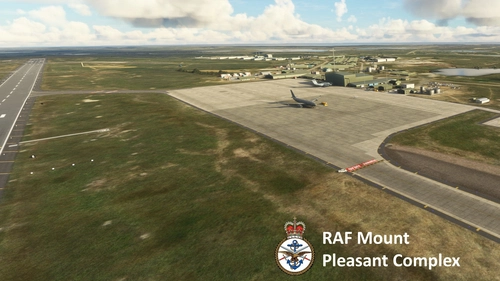
EGYP - RAF Mount Pleasant
Explore the detailed RAF Mount Pleasant (EGYP) scenery in Microsoft Flight Simulator, featuring custom models, textures, and runway markings. Enhancements include static aircraft, improved apron and taxiway textures, and added clutter for realism. Stay tuned for ongoing refinements and additional details.
par Flak
Image to KTX2 texture script for MSFS 2024 livery creation - ImageToMSFSKTX2
This batch script converts PNG and TIF images into KTX2 texture files and generates accompanying JSONs for Microsoft Flight Simulator 2024 livery creation. It allows direct integration of textures into existing liveries and can update the layout.json if MSFSLayoutGenerator is used. The script is compatible with both Microsoft and Steam versions of MSFS 2024 and includes options for compression quality and alpha channel handling. Users must have the MSFS 2024 SDK installed and organize artwork according to the included folder structure.
par Flak
Lake District National Park scenery corrections (tree fix & more)
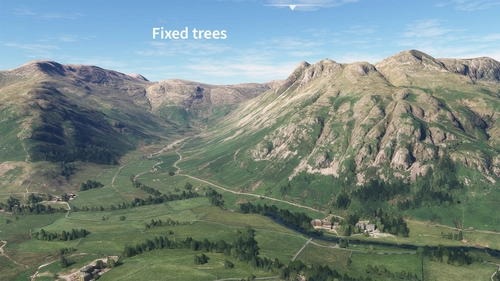
Enhance the realism of the Lake District National Park in Microsoft Flight Simulator with this add-on focusing on correcting autogen trees and other scenery inaccuracies. From removing excessive trees on high ground to fixing misplaced buildings and adding detailed elements like boats and piers around Windermere, this mod aims to provide a more accurate representation of the iconic park. Explore the beautiful British landscape with improved visuals and minor scenery fixes.
par Flak
EGDM MOD Boscombe Down
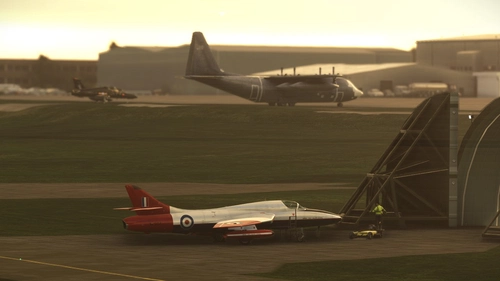
Explore MoD Boscombe Down, the renowned military aircraft testing site in Wiltshire, England. This scenery add-on enhances the default Asobo assets with improved textures, custom models for major buildings, static aircraft, realistic markings, signage, and more. While not hyper-realistic, this mod aims to provide a better representation of the site for a more immersive flying experience.
par Flak
Connectez-vous pour participer à la discussion
Se connecterCommentaires(54)
4 days ago
3 days ago
12 days ago
12 days ago
All non-encrypted aircraft should be fully supported by my app. Encrypted aircraft only offer limited functionality, due to some files being off-limits.
12 days ago
14 days ago
16 days ago
16 days ago
I assume you are on the latest version which features a big UI overhaul, and that might be why you are having a hard time finding that command. I had a feeling doing the tutorial videos BEFORE my UI overhaul might come back to bite me! 😅
The EDIT (open linked source artwork) command is still in the application, but tucked away in the panel on the right side of the application. Look for EDIT - it'll only light up if it can find source artwork.
Thanks for bringing this up though, I'm going to make a small tweak to the tree on the left, to put that icon back inline with the texture row. Watch out for it in the next update!
EDIT: update 1.1.826 is available now!
17 days ago
As an aside, for those who want to do their own custom liveries for their career airlines, you can take the liveries made here and use Career Livery Manager (on this site). Works amazing. I now have my own liveries on planes in my career (minus the CJ4). If you do it though, make sure you go to my library and download the model of the airplane you want to add to your career from the Base Content planes. After that, a piece of cake.
16 days ago
There are two alternatives: paint the textures in 3D, like Blender texture painting or Substance (I've never used that). Alternatively create a mesh livery. This can be daunting but I've done it on other aircraft and it can yield great results. It's supported in my application but I think I need to create a dedicated tutorial. Maybe I'll use the CJ4 as an example!
24 days ago
26 days ago
24 days ago
also your sdk assigned in the same settings...and followed the guide on VFS
about 1 month ago
I still need to figure out what the Paintkit path does but the 100000 explorer windows and moving around files has an end!
Thank you so so much for this.
about 1 month ago
Example: you create a livery and set the paintkit path field to d:\mypaintkits\FenixA320\
In that folder you have: A32X_WING_ALBD_Paintkit.psd
In the textures page of the livery toolit, if you have A32X_WING_ALBD.png as one of your livery textures, it will automatically find the paintkit based on name matching (main stub of the filename).
So if you click the little EDIT pencil by that texture, it will automatically open up the artwork in photoshop (or whatever application is associated with .PSD files).
Hope that makes sense, I want to make that clearer in the UI too, since it's not very clear what it means.
about 1 month ago
about 1 month ago
about 1 month ago
about 1 month ago
https://www.youtube.com/playlist?list=PLY1nuWyvqKhA
about 2 months ago