
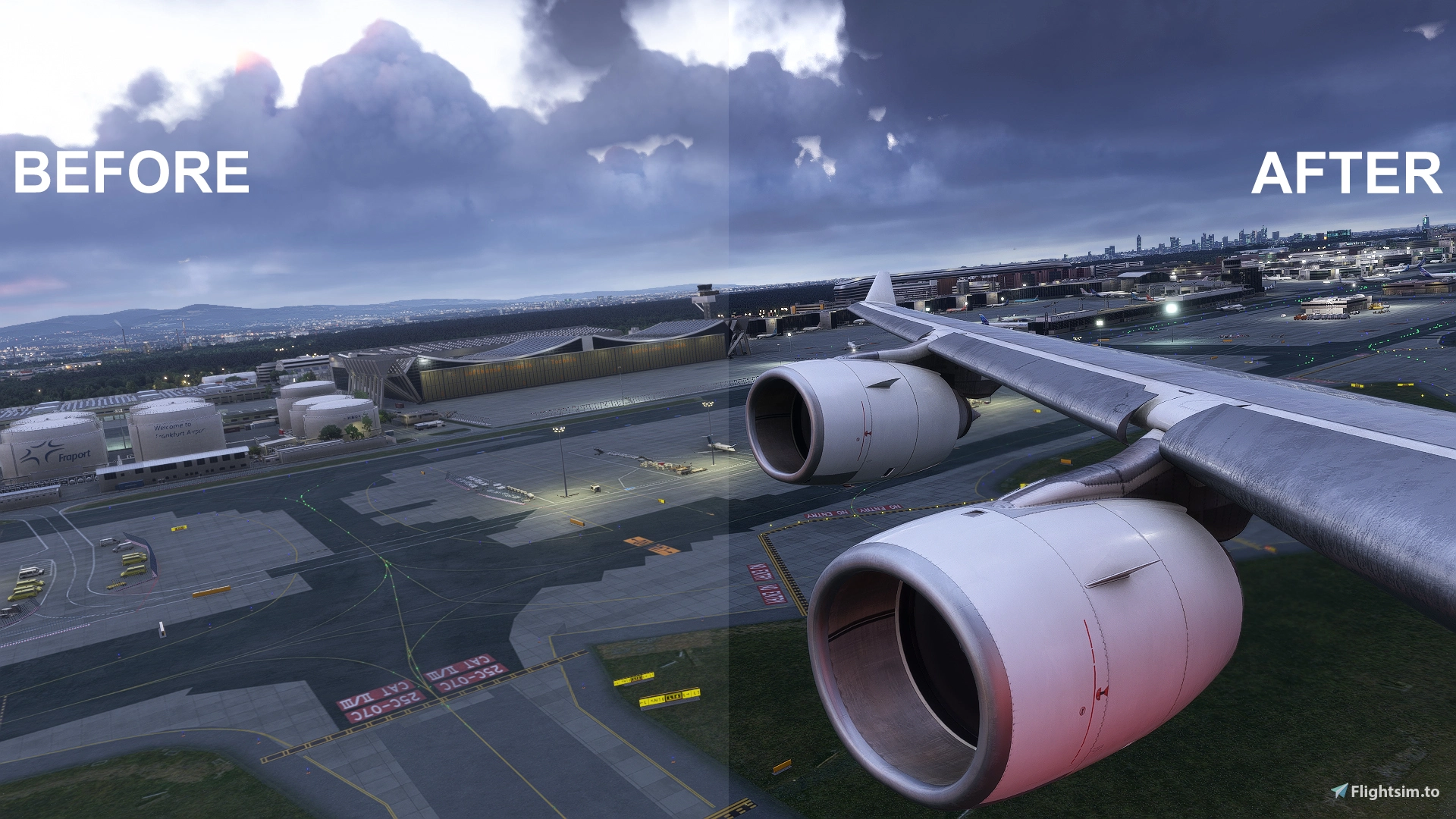
Description
[ESPAÑOL]
ReShade - Realism Profile (MSFS 2020 / MSFS 2024)Descripción
Mejora la calidad visual de tu simulador con este perfil de ReShade diseñado para ofrecer una iluminación más natural, reducir los brillos excesivos (blown-out whites) y aportar mayor profundidad y contraste a tus vuelos, tanto en Microsoft Flight Simulator 2020 como en MSFS 2024.
Este preset ha sido cuidadosamente calibrado para mantener la fidelidad de los colores y la atmósfera real durante todas las horas del día, mejorando drásticamente las puestas de sol y los amaneceres sin saturar la imagen.
Instalación
- Asegúrate de tener instalado ReShade (con los paquetes de shaders estándar seleccionados durante su instalación) en la ruta principal de tu simulador donde se encuentra el archivo ejecutable (
FlightSimulator.exe). - Descarga y extrae el contenido del archivo ZIP.
- Copia el archivo
RealismPreset.inidentro de la carpeta principal de instalación del simulador (o en la ruta donde tengas configurados tus perfiles de ReShade). - Dentro del simulador, abre el menú de ReShade (pulsando la tecla
IniciooHomepor defecto). - En la parte superior del panel de ReShade, haz clic en el desplegable de perfiles y selecciona
RealismPreset. - ¡Disfruta de tus vuelos con un realismo visual mejorado!
[ENGLISH]
ReShade - Realism Profile (MSFS 2020 / MSFS 2024)Description
Enhance the visual fidelity of your simulator with this ReShade profile designed to deliver more natural lighting, reduce blown-out highlights, and bring deeper contrast and atmosphere to your flights across both Microsoft Flight Simulator 2020 and MSFS 2024.
This preset has been carefully balanced to preserve color accuracy and realistic atmosphere during all times of the day, drastically improving sunsets and sunrises without oversaturating the image.
Installation
- Make sure you have ReShade installed (with standard shader packages selected during setup) in your simulator's main directory where the executable file (
FlightSimulator.exe) is located. - Download and extract the contents of the ZIP file.
- Copy the
RealismPreset.inifile into your simulator's main installation folder (or your designated ReShade presets directory). - Launch the simulator and open the ReShade menu (default key is
Home). - At the top of the ReShade panel, click the preset dropdown menu and select
RealismPreset. - Enjoy your flights with improved visual realism!
ReShade - Realism Profile
This ReShade profile enhances Microsoft Flight Simulator 2020 and MSFS 2024 by delivering more natural lighting and reducing excessive highlights. It adds depth and improved contrast to the visuals, while preserving color accuracy and realistic atmosphere throughout the day. Sunsets and sunrises are noticeably improved without introducing oversaturation. Designed for those seeking a more lifelike and balanced visual experience in the simulator.
Avis des utilisateurs
1 avis
Historique des versions
Aucun historique de version disponible.
Similaires
![Qatar Airways (A7-BED) UEFA PSG Champions League [8K]](https://cdn.flightsim.to/images/27/qatar-airways-a7-bed-uefa-champions-league-8k-313540-1749833832-Uws6v.jpg?width=500)
Qatar Airways (A7-BED) UEFA PSG Champions League [8K]
This add-on features a high-resolution 8K livery for Qatar Airways Boeing 777-300ER, registration A7-BED, themed around the UEFA Champions League. Installation requires downloading and unzipping the file, then placing it in the appropriate directory within the PMDG 77W design folder. Users can manage the livery through the PMDG Operations Center after installation. Future updates may provide visual enhancements as necessary.
par aaron_gcrr
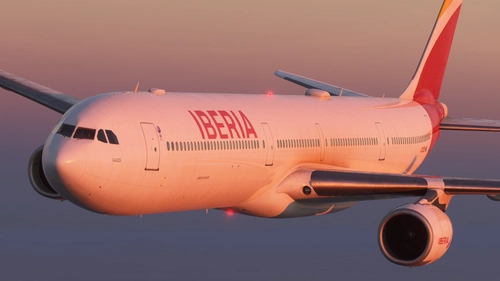
Iberia Full Fleet Pack (New Modern Livery) 8K
This add-on provides a complete fleet pack of 16 Iberia Airbus A340-600 liveries, each featuring the airline's modern design in 8K resolution. Included are individual registrations named after notable Spanish figures and locations. The pack is designed for users seeking accurate and high-quality Iberia liveries for the A340-600 in Microsoft Flight Simulator. Each livery reflects real-world aircraft as operated by Iberia in recent years.
par aaron_gcrr
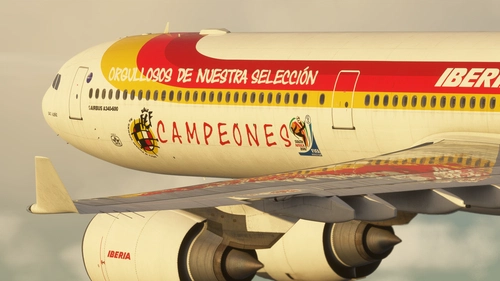
Iberia EC-LEV (Campeones Livery) A340-600
This add-on features the Iberia EC-LEV Campeones livery for the A340-600 in Microsoft Flight Simulator. The livery commemorates Spain's World Cup victory in 2010 and was originally created for this aircraft model. It accurately represents the celebratory paint scheme used by Iberia following the event. Includes authentic livery details tailored for the Toliss A340-600.
par aaron_gcrr
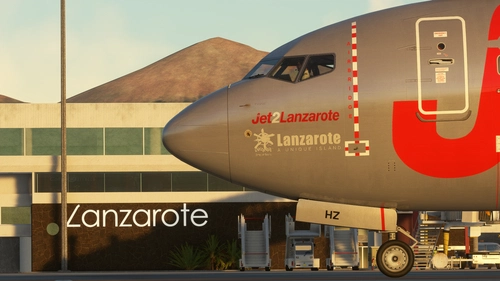
PMDG B737-800 Jet2 "Lanzarote" G-JZHZ
This add-on provides a Jet2 livery for the PMDG B737-800, featuring registration G-JZHZ with the "Lanzarote" name and logo. Both detailed and simplified versions of the livery are included, representing different branding options. The package contains files for both 2020 and 2024 versions of the aircraft model. Installation requires OC3 and allows users to select between liveries with or without the logo.
par aaron_gcrr
Connectez-vous pour participer à la discussion
Se connecterCommentaires(8)
about 3 hours ago
6 days ago
5 days ago
17 days ago
17 days ago
19 days ago
19 days ago
18 days ago