
Description
Every time you load the Fenix, it is brand new. No wear. No history. No consequences.
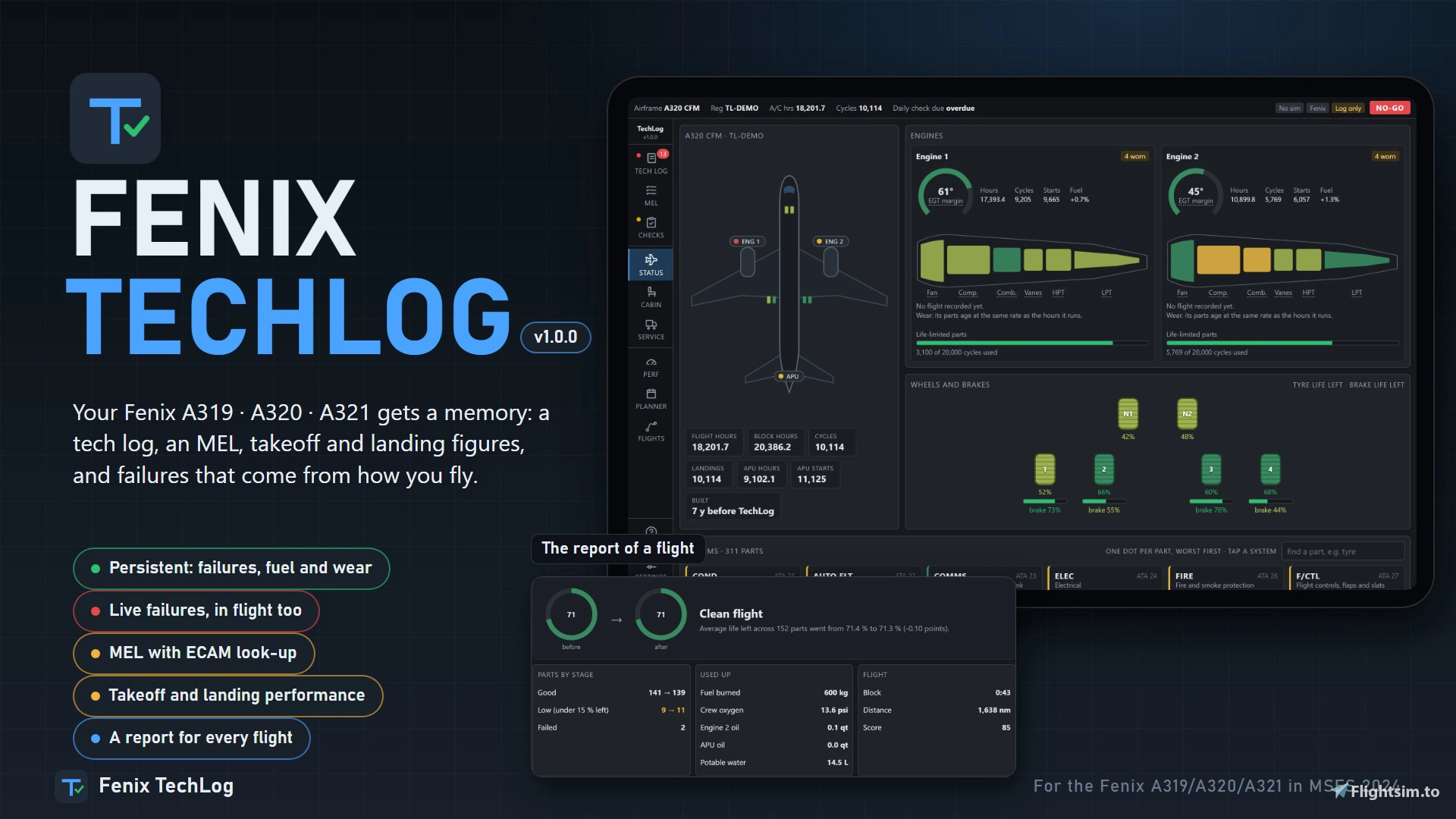
Fenix TechLog changes that. It gives each airframe a memory: a tech log, an MEL, part wear and a flight log that carry on from one session to the next. When something gives out, or you abuse the aircraft, the failure is set in Fenix within seconds, in flight too. You fly the ECAM and QRH, land, then fix it or defer it on the tablet against a real-world date.
For the Fenix A319, A320 and A321 in Microsoft Flight Simulator 2024. Free.
What it does
- Persistent aircraft. Open and deferred defects are set in Fenix again at the start of every session. Fuel from the last shutdown is put back when you load cold and dark. Oil, oxygen, water, tyre pressures, brake and tyre wear, hours and cycles all carry on. One record per registration.
- Failures with a cause, not dice. About 150 part types are tracked, each with its own life from the moment it is fitted. The same flights on the same aircraft always end the same way. Worn parts show a degraded fault first, then fail when they work hardest: on an engine start, at takeoff thrust, when the gear is selected.
- Damage the moment it happens. Hard landings, flap and gear overspeeds, tail strikes, hot brakes, tyre speed, takeoff thrust held too long, engines shut down hot. Each leaves its item in the tech log, and the worse ones show on the ECAM straight away.
- Tech log with an MEL. 207 items with categories, placards and restrictions. NO-GO items ground the aircraft. The others can be deferred to a real date (category B 3 days, C 10 days, D 120 days) and are fixed on that day.
- MEL look-up by ECAM alert. Type the alert as the ECAM shows it, for example ELEC GEN 1 FAULT, and get the item: whether the aircraft may go, under which conditions, and what the crew does in each phase of flight.
- Landing distance with your defects. TechLog asks Fenix's own calculator, with the failures in your tech log already selected, and shows the distance with and without them against the runway length.
- Fix it, or replace it. Worn parts are listed on the Service page. Fix repairs the part that is fitted and gives some of its life back, less each time. Replace fits a new one.
- Used airframes. Start with an aircraft that is several years old. It arrives with a few items deferred under the MEL, cabin items waiting for parts, and the small findings every aircraft in service carries.
- Every flight recorded. Touchdown rate, G and speed, the touchdown point on the runway, approach stability at 1,000 and 500 ft, a timeline of what happened, the systems affected, the wear the flight used, and a score.
- The whole cabin. Every seat, galley and lavatory wears: tray tables, seat belts, reading lights, ovens, coffee makers. A broken belt blocks the seat.
Updating: run the new setup. It installs over the old one and keeps your airframes and flights. Removing: Windows Settings → Apps → Fenix TechLog → Uninstall.
Good to know
- The first time a registration is loaded, TechLog creates a brand-new airframe for it. For a worn one, open Settings before the first flight and make it a used airframe of the age you want.
- If you only want failures that come from wear and from how you fly, turn Fenix's own random failures off in the Fenix EFB. With them on, TechLog still logs and keeps whatever Fenix fails.
- Maintenance can be instant, or take its real hours while the aircraft stays parked. Wear rates can be turned up or down. Both are in Settings.
- The MEL text is TechLog's own, written for simulation. Never use it for a real aircraft.
Feedback
Found a bug, or have an idea? Leave a comment here. If something looks wrong on the sim's tablet, a screenshot helps a lot.
Fenix TechLog is free. Please share this page rather than re-uploading the file.
Fenix TechLog
Fenix TechLog adds persistent aircraft state, maintenance logs, and detailed part wear tracking to the Fenix A319, A320, and A321 in Microsoft Flight Simulator 2024. It simulates ongoing part degradation, realistic in-flight and ground failures, and interactive MEL procedures that carry over across sessions. The add-on records every flight, cabin item wear, and key maintenance actions, allowing management of repairs or part replacements. Data is managed locally, integrates with the in-sim EFB tablet, and requires no changes to Fenix or simulator files.


Avis des utilisateurs
87 avis
Historique des versions
Fenix TechLog 2.2.1 Cockpit profiles - Save as many cockpits as you like. On the Cockpit page, type a name (Cold and dark, Ready for pushback, Parked overnight) and press Save as new. Press a profile to look at it, Restore to put it back, Update to save the cockpit as it is now over it, Rename or Delete it. - Profiles belong to you, not to one aircraft. Any airframe can load any profile. - One profile can be put back by itself. Tick Put it back on a cold and dark load on the profile you want; the automatic restore (the existing "Restore on cold and dark load" setting) uses that one. With none ticked, nothing is put back on load. - A cockpit saved with an earlier version is kept as a profile called Last saved. - Putting the cockpit back as you left it is no longer marked Beta. Fixed - Engine oil no longer shows NO-GO when Fenix's oil is normal. Fenix reads 13 to 14.5 qt on its ECAM ENGINE page at normal level, and TechLog judged that against the 25 qt of the real IAE engine (dispatch minimum 14 qt). TechLog now takes 23 qt as full for engine oil, with a dispatch minimum of 10 qt, so Fenix's normal 14 qt never asks for service. Open "Servicing required" oil items clear by themselves. Installer - Start when a Fenix is loaded is unticked each time the installer opens, an update included, and a yellow note under it says: if the sim, the EFB or the loading screen is slow or stutters while Fenix starts, untick the box, or turn it off later in Settings, and open TechLog yourself.
Similaires
PMDG TechLog
PMDG TechLog introduces persistent wear, failures, and maintenance tracking for the PMDG 737 and PMDG 777 in Microsoft Flight Simulator 2024. The add-on maintains a detailed technical log, MEL, and flight logs that carry forward between sessions, reflecting aircraft condition and history. Failures and defects are caused by pilot actions and operational stress, allowing for repairs or deferred maintenance according to realistic procedures. Features include real-time defect recording, performance calculation integration, and a maintenance planner accessible via a local web app.
par NaughtyPickle
FSL TechLog
FSL TechLog introduces persistent aircraft state and maintenance tracking for the FSLabs A319, A320, and A321 in Microsoft Flight Simulator 2024. It features a detailed tech log, MEL, component wear, and flight logging that persist between sessions. Failures are linked to real usage and pilot actions, with defects reflected in the cockpit and the FSL’s EFB tablet. Users can manage maintenance, deferred items, and cabin wear, with integrated flight planning, performance tools, and flight reporting.
par NaughtyPickle
A339 WinCtrl MCDU Bridge
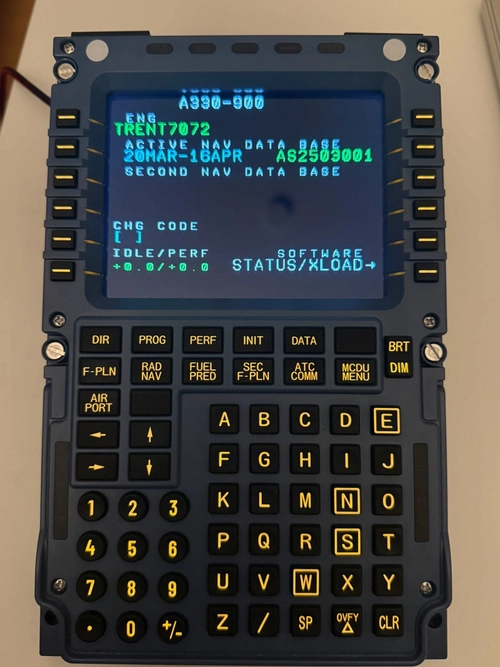
Shows the MCDU screen of the Aerosoft A330 Neo (A339) in MSFS 2024 on a Winwing / WinCtrl MCDU, and makes the unit's buttons work in the aircraft.
par NaughtyPickle
Connectez-vous pour participer à la discussion
Se connecterCommentaires(566)
11 days ago
I read every comment on this page, youtube, reddit, and I’m adjusting the app based on what you tell me you want from it. If something is confusing, missing, or doesn’t behave the way you’d expect, say so here. That’s how most of the changes in each update got made.
There are no donation links. Everything happens in these comments, so they’re the one place your feedback reaches me. You drive where the app goes next.
Fly safe, and thank you for trying it.
Discord: https://discord.gg/8UVBZ7VnpU
about 5 hours ago
about 3 hours ago
about 7 hours ago
about 3 hours ago
about 8 hours ago
Glareshield: LS button, QNH setting, CSTR button (+ the others on this very panel too), ALT setting
Radio Panel: tuned frequencies for ACTIVE + STBY on COM1 and COM2, SQWK Code, PARK BRK setting
about 15 hours ago
Not sure if it's caused by TechLog or V3 of the Fenix bus, but just wanted to leave it here for the moment, as others were reporting about CTDs aswell.
With the PMDG TechLog and the 737, I've had a CTD on the first flight minutes after takeoff.
Never had any CTDs with MSFS2024 but 2 in the last few days.
The only other addon I've installed recently was: https://flightsim.to/addon/116742/simpleui-there-i-fixed-msfs-ui-for-you
Maybe others can comment if they're using simple UI too?
about 13 hours ago
about 16 hours ago
about 24 hours ago
I have never been able to use the fenix tablet if starting the app before being in the plane (everything is well configured. If I start and I launch the flight and then the app all works. (version 2.2.1)
1 day ago
1 day ago
about 13 hours ago
https://i.ibb.co/GfP9Yxnk/20261025-111301-Screenshot.jpg
about 13 hours ago
1 day ago
I think it would be a great addition to introduce a virtual credit system that rewards pilots based on their landing performance.
For example, pilots could earn virtual credits for smooth landings, with the amount rewarded depending on the touchdown rate. Hard landings could result in reduced rewards or even repair costs deducted from their balance.
This would add another layer of realism and immersion, as pilots would have an actual incentive to take good care of the aircraft and operate it within its limits, rather than simply repairing any damage without consequences.
Over time, credits could be used to pay for maintenance, repairs, or other operational expenses, creating a sense of responsibility and progression.
I think this would make Fenix Techlog even more engaging by giving pilots a reason to care about how they fly, not just where they fly.
1 day ago
1 day ago
1 day ago