
Description
One app for your whole fleet
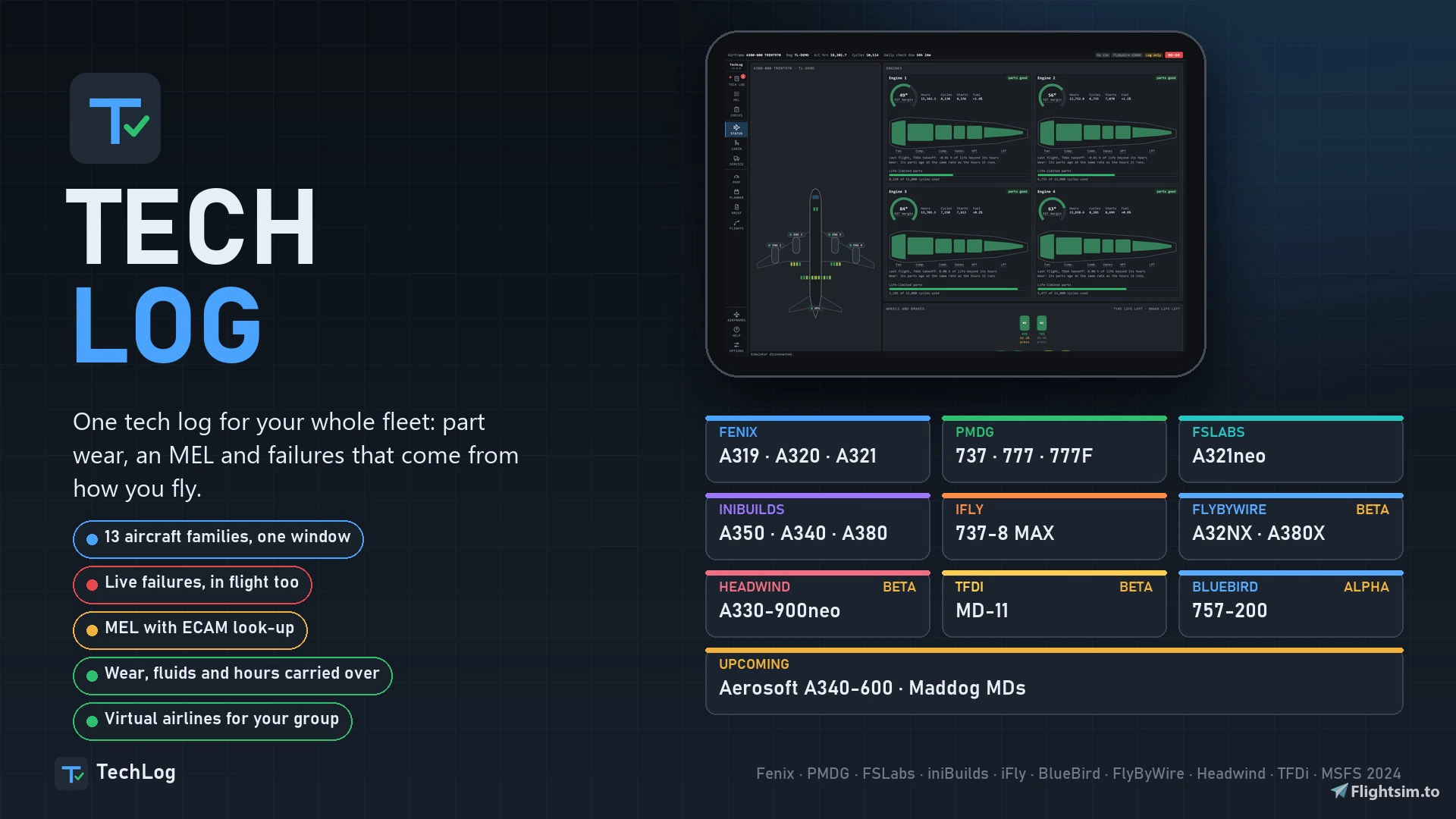
TechLog is one window. Start it with the sim, or let the sim start it. Load an aircraft and TechLog sees which one it is and starts that aircraft's tech log. Load another and it saves, holds the flight and switches, on its own.
- Works with six families of aircraft from four developers.
- Choose your aircraft in the setup. Install, uninstall, or turn one on and off later on the Aircraft page.
- Three modes: Live (full link to the aircraft), Watch only (reads, writes nothing) and Offline (the tech log with no sim).
- Closes with the sim if you want it to.
- The same tech log page in the window, on the EFB tablet, and in a browser on your PC or a tablet on your network.
| Aircraft-----------------------------| Part types | MEL items | Failures it can set |
| Fenix A319, A320, A321 --------------| 186 -------| 251 ------| 584 ----------------|
| PMDG 737 ----------------------------| 134 -------| 205 ------| 231  ---------------|
| PMDG 777, 777F ----------------------| 133 -------| 206 ------| 356 ----------------|
| FSLabs A321neo ----------------------| 209 -------| 290  -----| 333 ----------------|
| iniBuilds A350-900, A350-1000 -------| 163 -------| 233  -----| 74 -----------------|
| iniBuilds A340-300  -----------------| 174 -------| 239  -----| 43 -----------------|
| iniBuilds A380-800  -----------------| 174 -------| 239  -----| 43 -----------------|
| iFly 737-MAX8 (beta) ----------------| 134 -------| 205  -----| 110-----------------|
| BB 757-200 (alpha) ------------------| 133 -------| 530  -----| ------NON YET-------|
| FlyByWire A32NX (beta) --------- ----| 211--------| 276  -----| 101-----------------|
| FlyByWire A380X (beta) --------- ----| 273--------| 276  -----| 101-----------------|
| Headwind A330-900neo (beta)	-- ----| 273--------| 276  -----| 101-----------------|
| TFDi MD-11 (beta) -------------- ----| 273--------| 276 -----| 101-----------------|Upcoming:Aerosoft A340-600
Nothing is lost
Close the sim and the airframe keeps its state, saved as it happens. Defects, fuel where the aircraft allows it, fluids, tyres, brakes, part lives, hours and cycles carry on.
Your fleet in one place
Every airframe of every aircraft, grouped by type. The same registration in two add-ons is two airframes, each with its own parts and history.
- New or used. Start an airframe new, or used at the age you choose. A used airframe arrives with hours on it, worn parts, items deferred by earlier crews and findings in its log.
- Change it later. Turn a new airframe into a used one, or back, with your flights kept. You see what it will do before you confirm.
- Maintenance profiles. Well maintained, standard or ageing fleet.
- Import. Your airframes, flights and defects from the old apps come across in the setup.
Failures with a cause
No random failures. Each part has its own life from the moment it is fitted, in its own unit: flight hours, engine hours, starts, cycles, reverser deployments or days. The same flights on the same airframe always end the same way.
- Below 15 % of its life a part may show a degraded fault first.
- Close to the end it fails at its next moment of stress: an engine start, takeoff thrust, gear selection.
- At zero it fails at once, in flight too.
- Abuse takes life off the parts it strains.
Damage when it happens. Hard landings, overspeeds, flap and gear limits, tail strikes, pod strikes, hot brakes, tyre speed, overweight landings, takeoff thrust held too long. Each leaves its item in the tech log, and the worse ones go into the aircraft straight away.
Engines wear by how hard they work. Idle costs little, climb more, takeoff thrust several times as much, and a reduced takeoff less than full thrust. Each engine has its own fan, compressor, combustor and turbines, and its own EGT margin.
Tech log and MEL
The tech log tells you one thing first: may this aircraft go? Below that is every open and deferred item, with its category, placard, restriction and the date it runs out.
- NO-GO items ground the aircraft.
- The others can be deferred to a real date: category B 3 days, C 10 days, D 120 days. On that day they are fixed, or they stop you.
- Maintenance times are Instant or Realistic. In Realistic, work takes its real time and finishes even with TechLog closed.
- Airline maintenance can do checks and top-ups for you overnight.
Each item says whether the aircraft may go, under which conditions, what the crew does in each phase of flight, what the engineers do, how long it takes and which placard goes on. Type the alert as the ECAM shows it and you get the item.
The A350 and A340 use real item numbers and, where published, real repair categories and installed and required counts. No-dispatch items are no-dispatch: PRIM 3 on the A350, PRIM 2 and SEC 2 on the A340. All text is TechLog's own, for simulation use.
Service and checks
Everything on the ground in one place. Oil, hydraulics, oxygen, water, waste, catering and cabin cleaning, with the least for dispatch marked. Fix a part for some of its life back, less each time, or replace it with a new one.
Every aircraft's gear is drawn as it is built, for Service and for Status.
A worn aircraft burns more. Engine wear and airframe age add up to a fuel factor, ready for SimBrief and the FMS. An engine wash gives some EGT margin back.
Planner
One page answers READY, CAUTION or NOT READY for the next flight, gives the reason for each, then lists what comes due by date, hours or cycles. Book work ahead and it is done at its time. Turn on company use and the airline flies your aircraft while you are away, but never one that is in the hangar.
Cabin
The whole cabin, seat by seat, with galleys, lavatories and fittings, each with its own wear. Tap a seat to see it. Cabin systems show doors, slides, water and waste as the aircraft reports them, on the aircraft that give them.
Cockpit profiles
Save a cockpit under a name of your own: Cold and dark, Ready for pushback, Parked overnight. Put it back whenever you want, or automatically on a cold and dark load. TechLog never writes brightness or EFB settings.
Performance
Takeoff and landing figures with your defects taken into account, by each aircraft's own calculator where it has one. Fenix, PMDG and FSLabs each have their own page in their own words: FLEX or ASSUMED, CONF or FLAPS, MCDU or FMC. On the iniBuilds A350 and A340 it opens from the TechLog button in the aircraft's own EFB, on the aircraft's own tables.
Flight log
Every flight, recorded by itself. A score, touchdown rate and point on the runway, approach stability, a timeline of events, a drawn profile and what the flight did to the aircraft, part by part. Stable approaches are judged at the same heights a crew uses.
History keeps every fault the airframe has had, by system, and what was done about it.
What each aircraft gets
Fenix A319, A320, A321. Failures set live, in flight too. Worn engines really push less. Fuel from the last shutdown put back, engine oil read from the aircraft, cabin systems, takeoff and landing from Fenix's own calculators, Send to MCDU, and a TechLog button in Fenix's EFB.
PMDG 737. Failures set through the FMC's own pages using the PMDG SDK, which the setup offers to turn on. No CDU work below 1,000 ft in flight. Oil, vibration and hydraulic readings, its own cockpit profiles, Performance with Send to FMC.
PMDG 777 and 777F. Its own parts, MEL and limits, GE90 engines, twelve main wheels. The PMDG Performance pages need the sim's Developer Mode.
FSLabs A321neo. Linked to its EFB: defects on its tablet, INOP stickers in the cockpit, a TechLog tile, its calculators, cockpit profiles and readings.
iniBuilds A350-900 and A350-1000. Failures sent straight to the aircraft, with no mouse and no window. TechLog is the master of brake and tyre wear, oil, hydraulics, batteries and APU figures, and keeps them in step with the aircraft's own maintenance page. A TechLog button in its EFB with Performance and Send to FMS. Cockpit profiles, cabin systems, GPS jamming as a setting.
iniBuilds A340-300. All of that with four engines, engine failures and fuel kept from the last shutdown. An optional TechLog icon on its EFB changes one file of the add-on, with a copy kept, and is off by default.
iniBuilds A380-800 (beta). Four engines, 22 wheels, failures through its own failure switches with no mouse, water, waste and fluids taken from the aircraft, engine oil kept by TechLog, and Performance from its own take-off calculation and landing table. Performance and the optional TechLog icon on its EFB need the sim's Developer Mode; neither changes a file of the add-on.
iFly 737-8 MAX (beta). Failures through the iFly's own EFB program, checked in its own state; failures you set on its tablet go into the tech log. Performance from its own calculator, cockpit per airframe through its own panel files, and an optional TechLog tab on its tablet. Its EGT, fuel flow and vibration are not given out, so those are not judged.
BlueBird 757-200 (alpha). Tech log, part wear, 530 MEL items with the real MMEL numbers, cockpit profiles, readings and chocks. No failure is set in the aircraft yet: its failures can only be set from its own EFB. An experimental switch in Settings sets its fire detector loop faults.
Settings and help
Wear rate, units, accessibility, maintenance times, and a panel for each aircraft. A guide inside the app is written for the aircraft you have loaded.
Kinder to the sim
- Writes into the aircraft are spaced apart.
- Optional takeoff hold: nothing written from takeoff thrust to 1,500 ft. Off by default.
- Every write is recorded. Copy crash report in the Console shows what TechLog did before a crash.
- The engine restarts when memory grows, only while parked.
- Start with the sim is optional.
Coming from Fenix, PMDG or FSL TechLog
TechLog replaces all three, and they get no more updates.
Run the setup: it finds them, offers to bring in your airframes, flights and defects, and takes the old apps out of the sim's start-up list. Your tech log carries on.
Install
- Run the setup. It finds your add-ons and shows which aircraft to install.
- Tick what you want it to do: bring in old tech logs, turn on the PMDG SDK data, add the FSLabs tile, start with the sim.
- Start the sim and load an aircraft.
TechLog's MEL is its own wording, for simulation use only.
Discord: https://discord.gg/8UVBZ7VnpU
TechLog
TechLog is a centralized maintenance and flight logging application compatible with multiple aircraft families from popular developers in Microsoft Flight Simulator. It tracks each aircraft’s state, records flights, manages failures based on component wear, and maintains detailed logs including technical and Minimum Equipment List items. Users can manage fleets, set maintenance profiles, import previous data, and access logs via window, EFB, or browser. The tool simulates realistic maintenance and operational scenarios, supporting both individual and airline-style operations.


Avis des utilisateurs
44 avis
Historique des versions
TechLog 2.1.2 Fixes virtual airline check-out, Service on the FlyByWire and Headwind aircraft, and 777 oil use. After 2.1.1, pilots flying a PMDG 777 were refused with "Your TechLog's catalogue is not the one this airline flies with. Update TechLog." WHAT CHANGED - Service works on the FlyByWire A32NX, A380X and Headwind A330-900neo. TechLog read the sim's parking brake, which these aircraft do not set, so Service, Fix and the checks said "Set the parking brake or put the chocks in" with the brake on. TechLog now reads the cockpit's own parking brake lever. - FlyByWire A32NX: chocks count. The wheel chocks you put in on the flyPad's Ground page now count as the aircraft being secured, as the parking brake does. - PMDG 777: engine oil lasts longer. The 777 used 1 quart of oil per engine hour (the 737's rate), so an 11 hour flight took about 11 quarts. It now uses a quarter of a quart per engine hour. The 737 is unchanged.
Présent dans des collections(1)




Similaires
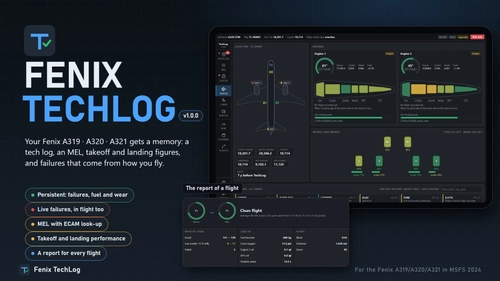
Fenix TechLog
Fenix TechLog adds persistent aircraft state, maintenance logs, and detailed part wear tracking to the Fenix A319, A320, and A321 in Microsoft Flight Simulator 2024. It simulates ongoing part degradation, realistic in-flight and ground failures, and interactive MEL procedures that carry over across sessions. The add-on records every flight, cabin item wear, and key maintenance actions, allowing management of repairs or part replacements. Data is managed locally, integrates with the in-sim EFB tablet, and requires no changes to Fenix or simulator files.
par NaughtyPickle
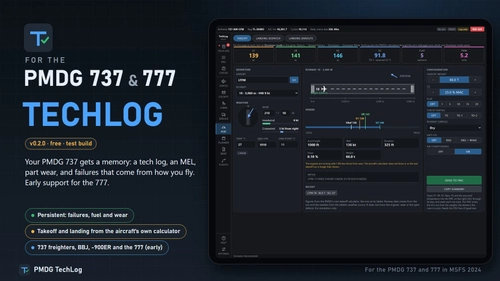
PMDG TechLog
PMDG TechLog introduces persistent wear, failures, and maintenance tracking for the PMDG 737 and PMDG 777 in Microsoft Flight Simulator 2024. The add-on maintains a detailed technical log, MEL, and flight logs that carry forward between sessions, reflecting aircraft condition and history. Failures and defects are caused by pilot actions and operational stress, allowing for repairs or deferred maintenance according to realistic procedures. Features include real-time defect recording, performance calculation integration, and a maintenance planner accessible via a local web app.
par NaughtyPickle
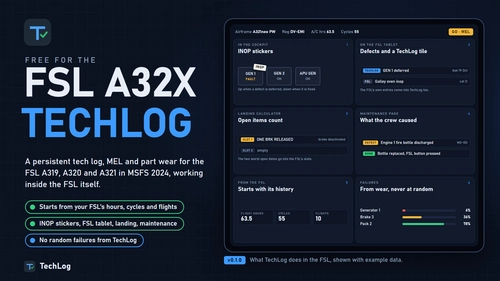
FSL TechLog
FSL TechLog introduces persistent aircraft state and maintenance tracking for the FSLabs A319, A320, and A321 in Microsoft Flight Simulator 2024. It features a detailed tech log, MEL, component wear, and flight logging that persist between sessions. Failures are linked to real usage and pilot actions, with defects reflected in the cockpit and the FSL’s EFB tablet. Users can manage maintenance, deferred items, and cabin wear, with integrated flight planning, performance tools, and flight reporting.
par NaughtyPickle
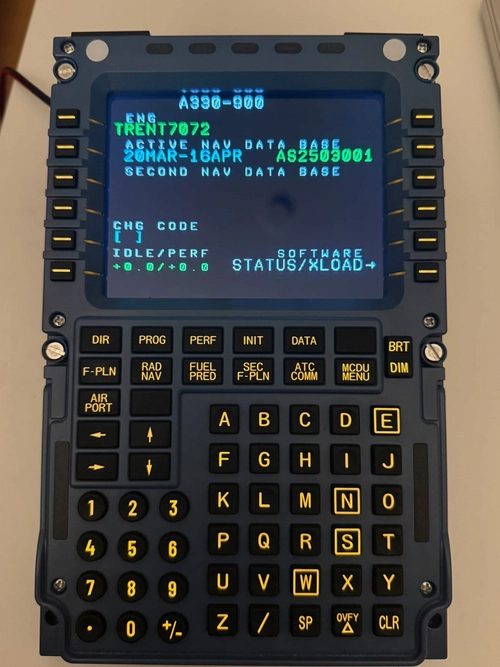
A339 WinCtrl MCDU Bridge
Shows the MCDU screen of the Aerosoft A330 Neo (A339) in MSFS 2024 on a Winwing / WinCtrl MCDU, and makes the unit's buttons work in the aircraft.
par NaughtyPickle
Résumé des commentaires
Les retours sur TechLog sont très majoritairement positifs. Les utilisateurs saluent la profondeur, le réalisme et l’immersion ajoutés au simulateur par cette extension, ainsi que l’intégration efficace avec les avions Fenix et PMDG. L’implication du développeur, ses réponses rapides et la publication fréquente de mises à jour sont particulièrement appréciées. Parmi les problèmes fréquemment évoqués figurent des éclatements de pneus lors d’atterrissages doux, des erreurs de compatibilité CDU, des écarts dans la gestion des poids et carburant, des défauts non enregistrés ou mal injectés (notamment sur l’A350), ainsi que des soucis liés au cycle AIRAC. Les utilisateurs mentionnent également quelques astuces et contournements, par exemple pour la gestion des temps de maintenance ou l’intégration EFB. De nombreuses demandes portent sur le support de nouveaux avions comme le Bluebird 757, l’iFly 737, l’A220 ou le Maddog X. De manière générale, les problèmes signalés sont rapidement corrigés et le développeur communique activement sur les correctifs et les prochaines fonctionnalités.
Résumé du 14 nov. 2026
Connectez-vous pour participer à la discussion
Se connecterCommentaires188
TechLog is and will stay free.
I read every comment on this page, YouTube and Reddit, and I’m adjusting the app based on what you tell me you want from it. If something is confusing, missing, or doesn’t behave the way you’d expect on your aircraft, say so here. That’s how the Fenix, PMDG and FSL apps grew into this one, and it’s how TechLog will keep changing.
There are no donation links. Everything happens in these comments, so they’re the one place your feedback reaches me. You drive where the app goes next, including which aircraft comes after this.
Fly safe, and thank you for trying it.
Discord: https://discord.gg/8UVBZ7VnpU
Amazing work.
Oh and updates reinstate all variants of TechLog that I have uninstalled/disabled. Maybe make those selections persistent?! Not a biggie
Is there the possibility to get also realisitc "random" not based on maintanance? e.g. a birde strike, FOD etc. So anything as a suprise even with a perfectly maintained airframe?
Feature Request: Personally I don't really want to set a given 'panel state' every time I load up the aircraft. However, I DO want it to load up the aircraft with the switches in the positions that I had from the last flight (e.g. maybe even from several days ago). Could you make this a thing?
Thank you very much for your fantastic work and the almost daily updates - the improvements you’ve made are truly excellent.
Maybe i would also add the Synaptic A220 to the wishlist? Its one of the aircraft that has pullable circuit breakers and have a large fleet here with Delta. But the call is yours, no pressure on anything! You will always have all my support!
I think you'd make the community really happy if you integrated the two FlyByWire aircraft (A32X and A380) into your absolutely brilliant TechLog tool.
Thank you so much for your great work....Rudi