
Description
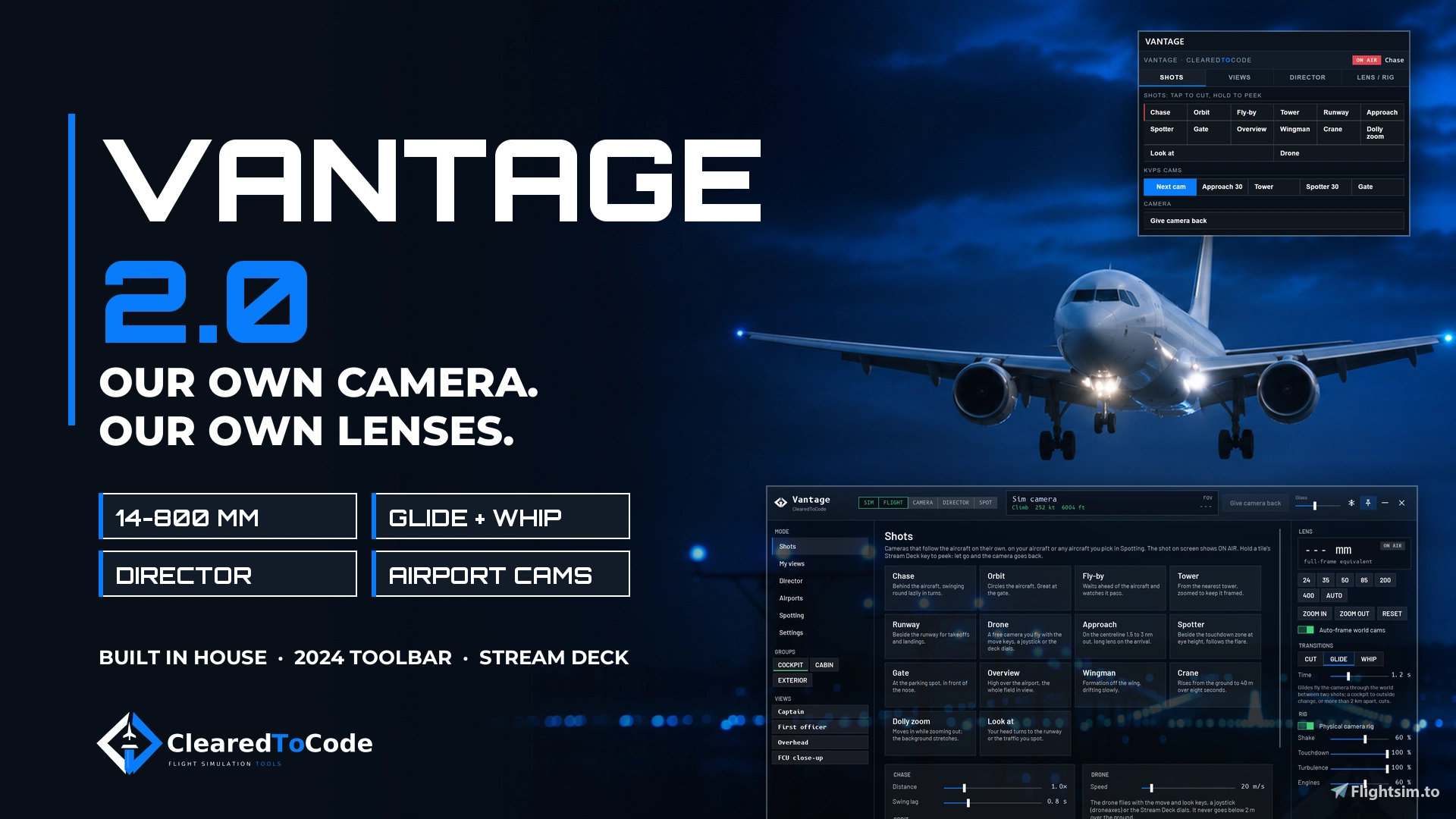
Vantage 2.0: the camera system we build in house at ClearedToCode.
Vantage is not a view pack. It drives the MSFS 2024 camera with our own code: every lens, move and shake is ours.
Our own lenses. Pick a lens, not a zoom number: 14 to 800 mm, full-frame equivalent. AUTO keeps the aircraft framed.
Moves that glide. Glide flies the camera through the world between shots, Whip pans like a camera operator, Cut when you want it instant.
A camera with weight. A physical rig with springs and damping, and shake from touchdown, turbulence and engines.
14 shots. Chase, Orbit, Fly-by, Tower, Runway, Drone, Approach, Spotter, Gate, Overview, Wingman, Crane, Dolly zoom, Look at. Plus an auto view pack of about 24 views for any aircraft.
Director. Turn it on and Vantage films the flight for you, cutting with each flight phase.
Airport cams. Approach, tower, spotter and gate cams at every airport, set up on their own. Place your own tower anywhere.
In the sim. A Vantage menu in the MSFS 2024 toolbar, over any cockpit.
Stream Deck. Vantage Deck profiles for Stream Deck, +, XL and + XL are included in the installer.
Requirements: Microsoft Flight Simulator 2024 (the camera API is 2024 only), Windows 10/11.
clearedtocode.com · Discord: discord.gg/MrcTkZ3YXq
Install
- Run "ClearedToCode Vantage Setup.exe". Windows may warn because the file is new: click "More info", then "Run anyway".
- Start MSFS 2024 and load a flight. Vantage connects by itself.
- Give the camera back to the sim at any time: the "Give camera back" button, or Ctrl+Alt+Esc.
Stream Deck only: double-click com.clearedtocode.vantagedeck.streamDeckPlugin.
Good to know
- MSFS 2024 only. MSFS 2020 doesn't have the Camera API Vantage is built on.
- While Vantage has the camera, the sim's own camera keys wait until you give it back.
- If you use PilotsDeck's profile switching, it can swap your Stream Deck away from the Vantage profile when a flight loads. Turn its switching off, or leave Vantage out of its list.
by ClearedToCode. Independent add-on, not affiliated with Microsoft, Asobo or Elgato.
Vantage - Camera Views, Live Cams, Cinematics & Spotting for MSFS 2024
Vantage 2.0 is ClearedToCode's in-house camera system for Microsoft Flight Simulator 2024. Pick real lenses from 14 to 800 mm, glide or whip between 14 shots, and feel a physical camera rig with springs, damping and touchdown, turbulence and engine shake. An auto view pack builds about 24 views for any aircraft, the Director films your flight phase by phase, airport cams set themselves up at every field, and a Vantage menu sits in the MSFS 2024 toolbar. Vantage Deck profiles for Stream Deck are included.

Avis des utilisateurs
8 avis
Historique des versions
Vantage 2.0.1 - Glide and Whip now cut when the camera moves between inside the aircraft (cockpit, cabin) and outside, so the move no longer passes through the fuselage. - If the sim hasn't handed the camera to Vantage after a few seconds, Vantage now tells you to switch to the cockpit view first (the sim only hands the camera over from the cockpit). - Toolbar menu: the divider in the header now draws as a line instead of a box. - Vantage Deck 2.0.1: Camera Feel and Spots & Tools pages on every profile.
Similaires
FlightDeck Bridge - vPilot Tablet Bridge + SimBrief Radio Kneeboard V 2.7.1 Now Built for VR!!
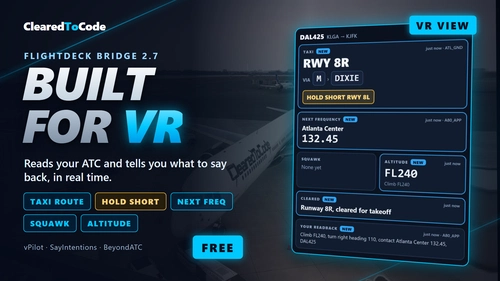
Stream Deck plugin now included!! FlightDeck Bridge puts ATC, readbacks, your SimBrief plan and a radio kneeboard on your tablet, phone, the MSFS 2024 EFB and your Stream Deck. Works with VATSIM (vPilot), SayIntentions.AI and BeyondATC. When ATC calls you, it shows exactly what to say back. NEW in v2.6: Say again replays what the controller actually said, one-tap Standby for the next frequency, and alerts when your departure or arrival ATIS changes or a controller on your route logs on. One-click installer, QR code pairing. Requires Windows 10/11.
par ClearedToCode
MotionDeck by ClearedToCode - Physics Camera with Head Tracking (MSFS 2020 & 2024)
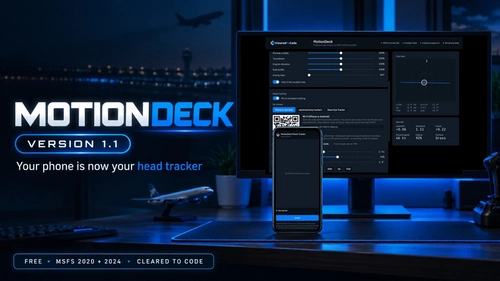
MotionDeck (formerly Physics Camera) adds realistic head movement and inertia driven by the aircraft's real physics in Microsoft Flight Simulator 2020 and 2024: runway rumble by surface, touchdown jolts, turbulence and G-forces on all six axes, with automatic presets per aircraft type. Works on its own or on top of head tracking via opentrack (Tobii, webcams, TrackHat); not together with TrackIR. Cockpit view only, hotkeys, live readouts, easy install.
par ClearedToCode
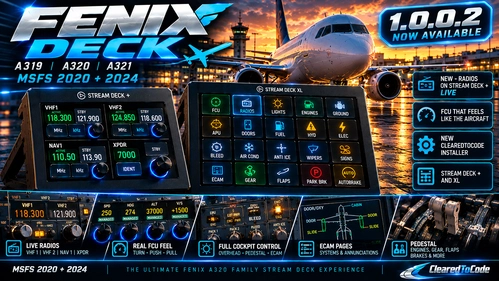
Fenix Deck - Stream Deck Plugin & Profiles for the Fenix A319 / A320 / A321
Fenix Deck is a native Stream Deck plugin with custom profiles for the Fenix A319, A320, and A321 aircraft in Microsoft Flight Simulator 2020 and 2024. It enables control of key cockpit functions, including the FCU, overhead, ECAM, and pedestal directly from Stream Deck + and XL devices, with live display of aircraft status. Key and dial colors reflect real cockpit states for better situational awareness. Requires only SimConnect for operation, with no additional software dependencies.
par ClearedToCode
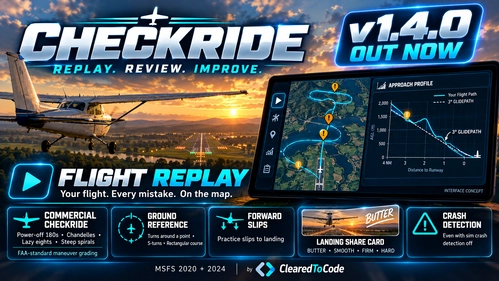
CheckRide - AI Flight Instructor & Checkride Examiner (MSFS 2020/2024)
CheckRide is an AI-powered flight instructor and checkride examiner add-on for Microsoft Flight Simulator 2020 and 2024. It evaluates complete flights, grading everything from startup procedures to landings based on real-world standards such as FAA and airline SOPs. Users receive detailed debriefs, oral feedback on mistakes, and optional AI-generated conversational analysis. A pass certificate with detailed performance metrics is issued for successful checkrides or high scores.
par ClearedToCode
Connectez-vous pour participer à la discussion
Se connecterCommentaires68
thank you for this mod, however, can I please ask WHERE DID THIS INSTALL ?
I hate when something installs without asking me where I want it to go, and this one not only that it didn't ask but also didn't show where did go at all !?
program files and program files 64 is not the path :-S
The aircraft I was using at the time was the iniBuilds A350.
My Vantage version is v1.0.9.
Yes, the main issue is with the aircraft engine sounds. The sound positioning (panning) and Doppler effect do not appear to work correctly when using custom views or the fly-by camera.
I hope this information helps you reproduce the issue.
Thank you for looking into it.