
Description
Custom camera views for the new BlueBird Boeing 757-200 for all Engine & Winglet variants
Custom camera 0 - Pilot View
Custom camera 1 - EFB
Custom camera 2 - MFD and Autopilot Control Panel
Custom camera 3 - FMC
Custom camera 4 - Throttle, TCAS, Radios, Trim, Parking Break, etc
Custom camera 5 - Overhead
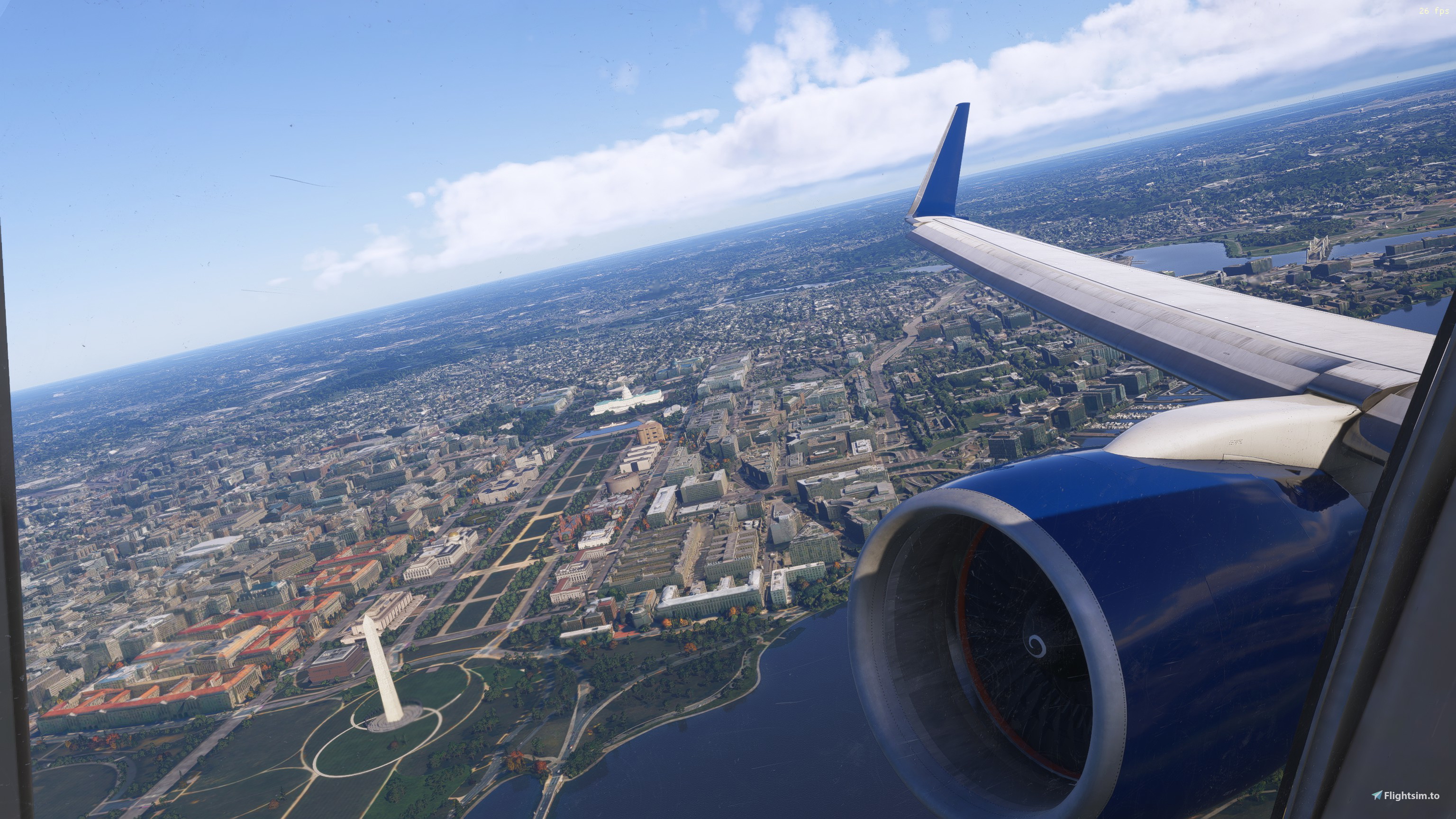
Custom camera 6 - Wing View 1
Custom camera 7 - Wing View 2
Custom camera 8 - Engine View 1
Custom camera 9 - Engine View 2
How to Install:
1 - Extract the .zip file
2 - Find your “Airplanes” folder in your MSFS 2020/2024 directory (details on how to locate it below)
3 - Drag and drop all folders into the Airplanes folder and replace if prompted
How to find your “Airplanes” folder
MSFS 2020 Microsoft Store
C:\Users\*UserName*\AppData\Local\Packages\Microsoft.FlightSimulator_8wekyb3d8bbwe\LocalCache\SimObjects\Airplanes
Pro tip: Press Windows + R, then type “%localappdata%” into the dropdown box to locate your PC’s Roaming folder
MSFS 2020 Steam
C:\Users\*UserName*\AppData\Roaming\Microsoft Flight Simulator\SimObjects\Airplanes
Pro tip: Press Windows + R, then type “%appdata%” into the dropdown box to locate your PC’s Roaming folder
MSFS 2024 Microsoft Store
C:\Users\*UserName*\AppData\Local\Packages\Microsoft.Limitless_8wekyb3d8bbwe\LocalCache\SimObjects\Airplanes
Pro tip: Press Windows + R, then type “%localappdata%” into the dropdown box to locate your PC’s Roaming folder
MSFS 2024 Steam
C:\Users\*UserName*\AppData\Roaming\Microsoft Flight Simulator 2024\SimObjects\Airplanes
Pro tip: Press Windows + R, then type “%appdata%” into the dropdown box to locate your PC’s Roaming folder
Note that these config files have only been tested in FS2024, so your experience may vary in FS2020.
Happy Flying!
BlueBird 757-200 Custom Camera Views (All Variants)
This add-on provides custom camera views for the BlueBird Boeing 757-200, covering all engine and winglet variants. It includes preset views for the pilot seat, EFB, MFD, autopilot, FMC, throttle controls, overhead panel, and multiple wing and engine angles. The camera configurations are primarily tested with MSFS 2024 and may perform differently in MSFS 2020. Installation instructions are provided for both Steam and Microsoft Store versions.


Avis des utilisateurs
1 avis
Historique des versions
Aucun historique de version disponible.
Connectez-vous pour participer à la discussion
Se connecterCommentaires3
UPDATE: I messed up and completely forgot the hot keys for the custom cameras like a noob. It does work and looks great!