
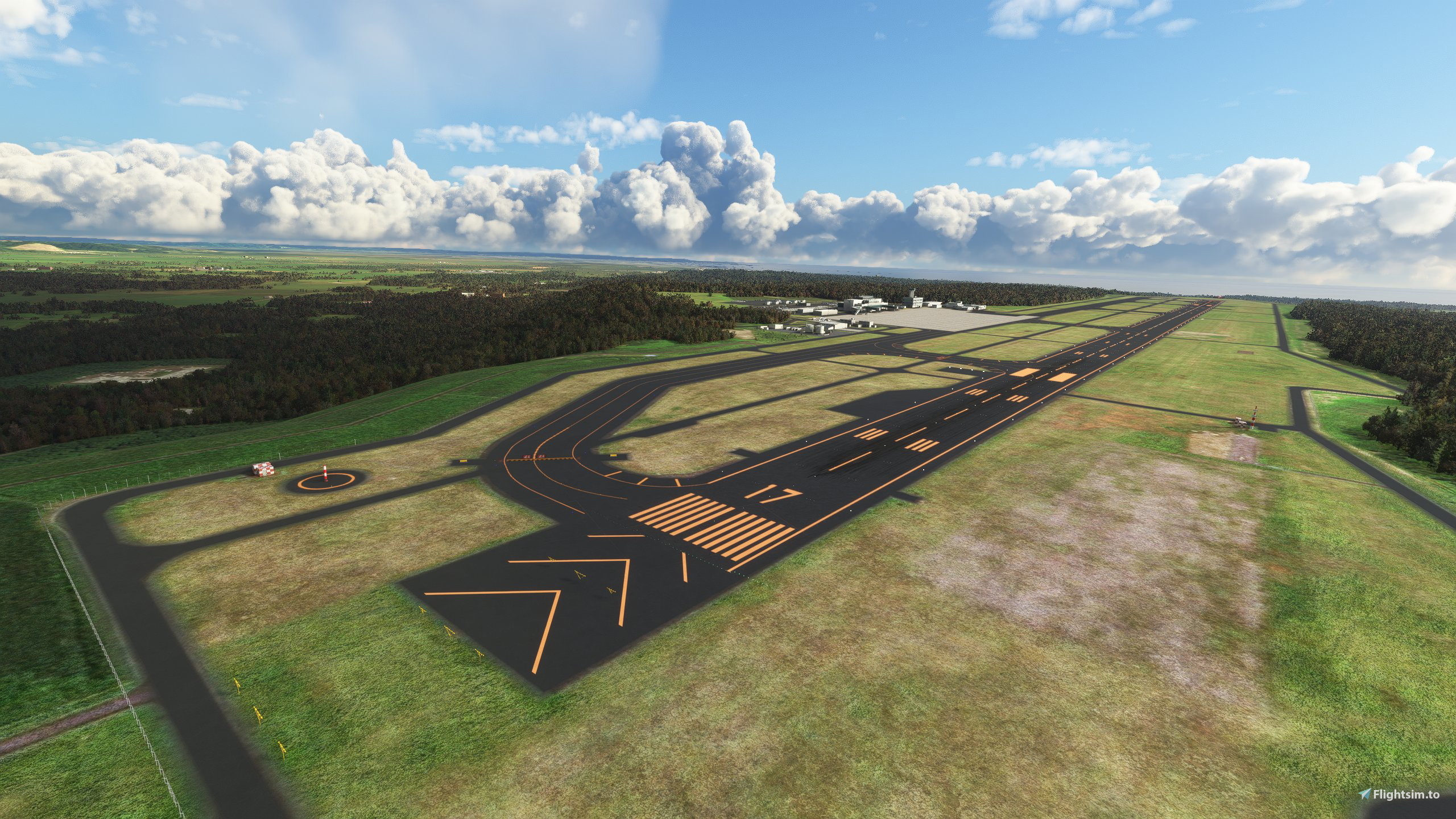
Description
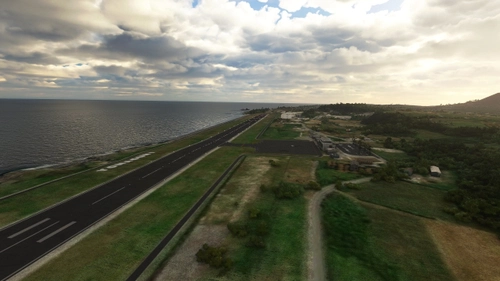
Enhanced default Japanese airport made by Microsoft
More airports:
UI Nameplate: Small Green (JP,KR,SC supported)
Version History
v1.0
- Initial release
v1.0.1
- Windsock behavior fixed
v1.0.2
- Compatibility for latest hotfix update (1.15.8.0)
- Tidied up ground markings
- Airport beacon added
- Changed taxi signs sizing
- Added hold short line lighting
v1.0.3
- Alpha and Bravo parking stand added
v1.0.4
- Windsock lighting
v1.0.5
- Reworked ground marking textures
- Runway guard lights
v1.0.5a
- Drag and Drop + rename installation method
v1.0.5b
- World Update 6 compatibility
- Changed additional installation method
v1.0.5c
Adjusted:
- ILS
- Taxi signs
- Apron and runway surface
- Airport objects
v1.0.6
- Ground marking textures v2
- Airport beacon works again
- Fixed taxi path nodes
v.1.0.6a
- minor adjustments
***Please download required dependencies listed***
Note: If you use NAVIGRAPH, you must do this step (choose only one):
a. Rename "navigraph-navdata" folder name so it will be ABOVE "airport-rjck-kushiro" in Community folder
b. Move < Package name="airport-jp-rjck-kushiro" active="true"/ > ABOVE < Package name="navigraph-navdata" active="true"/ > in Content.xml.
***If you skip this step ILS localizer will be offset to the right from runway centerline.***
Additional installation steps:
1. Update World Update I : Japan to latest version then quit the simulator after it is done.
2. Drag and drop airport-rjck-kushiro into Community folder. Inside that folder it should show MaterialLibs, scenery, layout.json and manifest.json.
3a. Locate ..\...\microsoft-airport-rjck-kushiro folder.
Where to look:
Microsoft Store version
driveletter:\Users\USERNAME\AppData\Local\Packages\Microsoft.FlightSimulator_RANDOM\LocalCache\Packages\Official\OneStore
Steam Version
driveletter:\Users\USERNAME\AppData\Roaming\Microsoft Flight Simulator\Packages\Official\Steam
Boxed Version
driveletter:\Users\USERNAME\AppData\Local\MSFSPackages\Official\...
3b. Move layout.json (from main folder not inside airport-rjck-kushiro) into that folder. Overwrite when asked. (make a backup first)
To revert to default, use your backup layout.json or reinstall via content manager.
Note 1: If simulator has an update you may have to modify layout.json again.
Note 2: Remove previous version when updating.
Location
RJCK Kushiro Airport Japan Improvement
Enhanced version of RJCK Kushiro Airport in Japan, improving ground markings and adding airport beacon. Check the version history for detailed updates and download instructions. Ensure compatibility with World Update 6 for an enhanced flight simulation experience.
Téléchargements suspendus
Le créateur a temporairement suspendu les téléchargements pour cet add-on. Veuillez réessayer plus tard.


Avis des utilisateurs
1 avis
Historique des versions
- minor adjustments
Similaires
RJSA Aomori Airport Japan Enhanced
Enhanced RJSA Aomori Airport in Japan using MSFS and Japan update assets, featuring custom heightmap and various improvements like runway lighting upgrades. This add-on also includes windsock lighting, ground marking texture reworks, and additional details in the terminal area. Note: Some enhancements may require additional dependencies for full functionality.
par HIGHMEMFIX1
RJFH Fukushima-shi Airport Japan Enhanced
Enhance your flight simulation experience with the RJFH Fukushima-shi Airport Japan Enhanced add-on. This modification utilizes default and freeware libraries to improve this GA airport, featuring a custom 5m resolution heightmap generated from Geospatial Information Authority of Japan DEM data. Make sure to install all required dependencies for optimal performance.
par HIGHMEMFIX1
RJSF Fukushima Airport Japan Aerial and Terrain
Enhance your Flight Simulator experience with RJSF Fukushima Airport Japan Add-on. This mod improves terrain profile and fixes areas around the airport not covered by aerial imagery. Please note that compatibility with certain add-ons may be affected due to terrain changes.
par HIGHMEMFIX1
ROYN Yonaguni Airport Japan Enhanced
Explore the westernmost place in Japan with ROYN Yonaguni Airport Japan Enhanced. Nearest enhanced airports include RORH - Hateruma and ROIG - New Ishigaki. Download the required library EDHK Lights & Objects Developers Pack for an immersive experience. Make sure to remove previous versions when updating to ensure a smooth installation.
par HIGHMEMFIX1
Connectez-vous pour participer à la discussion
Se connecterCommentaires(14)
almost 4 years ago
hello.
Thank you for your wonderful mod.
However, the windsock is doubled, so if you have a chance to update it, could you please fix it?
about 5 years ago
pink
over 5 years ago
Do you have an any idea how/where I can get/find original "rjck-kushiro.bgl"(MSFS 2020 default)??
over 5 years ago
I tested your scenario and didn't get any crash. Try reinstalling then reapply the mod.
over 5 years ago
I have located MS KUSHIRO AP in Content Manager but I do not know how I can re-install it. Would appreciated very much if you could instruct me how.
over 5 years ago
over 5 years ago
Thank you so much for your prompt reply and will do it. BR, Yukio
over 5 years ago
Thank you and appreciated very much for your kind help.
First of all, Your MOD worked perfectly and the MSFS 2020 crash was not because of your MOD.
I have found that one of MOD for KUSHIRO area in a community folder is causing the MSFS 2020 crash.
Thank you again and so sorry/for give me. BR, Yukio
over 5 years ago
over 5 years ago
Let me make clear. Is only "rjck-kushiro.bgl" is needed to replace?
over 5 years ago
over 5 years ago
over 5 years ago
EDIT:
Updated to 1.0.2 and no more CTDs. Thanks. Will fix stars.
However, the installation location for the STEAM version is wrong.
driveletter:\Users\USERNAME\AppData\Roaming\Microsoft Flight Simulator\Packages\Official\Steam
over 5 years ago