
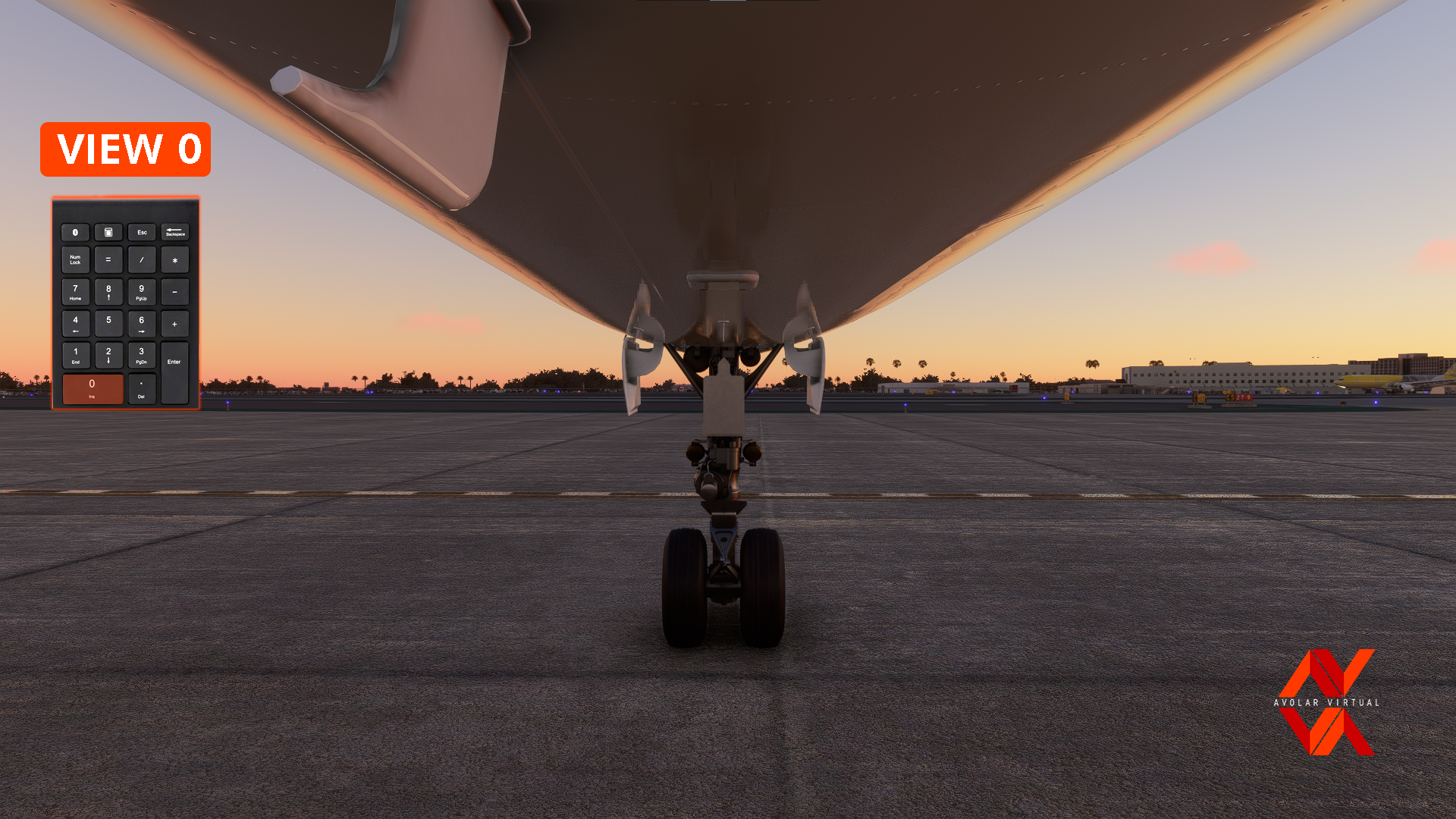
Description
IMPORTANT!!!
YOU MUST TO HAVE AT LEAST 1 CUSTOM CAMERA TO THIS WORK
This is my settings for custom camera that I want to share with you!!!
Examples in the Photos
Installation:
Just Copy and paste the CAMERA.CFG in the route:
- Microsoft Store:
C:\Users\UserName]\AppData\Local\Packages\Microsoft.FlightSimulator_8wekyb3d8bbwe\LocalCache\SimObjects\AirPlanes\FlyByWire_A320_NEO
- Steam
C:\Users\xxxxx\AppData\Roaming\Microsoft Flight Simulator\SimObjects\AirPlanes\FlyByWire_A320_NEO
Important: Make a copy of you original CAMERA.CFG before paste the new .cfg
A32NX Fly By Wire Custom Camera Views, July 28, 2021 update
Customize your A32NX experience with Fly By Wire Custom Camera Views. Simply copy and paste the provided camera settings to enhance your flight simulation. Make sure to have at least one custom camera for optimal functionality.


Historique des versions
Similaires
IniBuilds A320neo V2 Simbrief Profile
Enhance your flight planning with IniBuilds A320neo V2 Simbrief Profile. Customize weights according to the manual, tailored for individual preferences. Modify the profile without impacting other users. Enjoy smoother and more personalized flights with Avolar Virtual.
par AvolarVirtual
SCCV - Aeródromo de Curacaví - Chile
En desarrollo aun, pero mejor que el anterior. Modelado personalizado, mejor experiencia.
par AvolarVirtual
Sky Airlines FENIX Livery B2
Customize your Sky Airlines B2 aircraft with this detailed FENIX livery. Featuring painted fuselage, wings, ailerons, registration details, and interior elements. Stay tuned for updates to fix wing errors and add more decals. Simply unzip the folder into your Community folder to install.
par AvolarVirtual
Connectez-vous pour participer à la discussion
Se connecterCommentaires(24)
about 5 years ago
What are the changes in 2.0?
about 5 years ago
It works on the last update, just that, only if you miss or something like that.
over 5 years ago
over 5 years ago
Also you can move and set your own custom views... then you can try this.. See the comments below and you will find the answer that a user found before.
over 5 years ago
over 5 years ago
Happy flights !
over 5 years ago
over 5 years ago
The FBW Installer installs the A32NX Airbus A320neo Series Experiemental c0b494c version in the Steamlibrary \ stemapps \ common \ MicrosoftFlightSimulator \ Community folder by default.
The C: \ Users \ xxxxx \ AppData \ Roaming \ Microsoft Flight Simulator \ SimObjects \ FlyByWire_A320_NEO folders contain only the state CFG file.
Tell me in which folder I should install the Cameras file.
No matter where I install it, the view is not as expected, the view is only from the cargo hold of the aircraft.
Do I have to make any special settings for the camera besides this ... this did not appear in the instructions ... sorry for my stupidity
over 5 years ago
over 5 years ago
Make them an arbitrary number.
The folder C: \ Users \ xxxxx \ AppData \ Roaming \ Microsoft Flight Simulator \ SimObjects \ AirPlanes \ FlyByWire_A320_NEO consists of the camera.cfg you created. Then replace the camera.cfg you created with this cfg you downloaded here ... I'm working fine now.
I hope you found out about my concoction
over 5 years ago
over 5 years ago
over 5 years ago
over 5 years ago