
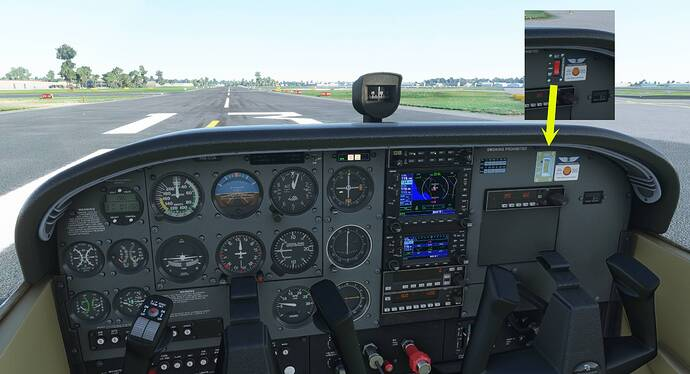
Description
NB: THESE OLDER FILES ARE STILL AVAILABLE BUT HAVE NOW BEEN SUPERSEDED ...
Check out our NEW LIVERIES painted from scratch in 4K resolution ... if you like these older liveries you will LOVE the new ones! They have been applied to the model in Blender, and finished in Photoshop for super sharp high-resoution finish! They can be downloaded at the following locations:
Package 1: five colours applied to all default variants of the C172, including Classic, G1000 as wheeled, floats or skis variants ...
https://flightsim.to/file/27729/update-brand-new-c172-livery-package-five-colours-packaged-for-every-model
Package 2: the same five colours with a metallic sheen added, also applied to all default variants of the C172, including Classic, G1000 as wheeled, floats or skis variants ...
https://flightsim.to/file/27730/update-brand-new-c172-livery-package-five-metallic-colours-packaged-for-every-model
Install by unzipping the file to your Community folder. Enjoy!!
MSFS C172 Classic Package - UPDATE 2.5
Revamp your C172 experience with the MSFS C172 Classic Package - UPDATE 2.5! Discover new 4K liveries meticulously crafted in Blender and Photoshop, available in two packages with metallic sheen options. Perfect for all variants of the C172, including Classic, G1000, wheeled, floats, and skis. Simply unzip the files to your Community folder and enjoy the upgraded visuals!


Avis des utilisateurs
4 avis
Historique des versions
Similaires
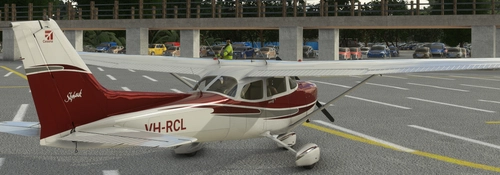
UPDATE v3.5 - Brand new C172 Livery Package - five metallic colours, packaged for every model
Discover the latest C172 Livery Package update featuring five new metallic color options for every model variant. Experience a sharper and more accurate livery set with 4K resolution textures, now including a sheen of blue, burgundy, gold, green, and purple. Update your collection and enhance your flying experience with these refreshed liveries.
par ozzieblr / Robina Custom Liveries
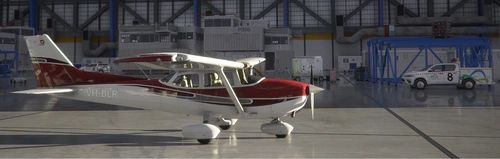
MSFS C172 Classic Burgundy
Discover a collection of new 4K resolution liveries for the classic C172 aircraft in MSFS. These meticulously crafted designs have been applied using Blender and Photoshop, resulting in a sharp and high-resolution finish. Choose from a variety of color options for all default variants, including Classic, G1000, wheeled, floats, and skis versions. Simply unzip the files into your Community folder and elevate your flight simulation experience!
par ozzieblr
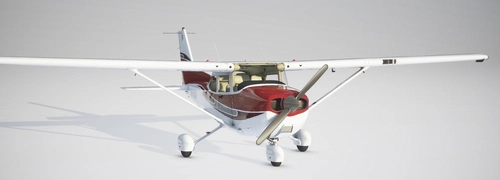
MSFS C172 G1000 Burgundy
Enhance your C172 experience with the MSFS C172 G1000 Burgundy livery package. Choose from five vibrant colors in 4K resolution for all default variants, including wheeled, floats, and skis. Easily install these high-quality liveries by unzipping the files into your Community folder and take to the skies in style.
par ozzieblr
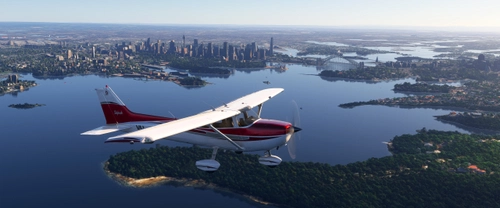
MSFS2024 - Default Asobo C172 Livery Package - five metallic colours, packaged for every model
This add-on features a package of five metallic liveries for the default Asobo C172 in MSFS2024, specifically designed in KTX2 format. Each livery is compatible with all configurations and airframes, including wheels, floats, and skis, along with classic and G1000 cockpits. Users can select dynamic tail numbers for personalization, further enhancing their flying experience. Note that these liveries are tailored exclusively for MSFS2024 and were inspired by popular liveries from MSFS2020.
par ozzieblr / Robina Custom Liveries
Connectez-vous pour participer à la discussion
Se connecterCommentaires(16)
about 5 years ago
The livery does not work with SU5. Radios COM1 and COM2 are connected and transponder is black. I really love this livery, so I found a way to fix it. Feel free to get fixed version from https://1drv.ms/u/s!At3H43quHKUImpMBrD_EDEymhK48PA?e=BndU6J
@ozzieblr Feel free to review fixed version and use to update your official version. I removed panel.cfg and slightly changed other *.cfg files.
about 5 years ago
This fix does solve the issues identified, however, users will need to know that the custom panel.cfg is what produced a colour-coded registration number on the fuselage, and using this fix will revert to a greyish registration number which is hard to read in some light conditions. I'm not sure there is any way (other than the custom panel.cfg) to provide the coloured registration number without painting it into the livery - not a solution which will please other users!
almost 6 years ago
about 4 years ago
Added fallback.11=..\..\..\..\texture\AS_ELT in texture.cgf
about 4 years ago
Thanks - I'll have a look at that.
almost 6 years ago
there isn't a new version . File is the same old version dated 2020-10-10
almost 6 years ago
almost 6 years ago
almost 6 years ago
almost 6 years ago
almost 6 years ago
almost 6 years ago
about 6 years ago
about 6 years ago
about 6 years ago
EDIT: I can confirm that changing the TEXTURE FILE to like OZZGREEN and also changing the Description etc to Ozz - Green works
about 6 years ago