
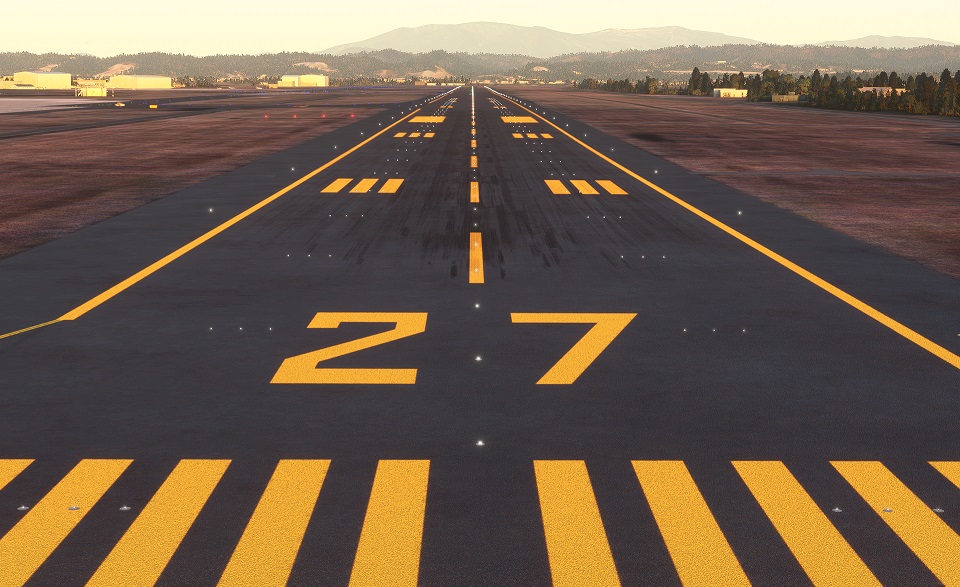
Description
Precision Runway Marking
精密滑走路標識
Ver.2.2
The taxiway has been fixed and, upon request, improved to be compatible with the building mods released by many in the future. The default building is gone.
タキシーウエイの修正と、要望により、これから沢山の人がリリースするビルディングMODとの互換が行えるよう改良しました。デフォルトの建物は消失しています。
Thank you for visiting.
ご覧いただきありがとうございます。
It is created by surveying with Ministry of Land, Infrastructure, Transport and Tourism materials and Google.
国交省資料とGoogleで測量して作成してます。
The markings are not freehand and are therefore aligned.
マーキングはフリーハンドではないため、一直線に配置されています。
In the case of an airport in a snowy area, it is corrected to orange. The hue is suppressed within the range that does not feel strange with the default edge line.
降雪地帯の空港の場合オレンジ色に修正してます。デフォルトのエッジラインと違和感がない範囲で、色合いを抑えております。
The file size is very small because it consists only of programs.
プログラムのみで構成されているため、ファイルサイズは非常に軽量です。
We have adjusted it in consideration of the scenery that will be released from the other side in the future, but there are some sacrifices.
今後の他方からリリースされるシーナリーを考慮し調整してますが、犠牲にしてしまう部分があります。
Here is a list of Precision Runway Marking I have released.
リリースしているPrecision Runway Markingの一覧です。
旭川空港(Asahikawa Airport)
いわて花巻空港(Iwate Hanamaki Airport)
仙台国際空港(Sendai International Airport)
If it conflicts with other scenery and does not turn orange, change the scenery priority.
他のシーナリーと競合してオレンジ化されない場合はシーナリー優先順位を変更してください。
An easy way is to change the folder name to any name and it will be recognized as the latest and will be ranked higher.
簡単な方法は、フォルダ名を任意の名前に変更することで最新のものと認識され優先順位が上位になります。
Here, we are introducing another method.
こちらでは、別の方法を紹介しております。
https://www.tab-log.net/post-15088/
For installation, unzip to Community and use.
インストールについて、Communityに解凍して使用してください。
If you have any problems, please let me know.
不具合がありましたら、教えてください
Location
Precision Runway Marking (Sendai International Airport(RJSS))
Enhance your flight experience with the Precision Runway Marking add-on for Sendai International Airport (RJSS). Version 2.2 includes fixed taxiways and improved compatibility with future building mods. Created using Ministry of Land, Infrastructure, Transport and Tourism data, these precise markings add realism to your simulator. Install easily by unzipping to the Community folder and enjoy the accurate runway details while flying.
Téléchargements suspendus
Le créateur a temporairement suspendu les téléchargements pour cet add-on. Veuillez réessayer plus tard.


Avis des utilisateurs
1 avis
Historique des versions
The taxiway has been fixed and, upon request, improved to be compatible with the building mods released by many in the future. The default building is gone. タキシーウエイの修正と、要望により、これから沢山の人がリリースするビルディングMODとの互換が行えるよう改良しました。デフォルトの建物は消失しています。
Similaires
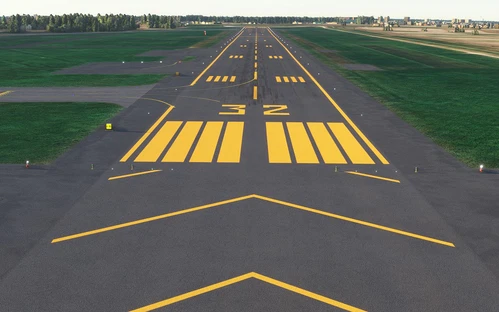
Precision Runway Marking (Okadama Airport)(RJCO))
Improve airport precision with this add-on featuring aligned runway markings created using Ministry of Land, Infrastructure, Transport and Tourism data and Google surveying. The small file size ensures easy installation, but adjustments may be needed for future scenery compatibility. Available for various airports, including Okadama, New Chitose, and Kobe.
par TOSHICHAN310
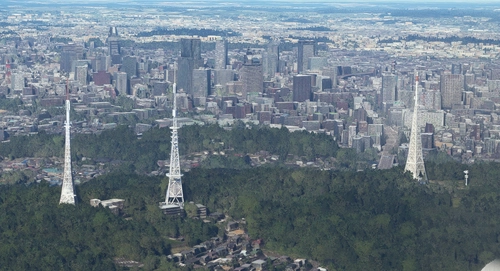
Sendai Landmarks
Explore the iconic landmarks of Sendai, Japan with this mod. Version 1.2 focuses on the east exit of Sendai Station, while Version 1.0 includes landmarks like TV tower 4 and Sendai Daikannon. Utilizing LOD20-22, this add-on aims to enhance the uniqueness of Sendai despite some frame rate drops during caching. Created using Google Earth Decoder, Blender, and color adjustments for Microsoft Flight Simulator.
par TOSHICHAN310
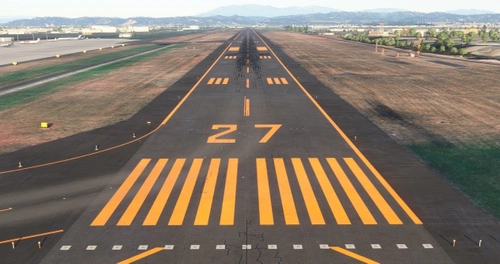
Precision Runway Marking 2024 (Sendai International Airport(RJSS))
Precision Runway Marking 2024 enhances the visual accuracy of Sendai International Airport (RJSS) for MSFS2024. This add-on features orange runway markings, tailored for regions that experience snowfall, and is created using data from the Japanese Ministry of Land, Infrastructure and Transport along with Google surveys. Note that it does not include building data and requires the “Japanese Airport Model Library KRC” for proper lighting setups. Adjust scenery priorities if conflicts with other add-ons arise.
par TOSHICHAN310
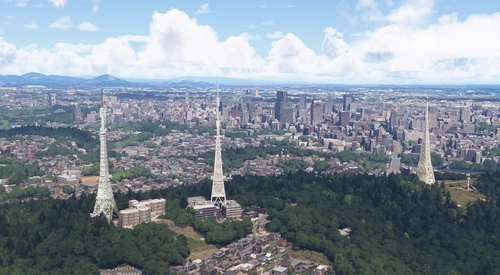
Sendai Landmarks 2024
We have extracted essential landmarks of Sendai from Google Maps.
par TOSHICHAN310
Connectez-vous pour participer à la discussion
Se connecterCommentaires(4)
almost 5 years ago
I already have your RJSS scenery. Should I add this in addition to your previous release? Does this replace your previous release?
almost 5 years ago
This time, in addition to deleting unnecessary taxi center lights (Runway A area) and invisible parts (terraforming, etc.), it can be used in combination with the model MOD released now and model MODs created by other people in the future. We are fixing it.
almost 5 years ago
離発着が楽しくなりました。現実味があっていい感じです!ありがとうございます!
almost 5 years ago
モデルのシーナリーがリリースされていたので、活用できるようにしてみました。限界はありますが。DLありがとうございました。