
Description
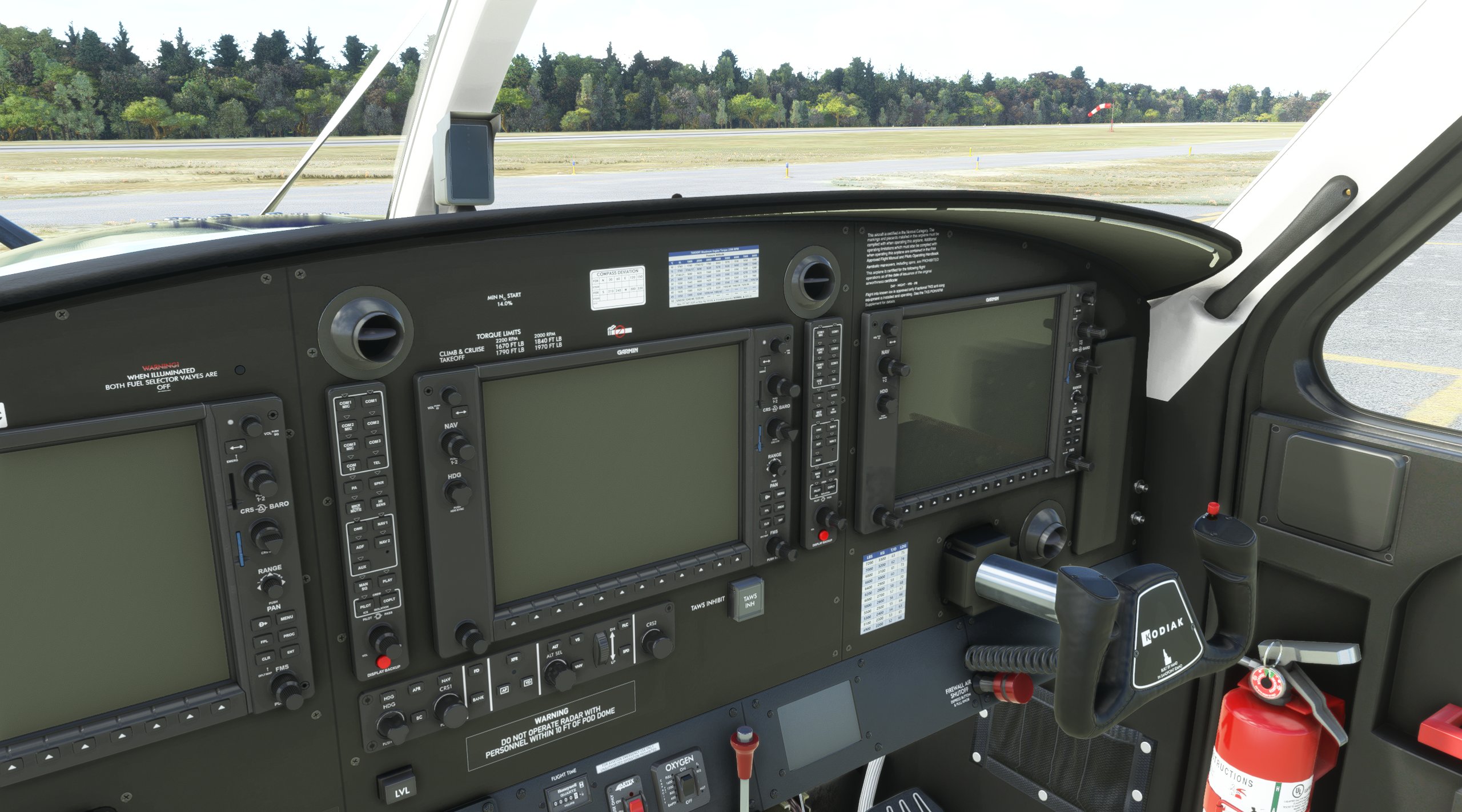
This cockpit mod adds two tables/charts to the mainpanel of the SWS Kodiak 100 Series II. One chart for torque limits at takeoff @2200rpm and another chart for takeoff and landing speeds per weight in LBS and KG.
This mod includes two different solutions. First an image file scaled to 8K to display the charts sharp and readable. Second a decal file that is of much smaller file size and utilizes the spare positions on the dashboard. You can see the different locations in the screenshots. Please use ONLY ONE of these two methods. In case some content creators / modders make use of the decal method and block that location, you can simply switch to the other method and keep the charts as the texture method locations are not used by the decals file.
The installation is done via drag & drop. Simply copy the entire folder "zzzz_kodiak_cockpit_..." into your community folder.
You can choose between two graphical representations:
Normal paper with blue elements or black and white print with recycled paper (Save the environment!)
The blue one is set as default. To change this, just copy the single file from the corresponding subfolder under "files" and paste it into the folder "texture.VC".
This download is compatible with all standard liveries of the SWS Kodiak 100 Series II. It is also compatible with 3rd party liveries depending on the modification of the cockpit textures they might use.
Blue skies & happy landings! =)
Kodiak 100 - Cockpit Charts
A cockpit mod for the SWS Kodiak 100 Series II, featuring torque limits and takeoff/landing speeds charts. Choose between image file or decal method for display, easily install via drag & drop. Select from two graphical options - blue or black and white print. Compatibility with standard and 3rd party liveries included.


Soutiens
Avis des utilisateurs
7 avis
Historique des versions
- added decal method - ONYL USE ONE METHOD PLEASE
Similaires
JPLogistics Cessna 152 White & Blue Livery
JPLogistics Cessna 152 White & Blue Livery offers a new design for the Cessna 152, featuring normal and fairings editions created from scratch with handmade and smoothed lines. This livery includes a chrome spinner, reduced prop blur effect, and custom tail number. Simply unzip and install the folder in your community folder to enjoy this unique livery. Explore additional color variations from the creator on flightsim.to.
par frulx
FSLTL Fallback Model Matching (for Vatsim)
FSLTL Fallback Model Matching add-on offers .vmr files for Vatsim users, providing model matching using FSLTL models. It includes files for airlines and aircraft types, ensuring accurate representation during flights. Installation is simple by copying the files into vPilot folder and adding them under Model Matching - Custom Rules. Stay up-to-date as the matching is regularly updated with new FSLTL models.
par frulx
JPLogistics Cessna 152 White & Blue with Red Accent Livery
A new livery for the JPL Cessna 152 featuring white & blue with red accent design. Includes normal and fairings edition, handmade lines, chrome spinner, and custom tail number. Compatible with JPLogistics C152 mod. Installation is easy - just unzip and drag the folder into your community folder. Check out other color variations by the creator.
par frulx
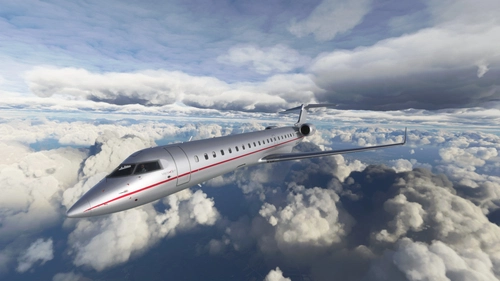
CRJ-700 VistaJet "9H-ILV"
Custom livery for the CRJ-700 featuring VistaJets Challenger 850 9H-ILV adaptation. Enjoy original colors and logos, matte metallic finish, and chrome accents for a realistic look. Easy installation process for a seamless addition to your Microsoft Flight Simulator experience.
par frulx
Connectez-vous pour participer à la discussion
Se connecterCommentaires(27)
8 months ago
10 months ago
about 1 year ago
Thank you
over 1 year ago
over 1 year ago
about 2 years ago
Looks great on the paper but I have a (maybe stupid) question :
You keep on saying, please use only one method... but how do you chose ?
I just dragged & dropped the folder "zzzz_kodiak_cockpit_charts" in the community folder, but nothing appears in the plane. If there another step I am not aware off ?
over 2 years ago
over 2 years ago
Thanks
about 3 years ago
over 3 years ago
Really nice addition, thanks.
almost 4 years ago
Clever... THX V much
almost 4 years ago
Awesome! Which of these versions is more FPS friendly in VR?
almost 4 years ago
The decal method should be more fps friendly. Maybe the resolution makes it a little less readable but it should be just fine I think.
almost 4 years ago
Hello, maybe you could also add the card that tell the Vy speed and Glide and Va speed regarding weight ;)
The chart can be seen on this video (https://youtu.be/-mzm1nvaWQU) at 8:50
It would also be cool to have a carbon monoxyde detector stuck on the dashboard :)
over 4 years ago
This is useful, thanks.
over 4 years ago
Love it. Really handy
over 4 years ago
Looks like what I want but your instructions baffled me.
over 4 years ago
Thank you for your feedback. I will add some easier instructions.