

Description
Captain Sim Boeing 777-300 Custom Camera Views
Good day,I have decided to take it upon myself to create custom camera views for the CaptainSim Boeing 777-300. Other custom camera views I have found do not work and put me into walls and seats which frustrated me greatly. However, these don't!
Hit the download option below and download the file, it contains a notepad document with all the information you'll need to install the custom camera views (if you don't know what you're doing).
Any issues, please reply. I will check this upload daily for any messages.
- escJason
CS Boeing 777-300 Custom Camera Views
Customize your view with this add-on providing Captain Sim Boeing 777-300 Custom Camera Views. Say goodbye to frustrating experiences with wall and seat collisions, as these custom views are designed to enhance your flight simulation. Download now for easy installation instructions and enjoy a smoother virtual cockpit perspective. Connect with the creator for any feedback or issues - your smooth flying experience is their priority.


Avis des utilisateurs
3 avis
Historique des versions
Aucun historique de version disponible.
Similaires
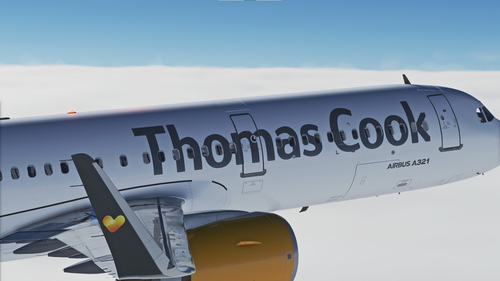
LatinVFR A321neo Thomas Cook G-TCDE Livery
Thomas Cook G-TCDE Livery | This Thomas Cook livery has been handcrafted to match the A321neo they used to operate, G-TCDE. | I have spent time to learn how to use Blender and image editing software just for this very moment, I am thrilled to have created this livery and even more to release it. | Please like the post and reply below if you have any issues. I will check very frequently and offer help to the best of my ability.
par jason7
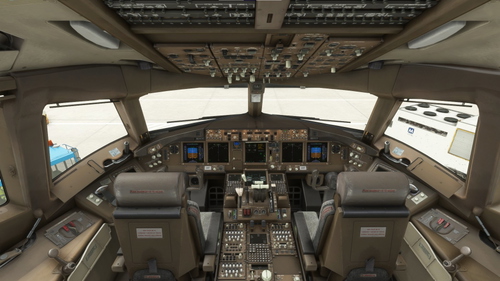
CS Boeing 777-200 Custom Camera Views
Enhance your cockpit experience with custom camera views for the CaptainSim Boeing 777-200. Avoid frustrating collisions with walls and seats - download the zip file for easy installation. Reach out for any support or issues, as the uploader checks frequently for replies. - escJason.
par escJason
Connectez-vous pour participer à la discussion
Se connecterCommentaires(24)
over 1 year ago
almost 4 years ago
Not working for me there are still the default views only doubled
over 3 years ago
Uh oh!
Have you tried to remove the previous camera.cfg file, load into MSFS, place the new camera.cfg file into the directory, load into MSFS again and go from there? That's a top tip that has helped others.
over 4 years ago
I installed it but there are still the same camera views
over 4 years ago
Oh no!
I hope you can reply to this with more detail so I can make fixes to prevent this issue from happening. Please give me more information.
over 4 years ago
I found somebody on Discord who could give me a description how to install it. My problem is that I dont have the folders that are required in the %appdata%
I used the camera.cfg that is in the Cs777 folder in the community folder. But it doesnt work like this
over 4 years ago
I got it working now, nice work
over 4 years ago
Excellent!
Great to hear that the camera views are now working for you, thank you for your appreciation and sorry for the inconvenience.
over 4 years ago
Its a great view Improvement but sadly it doesnt work for me.
I added the Camera.cfg file in the 777-300 directory but i have no changes.
I use the salty modification for the 777 but i dont know if this is the problem.
over 4 years ago
Oh no!
Make sure that you're sending the cameras.cfg to the correct directory:
C:\Users\[PC Name]\AppData\Roaming\Microsoft Flight Simulator\SimObjects\Airplanes\CS_B777-300ER_GE115B
over 4 years ago
Yes i put it in the right directory but is still the same views
over 4 years ago
Contact me on Discord
If you contact me on discord at escJason#1156 I will be able to help you further. Sorry for the late reply, just been busy.