
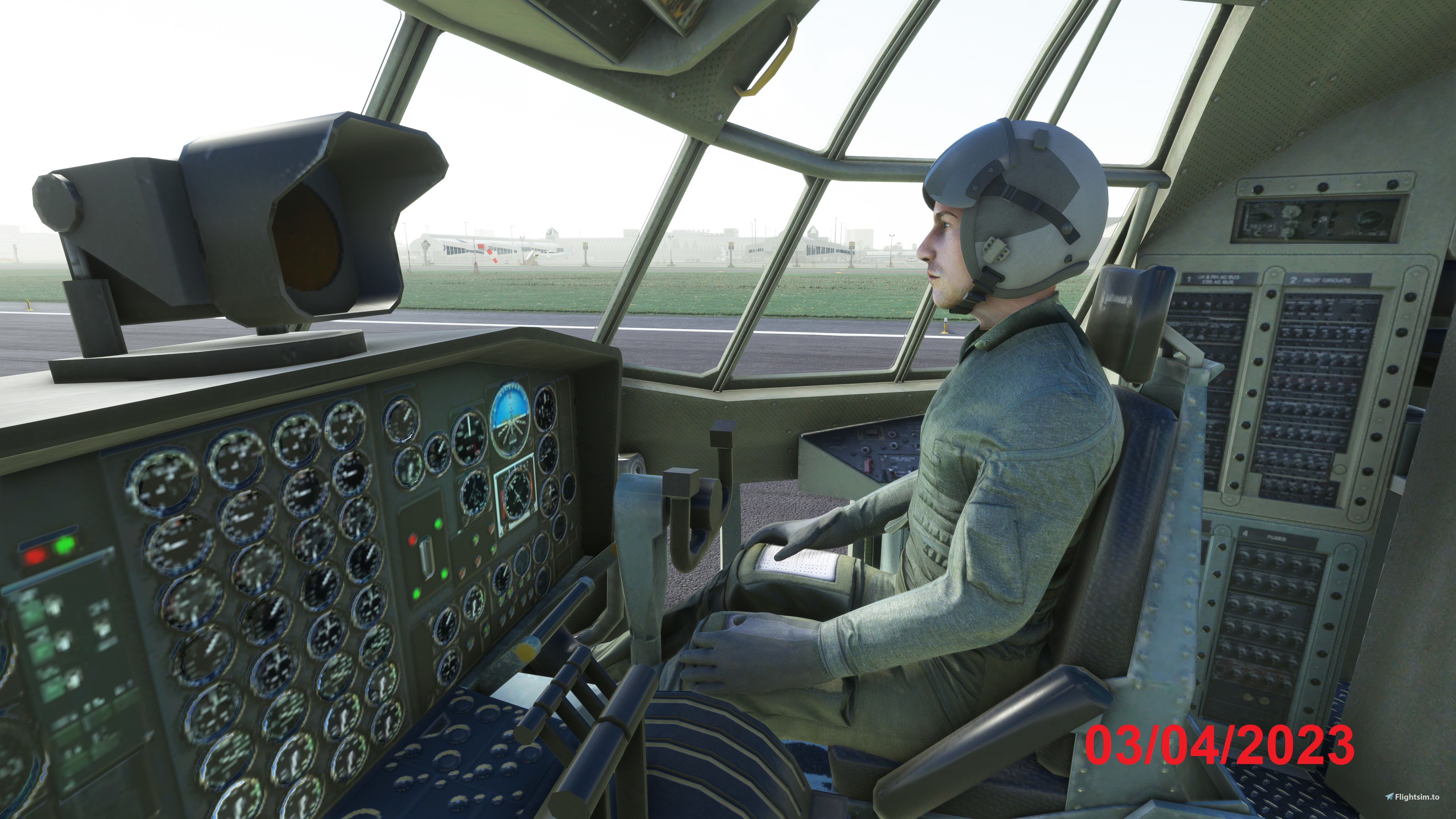
Description
WARNING : If you have the version of full working plane from Captain Sim, go to this link for the instructions and get the correct files https://flightsim.to/file/88442/captainsim-liveries-for-c130e-full-plane-version
Updated after CaptainSims V1.1.0 update
If someone like me who had done a quick purchase on the C-130 from the CaptainSim and then suddenly found that you just can't fly it from 20 yards behind.... well, this might be a quick and dirty fix for you.
Special thanks to Albie who gave me a hint to tweak the Cameras.cfg. He also gave me a higher resolution cockpit picture.
Special thanks to GroomLake who taught me how to prevent the problem of pilot inside of a pilot.
If you need a better cockpit graphics or a better sound, please contact Albie <== Click here for his uploads.
Captain sim had just updated the aircraft exterior, you have to redo the step 1,2,3,4 below.
Disclaimer :
This tweak does NOT provide you a working cockpit, not even close. It just makes you sit at the right place in the cockpit in order to fly properly. And you can see your co-pilot in the cabin as well.
How to ?.
1. Unzip my cameras.cfg, then find the folder of the aircraft.... captainsim-aircraft-m131\SimObjects\Airplanes\CS_C-130E, and look for a file "Cameras.cfg under this folder. Rename it for back up purpose and put my Cameras.cfg at that place.
2. In game, Go to Options => General => MISC and set the pilot and co-pilot back to default. (See one of the pages of the snapshot). The two pilots are part of the aircraft in the Captainsim's design, you can not remove or change them !
3. If you got the cockpit dds file (click here to download from Albie) , unzip and replace the stock dds in the .... captainsim-aircraft-m131\SimObjects\Airplanes\CS_C-130E\Texture
4. If you got the sound files from Albie, unzip and rename the folder name to "sound", replace the whole sound\ folder in the .... captainsim-aircraft-m131\SimObjects\Airplanes\CS_C-130E
Why it works ?
1. Step one anchors your cockpit view position to be inside of the cockpit rather than gliding 20 yards behind of the airplane, I can't fly a plane this way.
2. Step 2 is to prevent the problem of "Pilot inside of the pilot"
Enjoy it ! Actually, after the tweak, you will find that the Captainsim C-130 is a fun plane to fly and to park. When you parked the aircraft at the gate and called the ground services, you will feel very satisfied with this aircraft....
Cockpit view for the CaptainSim C-130 exterior
Experience a cockpit view fix for your CaptainSim C-130 exterior, ensuring youre in the right place to fly smoothly. Adjustments post CaptainSims V1.1.0 update maintain a realistic pilot experience inside the cockpit and cabin. Enhance your flight sim adventure with this quick tweak for an improved aircraft parking and flying encounters.
Avis des utilisateurs
6 avis
Historique des versions
Updated after CaptainSims V1.1.0 update
Similaires
Darkstar SR-72 Version "End Day"
Darkstar SR-72 Version "End Day" offers two models for your MSFS experience: Dark_USAF and Dark_NAVY. Update to Rev 2.0 for SU10 compatibility and choose your preferred livery after unzipping. Unleash the long-range hypersonic capabilities of this nuclear missile bombing platform.
par Josephm700
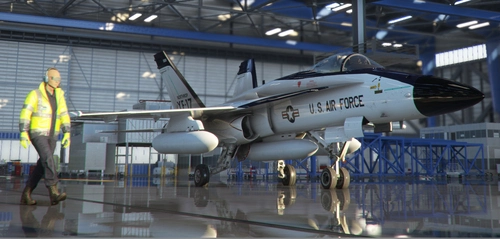
Northrop YF-17 Cobra repaint for F/A-18 of Asobo, DC Designs, and TouchingCloud Super Warrior
Repaint your F/A-18 with the Northrop YF-17 Cobra livery. This addon includes various updates and corrections, allowing compatibility with different aircraft versions such as DC Designs Legacy F/A-18C and Touchingcloud Super Warrior. Experience the legendary history of the YF-17 Cobra, developed by Northrop for the Navy, offering a unique visual experience for your flights in Microsoft Flight Simulator.
par Josephm700
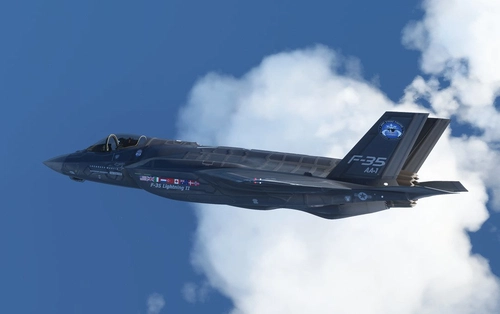
F-35 AA-1 Prototype Demo Team for Indiafoxecho F-35A
Experience the F-35 Lightning II Prototype Demo Teams with liveries for different variants including F-35A, F-35B, and F-35C. Add a touch of uniqueness to your simulator with these eye-catching designs.
par Josephm700
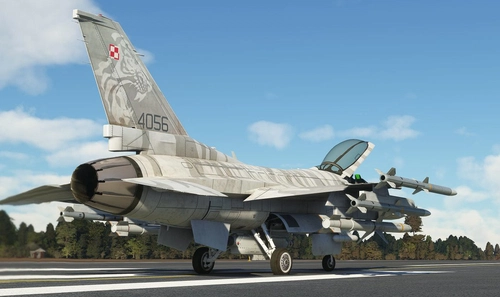
Polish F16C for SC Designs F16C
Add a touch of Polish pride to your Microsoft Flight Simulator with this F16C livery inspired by the Polish Air Force. This add-on is designed for use with the F16C from SC Designs. Just unzip the livery file into your Community folder to enjoy the unique design of the 31st Tactical Air Bases F16 aircraft.
par Josephm700
Connectez-vous pour participer à la discussion
Se connecterCommentaires(52)
almost 3 years ago
over 3 years ago
Thank you so much for putting the effort into making this "Payware" usable!
over 3 years ago
Share your feeling....
over 3 years ago
This is great. I'm enjoying flying the C-130 with these mods. I can fly in the cockpit nicely and with this add https://flightsim.to/file/51763/butler-fly I can get airpeed, direction, altitude and radio altitude read out to me over the speakeres!
over 3 years ago
It's a good one, but if possible, can someone make some panel plug ins for this aircraft ?
over 3 years ago
ご指摘の通りやり直して、SHOWCASEで表示されました。PILOTHelicopter Avatar Pack I - Military Packのリペイントを入れデフォルト以外でも所望のPILOTが表示されました。ありがとうございます。
As you pointed out, I did it again and it was displayed in SHOWCASE. PILOT Helicopter Avatar Pack I - The desired PILOT was displayed even if it was not the default with the repaint of the Military Pack. thank you.
over 3 years ago
The Military pilots are embeded in the aircraft model by the Captainsim. It can not be removed or changed. For pilot and co-pilot, you need to put both of them "default" in the setting to prevent too much of the odd situation.
over 3 years ago
ありがとうございます。デフォルトにします。
thank you. Make it default.
over 3 years ago
WARNING : Make sure your own downloaded C130 or AC130 liveries are all updated for the current Captainsim updates before you raise questions here.
over 3 years ago
World Update XII以降、コックピットの計器しか表示しません。デフォルトとJosephm700さんのcameras.cfgのどちらを入れても同じ表示となり、副操縦士等は表示しません。更新をお願い致します。
Since World Update XII, only the cockpit instruments are displayed. Both the default and Josephm700's cameras.cfg will result in the same display, and the co-pilot etc. will not be displayed. Please update.
over 3 years ago
I tried in my game and it works fine.
Quick checks :
A. Did you download my latest rev 1.1 ?
B. Did you go through the "How to" for at least step 1 and 2 ?
If it still failed, then I will look further....
over 3 years ago
Can you please update?
As it no longer work since the aircraft got updated.
over 3 years ago
Thanks for the remindings
over 3 years ago
Dead pilots in the cockpit, how I solve?
over 3 years ago
2. In game, Go to Options => General => MISC and set the pilots back to default. (See one of the pages of the snapshot)
over 3 years ago
over 3 years ago
I tried, pilots are normal on my PC. That's weird....
over 3 years ago
you are a lifesaver
over 3 years ago
We share the same pain...@@