

Description
Custom camera views for the FENIX SIM A320. All sides are covered, as well a custom view for cockpit.
Views include-
1. Business Class (Left/Right)
2. Row 7 (Left/Right)
3. Above Wing (Left/Right)
4. Economy Class (Left/Right)
5. GoPro Cam
6. Corrected cockpit view
Upload instructions: Simply drop the folder at \AppData\Local\Packages\Microsoft.FlightSimulator_8wekyb3d8bbwe\LocalCache\SimObjects\Airplanes (for Microsoft Store version).
Always take backups!!
FENIX SIM A320 custom camera views
Customize your A320 experience with FENIX SIMs custom camera views, offering a range of perspectives including Business Class, Economy Class, and a corrected cockpit view. Installation is simple - drop the folder into your Microsoft Flight Simulator directory. Remember to backup your files!


Avis des utilisateurs
4 avis
Historique des versions
Aucun historique de version disponible.
Similaires
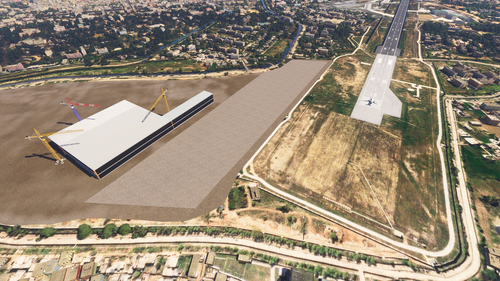
VIJU - Jammu Airport - WIP
Version 2024 of the enhanced Jammu Airport. This is a Work In Progress, so stay tuned for future updates. I'll try and work on it as soon as possible to ensure quick future updates. ILS and taxiways are to be added and fixed. Airport Code: VIJU. 32.682899997018005, 74.84097432666688
par tbone0793

Jalandhar - Adampur Airport for MSFS2024 WIP
This is an early work-in-progress custom scenery for Adampur Airport VIAX in Microsoft Flight Simulator 2024. The current version features semi-functional taxiways, civilian parking, and a placeholder terminal building. Users can expect continued updates, including a new custom terminal and refined airport details. The add-on is suitable for those interested in flying into VIAX ahead of completion.
par tbone0793
Connectez-vous pour participer à la discussion
Se connecterCommentaires(20)
over 1 year ago
about 2 years ago
about 2 years ago
over 2 years ago
almost 3 years ago
almost 4 years ago
when i extract and cut the folders into the fenix folder in airplanes it doesnt do anything, do i have to do something else?
almost 4 years ago
how do you install on the steam version?
almost 4 years ago
will this work on the Steam version?
almost 4 years ago
Yes, for sure.
almost 4 years ago
Alt + 1 not working, how to use them
almost 4 years ago
Hi Nikhil, use left Alt + 1, it should work. I downloaded and tried, it worked for me.
about 4 years ago
how do you acctually use them?
about 4 years ago
Left Alt Plus the number(1 - 9)
about 4 years ago
Excellent merci pour cet addon
over 4 years ago
Nice!
over 4 years ago
Fantastic work! is there a possibility to have wingviews in Fixed camera views like A32NX ? thanks!
over 4 years ago
Do you mean, the showcase cameras? There's there, but those are not movable. Let me know if you mean something else. I could look into it.
over 4 years ago
Hi! Thanks for the views, how can I save them as showcase cameras? I don't mind if they don't move.
over 3 years ago
any chance to get new fixed cameras? wing views etc?
over 3 years ago
Working on an update. Please stay tuned :)