

Description
WARNING ! Only rev 2.0 or up is compatible with the MSFS2020 SU10, please remove your old livery and replace with this one.
Alert Achtung : THREE liveries in your downloaded zip file. Unzip first then copy the liveries you like into the community folder
Disclaimer :
Great thanks to XM9G who tested the glowing effect for me and gave me a nice picture of it.
How to use this livery :
Unzip and copy the folder to your community folder.
Revision note :
Rev 2.0 Update for SU10
Rev 1.2 Corrected a minor bug of range circle not the same as the stock one (I put it the whole earth previously)
Rev 1.1 Add some more colors. Unzip and select the folder with the color you like and copy to the community folder. Minor updated the glowing White Comet.
Dark_WComet : White
Dark_RComet : Red
Dark_BBird : Blue
Darkstars White, Red, and Blue Comets
A collection of unique livery options for Microsoft Flight Simulator 2020. Choose between the glowing White Comet, striking Red Comet, or vibrant Blue Bird liveries to enhance your flying experience. Make sure to use rev 2.0 or higher for compatibility with SU10.
Avis des utilisateurs
1 avis
Historique des versions
Update for SU10
Similaires
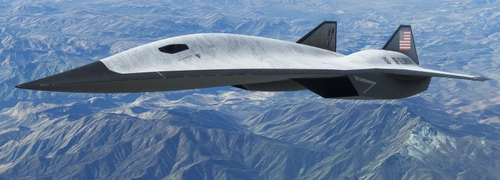
Darkstar SR-72 Version "End Day"
Darkstar SR-72 Version "End Day" offers two models for your MSFS experience: Dark_USAF and Dark_NAVY. Update to Rev 2.0 for SU10 compatibility and choose your preferred livery after unzipping. Unleash the long-range hypersonic capabilities of this nuclear missile bombing platform.
par Josephm700
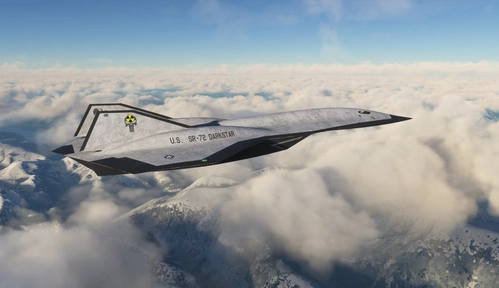
The Hypersonic Bomber - Darkstar Nuclear Punisher
Experience the ultimate hypersonic nuclear bomber, the Darkstar Nuclear Punisher, in Microsoft Flight Simulator. With the possibility of global conflict looming, this advanced aircraft may soon be put to the test in a high-stakes mission.
par Josephm700
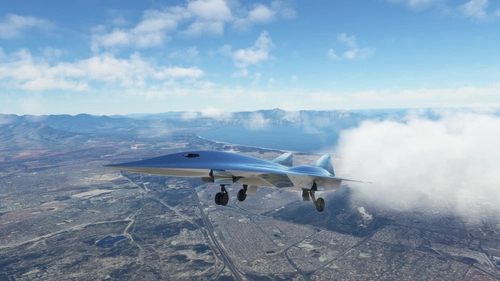
Chrome Darkstar
Two sleek and stylish chrome liveries to choose from in this add-on for Microsoft Flight Simulator, created per special request. Opt for the purely chromed "Dark_Chrome" design or the chromed look with soldering lines in "Dark_ChromeL".
par Josephm700
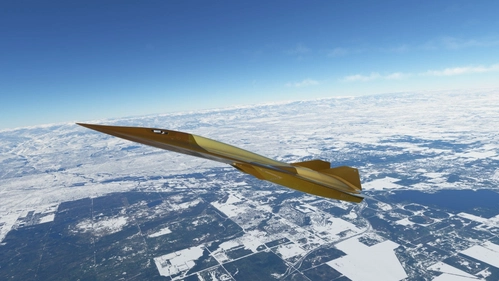
Darkstar SR-72 Glazed
Experience the sleek and futuristic design of the Darkstar SR-72 Glazed add-on, inspired by cutting-edge ceramic technology. This mod features meticulously applied ceramic tiles with glaze coating for enhanced speed and durability. Immerse yourself in the world of high-speed aviation with a livery inspired by Top Gun 2. Choose from the classic grey or black version, or opt for the luxurious Dark_Gold edition.
par Josephm700
Connectez-vous pour participer à la discussion
Se connecterCommentaires(16)
8 months ago
There are three liveries in the download zip file. Choose the one you like and copy to the community folder.
8 months ago
8 months ago
about 1 year ago
Thank you
almost 3 years ago
almost 3 years ago
over 3 years ago
Hello, can you please make an emirates livery for the darkstar
over 3 years ago
Sorry it is a bit stretchy for me to do that. May be you can ask other artists with better imagination ability.
almost 4 years ago
update please. there are black lines covering the plane when i load up the darkstar with this livery
almost 4 years ago
Let me check what happened here.... Thanks for the heads up
almost 4 years ago
Just corrected with the rev 2.0
about 1 month ago
First download a working livery that doesn't have the black lines like Chieftah's American airlines here. https://flightsim.to/addon/43466/darkstar-american-airlines
Now go into that livery > chieftah-darkstar-american > and copy the MSFSLayoutGenerator.exe to desktop. Also go into SimObjects > Airplanes > Asobo_Darkstar_American > texture.american And look for both the .DDS and .JSon file of this "DARKSTAR_AIRFRAME_DECALS_DETAILSFUSELAGE_ALB.TIF.DDS" and "DARKSTAR_AIRFRAME_DECALS_DETAILSFUSELAGE_ALB.TIF.DDS.json" Now copy these 2 files to desktop.
Now go into the folder of a broken livery that shows the black lines like Facet Blue https://flightsim.to/addon/33927/darkstar-facetblue-livery
Open up its texture folder - Livery_Dark_FacetBlue > SimObjects > Airplanes > Asobo_Dark_FacetBlue > texture.FB - Now paste both those DDS and Json file in here. Then go back to the root folder "Livery_Dark_FacetBlue" That contains the Layout.Json and paste the MSFSLayoutGenerator.exe and now drag and drop the Layout.json file onto the exe and it will rebuild the layout.json to include the new DDS and Json you just added.
Basically the problem was some modded liveries did not have .DDS replacements for all images/textures, so the sim would fall back to the default textures if any were missing, resulting in it using those black line textures, This fix makes sure it uses a transparent empty texture so it doesn't fallback.
over 4 years ago
Thank you for creating those liverys and give us some options for the darkstar that are not just black :-)
over 4 years ago
Yes, that's exactly why I made these. A game is a game, it must be fun and with good looking.
over 4 years ago
Here is a picture of the plane while glowing:
https://xm9g.cloudflare-status.com/sjvQdbwPX9.png
over 4 years ago
Didn't expect it to look so elegant. Surprisingly nice. Thank you Sir. Allow me to post it here and accredit for your help. Thank you very much