

Description
I'm currently too busy with other commitments to make an update to this mod at the moment. It's starting to put a toll on me with frequent updates from PMDG causing issues with this mod. I can't keep up with their update rate. So instead, I've created a video tutorial to teach you how to make the pilots and copilots visible inside the cockpit. Hopefully by following the tutorial, you can make it work yourself (and it doesn't just apply to PMDG, it applies to other aircraft as well).
Visible Pilot and Copilot Tutorial
This mod will make both Pilot and CoPilot avatar visible inside the cockpit of the entire PMDG 737 family. This includes all 737-600, 737-700, 737-800 variants. This mod requires any one of the PMDG 737 aircraft to be installed first.
Installation:
- Choose a variant of the file to download.
- Main file will have both Pilot and CoPilot Avatar inside the cockpit.
- Pilot Avatar only will have the Pilot avatar visible, keeping the coPilot seat empty.
- Copilot Avatar only will have the CoPilot avatar visible, keeping the pilot seat empty.
- Download the zip file and extract the pmdg-aircraft-737-pilot folder to your Community folder.
Uninstallation:
Delete the pmdg-aircraft-737-pilot folder from the community folder.
Credits:
Asobo Studios for the original Pilot and Copilot avatar models.
PMDG Simulations LLC for the original cockpit files.
Fluegelmann for the inspiration, permission and guidance.
PMDG 737 Family - Pilot & CoPilot Avatar
Enhance your PMDG 737 flying experience with this mod that brings visible Pilot & CoPilot avatars to the cockpit. Choose between having both, just the Pilot, or only the CoPilot avatar. Simply install the chosen variant to enjoy this enhancement.
Téléchargements suspendus
Le créateur a temporairement suspendu les téléchargements pour cet add-on. Veuillez réessayer plus tard.

Avis des utilisateurs
23 avis
Historique des versions
- Compatible with latest PMDG update version 3.0.44
Similaires
Subtle Taxi Ribbon
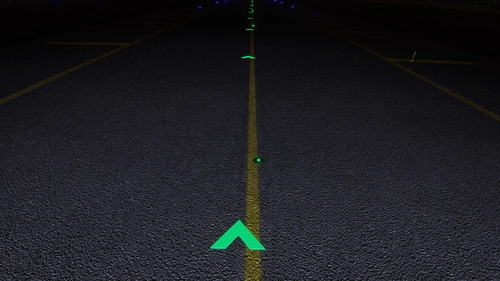
Enhance your taxiing experience with the Subtle Taxi Ribbon mod, which reduces the size and changes the color of the taxi ribbon for a more seamless integration with taxiway centerlights. Easily install or uninstall this mod to customize your MSFS experience. For an alternative option with parking box retention, check out the RXP Small Taxi Helpers 3D-VR mod by CptLucky.
par NeoKingArthur
Generic A320 Traffic
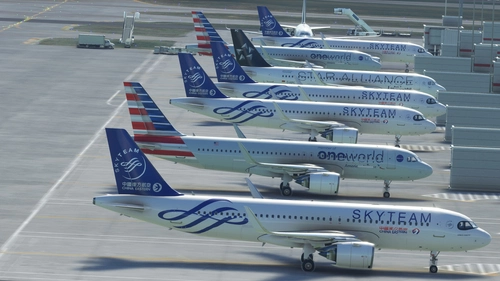
This is a mod that disables the sim to use the Generic Traffic model to be used for populating the aircraft and to be used as moving Traffic. Instead, this mod will force the sim to use the Asobo A320 aircraft to become the Generic Traffic. So if you do not have a matching aircraft model, the sim will use the A320 model by default.
par NeoKingArthur
GSX Pro Profile - iniBuilds A350-900/1000
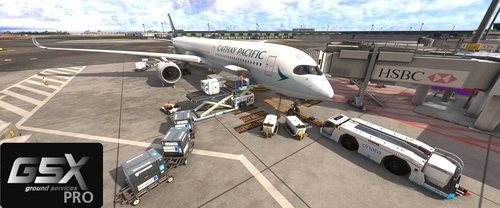
This add-on provides a customized GSX Pro profile for the iniBuilds A350-900 and A350-1000 variants, enhancing boarding and cargo operations. Key features include the activation of all passenger doors on the port side and setting the front door as the preferred entry/exit point to streamline passenger flow. Additionally, bulk cargo functionality has been refined with proper door checks for realistic loading. Installation involves extracting the profile folder into a designated directory.
par NeoKingArthur
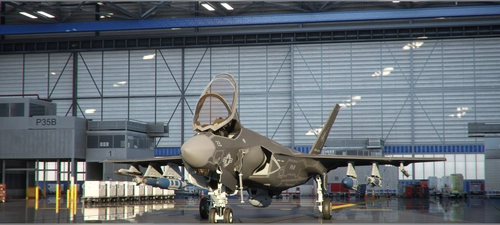
Indiafoxtecho F-35 Lightning II - Default Weapons Payload
This mod gives you alternative payload configuration for the Indiafoxtecho F-35 Lightning II aircraft. This mod doesn't modify the base performance and general specification of the aircraft. This mod only modifies the default Weight Payload that is loaded when the aircraft is selected in the Free Flight selection. The purpose of this mod is to give you the weapons payload by default, so that you can just choose the aircraft and start your flight straightaway with full weapons loadout. That way, you don't have to manually enter the pay load for each station one by one everytime you start a new flight. This mod also changes the Station # labels into their actual weapons name.
par NeoKingArthur
Connectez-vous pour participer à la discussion
Se connecterCommentaires(116)
over 1 year ago
over 1 year ago
almost 2 years ago
With the new PMDG update, this leaves the entire panel blurry
almost 2 years ago
almost 2 years ago
over 1 year ago
about 2 years ago
over 2 years ago
I also tried to dump the entire 'pmdg-aircraft-736-pilot' folder into the 'community' folder but this resulted in a very clear (co)pilot but an unusable blurred instrument panel.
over 2 years ago
over 2 years ago
almost 3 years ago
almost 3 years ago
almost 3 years ago
almost 3 years ago
about 3 years ago
about 3 years ago
Paul
about 3 years ago
over 3 years ago
A huge human thank you to the creator, for a useful addition to the aircraft. After watching his video, how to make the avatars of the pilots appear in the cockpit, everything turned out to be quite simple and most importantly, you do not need to download the mod to the community folder. And what's more important, now you can put pilots on all planes yourself.
over 3 years ago
This mod is a definite musthave for pmdg737. Great job! Thanks!