

Description
Minimal compatibility with a32nx experimental version of cockpit.
Be sure to install the experimental version of a32nx as it will not work on its own.
Based on the a32nx values, changes were made to the EFB fuel items, external light placement, engine position, static thrust values, and several flight model changes.
Additionally, a compatibility mod for the LVFR A321 was created with the same changes.
You can find it in the download options.
The original LVFR A321 has fewer flight models than the LVFR A319, so the change in operation is significant.
While using A32NX values the engine thrust has been changed and may not provide enough drag during descent.
GSX is not supported.
ParkingBrake=100.00 has been added to apron.FLT, so changing parking_brake to 1 in systems.cfg may avoid some messages.
This is an experimental attempt for my own use, so do not expect more advanced FBW integration, support, or ongoing updates.
Advanced FBW compatibility for A321 is available from Horizon_Sim.
Advanced FBW compatibility for A319 is available from Horizon_Sim.
REQUIRED
Install the FlyByWire A32NX installer and install the experimental version.
Sound
Copy the three files FBW_A320_NEO_1.PC.PCK, FBW_A320_NEO_2.PC.PCK and sound.xml from ”/FlyByWire_A320_NEO/sound/” to ”/A319ceoCFM/sound/”.
This copy operation is also performed for the folders A319ceoCFM_acj/sound/, A319ceoIAE/sound/, and A319ceoIAE_acj/sound/.
Use MSFSLayoutGenerator.exe to update ”z_lvfr-airbus-a319-ceo-fbw-compatibility/layout.json”.
Drag file named ”z_lvfr-airbus-a319-ceo-fbw-compatibility/layout.json” onto the MSFSLayoutGenerator.exe.
Liveries
If the community Liveries is not displayed correctly, do the following
Replace "Asobo_A320_NEO\texture" with "FlyByWire_A320_NEO\texture" in texture.CFG.
or "fallback.1=. \... Add "\FlyByWire_A320_NEO\texture" and rewrite so that the numbers do not overlap.
Update
v1.3.2
commit:ec70a41 support.
Fixed strobes on wings.
Reduced brightness of logo light.
I accidentally set parking_brake in "/A319ceoIAE/systems.cfg" to 1. I have set the parking_brake to 1.
If you are using toolbar pushback or have problems with its operation, please change it to 0.
Added A321 version.
Note
The service item in flyPad is not working.
The payload item appears to be available, but there is a discrepancy between the notation and the actual weight.
Fuel must be refueled from the flyPadOS 3 EFB. For payloads, select the desired weight from the MSFS toolbar and move the CG position back and forth.
Since the main work to deal with new commits is to replace the wasm file, you can replace the wasm file yourself to deal with the latest version without waiting for this mod to be upgraded.
You are free to use it, modify it, etc. without contacting me as long as you credit my name and this URL.
LVFR A319CEO A321NEO FBW A32NX Compatibility mod experiment
Enhance your aircrafts performance with this experimental compatibility mod for the LVFR A319CEO and A321NEO with the FlyByWire A32NX. Changes include adjustments to EFB fuel items, external lights, engine position, thrust values, and flight models. Note that this is an experimental project with limited support and updates.


Avis des utilisateurs
18 avis
Historique des versions
commit:4d5c4f9 support.
Similaires
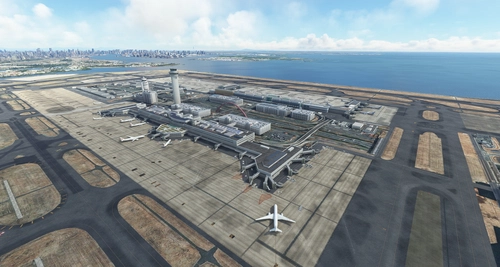
RJTT Tokyo International Airport Enhanced
Enhance Tokyo International Airport with this add-on, which aligns runways, taxiways, and taxiway names based on the new airfield map. Make various fixes and additions, with the option to disable certain elements like airport equipment and taxiway signs. Ensure compatibility by following instructions, and experience VDSG implementation based on LOD specification for realistic plane positioning.
par karuchie
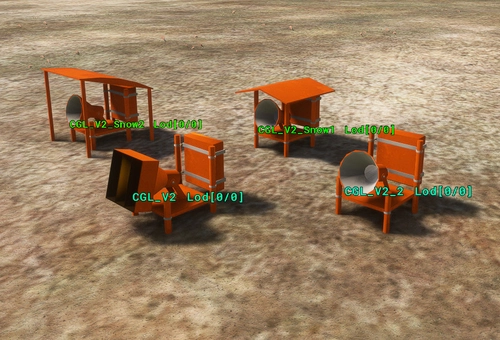
Japan airports Model Library KRC
A collection of common objects and items featured in various airport sceneries in Japan. Designed to be linked or added as dependencies for scenery creators on flightsim.to. Lighting fixtures are designed to be used in conjunction with Light Row for optimal effect.
par karuchie
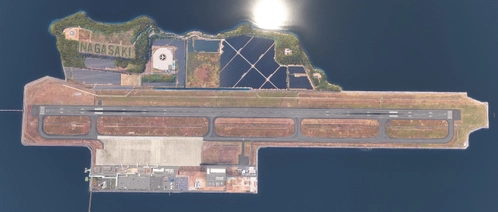
RJFU NAGASAKI Airport Enhanced
Enhance your flying experience with the RJFU NAGASAKI Airport Enhanced add-on, featuring improvements such as Runway Distance Marker Lights, Glidepath Antenna, and Taxiway signs based on reality. This add-on also includes brighter apron lights, changes to apron lines, and upgraded runway ground markings to Japanese specifications. Additional libraries are required for installation.
par karuchie
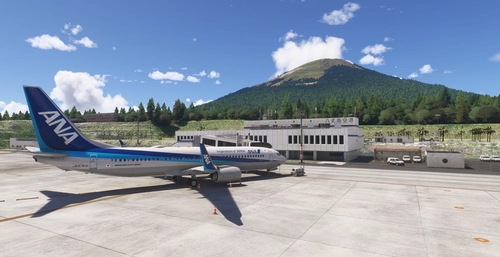
RJTH Hachijojima Airport Enhanced
Enhance your flying experience with the RJTH Hachijojima Airport add-on, now with improved airport details and elevation accuracy. This update includes changes to runway location, lighting, markings, and parking, as well as additions like approach lights and custom models. Make sure to have World Update 1 Japan installed for full compatibility.
par karuchie
Connectez-vous pour participer à la discussion
Se connecterCommentaires(76)
3 months ago
8 months ago
about 3 years ago
almost 3 years ago
over 3 years ago
Can you made to make an up-date for the last LTFR update, no works well in the version 2.01 an 2.0, thanks sr
over 3 years ago
Use Horizon Sims compatibility mod instead
over 3 years ago
thank you
over 3 years ago
I followed all steps but when I try to load in my instruments don`t turn on
over 3 years ago
Cant get to turn on, I have sounds and I followed all the steps. But the displays on the A319 are all black and I have the APU on and tried with the GPU on also. Made sure the display knobs on the top are also set correctly. Wondering what Im doing wrong here
over 3 years ago
Does it have to be FBW experimental version? it wont work with development or stable at all?
over 3 years ago
Great Work!! Plz also make a A318 Mod??>!!!
over 3 years ago
Does this modification work on LatinVFR - Airbus A321neo ?
over 3 years ago
I love this mod but my sound does not work and idk why. In the sound folder i have the FBW sound but i have removed the Asobo sound if u can help pls help.
over 3 years ago
is there a chance that you will also equip the a318 from LVFR with the fbw mod?
over 3 years ago
Hey
Can you change the aircraft name and engine in mcdu?
Thanks!
over 3 years ago
Will there be a compatibility mod for the new released LVFR A 318 ? ;-)
almost 4 years ago
Sounds working nice, but i miss at approach the call outs i.e. 100, 50, 40, 30, 20, 10, Retard.....
Does anyone has the same problem and found out how to fix it? Thank you for reply.