
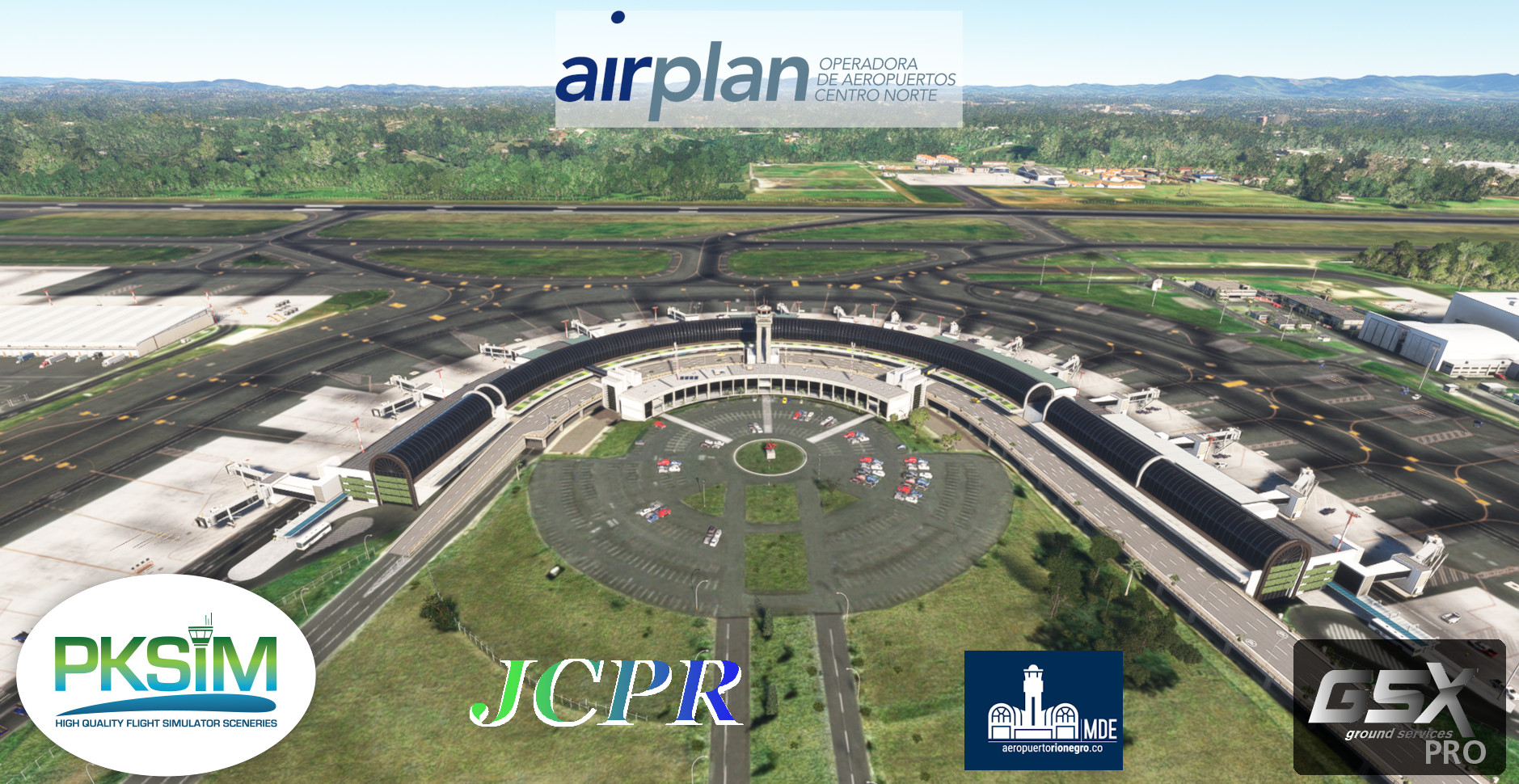
Description
English Instructions on Top – Instrucciones en español abajo
GSX Profile for SKRG Rionegro-Medellin José María Córdova International Airport by PKSIM
Full GSX profile for the payware scenery SKRG PKSIM - RIONEGRO MSFS by PKSIM. Profile for gates was made to resemble reality as much as possible and uses the latest Colombian AIS information from Aerocivil Colombia.
Completed Gates: Gates R1-R5, 1-19, Cargo Gates C1-C9, and Colombian Air Force Ramp
Custom Python Script:
- 2 Files to choose from:
- SKRG-JCPR_ES_PY3 - 20250609: Relabels gates with Spanish names.
- SKRG-JCPR_EN_PY3 - 20250609: Relabels gates with English names.
- Custom Stop position: All gates and positions in the scenery have custom stop positions dependent on the airplane type.
- New Gate Names:
- International Concourse - Gates 9-14
- International Remote Positions - Gates 15-19
- Domestic Concourse - Gates 1A-8
- Domestic Remote Positions - Gates 1R-5R
- Cargo Apron - Ramp C1-C9
- Colombian Air Force - CACOM 5
Features for all gates:
- Marshaller – if applicable, the marshaller has been positioned properly within the scenery
- Corrected Stop Positions
- Custom pushback paths in accordance with the corresponding pushback spots as defined in the Colombian AIS for SKRG -REFER TO AEROCIVIL COLOMBIA’S AIS FOR CORRECT SPOT USAGE WHEN PUSHING BACK
- Custom vehicle locations for each gate
- Gates R4, R5, 15, and 16 have been customized to use the GSX passenger walkers to model passengers boarding/deboarding without the bus and walking to the terminal.
- Gates R1-R3, and 17-19 use the bus to shuttle passengers to and from the terminal.
Installation:
1. Delete ALL files in %APPDATA%\Virtuali\GSX\MSFS that start with SKRG
2. Extract the .zip file and move the .ini file to %APPDATA%\Virtuali\GSX\MSFS
3. Move EITHER SKRG-JCPR_ES_PY3 - 20250609.py OR SKRG-JCPR_EN_PY3 - 20250609.py python files to %APPDATA%\Virtuali\GSX\MSFS
4. If installed correctly there should be only 2 files starting with SKRG in the %APPDATA%\Virtuali\GSX\MSFS folder: one ending in .ini and another in .py.
IMPORTANT:
1. REMEMBER TO REPOSITION AT THE GATE WITH GSX AT THE START OF THE FLIGHT.
2. THIS PROFILE WAS TESTED WITH GSX VERSION 3.5.6
3. THIS PROFILE WAS TESTED AND CREATED WHILE HAVING THE ‘SU12 NAVDATA API’ OPTION IN GSX ACTIVE! IT HAS NOT BEEN TESTED WITHOUT THIS OPTION ACTIVE.
4. ONLY ONE PYTHON FILE (.py) FILES CAN BE IN THE %APPDATA%\Virtuali\GSX\MSFS FOLDER!!!
Troubleshooting in Case Profile doesn’t Load:
Please send me a message if you encounter an error or any other issues. This should work as any other standard GSX profile.
Happy Flights!
JCPR
---------------------------------------------------------------------------------------------------------------------------------
Español:
Perfil GSX para SKRG Rionegro-Medellín José María Córdova International Airport de PKSIM
Perfil completo de GSX para el escenario pago SKRG PKSIM – RIONEGRO MSFS de PKSIM. El perfil se creó lo más cercano a la realidad y usando la última información de la base AIS de la Aerocivil Colombia.
Puertas Completadas: Puertas R1-R5, Puertas 1-19, posiciones de carga C1-C9, y el Comando Aéreo de Combate No. 5 "GR. Arturo Lema Posada"de la Fuerza Aerea Colombiana (CACOM 5)
Código Personalizado de Python:
- 2 archivos para escoger:
- SKRG-JCPR_ES_PY3 - 20250609: Cambia los nombres de las posiciones en GSX con nombres en español
- SKRG-JCPR_EN_PY3 - 20250609: Cambia los nombres de las posiciones en GSX con nombres en ingles
- Posiciones de parada personalizada: Todas las puertas del escenario tienen puestos de parada personalizada que varían según el tipo de avión usado.
- Nuevos nombres de puertas en GSX:
- Muelle Internacional - Puertas 9-14
- Muelle Internacional - Puertas Remotas 15-19
- Muelle Nacional - Puertas 1A-8
- Muelle Nacional - Puertas Remotas 1R-5R
- Terminal de Carga - Plataforma C1-C9
- Fuerza Aerea Colombiana - CACOM 5
Características para todas las Puertas:
- Paletero (guía de aviones) – Si aplica, se posesiono correctamente en el escenario
- Posiciones de parada corregidas
- Puntos (Spots) de retroceso personalizados para cada puerta de acuerdo con el AIS de la Aerocivil Colombia para SKRG – REFIERANSE A LA AIS DE LA AEROCIVIL PARA EL USO CORRECTO DE CADA PUNTO DE RETROSESO
- Posiciones de vehículos personalizados para cada puerta
- Las puertas R4, R5, 15 y 16 hacen uso de los pasajeros caminantes de GSX que modelan a los pasajeros abordar/desabordar los aviones caminando desde la terminal hasta el avión sin el uso de buses
- Las puertas R1-R3 y 17-19 usan buses para llevar a los pasajeros entre la terminal y el avión
Instalación:
1. Borre todos los archivos en %APPDATA%\Virtuali\GSX\MSFS que empiecen con SKRG
2. Extraiga el archivo ‘.ini’ en %APPDATA%\Virtuali\GSX\MSFS
3. Mueva SKRG-JCPR_EN_PY3 - 20250609.py O SKRG-JCPR_ES_PY3 - 20250609.py a %APPDATA%\Virtuali\GSX\MSFS
4. Al final, si se instaló correctamente, debería haber solo DOS (2) archivos en la carpeta que empiecen con SKRG: uno que termine en .ini y otro en .py.
IMPORTANTE:
1. RECUERDE REPOSICIONARSE EN LA POSICION DE PARQUEO CON GSX AL INICIAR UN VUELO DESDE SKRG
2. ESTE PERFIL SE CREO CON LA VERSION 3.5.6 DE GSX.
3. ¡OPCION DE ‘SU12 NAVDATA API’ ACTIVADA EN GSX! NO SE HA PROBADO SIN ESTA OPCION ACTIVADA.
4. ¡SOLO UN ARCHIVO DE PYTHON (py) PUEDE ESTAR EN EL FOLDER %APPDATA%\Virtuali\GSX\MSFS!
En caso de que el Perfil no Funcione:
Por favor envíe un mensaje si encuentra algún error u otro problema. Esto debería funcionar como cualquier perfil de GSX estándar.
¡Felices vuelos!
JCPR
GSX Profile - SKRG Rionegro Medellin Jose Maria Cordova International Airport (PKSIM)
This is the initial partial release of the GSX profile for the pay ware scenery SKRG PKSIM - RIONEGRO MSFS by PKSIM. Profile for gates was made to resemble reality as much as possible and uses the latest Colombian AIS information from Aerocivil Colombia // Este es la versión parcial inicial del perfil de GSX para el escenario pago SKRG PKSIM – RIONEGRO MSFS de PKSIM. El perfil se creó lo más cercano a la realidad y usando la última información de la base AIS de la Aerocivil Colombia.


Avis des utilisateurs
3 avis
Historique des versions
Version 2.1: -Code update to make profile compatible with Python 3 language (GSX update 3.5.3 and beyond) ------------------------------------------------------------------------ Version 2.1: -Actualizacion del codigo para hacerlo compatible con Python 3 (Actualizacion de GSX 3.5.3 y posterior)
Similaires
GSX Profile - SKBO Bogotá El Dorado (VPilot Designs)
This is a GSX profile for the payware scenery SKBO El Dorado Intl by VPilot Designs. All gates available in scenery are modeled. Gate profiles were made to resemble reality as much as possible and uses the latest Colombian AIS information from Aerocivil Colombia.
par JCPR
GSX Profile - SKBO Bogotá El Dorado (Wingsim)
This add-on provides a GSX profile for SKBO Bogotá El Dorado International Airport, designed specifically for the Wingsim payware scenery. Version 0.5 includes realistic gate operations utilizing the latest Colombian AIS data, featuring customized gate names, stop positions, and VDGS systems. Currently, only gates 101-107, F1-F10, and 22-60 are modeled, with plans for future expansions. Users can choose between English and Spanish relabeling options for gate names.
par JuanKP
GSX Profile 2020/2024 - TNCM Sint Maarten Princess Juliana International Airport (Asobo)
This GSX Profile for TNCM Sint Maarten Princess Juliana International Airport is designed to enhance the realism of your flight experience. It features custom gate configurations, accurate pushback paths, and proper positioning of marshallers and VDGS. The profile is based on real-life procedures and is compatible with the latest Dutch Caribbean AIS information. Installation instructions and troubleshooting guidelines are provided for optimal setup.
par JuanKP
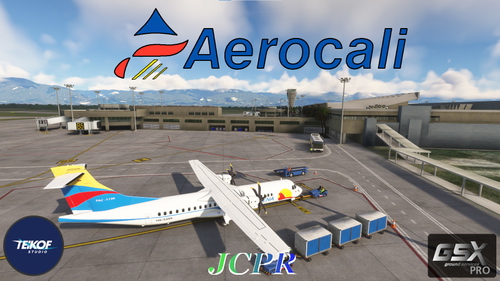
GSX Profile - SKCL Cali Alfonso Bonilla Aragon International Airport (TEIKOF Studio)
Enhance your virtual airport experience with the GSX Profile for SKCL Alfonso Bonilla Aragon International Airport by TEIKOF Studio. This add-on provides a detailed GSX profile for gates, accurately modeled after Colombian AIS data, with custom gate labels, stop positions, and pushback paths. Enjoy realistic marshaller placement, custom pushback paths, and gate-specific features for a seamless ground handling experience at SKCL. Happy Flights!
par JuanKP
Connectez-vous pour participer à la discussion
Se connecterCommentaires(12)
about 1 month ago
over 1 year ago
over 1 year ago
over 1 year ago
over 1 year ago
over 2 years ago
over 2 years ago
over 2 years ago
Gracias por el trabajo y compartirlo.
over 2 years ago
over 2 years ago
over 2 years ago
about 3 years ago