
Description
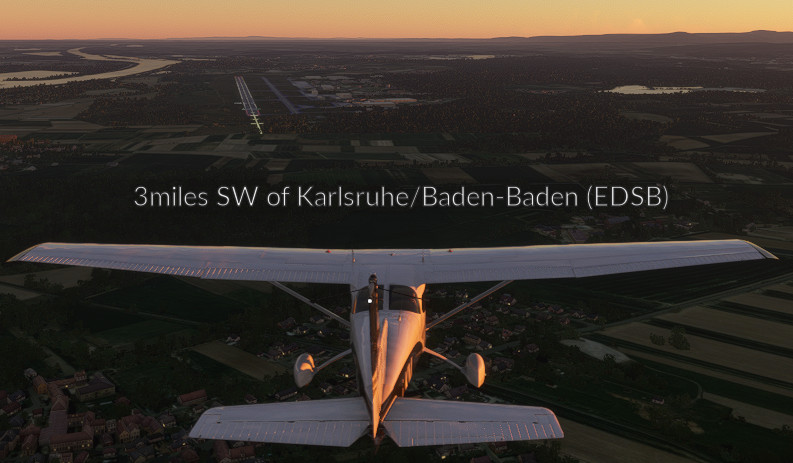
A small Flow Pro script to show the nearest airports.
Requirements:
Flow Pro
Installation:
Extract the contents of the ZIP file to your MSFS Community folder.
Feedback welcome.
Flow Pro Widget: Display Nearest Airport
Quickly find the nearest airports with this convenient Flow Pro Widget. Simply extract the files to your MSFS Community folder and start using it right away. Feedback is encouraged for future improvements.


Avis des utilisateurs
2 avis
Historique des versions
Added configuration for: - text color - background color - text size
Similaires
Little NavMap EFB Client
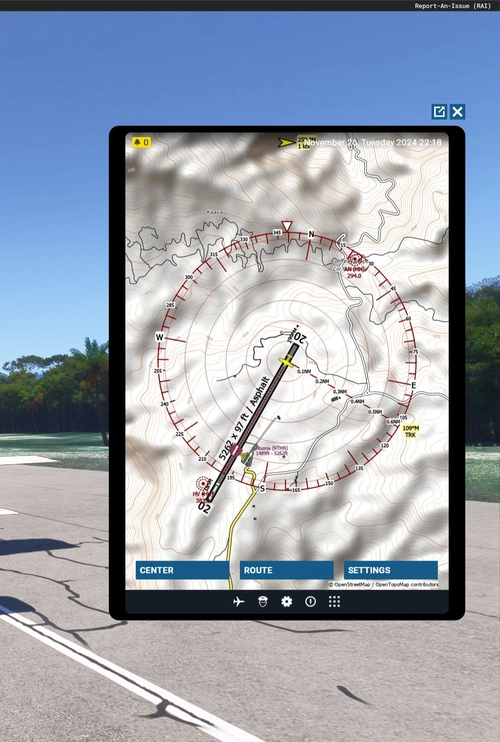
The Little NavMap EFB Client is a straightforward application designed to integrate Little NavMap into the in-game Electronic Flight Bag (EFB) of Microsoft Flight Simulator. This in-progress add-on features capabilities such as centering on the aircraft, zooming in and out, and displaying flight plans. Users will need to have Little NavMap with the web server enabled to utilize this client effectively. Installation is simple, requiring extraction to the community folder.
par LimaKiloMike
Flow Pro Widget: Little NavMap
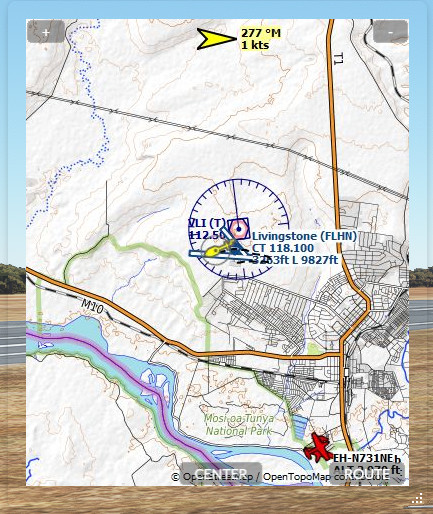
Flow Pro Widget: Little NavMap is a work in progress add-on for Microsoft Flight Simulator. This widget allows you to display Little NavMap on your screen, with features such as centering on aircraft, showing flight plan, zooming, and map movement. It also includes resizing and commands for the Otto search bar, utilizing the Little NavMap web server for map display. Give feedback and suggestions on the Discord thread provided. Requirements include Little NavMap with the Webserver turned on and Flow Pro.
par LimaKiloMike
Flow Pro Widget: Exterior options for Bagolu's Cessna 172SP Skyhawk AS1000
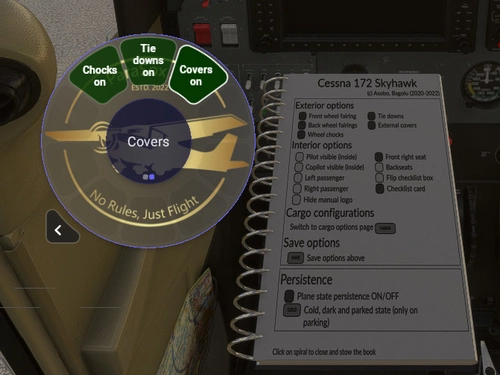
Control exterior options of your "Bagolu Cessna 172SP Skyhawk AS1000" with this Flow Pro Widget. Enhance your walk-around experience effortlessly. Installation is easy - simply extract the contents to your MSFS Community folder. Requirements include Flow Pro and the Bagolu Cessna 172SP Skyhawk AS1000 improvement mod.
par LimaKiloMike
Connectez-vous pour participer à la discussion
Se connecterCommentaires(16)
4 months ago
4 months ago
almost 3 years ago
almost 3 years ago
over 3 years ago
The widget appears on my Flow Pro dial, but when I click on it, nothing happens.
over 3 years ago
Hello Tom,
sorry for the inconvenience.
Can you send me a message in Discord with a screenshot of the widgets console output?
It is accessible when you long press the widget and click the edit button in the top right corner.
This would help me reproduce the problem.
over 3 years ago
hmm it was working but stopped now - I am wondering if its due to Sim Update 12?
over 3 years ago
Yes unfortunately it seems like it.
Parallel 42 is aware of it:
" SU12 beta breaks some //42 Flow widgets. This only affects users on beta builds...NOT production. We expect to fix things by the time SU12 goes into production. Sadly we're not alone."
Parallel 42 Discord:
https://discord.com/channels/732289464008704082/732326647159849021/1078002349064327279
over 3 years ago
There is a Flow update available with SU12 beta fixes.
over 3 years ago
yes it fixed it for me
over 3 years ago
Love this script. Thanks for making and sharing it.
over 3 years ago
This is excellent, thank you. Instant replacement for simple airport overlay.
I was able to make a few tweaks for myself. Made the background more opaque, made the font black, added a space between the mileage and the word miles. Just little customizations that were easy to introduce with this helpful foundation. Mine looks very legible against most any scenery. Thank you so much!
over 3 years ago
Great to hear that :)
Yeah just starting to learn CSS. So I leave the styling to talented people ;)
Really a strength of Flow that you can easily modify it to your liking!
Feel free to share your css code if you dont mind.
over 3 years ago
After discovering that my changes did not work well in dark conditions, I adjusted a little further. Basically, I changed two lines:
background: rgba(255,255,255,0.2);
color: #000;
I ran it with font-size 1.7em on stream last night, but I think I can get away with the default 1.5em. It gets to be a long string when you're in, say, Murfreesboro, Tennessee. And I prefer to keep it from word-wrapping as much as possible.
So then in the JS, I just added a space before miles, so it reads:
let airportString= nm + " miles ";
over 3 years ago
Sorry - I just can't get this widget to show. All my others show OK (all in the Community folder). I've checked that the folder/file structure is OK and even regenerated the layout.json file ... no luck! This is with the MS Store version, SU11.
UPDATE: Re-installed - all working fine now - sorry to trouble you!
over 3 years ago
Glad it works know!
Let me know if you have feature or change requests.
BR, LKM