
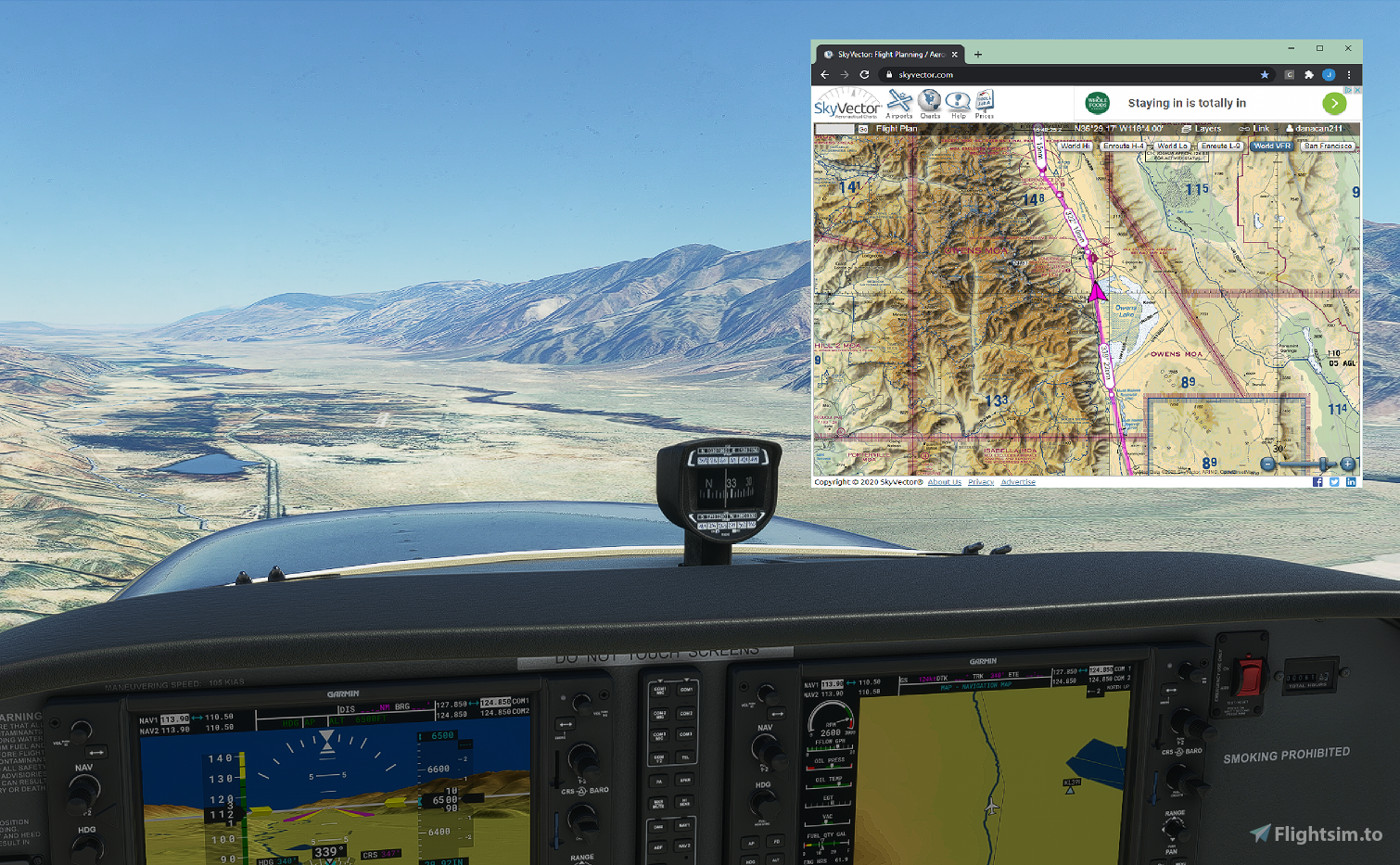
Description
MSFS 2020 SkyVector moving map A moving map that connects MSFS 2020 to SkyVector. A preview of it working can be found [Here]
Status
Only Google Chrome is being support at this time
*Users have reported that other Chromium based browsers also support it
Releases Version 0.0.3 has been released
- Web service now forces lat/lon values to decimal point
Components
- FSWebService - local web service that uses simconnect to talk to the sim (must launch as administrator)
- SkyVectorMovingMap - Chrome Extension that requests position information from the web service
Install caveats For this release you must run the webservice on the same machine as the sim and **you must launch it as Administrator**The Chrome Extension has not been released to the Chrome store so you need to load it as an unpacked extension by enabling developer mode (see included doc for details)
Is it safe to run the web service on my machine ?
Steps have been taken to secure the use of the web service:
- Web service, browser, and sim must be all on same machine (IP). It is very lightweight and should not cause any frame rate issues whatssoever. If it does, please let me know immediately.
- A CORS header is in place to only allow Skyvector.com or localhost to use the service
- The service currently supports a GET only and the code will exclude anything suspicious such as injection attempts
- The default port is 8001 which you can change (see comprehensive install google doc). Please be sure the port you use is not open on your router
**Please Read the Google Doc included with the release for a comprehensive guide on how to install**
MSFS 2020 SkyVector Moving Map
Connect MSFS 2020 to SkyVector with this SkyVector Moving Map add-on. It includes a local web service and a Chrome Extension to display real-time position information. Ensure to follow installation instructions carefully for a seamless experience.


Avis des utilisateurs
15 avis
Historique des versions
Aucun historique de version disponible.
Connectez-vous pour participer à la discussion
Se connecterCommentaires(56)