
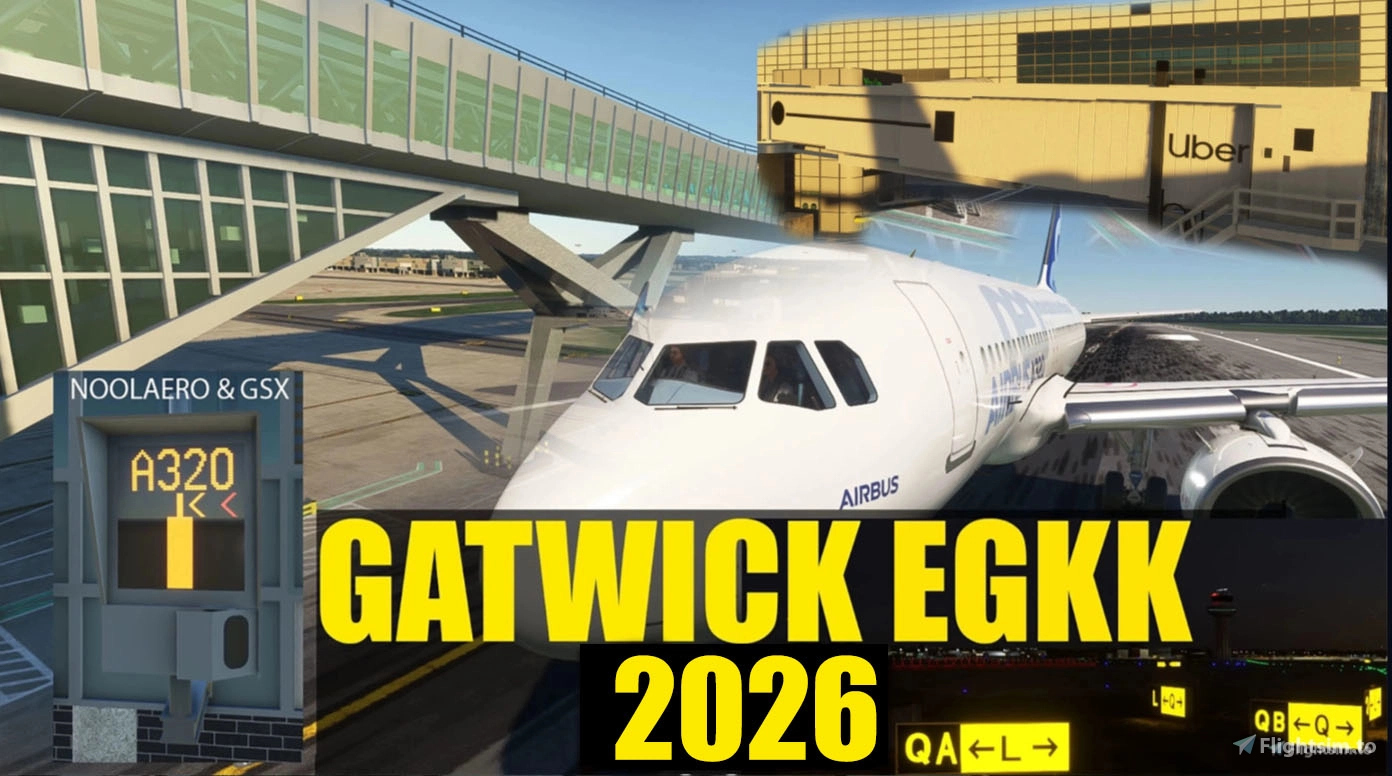
Description
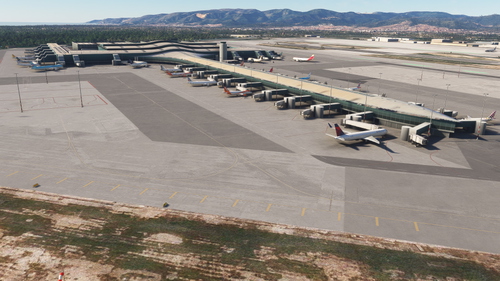
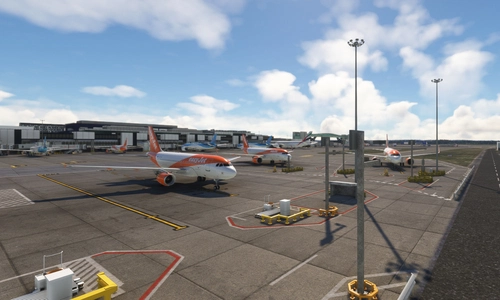
Full airport reconstruction
NEW UPDATE 26.10.26
Some smaller disconnects on Mike corrected, to do with the taxiway paths. Were for some reason designated for vehicles only. Hopefully helping BATC users
[ COMPATABLE with FS2020 and FS2024 ]
Install of FS2024 and first test of the Gatwick Scenery https://youtu.be/t6Gp_FJ_278
Updating GSX and linking to FS2024 with VGDS test https://youtu.be/z4OtUOR6KFc
How to install Noolaero VDGS for FS2024 https://youtu.be/LPbFRJ48AgU
How to install Gatwick addon: Open the downloaded zip from flightsim.to and drag the gatwick folder only into the community folder. Then start MSFS. The following video shows the process
https://youtu.be/Ic3ewn23Lp8?si=vON2jyunLhoWIo0y
The Default Gatwick Showing after install Fix Method 1: https://youtu.be/SmOR7_jIS7A
The Default Gatwick Showing after install Fix Method 2 https://youtu.be/jEeEgzFnWe0
Download Main file or older version Question: https://youtu.be/qXI1-mV1OVI
How to install Noolaero VDGS https://youtu.be/qXaA0RJTSus
Option 1: No Noolaero or GSX/GSX Profile installed https://youtu.be/-I0lszpjWFY?si=xHHrU-4L5peDLhka
Option 1B: No GSX or GSX Profile install with Noolaero VDGS Installed https://youtu.be/qXaA0RJTSus?si=1AUP64Rr78vAYu9y
Option 2: GSX Profile (No GSX VDGS) with Noolaero VDGS Installed https://youtu.be/VVwsWKvdyGc?si=6-6mDLqJz-xRti_5
Option 3: GSX Profile with GSX VDGS, Noolaero Simobject removed manually
https://youtu.be/wefSqb1d5YE?si=ZrbUeWrlSXHznTyr
KRAKE802 GSX with GSX VDGS Profile https://youtu.be/XcKcqj7qeY4
NEW UPDATE 26.4.18 - Pier 6 Extension and renaming of stands
Pier 6 Extension in construction
Pier 6 stand numbers changed to 6xx and taxiway apron area
Noolaero seems not to be activated when taxiing on.
Pier 6 Noodaero simobjects VGDS are created but not working right now
GSX VDGS working ok, profile included for Airbus A320 in zip file
Stand 47R now showing sign.
Location
EGKK - Gatwick Airport 2026
This add-on offers a complete reconstruction of Gatwick Airport (EGKK) for Microsoft Flight Simulator, compatible with both FS2020 and FS2024. It includes detailed installation instructions and compatibility tips for utilizing features such as GSX and VDGS systems. The add-on aims to enhance the airports appearance and functionality, providing real-world immersiveness for flight simulation enthusiasts.
Soutiens

X100
£20
A$20

Gatwickflyer
£20
Slocombe9
£20
Calobra
£20
ndege59
£15

Lairyliam
£15
madhouse1616
£15
jvortiz56
£15
supercjc
£15

BrianT58
$11
£10
ebiror
£10
Roolleexx
£10
Airborne54
£10
Jojo1
£10
zzzcraft
£10
Arkone
£10

Sky173
£10
CessnaDriver
£10
gee8ch
£10
Gatwickflyer
£10
CessnaDriver
£10
Ash624
£10
viper6
£10
Gatwickflyer
£10
martynxh558
£10
Gatwickflyer
£10
Aviatorman
£10
dillen
£10

SwedishGuyFlies
£10

Barnes
£10
jeanjean40
£10
karla
£10
Gatwickflyer
£10
stianr
$10
TangooFoxx
£8
cutchemist42
£8
Keller4321
£8
NIIJOE
£5
MagicflyerUK
£5
TimVS
£5
GTM125
£5
oberon27
£5
cloggy
£5
rogo24
£5
BruceU
£5
lenovtoon
£5
SKYSOUTH
£5

wcmack46
£5
MaxS
£5
abon237
£5
RW66
£5
TimVS
£5
KeithFly
£5
Arkone
£5
Simracer
£5
stigolov
£5
skyblue337
£5
GetnoX
£5
MaxAirTime
£5
DAVIDLG42
£5
del57
£5
seattleman66
£5
DHallgate
£5
en8jd
£5
NameJoshi
£5

RonSpoor
£5
Gatwickflyer
£5
ABitEncrypted
£5
AMADI
£5
bcrawley57
£5
Sigma1958
£5
pmcleans
£5
Sunnieboy
£5
PaulieH
£5
DEMOW
£5
Gusser52
£5
wogapat
£5
NameJoshi
£5
ROBPAR
£5
Dinick
£5
Weeksy
£5
zzzap
£5
RonSpoor
£4
Hybbi
£4
Travelguy101
£4
wcmack46
£3
teknowiz
£3
NameJoshi
£2
Linkingsky
£2
£2

FwdCG
£2
miahflyer
£2
FwdCG
£2
nagelmic
£1

SerpaFox
£1
Avis des utilisateurs
535 avis
Historique des versions
Some smaller disconnects on Mike corrected, to do with the taxiway paths. Were for some reason designated for vehicles only. Hopefully helping BATC users
Présent dans des collections(3)



Similaires
Gatwick Airport EGKK Ultra: Custom Buildings and Models Only
Enhance Gatwick Airport EGKK with custom-built terminals, piers, and stand plates. This add-on features handcrafted details and correct stand numbers, offering a realistic airport experience. Explore the full version with animations and trains, or opt for a lighter version without the additional animations. Update your EGKK scenery with each new version for optimal performance and enjoy the detailed improvements in this latest rebuild.
par mkvy
Gatwick EGKK Standard Full
Explore Gatwick Airport with the Standard Full version add-on, featuring detailed animations such as airbridge escalator and baggage trailers without trains or monorail for improved performance on older systems.
par mkvy
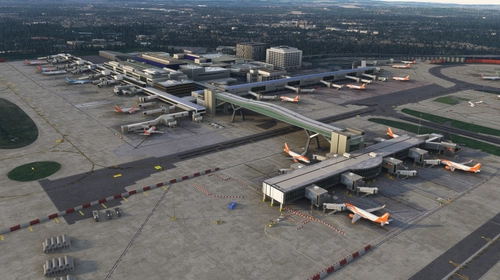
EGKK Gatwick FSLTL Static Aircraft
Enhance Gatwick airport with static FSLTL aircraft models. Add realism without FPS loss, requires FSLTL Base models. Please note, some gates are now static due to aircraft placement.
par StaticSceneries
EGKK Gatwick Airport - FSLTL Static Aircraft
This add-on enhances EGKK Gatwick Airport by incorporating static aircraft models from FSLTL, creating a more vibrant airport atmosphere without the need for an FSLTL Injector. The enhancement does not impact FPS performance, as it uses only static models. Users are required to have FSLTL Base models installed for full functionality, though some gates may be rendered unusable due to the placement of these aircraft.
par StaticAircrafts
Connectez-vous pour participer à la discussion
Se connecterCommentaires(2,919)
about 9 hours ago
the missing holds are still causing some of the traffic (especially coming via taxiway N) to try and get to hold M via AS, A and then runway 26L as this is the easiest route with no holds. If the actual hold which you have on the ground in the scenery was put on AS next to hold A, this would make the traffic route via AN or Z instead.
That, and the need for proper hold shorts on G, GR, FR and ER (for quicker exits from landing aircraft at 26L) are the last remaining barriers to full compatibility for this with BATC.
Again, we all very much appreciate your continued efforts on this, on freeware, in your free time. Hope this is helpful.
1 day ago
3 days ago
3 days ago
3 days ago
3 days ago
5 days ago
4 days ago
5 days ago
5 days ago
4 days ago
We really appreciate all the effort put into this scenery. Not easy as the world's busiest single runway :)
5 days ago
Very good scenery.
6 days ago
6 days ago
9 days ago
This causes aircraft to go onto the active to get to Holding point M1 (which is there, but can only get there via Alpha as the Mike taxipath is not connected (picture attached).
Other than that the immersion is really good. Nice Job!
6 days ago
6 days ago
5 days ago
5 days ago
about 1 month ago
Thanks again for a great airport!