
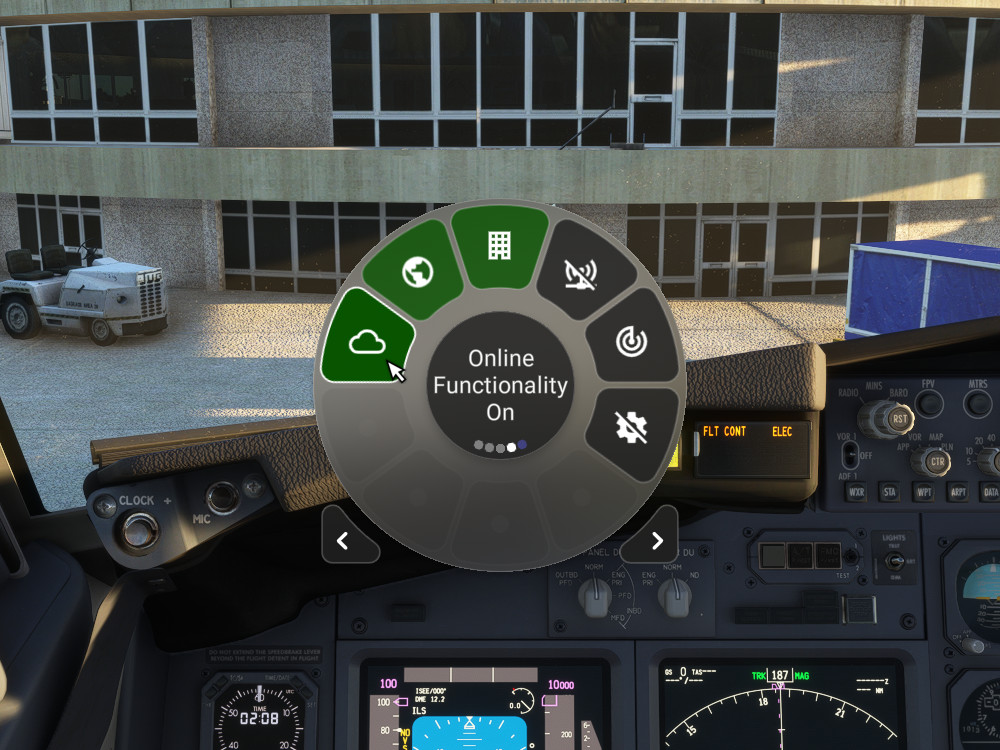
Description
These widgets do not work in Flow Pro for MSFS 2024 and cannot currently be updated to work in MSFS 2024. Flow Pro for MSFS 2024 currently does not have the sim settings API implemented. These widgets will be updated as needed when the functionality exists in Flow Pro.
Widgets to easily toggle the following MSFS settings:
- Online Functionality (Off/On)
- Bing Data World Graphics (Off/On)
- Photogrammetry (Off/On)
- Multiplayer (Off/On)
- Data Live Weather (Off/On)
- Data Live Traffic (Off/On)
- Traffic (Live/AI Offline/Off)
- Developer Mode (Off/On)
- Graphics Terrain LOD (Scroll 10-400)
- Graphics Objects LOD (Scroll 10-200)
- Sound Headphone Simulation (Off/On)
- Sound Master (Scroll 0-100)
- Sound Engines (Scroll 0-100)
- Sound Cockpit (Scroll 0-100)
- Sound Aircraft Misc (Scroll 0-100)
- Sound Warnings (Scroll 0-100)
- Sound Environment (Scroll 0-100)
- Sound Voices (Scroll 0-100)
- Sound Other Aircraft (Scroll 0-100)
- Sound User Interface (Scroll 0-100)
- Sound Music (Scroll 0-100)
- Show Traffic Nameplates (Off/On)
- Cockpit Interaction System (Lock/Legacy)
- Instrument Name Tooltips (Off/Instant/Delayed)
- Instrument Description Tooltips (Off/Instant/Delayed)
- Units of Measurement (US/Metric/Hybrid)
- Server Switcher (Scroll or Click to cycle through servers)
- List Settings (Click to list all settings in Otto/Click any setting to copy all settings to the clipboard)
- Sound ATC Text-To-Speech (Off/Offline/Azure)
- Graphics HDR10 (Off/On)
Scroll widgets can be adjusted with the mouse wheel while the cursor is over the widget. There is a 2 second delay before the setting change is applied, to avoid frequently changing the actual setting. The widget will turn green until the new setting is applied.
The Bing Data World Graphics widget can be used to reconnect when MSFS puts you in "offline mode", but it may keep your sim paused for a while while loading the data.
Note: Requires Flow Pro version 2023.29.3.12 (or higher)
MSFS Settings Widgets
Easily toggle various MSFS settings with these widgets, including online functionality, graphics options, sound settings, and more. Adjust settings with simple clicks or scrolls, with a 2-second delay to prevent frequent changes. Stay updated with the Bing Data World Graphics widget and ensure a seamless simulation experience. Compatibility requires Flow Pro version 2023.29.3.12 or newer.

Avis des utilisateurs
3 avis
Historique des versions
Added the following widgets: Sound ATC Text-To-Speech (Off/Offline/Azure) Graphics HDR10 (Off/On) Updated the following widgets to use the VR setting when VR is selected: Traffic (Live/AI Offline/Off) Show Traffic Nameplates (Off/On)
Connectez-vous pour participer à la discussion
Se connecterCommentaires(27)