
Description
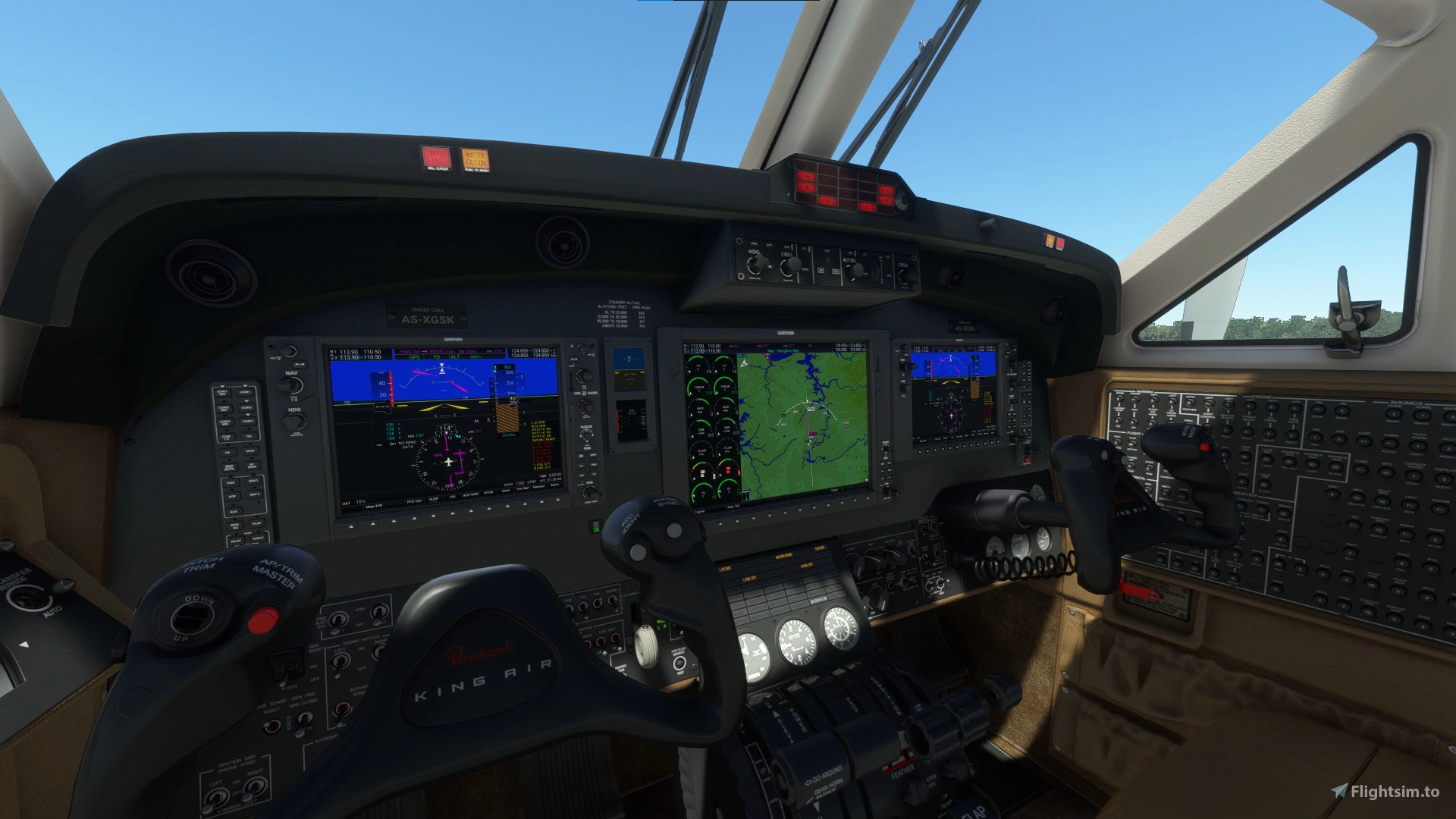
A cockpit mod that swaps out the default King Air 350's screens for Working Title's G1000 NXi. If you like flying the King Air but hate the default G3x avionics, this mod is for you. Comes with 2 PFDs, MFD, autopilot panel and audio panel.
Installation:
- Extract zip
- Copy folder "husk-g1000kingair" into community folder
This mod will replace the cockpit model of the default aircraft.
Known issues:
- Some button sounds are missing
- Some add-on liveries are incompatible, and cause the displays to show the default avionics
- Map rendering at the edges may be incomplete due to map resizing after adding eis columns
Microsoft Flight Simulator © Microsoft Corporation. King Air 350 G1000 Cockpit Mod has been created under Microsoft's "Game Content Usage Rules" using assets from Microsoft Flight Simulator, and it is not endorsed by or affiliated with Microsoft.
King Air 350 G1000 Cockpit Mod
Enhance your King Air 350 experience with this cockpit mod featuring Working Titles G1000 NXi avionics system. Includes 2 PFDs, MFD, autopilot panel, and audio panel to upgrade your cockpit. Some button sounds may be missing, and certain liveries could cause display issues. Installation instructions included.


Avis des utilisateurs
35 avis
Historique des versions
-Fixes for compatibility with SU14 -Added functional pedestal control pad based on Garmin GCU 477, with functional alphanumeric keys -Added configurable Vr V2 and Vref speed bugs to PFD
Similaires
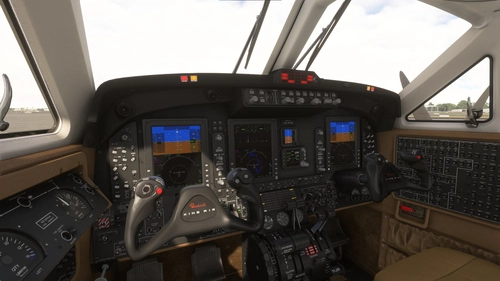
King Air 350 Pro Line 21 Mod
Enhance your King Air 350 cockpit experience with this mod by Working Title, replacing default screens with WT21 avionics. Includes 2 PFDs, MFD, RTU radio tuner, and FMC. Note: Not compatible with G1000 cockpit mod.
par Husk

Wembley Stadium
Explore the iconic Wembley Stadium in London, UK, boasting a massive seating capacity of 90,000. This detailed add-on provides a realistic rendition of the largest stadium in the UK, offering a captivating virtual experience for aviation enthusiasts.
par u/Huyster
Résumé des commentaires
Les retours de la communauté sur le King Air 350 G1000 Cockpit Mod sont globalement très positifs. Les utilisateurs apprécient particulièrement l'amélioration notable des instruments de bord par rapport à l'avionique par défaut, rendant le King Air plus agréable et plus réaliste à piloter. Plusieurs commentaires font l'éloge des nouvelles fonctionnalités, de la meilleure ergonomie et de l'affichage des données, notamment la prise en charge du VNAV. Plusieurs difficultés sont cependant rapportées, en particulier des problèmes d'installation et de compatibilité avec MSFS 2024, certains livrées ou autres mods, ce qui se traduit souvent par des écrans incorrects ou absents. Les bugs fréquents concernent le réglage des fréquences COM/NAV qui agit sur la fréquence active au lieu de la fréquence veille, ainsi que l'extinction de l'avionique la nuit ou lors de mises à jour. Les solutions proposées impliquent l'utilisation de la livrée par défaut, la suppression de mods conflits ou la modification des fichiers de configuration. La communauté souhaite de futures mises à jour pour garantir la compatibilité avec SU15 et MSFS 2024, et propose des pistes d'amélioration. L'ensemble des utilisateurs juge le mod très bénéfique mais signale la nécessité de corrections et d'un suivi continu.
Résumé du 14 nov. 2026
Connectez-vous pour participer à la discussion
Se connecterCommentaires177
Would it be possible to check out if you can put this as in any othewr MSFS airplane - when tunning a frequency one moves the STANDBY channel and not the ACTIVE COM radio channel.
Two screenshots taken... last second with LNAV/VNAV active, ILS armed... and next second when CDI autochanges to NAV1 but ROLL-mode active.
I do not have the same problem as you. I capture LOC and GS well.
I have added the main unpacked folder to:
C:\Users\tobbe\AppData\Roaming\Microsoft Flight Simulator\Packages\Community
It does not show up on any livery I have tried (I only have default ones)
Any ideas? Really wish the ILS would work but its not fully working with the G3000.
Best Regards
Turbopleb
Thank you.