
Description
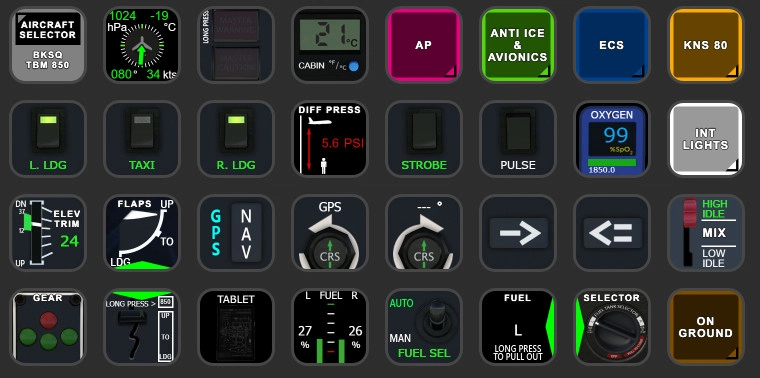
TBM850 (BlackSquare) StreamDeck XL & PLUS profile and AAO Scripts
by Guenseli
You need LORBYs AAO and its StreamDeck Plugin to run this StreamDeck profile.
ATTENTION!
PLEASE READ CAREFULLY!
- When you import SD profiles, make sure to delete the old ones, otherwise you'll get profile copies.
- Make sure to always have the latest AAO and AAO StreamDeck plugin versions!
- I just create the SD profiles! For any connection issues, SD plugin not working, Buttons show "?" or nothing, no reaction of the SD etc., please contact the developer of AAO! And please read the AAO Manual or the short Troubleshooting PDF
- It is - as the title says - just for the StreamDeck XL (!). Please do not ask for a 15 button conversion. This will not happen as this will more than double the amount of development and support for me as I do not have a 15 button SD. Sorry.
- Please ask if you want to use parts of my SD profiles, icons or AAO scripts or whatever! And please ask everytime you start a new project! You have to credit and link me in your description! If you use my work, you are then not allowed to beg for own donations!
Installation:
Install the SD XL profile by double clicking at BKSQ TBM850.streamDeckProfile
Install the SD PLUS profile by double clicking at PLUS BKSQ TBM850.streamDeckProfile
Import the AAO script AxisAndOhsScripts_BKSQ_TBM.xml according to the AAO manual
You can use the AAO scripts of course for other hardware, too!
Donations are welcome!!! it is a lot, really a lot of work, and some donations make future projects easier ;) thx!
TBM850 (BlackSquare) StreamDeck XL & PLUS profile and AAO Scripts
Enhance your TBM850 experience with the BlackSquare StreamDeck XL & PLUS profile and AAO Scripts by Guenseli. This add-on requires LORBYs AAO and its StreamDeck Plugin for optimal performance. Install the SD profiles and AAO script to enjoy a seamlessly integrated cockpit experience and improved functionality. Donations are welcome to support the hard work put into this project.

Soutiens





Avis des utilisateurs
10 avis
Historique des versions
Last call, that you backup your current profile now for MSFS2020! Included is now only a profile I just tested with 2024! fixed several buttons and scripts. changed several buttons for better performance reworked some buttons, especially on the PLUS Make sure you use SD plugin versio 38.01 !!!
Similaires
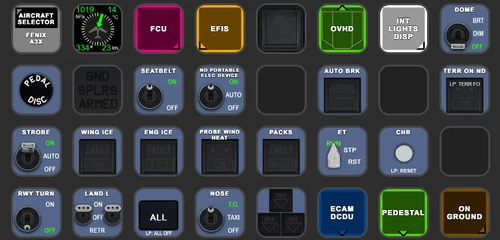
FENIX A3XX AAO Scripts & StreamDeck XL & PLUS Profile
Customize your Microsoft Flight Simulator experience with FENIX A320 AAO Scripts & StreamDeck XL Profile by Guenseli. This add-on offers a seamless integration with LORBYs AAO and StreamDeck Plugin for optimal performance. Explore the detailed installation instructions for enhanced functionality with a VRInsight MCP Combo II. Elevate your simulation setup with this meticulously crafted add-on.
par Guenseli
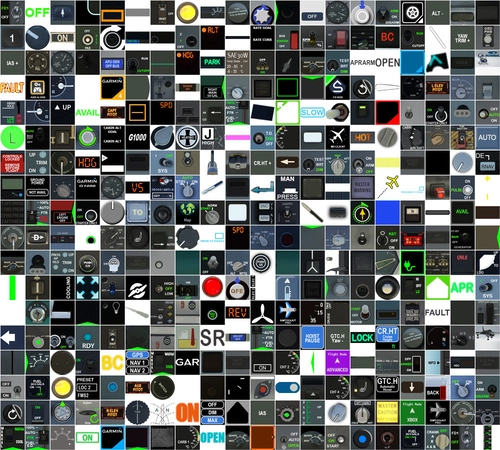
Icon Pack for Elgato StreamDeck
A collection of over 3500 icons designed for Elgato StreamDeck and similar devices, created by Guenseli. Ideal for personal use with a disclaimer against commercial usage. Icons are detailed and diverse, providing a variety of options for customization. Credits required if used in public projects, with a suggestion for donations to support the creators work.
par Guenseli
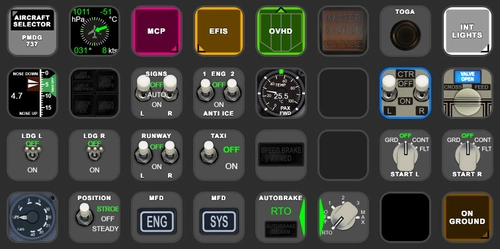
PMDG 737 AAO Scripts & StreamDeck XL & PLUS Profile
Enhance your PMDG 737 experience with the PMDG 737 AAO Scripts & StreamDeck XL & PLUS Profile by Guenseli. Make sure to update your Elgato Software to version 6.0 or higher for compatibility. This profile is specifically designed for the StreamDeck XL and requires LORBYs AAO and its StreamDeck Plugin to run smoothly. Get ready to elevate your cockpit with this detailed and user-friendly add-on.
par Guenseli
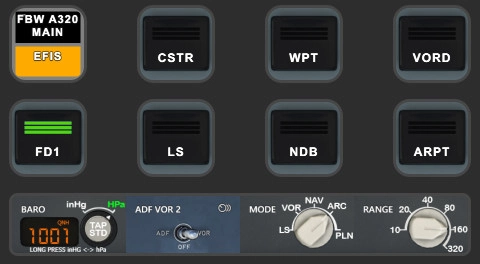
FBW A320 AAO Scripts & StreamDeck XL & PLUS profile and MCP Combo template
Enhance your FBW A320 experience with tested AAO Scripts and StreamDeck profiles for XL & PLUS versions. Ensure to delete old profiles before import and always use the latest plugin versions for seamless integration. Contact AAO developer for any connection issues and give credit if using parts of these profiles in your projects. Install scripts and profiles for an immersive flight simulation experience.
par Guenseli
Connectez-vous pour participer à la discussion
Se connecterCommentaires(49)
about 8 hours ago
about 2 hours ago
Can you contact the AAO support, I just make profiles
about 2 months ago
3 months ago
3 months ago
about 1 year ago
about 1 year ago
over 1 year ago
Thanks Guenseli !!!
over 1 year ago
over 1 year ago
over 1 year ago
over 2 years ago
over 2 years ago
if pitot, prop deice etc. does not work for ALL my profiles, I do need more infos at this will be some issue on your end. All these addons I create profiles for use completely different variables for these functions. So, that all of these do not work is technically not possible.
over 2 years ago
almost 3 years ago
almost 3 years ago
Small issue with the SD Plus profile.
In VOR modes etc, the Course dial changes ithe course indicator needle, but the number on the display remains at 000.
Can this be fixed
Also, re: a Heading Bug Sync:
... Could tapping the screen next to Heading could Sync heading bug to Current Heading ?
Thnx.
almost 3 years ago
Profile works great.
Could you possibly - when you have time - add the "850 Mode" switch as a button, or link it to Flaps Up ?
I believe the Lvar is:
"L:var_850Mode, bool" (Requires flaps to be up)
I have no idea how to add this.
Thnx
Found this on Flightsim forums:
" .... Yes that works. I would suggest making a script bind it to the flaps lever: Flaps UP Script: (A:FLAPS·HANDLE·INDEX:1,·Number)·0·==·if{·1·(>L:var_850Mode,·Number)} els{·1·(>K:FLAPS_DECR)} Flaps DOWN Script (L:var_850Mode,·Number:1,·Number)·1·==·if{·0·(>L:var_850Mode,·Number)} els{·1·(>K:FLAPS_INCR)} EDIT: Checklist is planned.
... "
I have no idea how to implement this
almost 3 years ago
almost 3 years ago
The 850 is a switch above the flap lever that allows TQ to go above 100 %.
So I created a button and put it below the Flaps Indicator buttons -- copied from one of your simple "Send Command x" buttons -- ... and just modified the text to:
(K): var_850Mode, bool
And it works ! When Flaps are fully up I press it and throttle will increase to 121%.
But how to add it to the final Flaps Up position, is way beyond me. But it's not really necessary as it's easy to press.