
Description
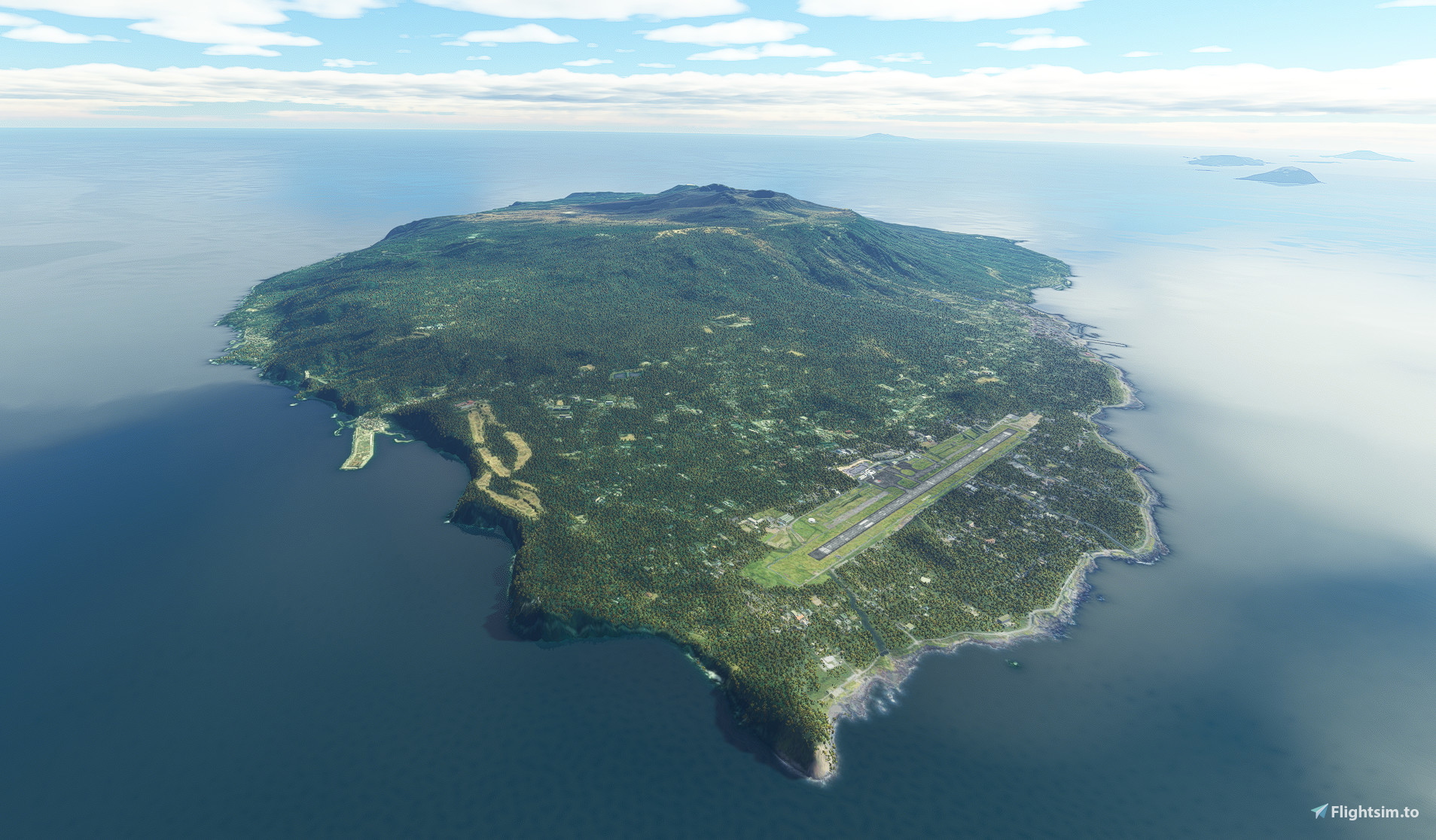
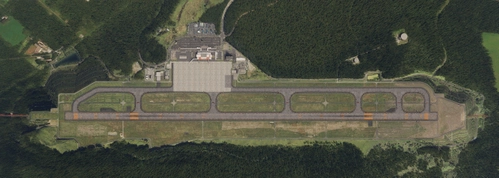
RJTO Oshima Airport
Reworked aprons and taxiways to match new data.
Building remains autogen.
The file size is large due to the addition of aerial photographs.
MFSG Oshima Airport scenery is now supported.
MFSG compatible scenery is applied by default.
If you want to use it with Autogen's Stock airport, delete the existing RJTO_0_Airport.bgl and rename RJTO_0_Airport_stock.bgl to RJTO_0_Airport.bgl.
Support has ended due to the end of GAO CHAN scenery release.
Rename the folders so that they are in the same order as in the example below.
As long as the order is the same, you can name the folders freely.
[airport-rjto-oshima-mfsg] MFSG Oshima Airport.
[airport-rjto-z-oshima] This mod.
Dépendances
Commentaires(9)
Connectez-vous pour participer à la discussion
Se connecteralmost 2 years ago
over 1 year ago
GAO's Oshima has been online again with several fixes.
https://ofuse.me/e/64492
about 2 years ago
長い間、大島空港を楽しみにしていました。
また。小笠原の島々を含め、製作に感謝致しております。
ありがとうございます!
over 2 years ago
over 2 years ago
over 2 years ago
over 2 years ago
over 2 years ago
RJTO Oshima Airport
RJTO Oshima Airport mod offers reworked aprons and taxiways, using new data for accuracy. Featuring autogen buildings and large file size due to aerial photographs inclusion. Compatible with GAO CHAN airport scenery, with some hidden objects to align positions. Experience enhanced detail and realism with this add-on.

Avis des utilisateurs
2 avis
Location
More Information
Historique des versions
Add refueling spots. Updated ground markings.
Similaires
RJTH Hachijojima Airport Enhanced
Enhance your flying experience with the RJTH Hachijojima Airport add-on, now with improved airport details and elevation accuracy. This update includes changes to runway location, lighting, markings, and parking, as well as additions like approach lights and custom models. Make sure to have World Update 1 Japan installed for full compatibility.
par karuchie
RORS Shimojishima Airport Enhanced
Enhanced version of RORS Shimojijima Airport with fixes and improvements, including updated 3D models and lighting adjustments. Ensure to download additional dependencies for an optimal experience.
par karuchie
RJOA Hiroshima Airport Enhanced
This add-on enhances KAZEs RJOA Hiroshima Airport by correcting misaligned runways, taxiways, and aprons, leading to improved ILS alignment. It replaces the glass jetway with a metal asset and incorporates a 1m DEM across the airport and a 3m DEM in the surrounding area. Additional features include updated taxiway signs, new lighting installations, and adjustments to objects for height and position accuracy. Users are advised to adjust the file priority for proper integration with the existing scenery.
par karuchie
RJCK Kushiro Airport Enhanced
Enhanced version of Kushiro Airport featuring runway and taxiway line changes, updated taxiway lights, and accurate runway slope. Requires additional Japanese airport model library for some objects. Experience fine-tuning of terminal building, apron lights, and more in this detailed add-on.
par karuchie
12 months ago