
![Custom Camera Views [FENIX A321 IAE & CFM | WTF + SL] - Image 1](https://cdn.flightsim.to/images/27/custom-camera-views-fenix-a321-iae-cfm-465331-1730994999-Sl7UI.jpg)
Description
Custom camera views for FENIX A321 IAE & CFM | WTF + SL
The custom cameras have been defined as follows:
Custom camera 0 - pilot view
Custom camera 1 - left wing view
Custom camera 2 - GOPRO cockpit view
Custom camera 3 - right wing view
Custom camera 4 - left engine view
Custom camera 5 - overhead panel
Custom camera 6 - right engine view
Custom camera 7 - central panel
Custom camera 8 - FMC
Custom camera 9 - co-pilot view
The file (MSFS2024) now includes all three aircraft types from the Airbus A320 family to simplify the process.
Just copy and paste the folder "FNX_32X" into your airplanes folder in the main directory of MSFS 2024.
Installation Instructions
The folder must be copied into the main directory of MSFS, not into the Community folder.
Proceed only if you feel confident about the next steps.
Step-by-Step Guide:
Locate the MSFS main directory where the "Airplanes" folder is located. This folder contains subfolders for each airplane that has custom camera views.
Note: If you haven't set up any custom cameras yet, the "Airplanes" folder might be empty or might not exist at all.
Path to the folder based on your version:
MSFS 2020:
MS Store: C:\Users\*UserName*\AppData\Local\Packages\Microsoft.FlightSimulator_8wekyb3d8bbwe\LocalCache\SimObjects\Airplanes
Steam: C:\Users\*UserName*\AppData\Roaming\Microsoft Flight Simulator\SimObjects\Airplanes
MSFS 2024:
MS Store: C:\Users\*UserName*\AppData\Local\Packages\Microsoft.Limitless_8wekyb3d8bbwe\LocalCache\SimObjects\Airplanes
Steam: C:\Users\*UserName*\AppData\Roaming\Microsoft Flight Simulator 2024\SimObjects\Airplanes
>>IMPORTANT<<
Make a backup of any old files that might already exist in the subfolders. This way, if there are any issues, you can easily revert to your old camera views.
Installation: Drag and Drop
1. Extract the downloaded file.
2. Copy the folder into the "Airplanes" folder.
Ensure that your custom camera views are assigned to keys in your simulator settings.
You can do this by navigating here Settings > Controls > Camera > Cockpit Camera > LOAD CUSTOM CAMERA
You will find the slots 0 to 9 there. Assign a key to each slot you want to use.
By default, custom camera views are assigned to ALT + 0–9. Since pressing two keys can be inconvenient, I recommend remapping them to the Numpad for quicker and easier access.
Questions or Requests:
Feel free to send me a private message or leave a comment if you have any questions or requests.
I would appreciate your feedback and rating!
Cheers!
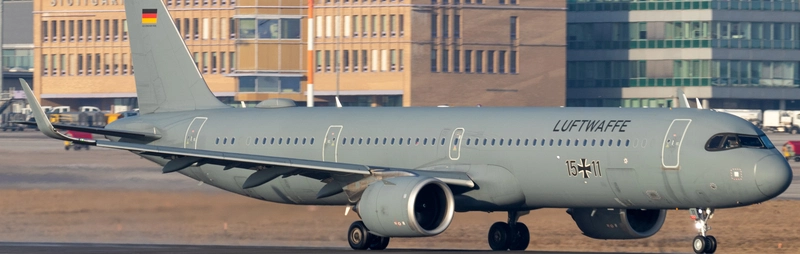
Custom Camera Views [FENIX A321 IAE & CFM | WTF + SL]
Custom camera views made by me, adapted to fit this aircraft. All my camera packs follow the same scheme, so you always know which key gives you which view: pilot, co-pilot, wings, engines and panels. Manual installation into the MSFS main directory, then assign the keybinds to your keys for quick access. Cheers!

Avis des utilisateurs
3 avis
Historique des versions
Version 2.5 (All-in-One Package) - Reworked right wing views for the A319 (IAE & CFM) - No changes to the other aircraft in the All-in-One package
Similaires
![Custom Camera Views [FENIX A320 IAE & CFM | WTF + SL]](https://cdn.flightsim.to/images/27/custom-camera-views-fenix-a320-iae-cfm-465331-1737298543-BDXvy.jpg?width=500)
Custom Camera Views [FENIX A320 IAE & CFM | WTF + SL]
Custom camera views made by me, adapted to fit this aircraft. All my camera packs follow the same scheme, so you always know which key gives you which view: pilot, co-pilot, wings, engines and panels. Manual installation into the MSFS main directory, then assign the keybinds to your keys for quick access. Cheers!
par Jojodstep
![Custom Camera Views [iFly 737 Max 8]](https://cdn.flightsim.to/images/27/custom-camera-views-ifly-737-max-8-465331-1729522604-8AwV4.jpg?width=500)
Custom Camera Views [iFly 737 Max 8]
Custom camera views made by me, adapted to fit this aircraft. All my camera packs follow the same scheme, so you always know which key gives you which view: pilot, co-pilot, wings, engines and panels. Manual installation into the MSFS main directory, then assign the keybinds to your keys for quick access. Cheers!
par Jojodstep
![Custom Camera Views [FENIX A319 IAE & CFM | WTF + SL]](https://cdn.flightsim.to/images/27/custom-camera-views-fenix-a319-iae-cfm-465331-1737331439-xNbPq.jpg?width=500)
Custom Camera Views [FENIX A319 IAE & CFM | WTF + SL]
Custom camera views made by me, adapted to fit this aircraft. All my camera packs follow the same scheme, so you always know which key gives you which view: pilot, co-pilot, wings, engines and panels. Manual installation into the MSFS main directory, then assign the keybinds to your keys for quick access. Cheers!
par Jojodstep
![Custom Camera Views [iniBuilds A350-900/ULR]](https://cdn.flightsim.to/images/27/custom-camera-views-inibuilds-a350-900-465331-1740582294-TMq03.jpg?width=500)
Custom Camera Views [iniBuilds A350-900/ULR]
Custom camera views made by me, adapted to fit this aircraft. All my camera packs follow the same scheme, so you always know which key gives you which view: pilot, co-pilot, wings, engines and panels. Manual installation into the MSFS main directory, then assign the keybinds to your keys for quick access. Cheers!
par Jojo1887
Connectez-vous pour participer à la discussion
Se connecterCommentaires(14)
21 days ago
21 days ago
In there you’ll find all the individual camera view files. Just pick the one that isn’t working on your side and copy it into your existing installation, using the same path and replacing only that folder.
I’ll also test the camera views myself now to make sure there isn’t a mistake in the file.
If you need anything else, just send me a private message.
EDIT: For me its working fine.
19 days ago
4 months ago
Ce commentaire a été supprimé
9 months ago
over 1 year ago
Ensure that your custom camera views are assigned to keys in your simulator settings.
You can do this by navigating here OPTIONS > CONTROLS
Can you to be more specific as i have never done this before.
Thanks
over 1 year ago
You have to set i.e „load custom camera 0“ to a specific key, standard is ALT + 1 - 9 & 0
over 1 year ago
You can do this by navigating here OPTIONS > CONTROLS
How do you do this? I can navigate to that folder but am unclear on what the next step is.
over 1 year ago
over 1 year ago
almost 2 years ago
almost 2 years ago
almost 2 years ago
about 2 years ago