

Description
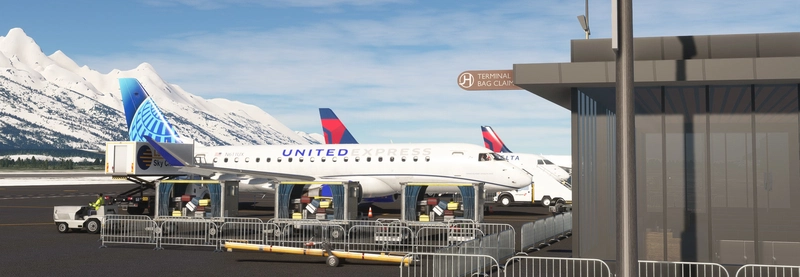
After many months of work, I am proud to present Jackson Hole Airport for MSFS.
Jackson Hole Airport is a regional airport located in Grand Teton National Park, Wyoming. This is the only airport in the United States within a national park. The airport serves a large array of flights ranging from private jet charter flights to commercial flights on aircraft like the Boeing 757. The airport's relatively short runway and the nearby mountains for a challenging but spectacular approach into the airport.
IMPORTANT: MSFS 2024 Native version will only work for MSFS 2024.
If you are getting bad performance in the sim when looking at the parking lot, delete the normal KJAC version and download the version titled "MSFS 2020 Better Performance". This removes a lot of the custom models from the parking lot that may have been causing problems on certain systems.
Features:
- Detailed Terminal Building with recent renovations modeled as of March 2024
- Detailed interior in the terminal as of March 2024
- Custom Night-lighting
- Custom models for trees/plants
- Accurate parking lot and roads in the area
- Custom taxiways and taxiway lines
- Tested with ATC applications like BeyondATC
- Optional FSLTL static aircraft
Installation:
Main File:
To install, unzip the zip file and open the folder called"Stratus Simulations KJAC". The, copy the file titled "stratussimulations-jackson-hole" to your community folder.
For FSLTL Static Aircraft: Copy the file titled "stratussimulations-kjac-fsltl" into your community folder in addition to the main file (Requires FSLTL Base models to be installed)
Updates:
When an update is available, please delete the old file and drag and drop the new files into your community folder.
In the future, I will add more custom models for buildings like the FBO
This is still A work in progress, so some buildings may not be fully modeled.
For FSLTL Option:
- If you are using the FSLTL option, note that some gates are now taken up by the static aircraft.
- These are Gates 2, 4, 7, and 9. The rest of the gates are still usable.
If you have any questions or find an error, please feel free to send me a private message or post a comment
Location
KJAC - Jackson Hole Airport
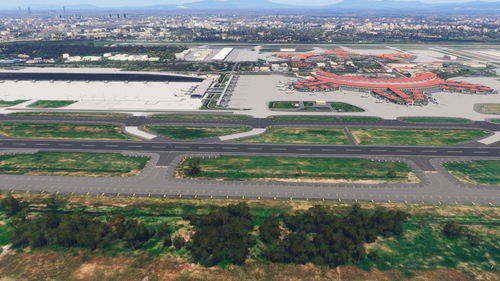
Jackson Hole Airport (KJAC) is a meticulously crafted add-on for Microsoft Flight Simulator, set within the picturesque Grand Teton National Park in Wyoming. This add-on features a detailed terminal building reflecting recent renovations, alongside custom models for flora and enhanced night lighting. It offers accurate airport layouts, including taxiways, parking lots, and roads, providing a realistic environment for both private and commercial flight operations. Additionally, it supports integration with ATC applications and optional static aircraft for a more immersive experience.

Avis des utilisateurs
2 avis
Historique des versions
Fixed folder structure Renamed BGL to avoid CTDs
Présent dans des collections(1)

Similaires
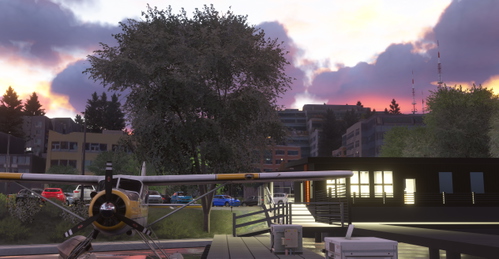
W55 - Kenmore Air Harbor, Lake Union Seattle
Explore the Kenmore Air Harbor, a detailed seaplane base located in Lake Union, Seattle. This add-on features a meticulous model of the terminal, simplified interior, and custom surrounding terrain, enhancing the scenic flight experience around Seattle. It also includes custom roads and parking spaces for improved immersion. For optimal performance, users are encouraged to install the free World Update 18.
par Stratus Simulations
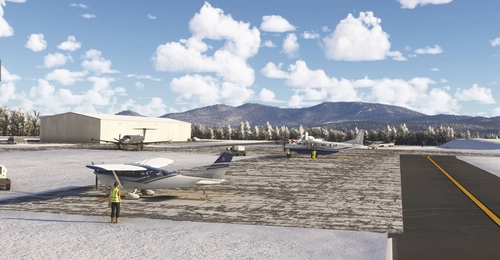
8B0 - Stephen A. Bean Municipal Airport
Stephen A. Bean Municipal Airport (8B0) is a small municipal airport located in Rangeley, Maine, ideal for scenic mountain flights. This add-on features custom terrain, detailed buildings, and accurate runway layout as of 2024, accommodating various piston-powered aircraft. Enhancements include custom roads and vegetation in the surrounding area, ensuring an immersive flight experience.
par Stratus Simulations
Connectez-vous pour participer à la discussion
Se connecterCommentaires(28)
about 7 hours ago
9 months ago
9 months ago
3 months ago
over 1 year ago
over 1 year ago
over 1 year ago
over 1 year ago
over 1 year ago
over 1 year ago
2024 double deep airport folder.. (move up one level so that it would activate when put into the community folder (if not using linker).
It might be a good idea to at least give your add-on a quick look after you build it..
over 1 year ago
over 1 year ago
over 1 year ago
over 1 year ago
over 1 year ago
One thing I seem to be having an issue with is something about the Car park is eating a lot of perfoormance, I check to see if it was the terminal but when I pass it and look back at it (towards the runway) it is fine. But on turning back to the carp park direction something eats a lot of Performance
Not too sure what it is but just letting ya know :)
over 1 year ago
Are you using MSFS 2020 or 2024?
over 1 year ago